RS-1_instruction manual.pdf - 第389页
Part 1 B asic O peration Chapter 4 Cr eating a Produc tion Progra m 4- 54 ④ Com ponent reject to Set the comp onent disc ardin g method for a cas e where centering r esults in a r ecognition error or lead fl oating inspe…
Part 1 Basic Operation Chapter 4 Creating a Production Program
4-53
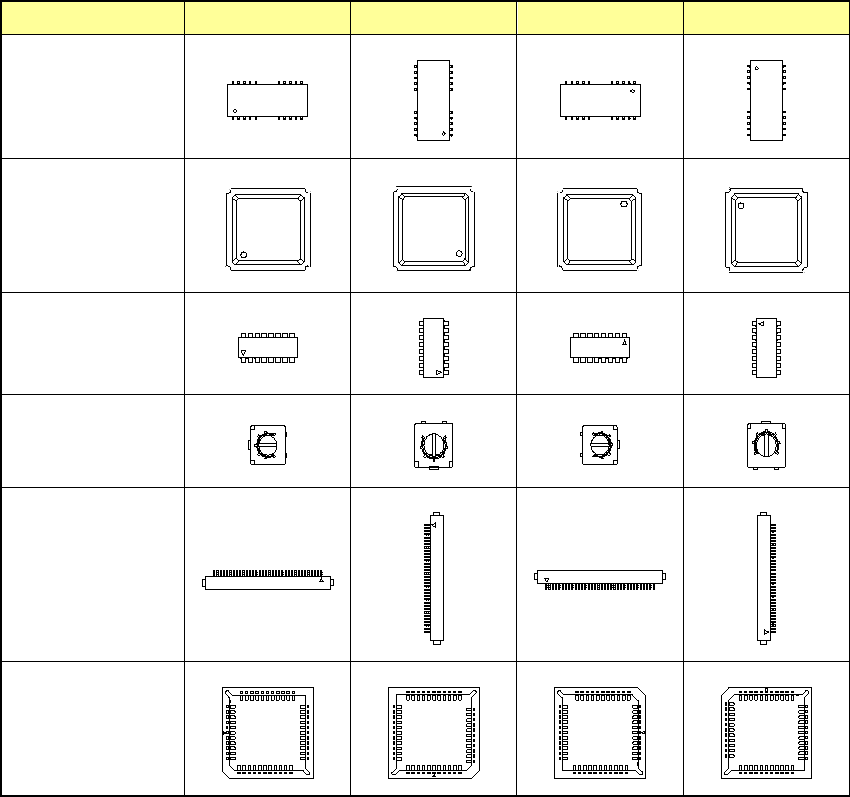
Type of components 0° 90° 180° 270°
TSOP-2
BGA
FBGA
Network resistor
Trimmer
One-direction lead
connector
Two-direction lead
connector
Z-lead connector
J-lead socket
Gull-wing socket
Socket with bumper
Part 1 Basic Operation Chapter 4 Creating a Production Program
4-54
④ Component reject to
Set the component discarding method for a case where centering results in a recognition
error or lead floating inspection results in an error.
Select the component discarding method from the drop-down list in the combo box.
The discarding methods displayed in the list vary depending on your selection of the “Tape
Width.”
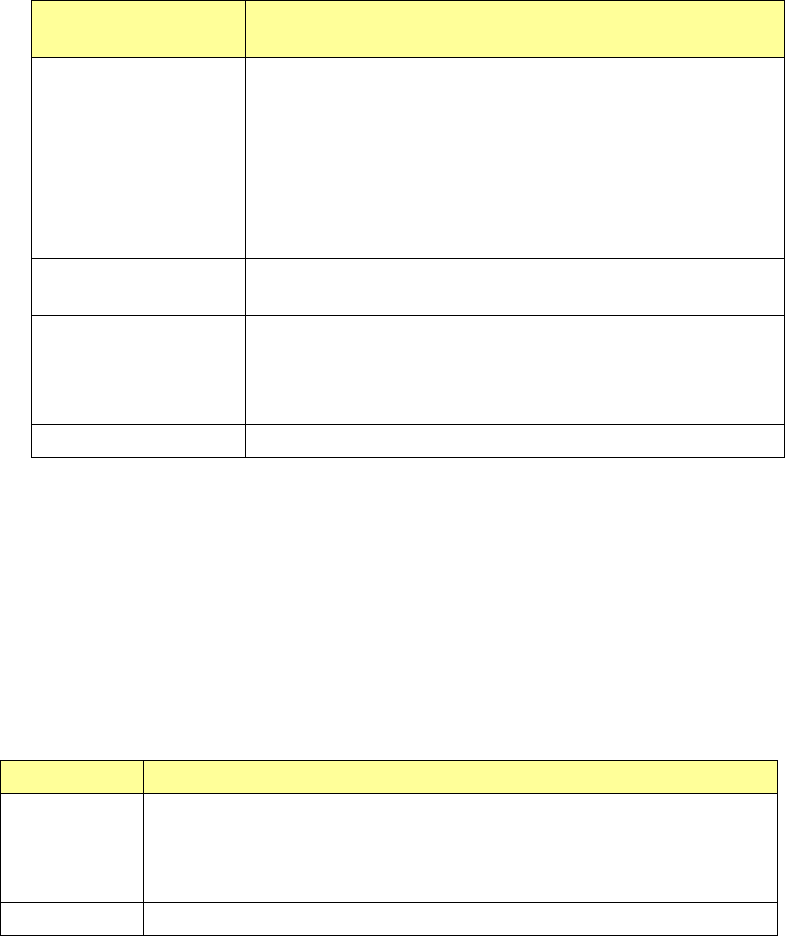
Menu items displayed
in the drop-down list
Description
Trash box - This item can be selected for every component.
Components with 15 mm or less in length/width/height are
discarded at the small-sized component discarding position.
Components with 50 mm in longer side are discarded at the
large-sized component discarding position.
Components other than small-sized and large-sized
components are discarded at the medium-sized component
discarding position.
Tray return
- When Tray is selected for the packaging style, this item can be
selected.
IC collection belt - This item can be selected for a component that can be centered
with a VCS.
Note that you cannot select this item when the height of a
component exceeds 6 mm.
Protect - You can select this item for all component types.
⑤ Feed Speed
Set a pitch feed speed of the electric feeder.
To change the feed seed, check on the [Yes] check box in the “Setting” area and select
“Fast”, “Medium”, or “Slow” from the drop down list.
If components roll in the cavity as they are fed, this symptom can be controlled by changing
the feed speed.
⑥ Splicing sensor
Whether the splicing sensor of the electric feeder (RF) is used is set.
Used or not Contents
Used
(Default)
Uses the splicing sensor when it can be used.
However, when [Not Use the Splice Sensor] of the machine setup is set at
ON, the splicing sensor is not used regardless of the component data
setting.
Not used Does not use the splicing sensor even when it can be used.
Part 1 Basic Operation Chapter 4 Creating a Production Program
4-55
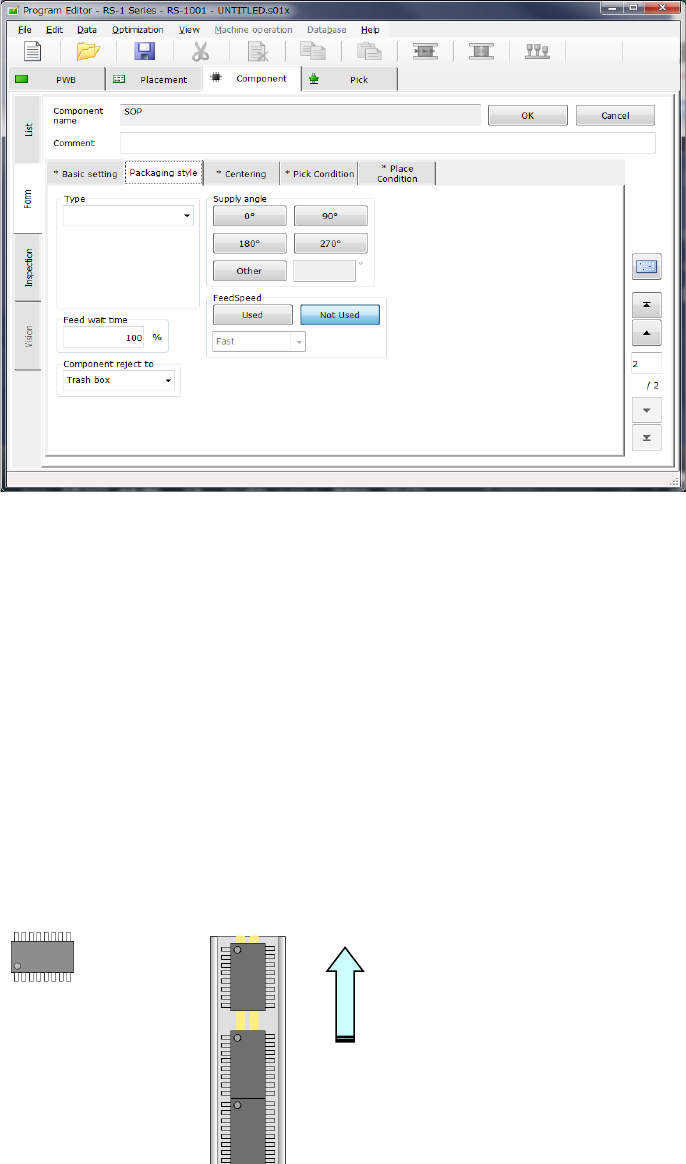
2) How to enter data when you select “Stick” as the “Packaging style”
① Type
Select a type of a stick feeder.
② Feed wait time
Specify the ratio of the actual waiting time to the waiting time (specified for each type) until
the next component becomes able to be picked up after a component is picked in percent
figures.
The initial value is 100 %.
③ Supply angle
Enter a value indicating how much the component package on the stick feeder inclines
against the JUKI’s component supply angle “0 degrees.”
See “JUKI's definition of the component supply angle” of “(1) How to enter data when you
select “Tape” as the “Packaging style”” of “(2) Packaging style” under Section 4.3.5.2 for
details.
When you select the <Other> button, enter the angle in the edit field (0°to 359.9875°).
④ Component reject to
Set the component discarding method to be applied in a case where centering results in a
recognition error or lead floating inspection results in an error.
See “Component reject to” of “(1) How to enter data when you select “Tape” as the
“Packaging style”” of “(2) Packaging style” under Section 4.3.5.2 for details.
How to feed
Angle definition 0° Supply angle 270°