RS-1_instruction manual.pdf - 第749页
Part 2 D etaile d Descript ion of E ach Functi on Chapter 8 Machine Set up 8- 41 Bad mark information setting The bad mar k infor mation can be s et when the bad mark pr opagation is effectiv e. After the bad mark infor …
Part 2 Detailed Description of Each Function Chapter 8 Machine Setup
8-40
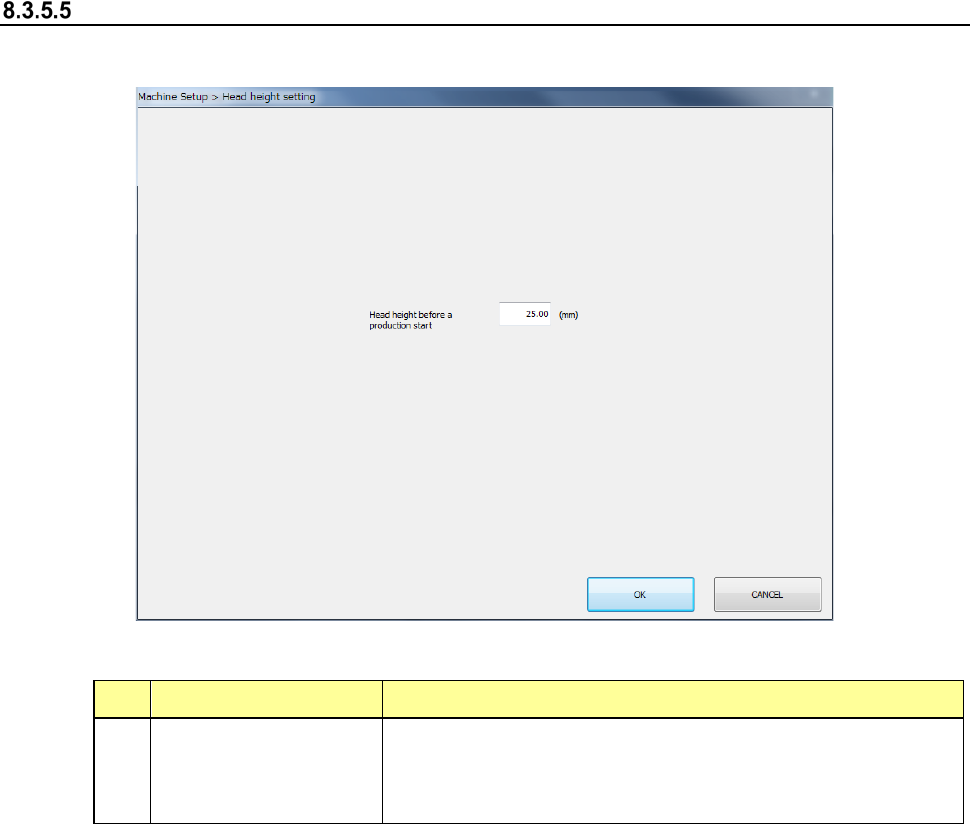
Head height setting
When you select [Head height setting], the screen shown below will appear.
(1) Setting items
No. Item Description
1
Head height before a
production start
Set a height that allows the head to move down during
production.
The head (ZA-axis) move to a height higher than the height
you have set in this setting item, and then the production starts.
(2) How to set
1) Enter a height value in the edit box directly.
Part 2 Detailed Description of Each Function Chapter 8 Machine Setup
8-41
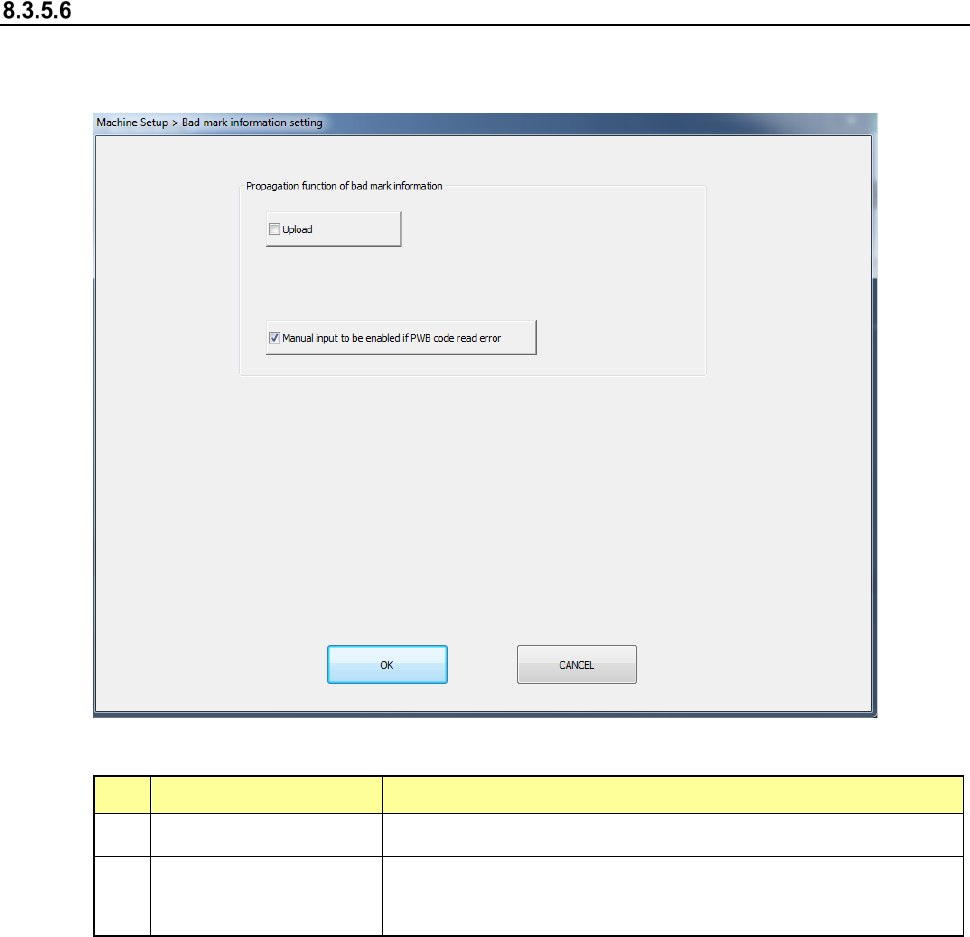
Bad mark information setting
The bad mark information can be set when the bad mark propagation is effective. After the bad
mark information setting is selected, the following screen is displayed.
(1) Setting items
No.
Item
Description
1
Upload Check it off for the case of the upload mounter.
2
Manual input function
at occurrence of PWB
code read error
When a PWB code reading results in an error, check off this
item so that the manual input can be performed on the
temporary stop screen.
(2) How to set
1) Select each item by radio button.
Part 2 Detailed Description of Each Function Chapter 8 Machine Setup
8-42
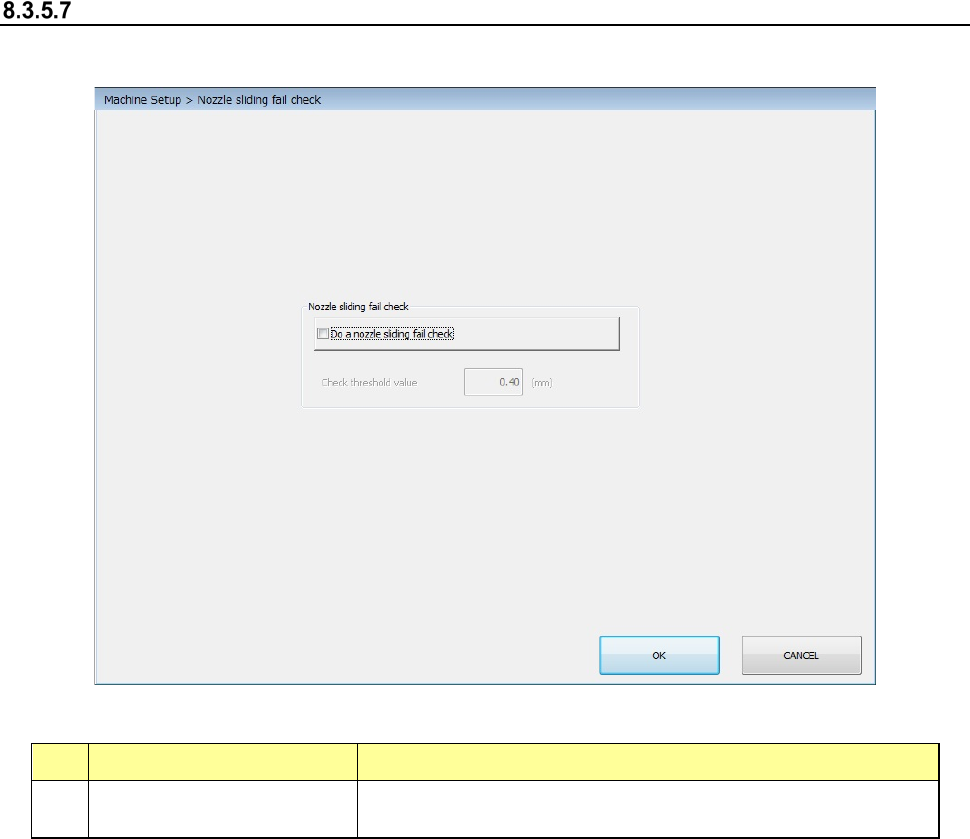
Nozzle sliding fail check
When you select [Nozzle sliding fail check], the screen shown below will appear.
(1) Setting items
No. Unit Production operation
1 Do a nozzle sliding fail check
Checks the nozzle sliding fail. When the nozzle sliding fail is
detected, the production is stopped.
(2) How to set
1) Select the setting by check button.
“Do a nozzle sliding fail check”
When the setting items are checked on, they can be used. When the setting items are
checked off, they not be used.