RS-1_instruction manual.pdf - 第754页
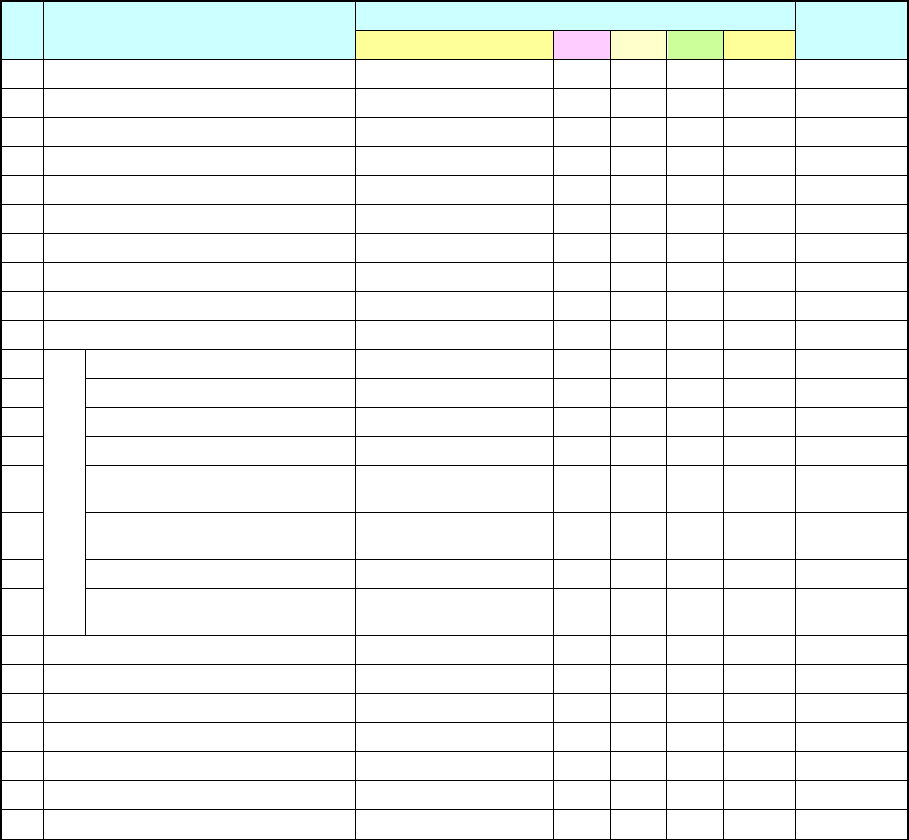
Part 2 D etaile d Descript ion of E ach Functi on Chapter 8 Machine Set up 8- 46 (2) Initial values No. Phase Signal light pattern Remarks Lighting c ondition Red Y ellow Green Buzze r 1 Init ial state (Power on) All col…
Part 2 Detailed Description of Each Function Chapter 8 Machine Setup
8-45
8.3.6 Unit setting
Signal light
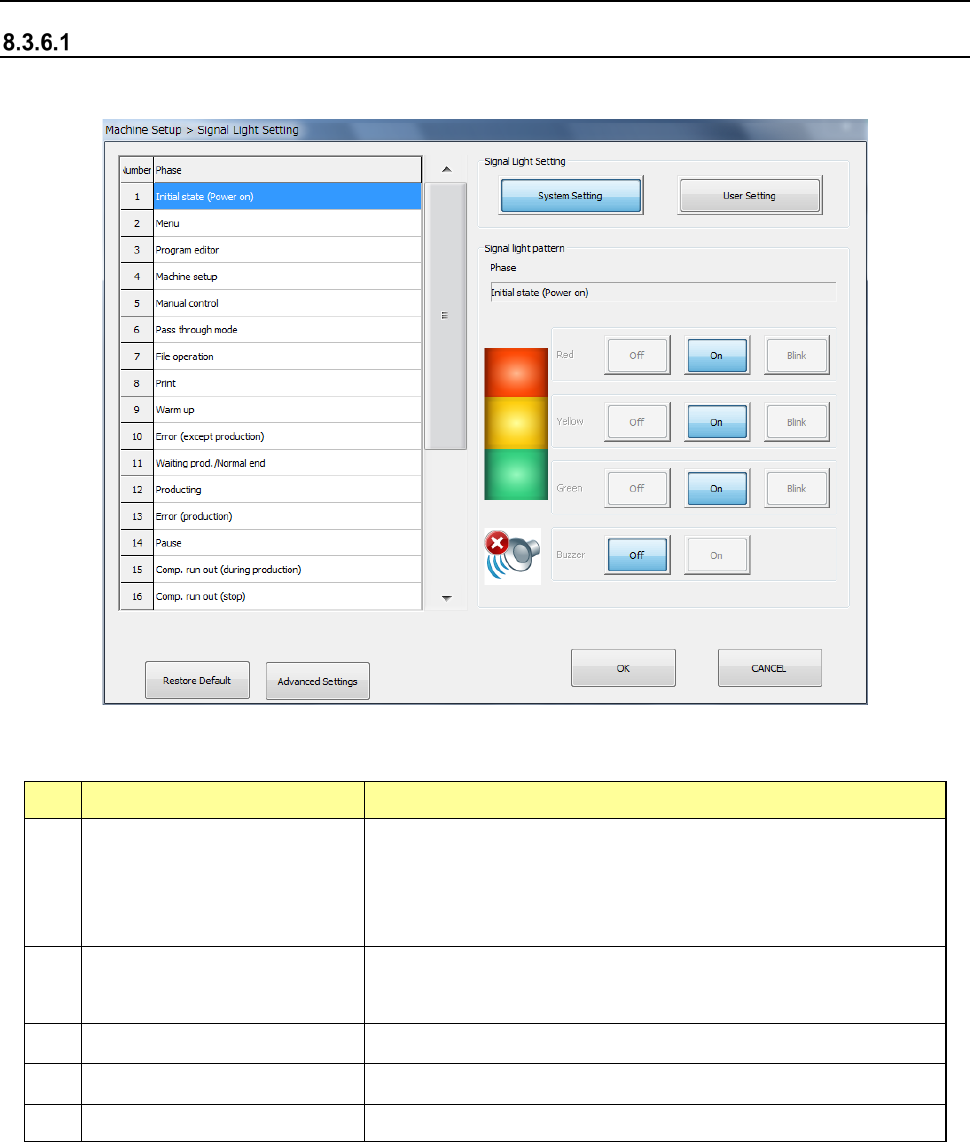
When you select [Signal light], the following screen appears.
(1) Setting items
No. Item Description
1
Signal light setting
(System setting, User setting)
User Setting: This push button allows you to change the signal
light pattern.
System setting refers only to the initial values of the system set
pattern. You cannot change these settings.
2
Signal light pattern
(Red, Yellow, Green)
Sets the light pattern of the signal light for each operation phase.
Select OFF, ON and BLINK.
3
Signal light pattern (Buzzer)
Sets ON/OFF of the buzzer in each operation phase.
4
Restore Default
Copies the system setting data to the user setting data.
5
Advanced Settings Opens the Signal Light Advanced Settings screen.
Part 2 Detailed Description of Each Function Chapter 8 Machine Setup
8-46
(2) Initial values
No.
Phase
Signal light pattern
Remarks
Lighting condition Red
Yellow
Green
Buzzer
1 Initial state (Power on) All colors of lamps light. ■ ■ ■ OFF
2 Menu The yellow lamp lights. ― ■ ― OFF
3 Program editor The yellow lamp lights. ― ■ ― OFF
4 Machine setup The yellow lamp lights. ― ■ ― OFF
5 Manual control The yellow lamp lights. ― ■ ― OFF
6 Pass through mode The yellow lamp lights. ― ■ ― OFF
7 File operation The yellow lamp lights. ― ■ ― OFF
8 Print The yellow lamp lights. ― ■ ― OFF
9 Warm up The yellow lamp lights. ― ■ ― OFF
10 Error (except production) The red lamp lights. ■ ― ― OFF
11
Production
Waiting prod./Normal end All colors of lamps light. ■ ■ ■ OFF
12 Producing The green lamp lights. ― ― ■ OFF
13 Error (production) The red lamp lights. ■ ― ― OFF
14 Pause The yellow lamp lights. ― ■ ― OFF
15
Comp. run out (during producing) The green lamp lights and
yellow lamp flashes.
― □ ■
OFF
16
Comp. run out (stop) The red lamp lights and
yellow lamp flashes.
■ □ ―
OFF
17 Waiting for conveyor The green lamp flashes. ― ― □ OFF
18
Comp. run out (error) The red lamp lights and
yellow lamp flashes.
■ □ ―
OFF
19 Emergency stop The red lamp lights. ■ ― ― OFF
20 Return to home position The yellow lamp lights. ― ■ ― OFF
21 Self diagnostics The yellow lamp lights. ― ■ ― OFF
22 Trouble analysis The yellow lamp lights. ― ■ ― OFF
23 Self calibration The yellow lamp lights. ― ■ ― OFF
24 Settings changing The yellow lamp lights. ― ■ ― OFF
25 Others All colors of lamps light. ■ ■ ■ OFF
■: ON □: Flashes ―: OFF
- The initial status is for the duration before it is set ready to be operated after power is
turned on. The "Menu" means the initial display of the screen after the machine quits
the initial status.
(3) Buzzer equipped with a signal light
The buzzer sounds if the buzzer setting is ON when each status is provided. To stop the
buzzer, press a certain switch located on the front panel, for example the <START> switch
and the <STOP> switch. The switch you pressed to stop the buzzer operates only in order
to stop the buzzer and does not function to play its original role.
Part 2 Detailed Description of Each Function Chapter 8 Machine Setup
8-47
8.3.6.1.1 Advanced Settings
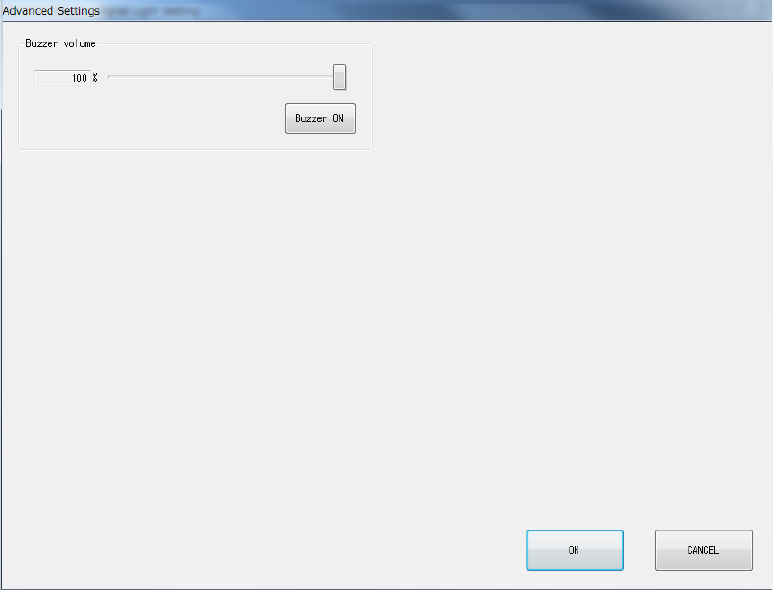
When you click <Advanced Settings> on the Signal Light Setting screen, the screen shown below
will appear.
(1) Buzzer volume
You can set the buzzer sounding volume by moving the slider.
When you click the <Buzzer ON> button, the buzzer sounds using the set volume. Clicking
this button again will stop the buzzer sound.