RS-1_instruction manual.pdf - 第842页
Pa r t 2 Det ai l ed Des c r i pti on o f Ea c h Fu nc ti on Chapter 10 M ach i ne Manage m e nt Infor m ation 10 - 29 10.3.11 Min i s ignal light u sage inform ation W hen you sel ect [M achi ne] – [Mi ni si g nal l ig …
Part 2 Detailed Description of Each Function Chapter 10 Machine Management Information
10-28
(2) <Reset> button
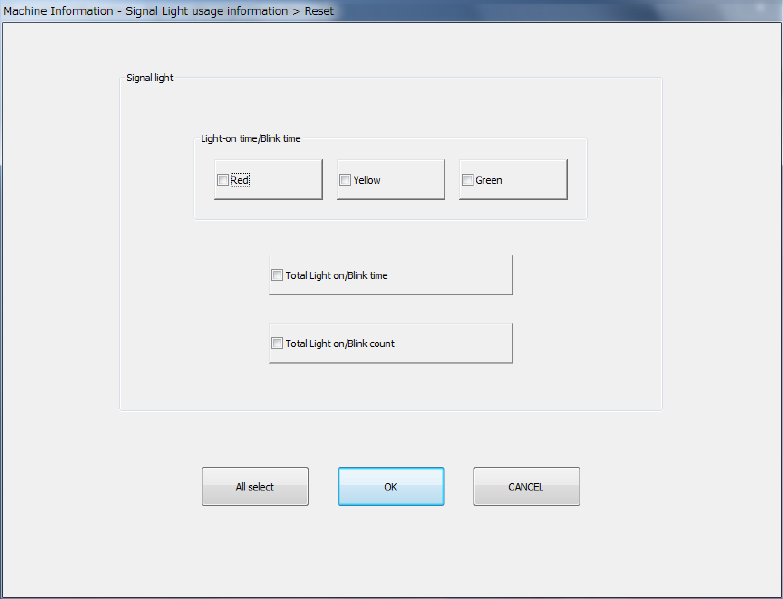
When you press the <Reset> button or press [Initialize] – [Reset] in the main menu, the
following screen appears.
This operation allows you to clear the certain data or all data displayed in the list.
- The <All select> button allows you to select all check boxes displayed on the screen.
- When you press the check box of the item whose data you want to reset, and press the
<OK> button, the “Question” dialog box for asking you whether to reset data appears on
the screen. When you press the <OK> button on this “Question” message, the system
resets the checked items of data, and closes the screen.
- When you press the <CANCEL> button, the system does not reset any data and the
current data is still displayed.
Part 2 Detailed Description of Each Function Chapter 10 Machine Management Information
10-29
10.3.11 Mini signal light usage information
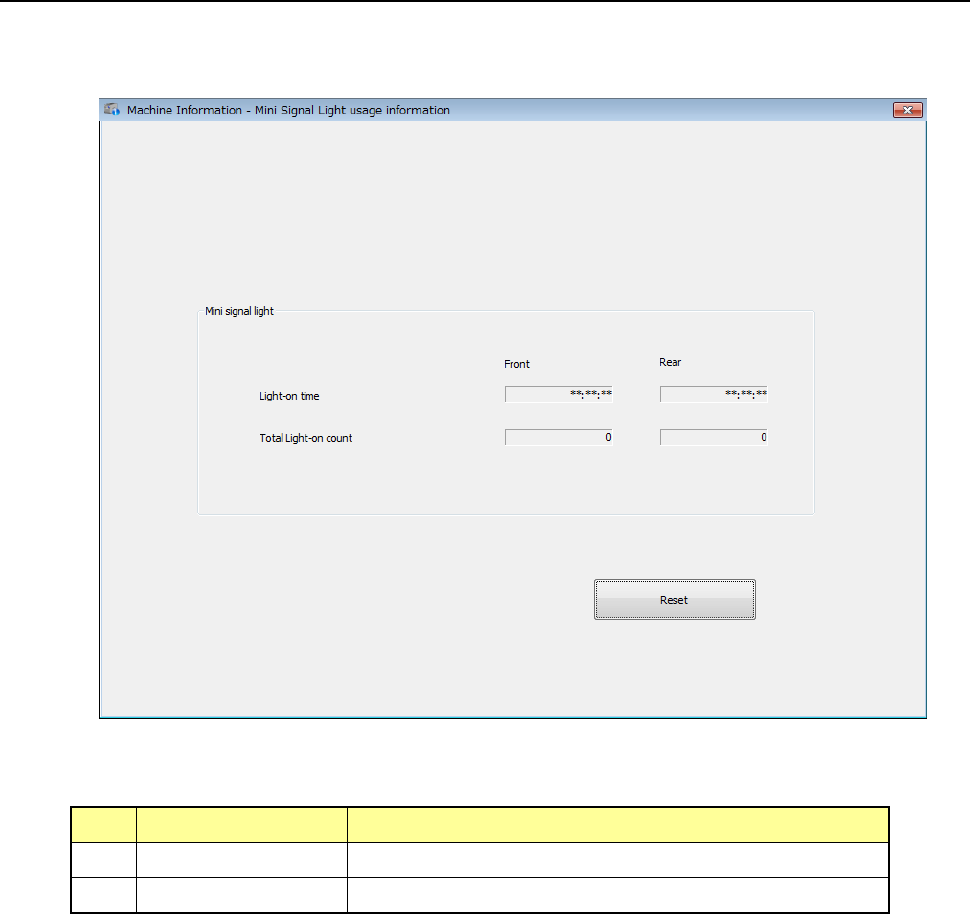
When you select [Machine] – [Mini signal light usage information] in the main menu, the mini
signal light usage information screen appears.
(1) Mini signal light
No. Item Description
1 Light-on time Displays the total time each mini-signal light lighted.
2 Total Light-on time Displays how many times each mini-signal light lighted.
Part 2 Detailed Description of Each Function Chapter 10 Machine Management Information
10-30
(2) <Reset> button
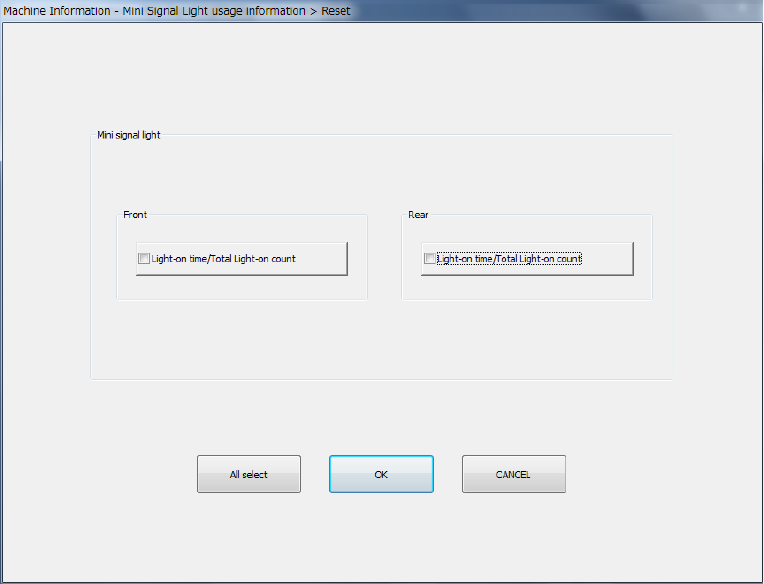
When you press the <Reset> button or press [Initialize] – [Reset] in the main menu, the
following screen appears.
This operation allows you to clear the certain data or all data displayed in the list.
- The <All select> button allows you to select all check boxes displayed on the screen.
- When you press the check box of the item whose data you want to reset, and press the
<OK> button, the “Question” dialog box for asking you whether to reset data appears on
the screen. When you press the <OK> button on this “Question” message, the system
resets the checked items of data, and closes the screen.
- When you press the <CANCEL> button, the system does not reset any data and the
current data is still displayed.