RS-1_instruction manual.pdf - 第158页
Part 1 B asic O peration Chapter 2 Pr oduction 2- 47 Number of produced PWBs When you se lect the [Wi ndow] co mmand, and then the [ Production st atus (Nu mber of produc ed PWBs)] com mand, t he “Product ion status ( Nu…
Part 1 Basic Operation Chapter 2 Production
2-46
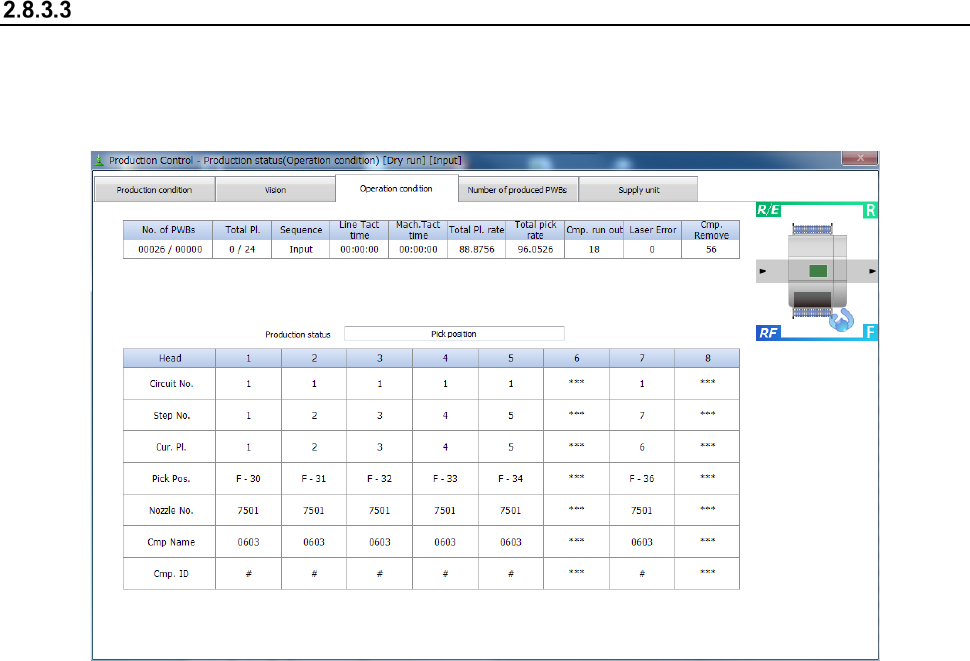
Operation condition
When you select the [Window] command, and then the [Production status (Operation condition)]
command, the “Production status (Operation condition)” screen appears.
This screen shows an operation performed during PWB production.
- Operation condition
1) Items for production condition
These items are the same as those displayed on the “Production status (Production condition)”
screen. See Section 2.8.3.1 “Production condition” for details.
2) Items for production information
These items are the same as those displayed on the “Production status (Vision)” screen. See
Section 2.8.3.2 “Vision” for details.
3) Items for production operation
These items are the same as those displayed on the “Production status (Vision)” screen. See
Section 2.8.3.2 “Vision” for details.
Part 1 Basic Operation Chapter 2 Production
2-47
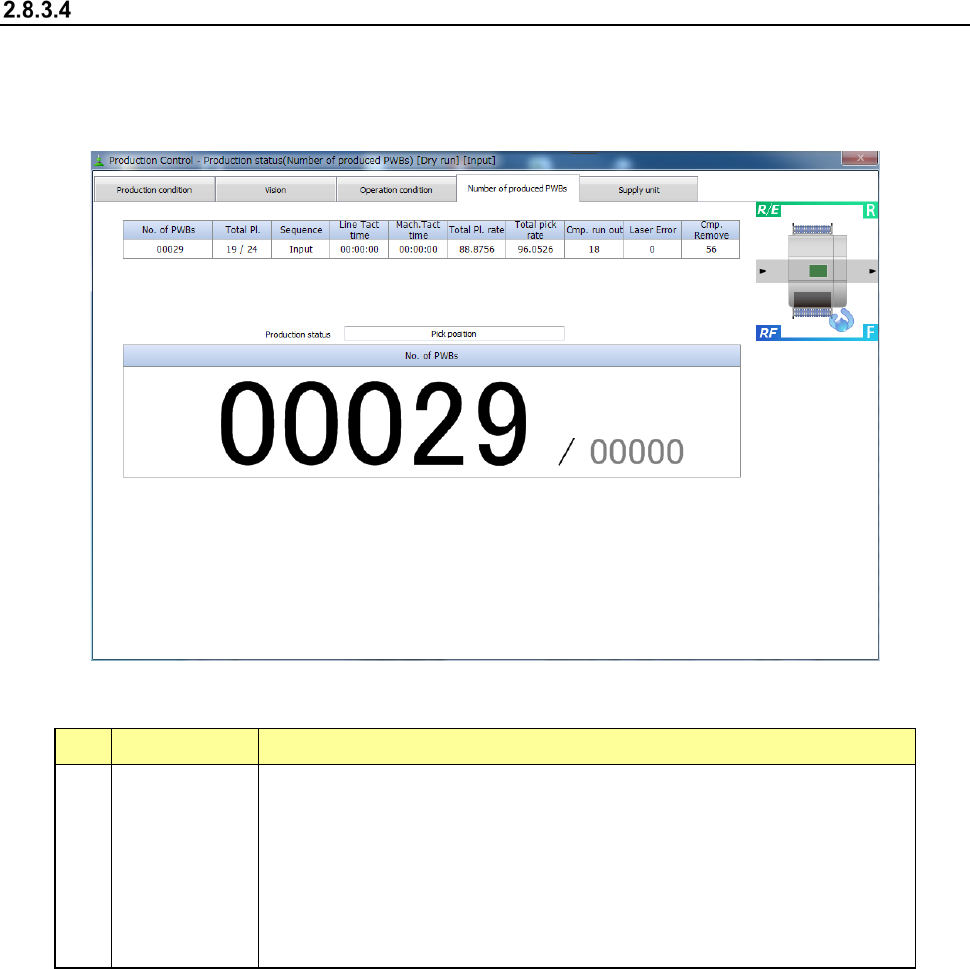
Number of produced PWBs
When you select the [Window] command, and then the [Production status (Number of produced
PWBs)] command, the “Production status (Number of produced PWBs)” screen appears.
This screen shows the number of PWBs already produced in large characters.
- Number of produced PWBs
1) Item displayed in large characters
No. Item Description
1 No. of PWBs
Shows “the number of PWBs produced already / the number of PWBs planned
to be produced.”
When the item “Count down the number of boards produced” is selected on the
Production (Display) tab of the “Operation option” menu, this field shows “the
number of PWBs that will be produced from now / the number of PWBs planned
to be produced.”
When the machine uses the dual-lane conveyor to produce PWBs, the total
number of PWBs produced with the front lane and the rear lane is displayed
here.
2) Items for operation condition
These items are the same as those displayed on the “Production status (Operation condition)”
screen. See Section 2.8.3.3 “Operation condition” for details.
3) Items for production information
These items are the same as those displayed on the “Production status (Vision)” screen. See
Section 2.8.3.2 “Vision” for details.
Part 1 Basic Operation Chapter 2 Production
2-48
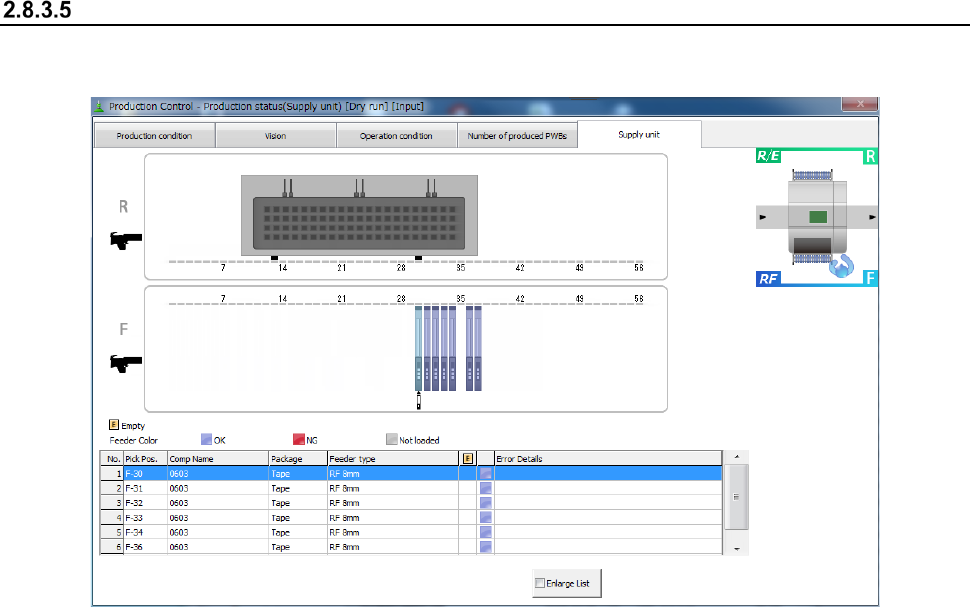
Feeder
The state of an electric feeder during PWB production is displayed here.
See Section 2.10 “Electric feeder check” for details.