RS-1_instruction manual.pdf - 第986页
Part 2 D etaile d Descript ion of E ach Functi on Chapter 12 Handling th e Optional Device s 12 - 102 Flowchart of a check w ith a coplanar ity unit Note 1: Coplanar ity chec k of a BG A or an FBG A is run ac cording to …
Part 2 Detailed Description of Each Function Chapter 12 Handling the Optional Devices
12-101
12.14.8 Production
The machine runs a coplanarity check during PWB production, trial production and dry run
operation.
A coplanarity check does not inspect a component actually during dry run operation.
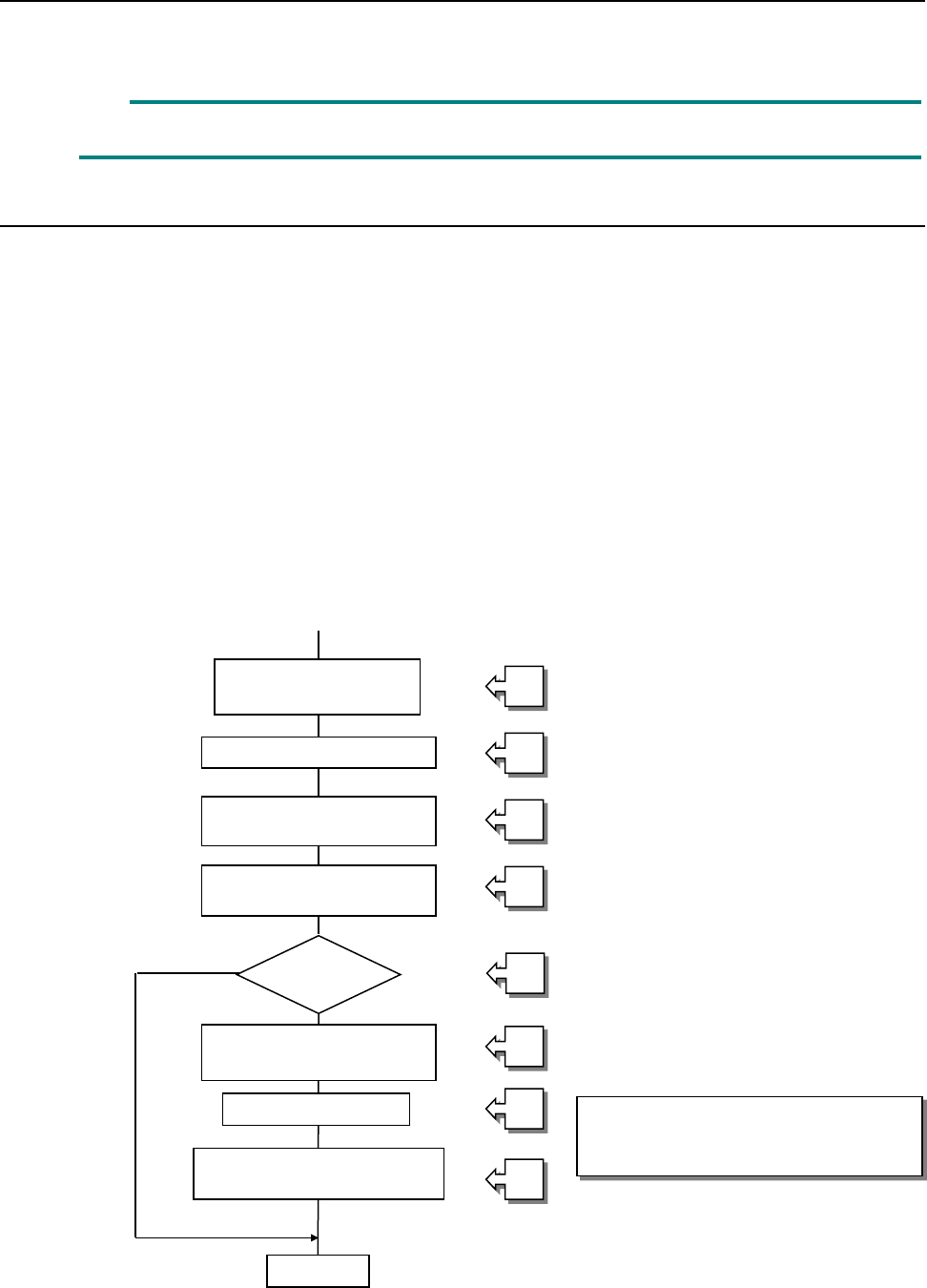
12.14.8.1 Procedure for a coplanarity check
① Picking up of a target component
② Moving to a VCS position
③ Recognition of an image of a component with a VCS
④ Moving to the measurement start position of the coplanarity sensor
⑤ Checking to see if the machine can run a coplanarity check for a component
⑥ Position correction according to the result of recognition of an image
⑦ Coplanarity check of a component
⑧ Determination of acceptance of a component based on the result of measurement with the
coplanarity sensor
[Process to be executed after determination of acceptance of a component]
⑧-1 Discarding of a component
⑧-2 Placement of a component on a board
⑧-3 Pause
See the process flowchart
(flowchart of a coplanarity check)
on the next page.
Picking up of a target
component
Moving to a VCS position
Recognition of an image of
a component with a VCS
Moving to the coplanarity
sensor position
Coplanarity check
Determination of acceptance
of a component
End
Correction of the
component position
Checking of a
component
①
②
③
④
⑤
⑥
⑦
⑧
Part 2 Detailed Description of Each Function Chapter 12 Handling the Optional Devices
12-102
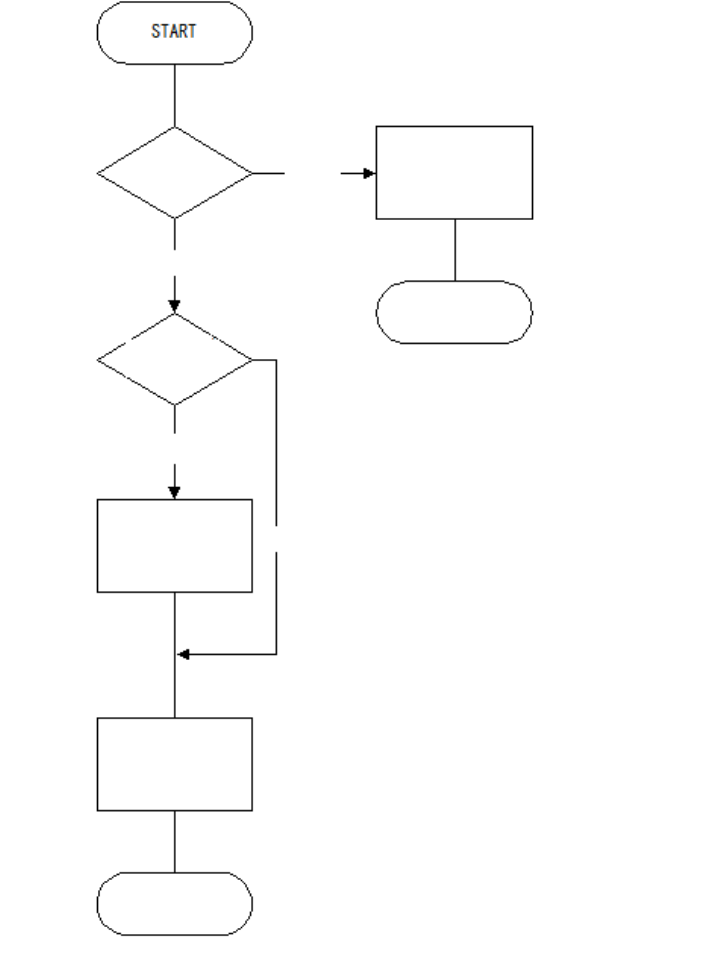
Flowchart of a check with a coplanarity unit
Note 1: Coplanarity check of a BGA or an FBGA is run according to the least-square method
only.
Note 2: The machine does not run a colinearity check for a unidirectional lead connector.
Note 3: A coplanarity check for a unidirectional lead connector is equivalent with a colinearity
check at the present.
BGA?
Run a coplanarity
check
(see Note 1).
Unidirectional lead
connector?
END
END
Run a colinearity
check
(see Note 2).
Yes
Run a coplanarity
check
(see Note 3).
Yes
No
No
Part 2 Detailed Description of Each Function Chapter 12 Handling the Optional Devices
12-103
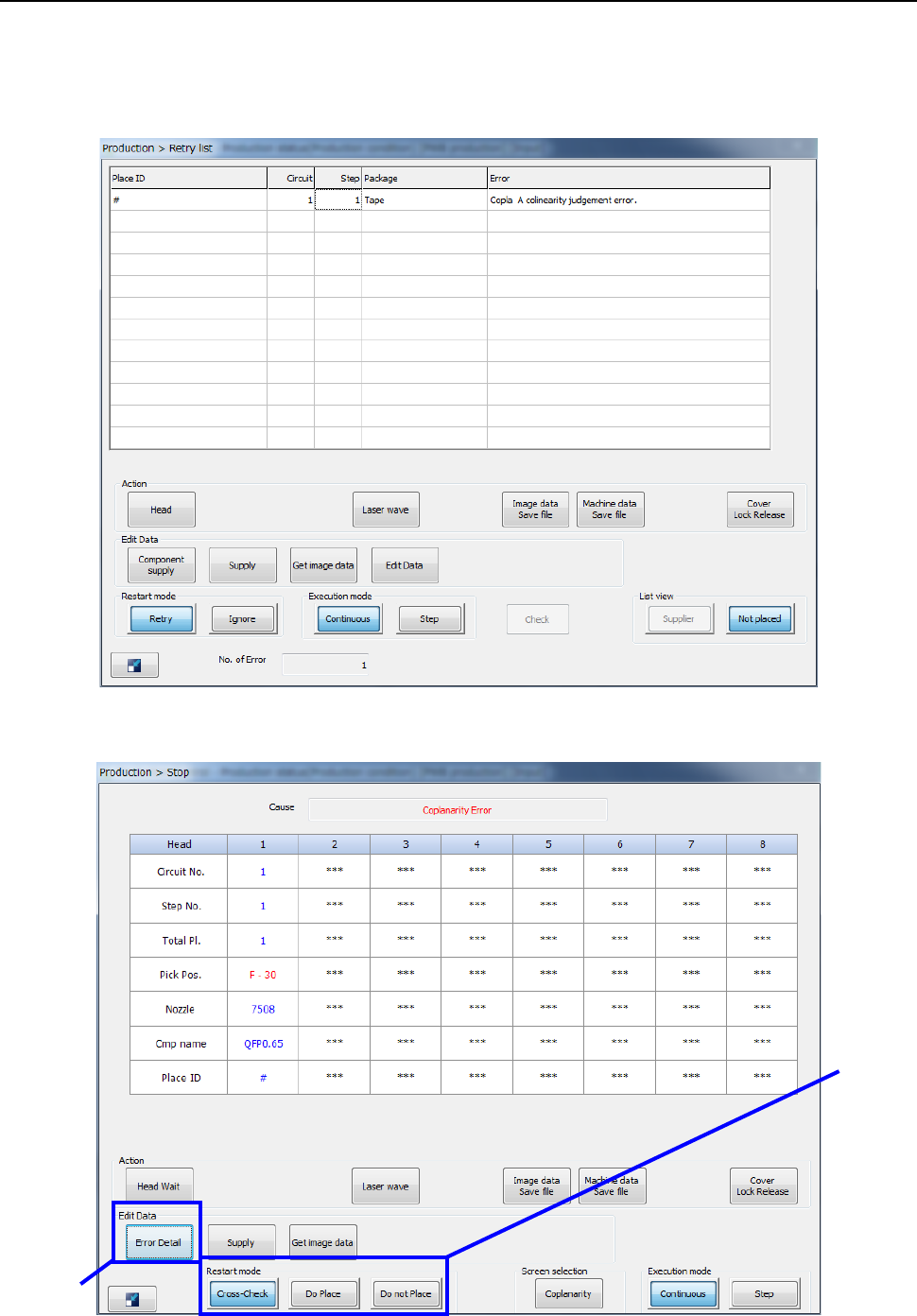
12.14.9 Error handling
If an error occurs while the machine is running a coplanarity check, the error log is displayed on the
screen.
- When you select the <Put into trash box> button (see Section 7.4.4).
- When you select the <Pause> button (see Section 7.4.4).
②
①