RS-1_instruction manual.pdf - 第336页
Part 1 B asic O peration Chapter 4 Cr eating a Produc tion Progra m 4-1 Chapt er 4 Creating a Productio n Prog ram 4.1 Flowc hart This chapt er describe s the operati on of No.8, and only mo dification of No.9 basical l …
Part 1 Basic Operation Chapter3 Daily maintenance
3-43
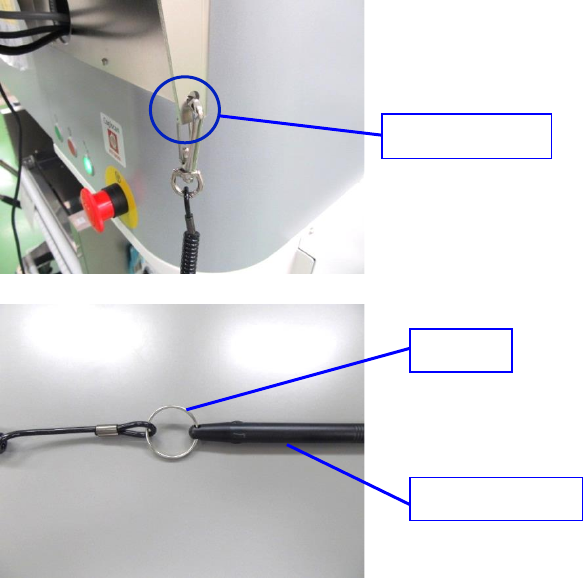
● Replacement of stylus pen / long key holder
4) Pull out the long key holder from strap hole.
5) Pull out the stylus pen from ring of long key holder and replace it with a new stylus pen or long
key holder.
6) Attach the long key holder to the strap hole.
7) In case of optional rear surface monitor, only the position of strap hole is different. Stylus pen and
long key holder are the same.
Strap hole
Ring
Stylus pen
Part 1 Basic Operation Chapter 4 Creating a Production Program
4-1
Chapter 4 Creating a Production Program
4.1 Flowchart
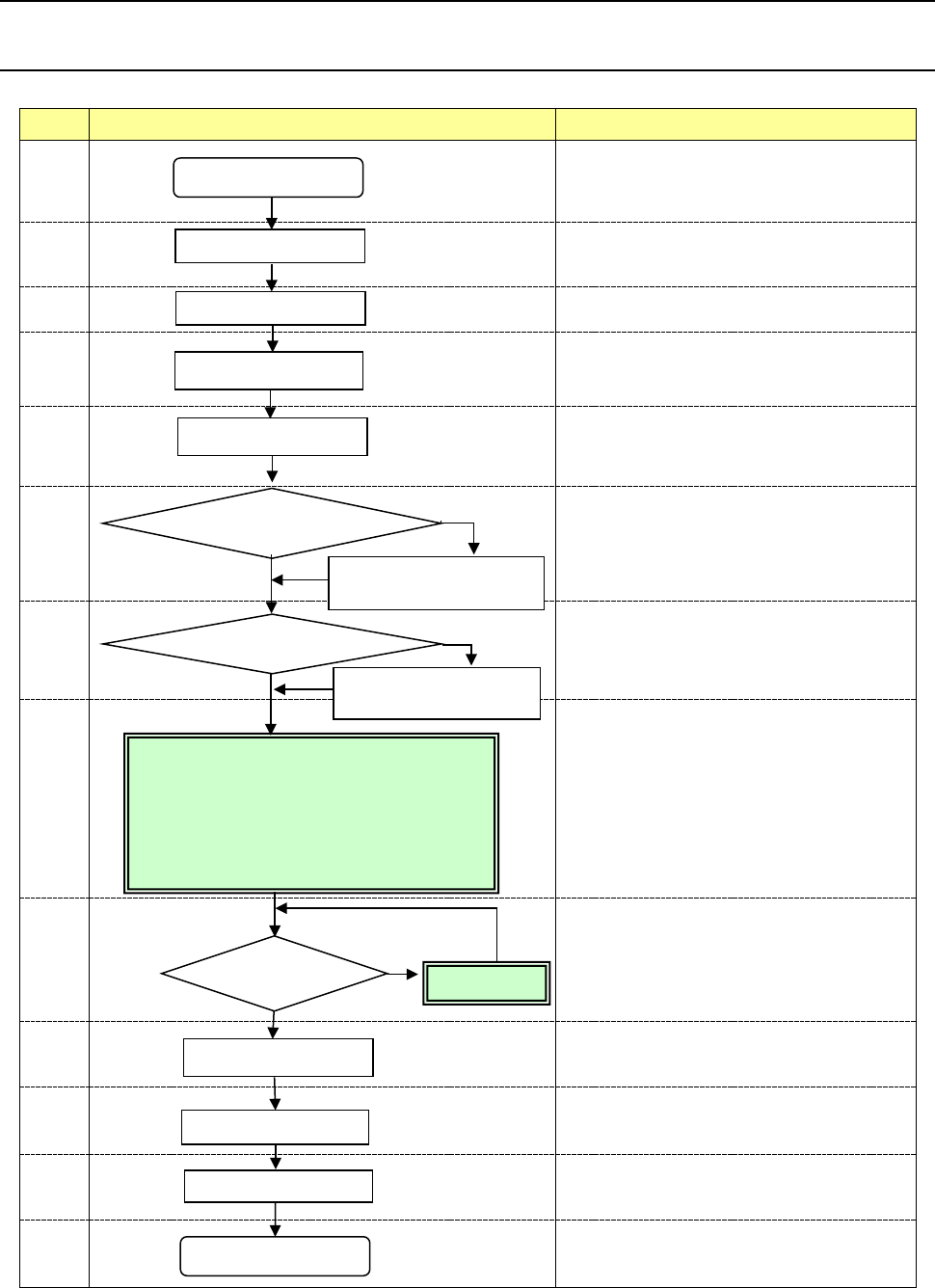
This chapter describes the operation of No.8, and only modification of No.9 basically.
No Flowchart Comment
1
Perform routine inspection including an
ATC-related check.
2
Check the main air pressure (0.5 MPa).
3
Check to see if there is no foreign substance
inside the machine before production.
4
Be sure to warm up the system after holidays or in
cold climates (it takes approximately 10 minutes).
5
6
Change the settings on the “Machine setup” menu
if you clean the nozzle or change the reference
pin position, and you have to change the initial
setup after you perform the daily inspection or set
a PWB.
(See Chapter 8 “Machine Setup.”)
7
See Chapter 5 “Database.”
8
9
If any problem occurs during PWB placement:
for example, the PWB position is shifted from the
regulated position or the centering function fails,
correct the production program on the “Program
Editor” menu. You can correct a part of
component data on the “Production” menu also.
10
11
12
13
Perform the daily inspection periodically.
(See Chapter 3 “Daily Maintenance.”)
Power ON
Inspection of system
Origin return
Warm-up
PWB setting
Change the desired settings
on the Machine setup menu.
Create component data on
the “Database” menu.
Production
End of production
Power OFF
<Creating/editing a production program>
• PWB data
• Placement data
• Component data
• Pick data
PWB placement
confirmation
No
Create the component
database?
Yes
No problem
Daily inspection
No
Modification
Problem
Yes
Change the machine
setup conditions?
Part 1 Basic Operation Chapter 4 Creating a Production Program
4-2
4.2 Environment Setting
You have to make settings of the environment to create/edit a production program.
This Section describes settings of the following items: “Change User Group,” “User Group
Settings,” “Language Selection” and “Data and Time Setting.”
4.2.1 User Group
The machine limits what an operator can operate according to his/her skill level by setting “User
groups”.
To change a user level, enter the password.
4.2.1.1 Changing the user group
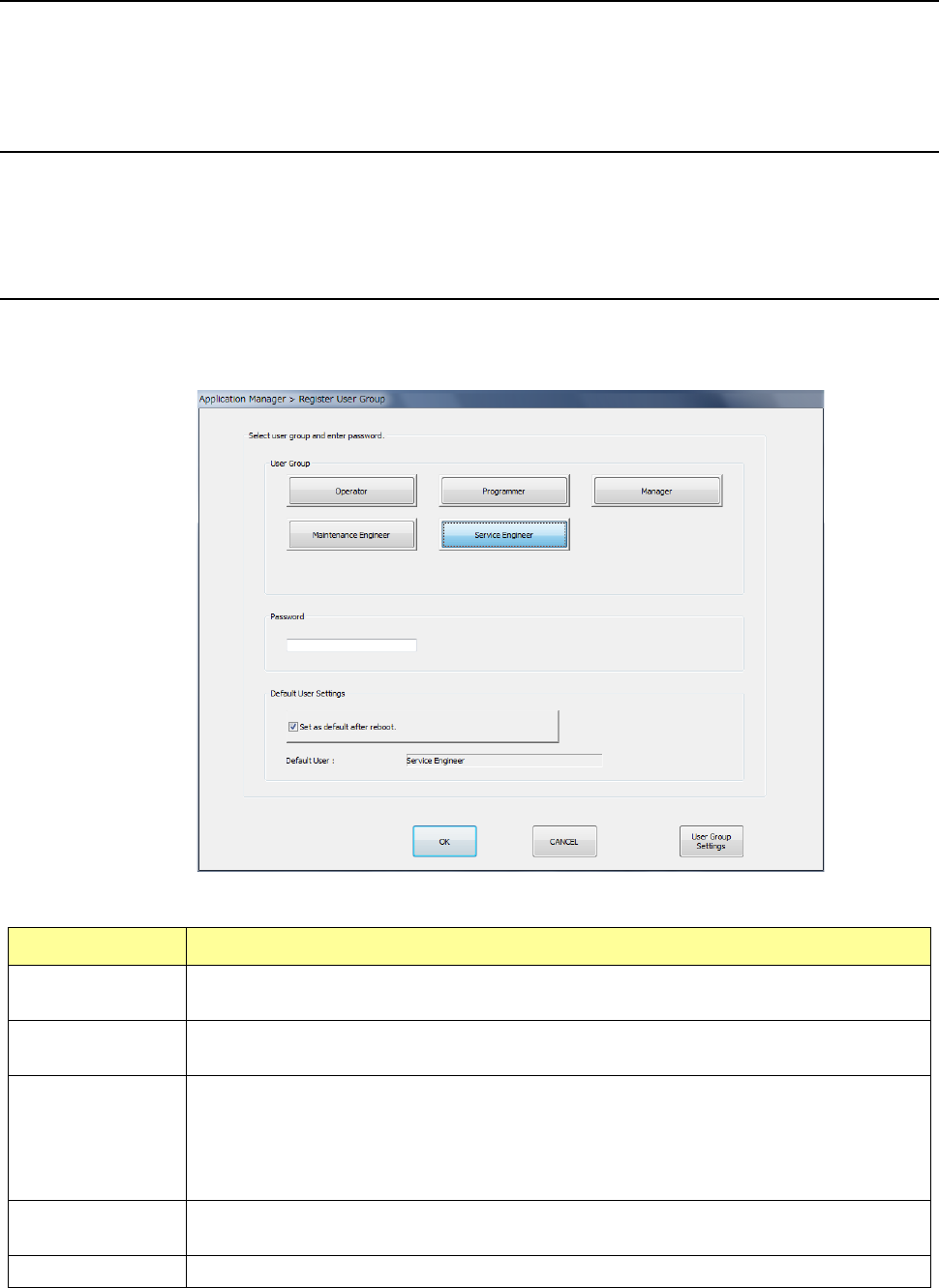
Select the “Env. Setting” button from the desktop screen, and then the [Change User Group] menu
command.
The “Register User Group” screen appears.
Select a user group, and enter the password. When you press the <OK> button, the system
changes the user group to the selected one.
User Group Overview
Operator
This user level allows an operator to perform production setup and other related operation.
Production can be executed but program editing and various settings cannot be performed.
Programmer
This user level allows a user to create a production program.
Machine operations are limited.
Manager
This user level is higher than the “programmer” level, and is provided for a manager of the
machine.
This user level allows a user to select the “Machine setup,” “Manual control” and
“Self-diagnosis” menus.
However, operations for machine repair and readjustment cannot be performed.
Maintenance
Engineer
This user level allows a user to upgrade the main unit.
We will give a user the required password when he/she upgrades the main unit.
Service Engineer Basically, this level is for a trained service engineer.
* See Section 13.3 “Functions available to each user level” for functions that can be used by each level
of user.