RS-1_instruction manual.pdf - 第570页
Part 1 B asic O peration Chapter 4 Cr eating a Produc tion Progra m 4- 235 If the laser he i ght t hat is calculated bas ed on the d imens ions is dif ferent from t he original va lue, or if the height t hat is calcu lat…
Part 1 Basic Operation Chapter 4 Creating a Production Program
4-234
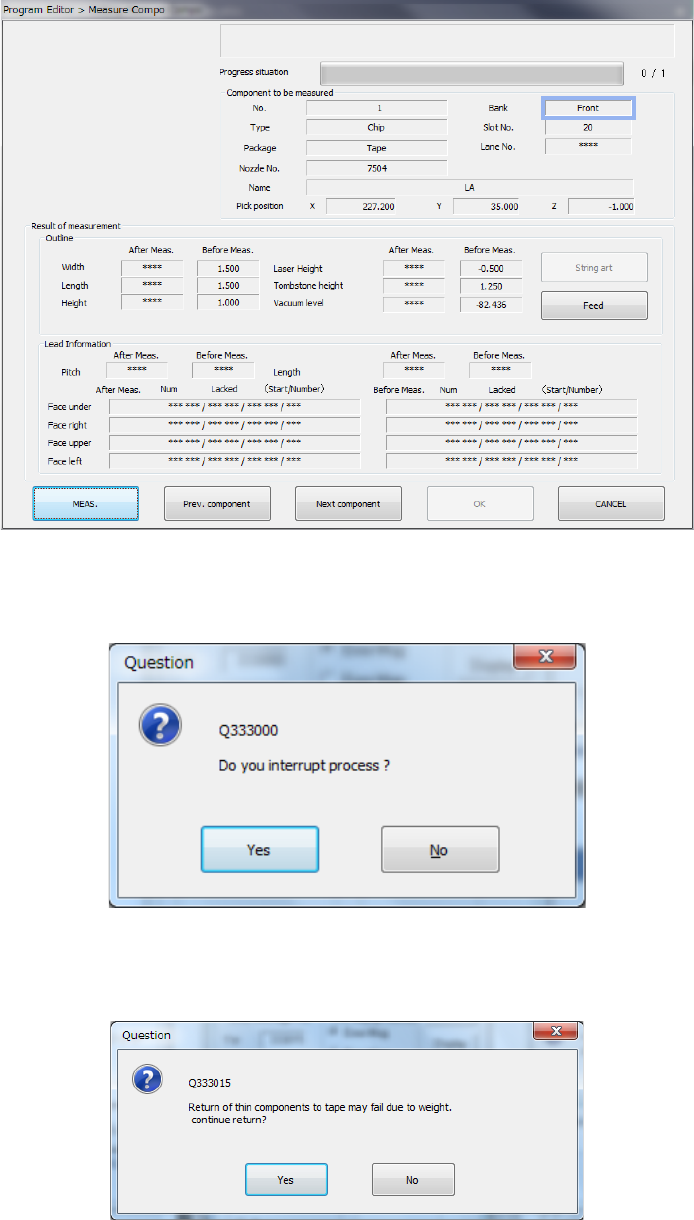
2) Screen displayed while the current component is being measured
(“Measure Compo is being executed” screen)
When the system is measuring the current component, the screen like the one shown below
appears, and it shows that the processing being executed is updated sequentially.
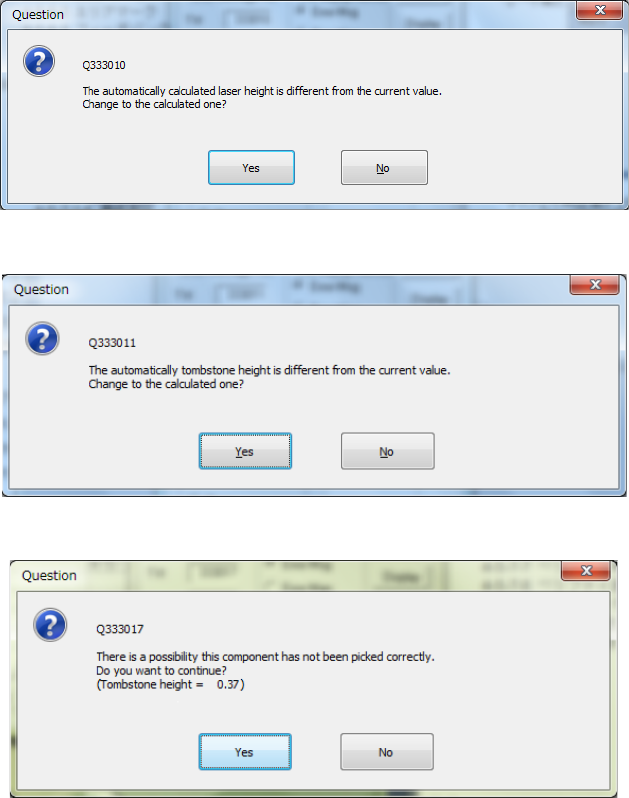
When you press the <STOP> switch, the system aborts measurement, and displays the
following dialog box on the screen.
Select whether to finish measurement or not.
Depending on the packaging style of a component, the dialog box which asks you whether
to return a component to its original position or discard it after measurement, may appear on
the screen if the size of a component is 1 mm or less.
Part 1 Basic Operation Chapter 4 Creating a Production Program
4-235
If the laser height that is calculated based on the dimensions is different from the original value, or
if the height that is calculated to judge whether a component is located on its side is different from
the original value, either of the following message appears on the screen.
- Laser height overwrite confirmation
- Tombstone error judging height overwrite confirmation dialog box
When the tombstone error is detected, the following message appears.
Part 1 Basic Operation Chapter 4 Creating a Production Program
4-236
3) Result of measurement of the current component
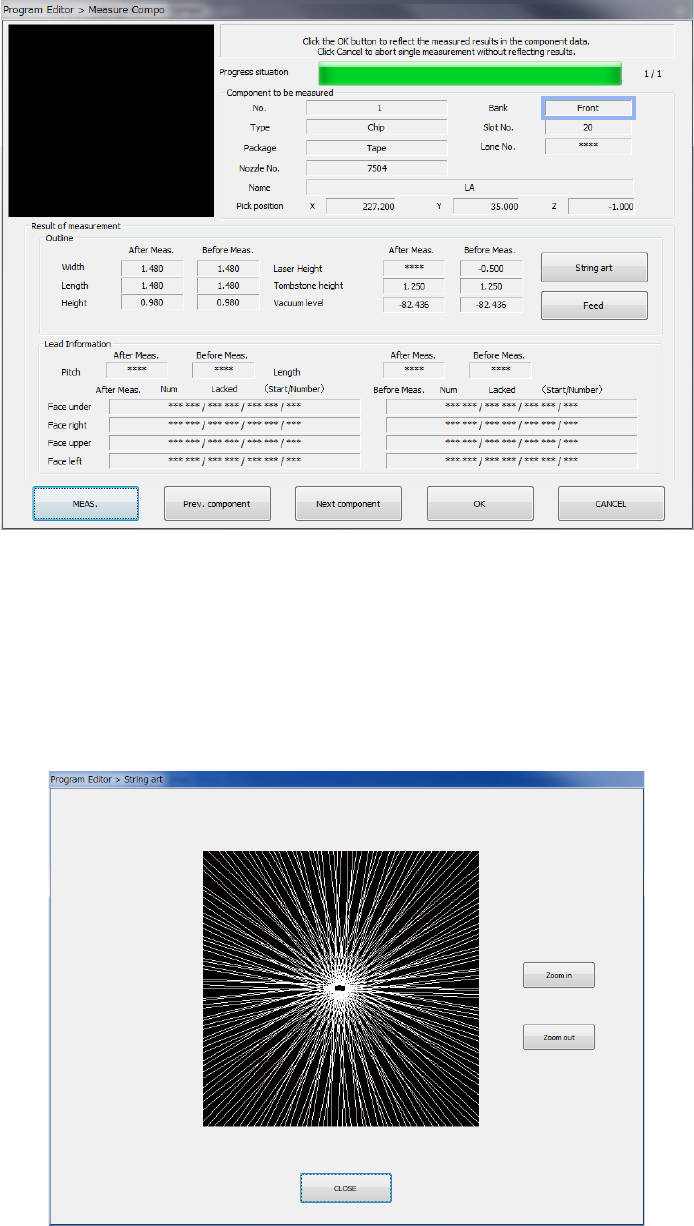
When the system finishes measuring the current component, the following result screen
appears.
① Component to be measured
Information on the measured component and its pick-up position are displayed here.
② Result of measurement
The values of the component set before measurement and those after measurement are
displayed here. “***” appears in the field of each of the items not measured.
● String art
This button shows the string art based on the results of the SWEEP operation obtained
during measurement.