RS-1_instruction manual.pdf - 第381页
Part 1 B asic O peration Chapter 4 Cr eating a Produc tion Progra m 4- 46 When you se lect a “Comp onent name” on the “L ist” screen, t he “Form” screen f or the selected component ap pears to allow you to cr eate/ed it …
Part 1 Basic Operation Chapter 4 Creating a Production Program
4-45
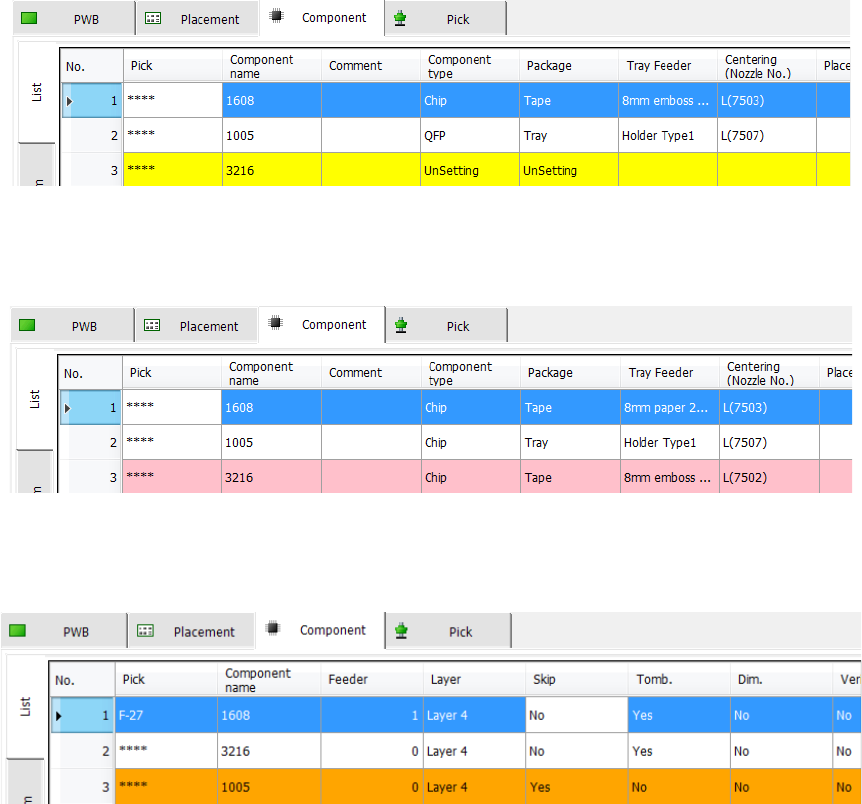
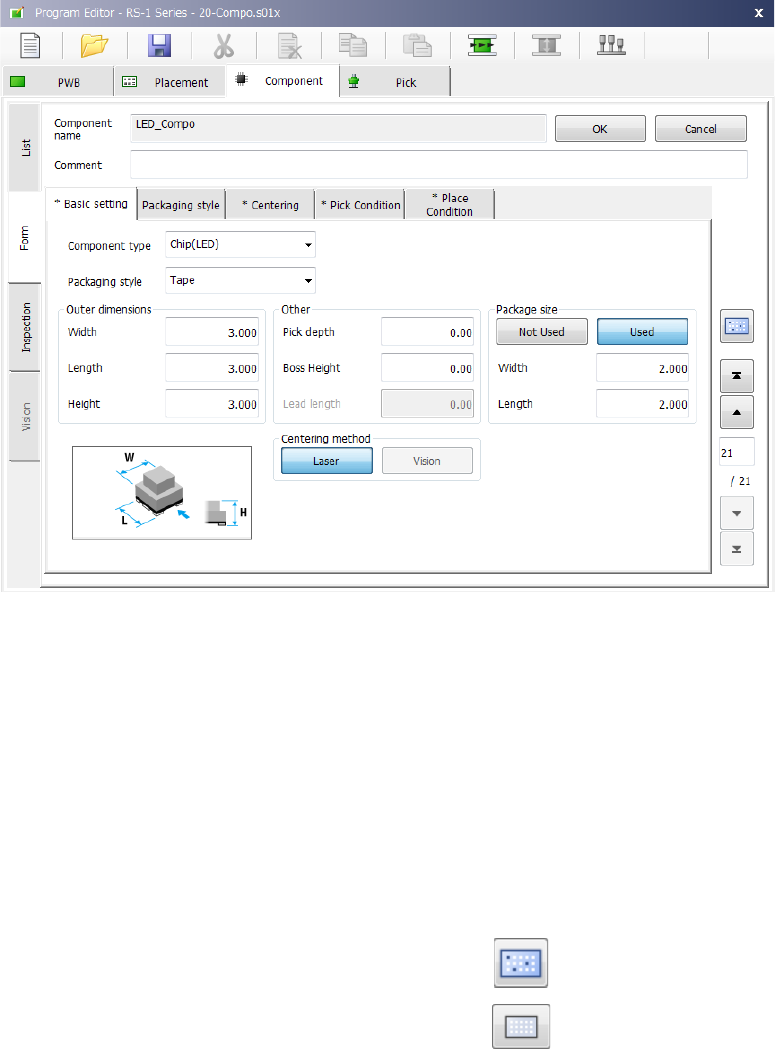
The component name items without data setting are not set are indicated in yellow.
When the component names set in the component data are not used by placement data, the items
are displayed in pink.
When Component skip is set, the items are displayed in orange. For Component skip, refer to "7)
Component skip" of "4-3-5-2 (5) Place condition."
Part 1 Basic Operation Chapter 4 Creating a Production Program
4-46
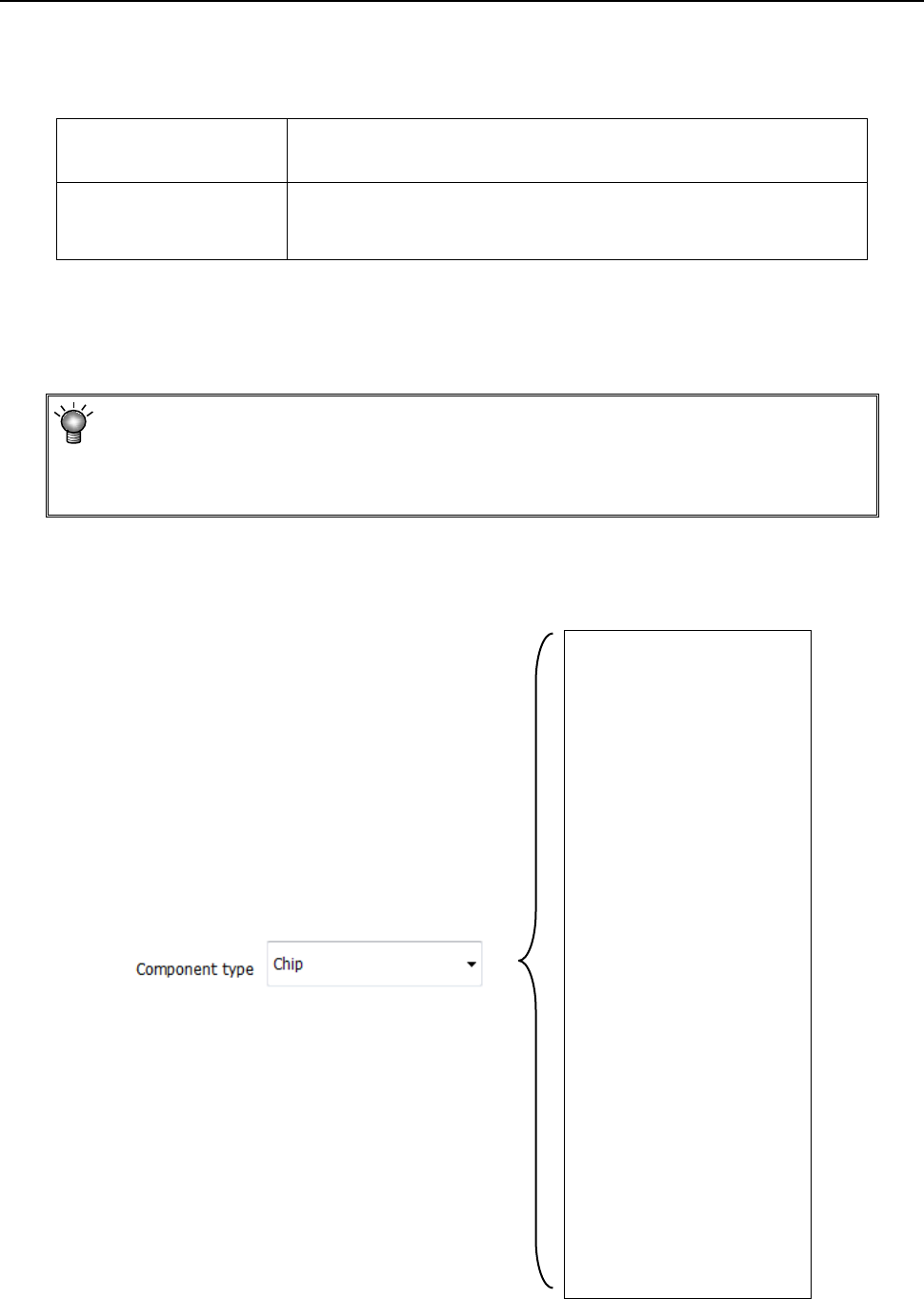
When you select a “Component name” on the “List” screen, the “Form” screen for the selected
component appears to allow you to create/edit its component data.
The “Form” screen displays data on one component on one page of screen.
When any data is not entered yet, the “Basic setting” tab sheet is displayed on which any input
item is not displayed.
When you enter data on the “Basic setting” tabs sheet, the corresponding input items are
displayed.
When you touch the filter button on the bottom of the “List” screen or on the right side of the “Form”
screen, the system switch the screen to the “List” screen of the placement data of the component
displayed at the present.
To display the list of all placement data records again, touch the filter cancel button displayed on
the bottom of the “List” screen of the “Placement” data screen.
Filer button:
Filter cancel button:
Part 1 Basic Operation Chapter 4 Creating a Production Program
4-47
4.3.5.2 Creating of component data
The component data creating screen (“Form” screen of the “Component” data screen) consist of
the “Component name” field and the “Comment” field, and seven tab sheets (“Basic setting,”
“Packaging style,” “Centering,” “Pick Condition,” “Place Condition,” “Inspection” and “Vision”).
Component name
The component name used in Placement data is displayed here.
(You cannot edit it.)
Comment
Enter a comment on a component that cannot be distinguished
from other ones just by its name. You can omit the “Comment.”
Up to 127 characters can be entered.
Items you have to set for normal components are displayed on the “Basic setting” tab and the
“Packaging style” tab. Those for components to be recognized with a VCS are displayed on the
“Basic setting” tab, the “Packaging style” tab and the “Vision” tab.
The initial values are registered for other items. Set necessary items only.
Most of recognition errors and other various initial errors after program preparation
can be solved by reviewing the component data. If this is the case, make
adjustment by changing the component height as well as those values set as the
"initial values" described above.
(1) Basic setting
1) Component type
Select a component type from the drop-down list.
Chip
Chip (LED)
Melf
Elec. Cap.
GaAsFET
SOT
SOP
HSOP
SOJ
QFP
QFN
PLCC (QFJ)
PQFP (BQFP)
TSOP
TSOP2
BGA
FBGA
Outline recog.
GNRL Vision
RNA
Trimmer
CONN
CON2
CONZ
CONX
SKT-J
SKT-G
SKT-B
Other