RS-1_instruction manual.pdf - 第779页
Part 2 D etaile d Descript ion of E ach Functi on Chapter 9 M anual Control 9-7 2) H MS a) X Y m o v e This button f unction s in the sa me manner as the < XY move> button disp l ayed on the “ Head contro l ” scree…
Part 2 Detailed Description of Each Function Chapter 9 Manual Control
9-6
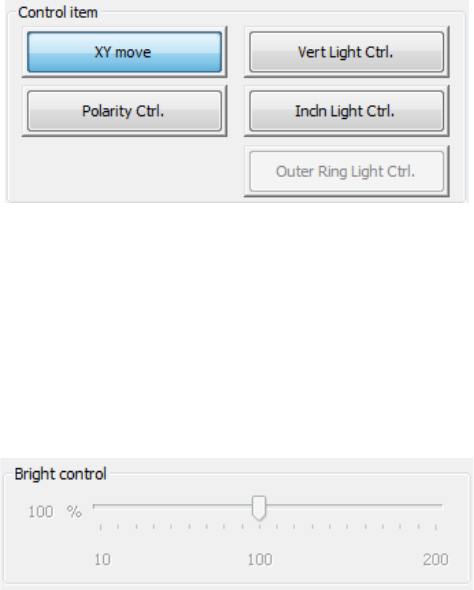
(3) Control item
Select the control item with the corresponding push button.
The displayed buttons vary depending on selection of the unit to be controlled.
1) OCC
a) XY move
This button functions in the same manner as the <XY move> button displayed on the
“Head control” screen does.
b) Vert Light cont
This button turns ON/OFF the vertical light of the OCC.
- Move the Control Item to set the brightness.
- When “Vert Light Ctrl” is selected, press the <ON> button, <OFF> button, or
<ON/OFF> button for control.
- The displayed status of the light is updated when the system finishes controlling the
light.
c) Incln Light cont
This button turns ON/OFF the inclined light of the OCC.
Make the settings of this light in the same manner as (b) the vertical light above.
d) Outer Ring Light cont (optional)
This buttons turns ON/OFF the outer ring light of the OCC.
Make the settings of this light in the same manner as (b) the vertical light above.
This item cannot be selected unless an option setting is performed by MS parameter.
e) Polarity cont
This button sets the polarity of the OCC to negative or positive.
When the control item “Polarity Ctrl” is checked off, press the <Positive> button,
<Negative> button, or <Positive/Negative> button for control.
Part 2 Detailed Description of Each Function Chapter 9 Manual Control
9-7
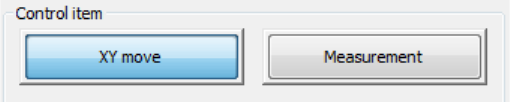
2) HMS
a) XY move
This button functions in the same manner as the <XY move> button displayed on the
“Head control” screen does.
b) Measurement
This button measures the height.
- When the control item “Measurement” is checked off, press the <Exec> button for
control.
- The measurement result in the “Status” table is updated when the system finishes
controlling the HMS.
Part 2 Detailed Description of Each Function Chapter 9 Manual Control
9-8
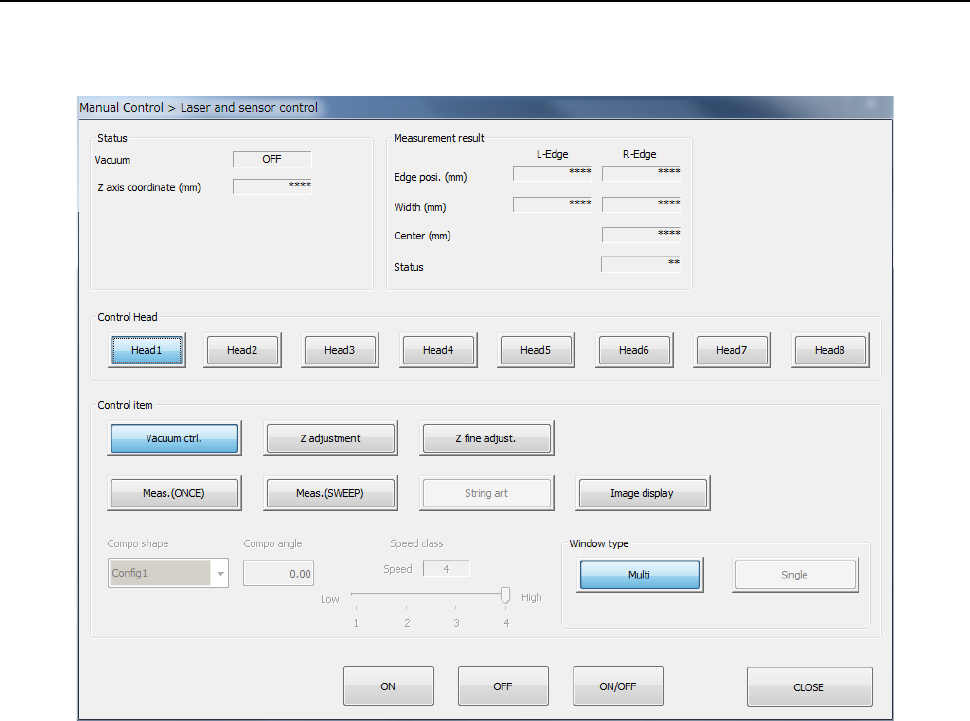
9.3.3 Laser and sensor control
When you select [Head] – [Laser/sensor control] in the menu, the laser/sensor control dialog is
displayed.
(1) Status/Measurement result
The vacuum ON/OFF status of the control head, Z-axis coordinates, and measurement
result by laser are displayed at the completion of control.
A table of statuses which may be returned, when measurement results (SWEEP and ONCE)
are obtained, is shown on the next page.