RS-1_instruction manual.pdf - 第999页
Part 2 D etaile d Descript ion of E ach Functi on Chapter 12 Handling th e Optional Device s 12 - 115 12.16.4 Machi ne Set up 12.16.4.1 Setting for the manual nozzle attachment func tion to be used or not Selec t [Settin…
Part 2 Detailed Description of Each Function Chapter 12 Handling the Optional Devices
12-114
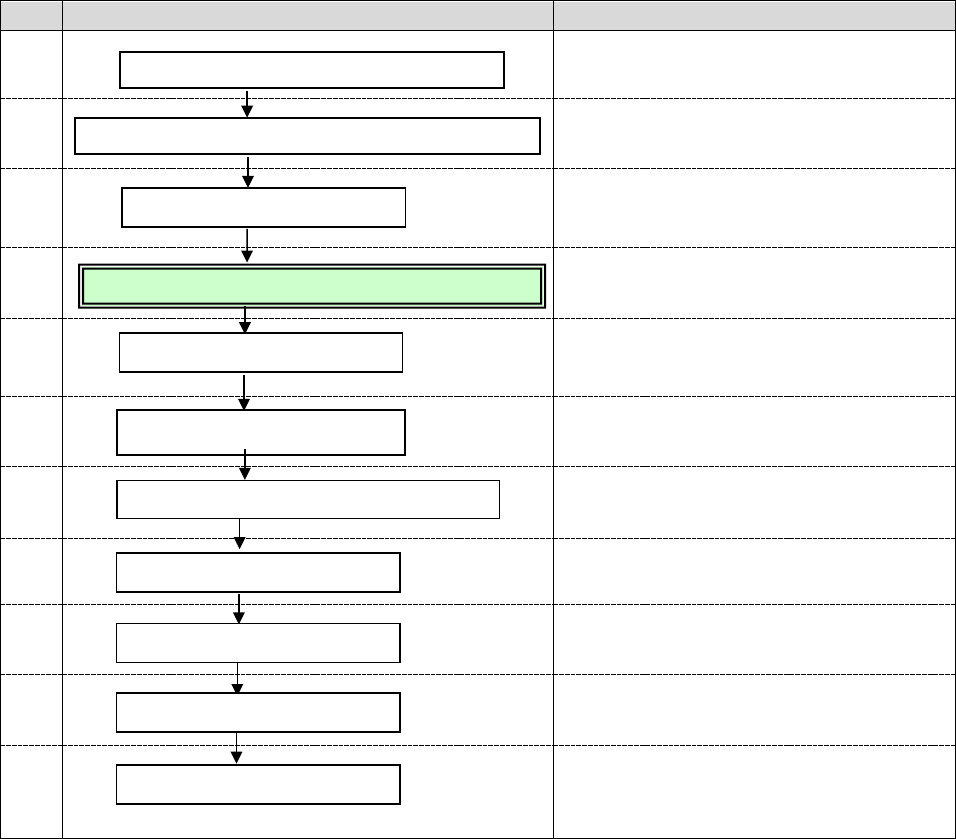
To reset Manual nozzle attachment mode to Production mode with using the ATC, follow the
procedure below.
No.
Flowchart
Remarks
1
Refer to Chapter 8 “Machine Setup” of the
Instruction Manual.
2
3
Refer to Chapter 2 “Production” of the
Instruction Manual.
4
(See Section 4.4.1.)
5
Refer to Chapter 2 “Production” of the
Instruction Manual.
6
Refer to Chapter 8 “Machine Setup” of the
Instruction Manual.
7
Refer to Chapter 4 “Creating a Production
Program” of the Instruction Manual.
8
Refer to Chapter 2 “Production” of the
Instruction Manual.
9
Refer to Chapter 2 “Production” of the
Instruction Manual.
10
Refer to Chapter 2 “Production” of the
Instruction Manual.
11
Perform inspections at the regular
intervals.
(Refer to Chapter 3 “Maintenance” of the
Instruction Manual.)
Daily inspection
Disable the manual nozzle attachment function.
Release the fixed adjacent heads.
Assign nozzles.
Remove the nozzle manually attached on the head.
Turn on the power.
Return to the origin.
Production
Finish the production.
Turn off the power.
Create/edit a production program.
Part 2 Detailed Description of Each Function Chapter 12 Handling the Optional Devices
12-115
12.16.4 Machine Setup
12.16.4.1 Setting for the manual nozzle attachment function to be used or not
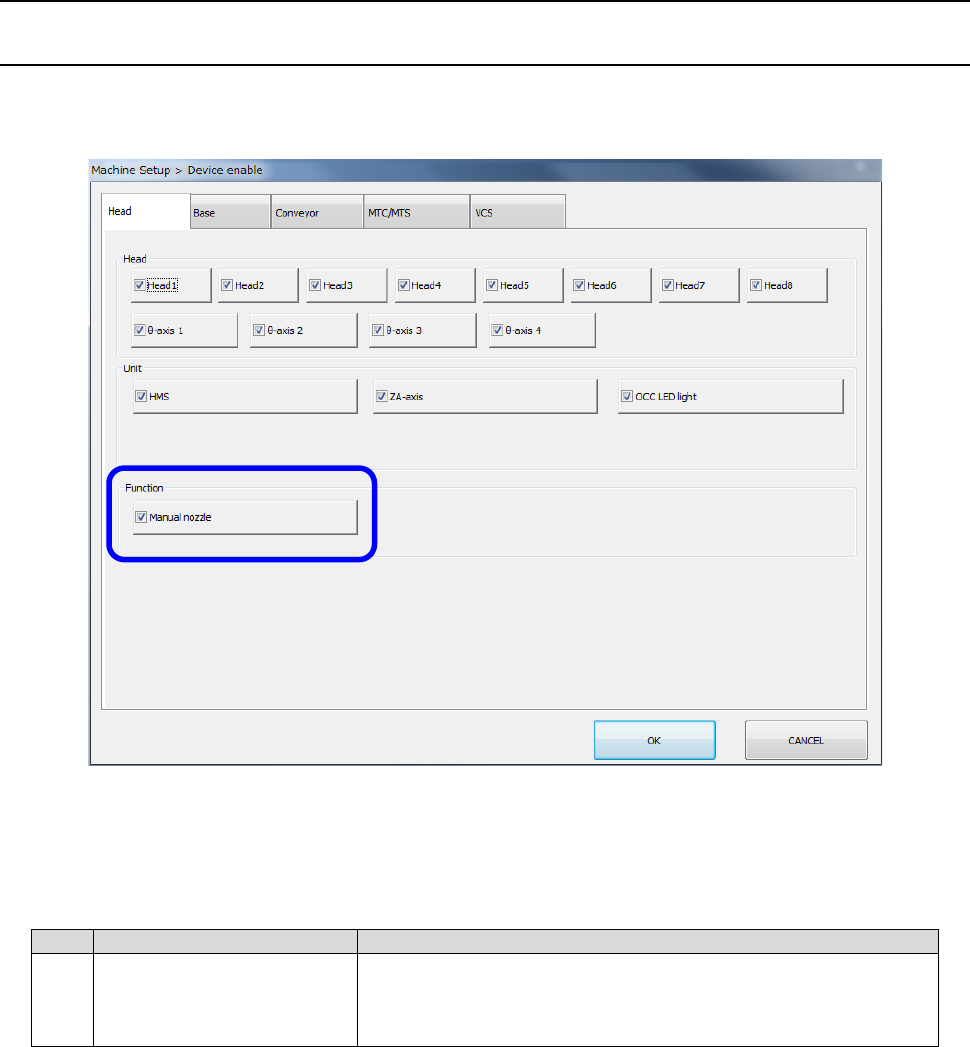
Select [Setting] – [Machine Setup] from the menu to open the “Machine Setup” screen. Then,
select [Device enable] – [Head] to set the menu item “Manual nozzle” to be used or not.
1) When the unit selected on the “Machine Setup” screen is required to finish placing components
with the production program, whether a component is placed on a board actually or not is
described in the table below.
No.
Unit
Production operation
1 Manual nozzle
Production using a nozzle to be attached on a head
manually cannot be performed since the check to be run
before production starts detects an error.
Part 2 Detailed Description of Each Function Chapter 12 Handling the Optional Devices
12-116
12.16.4.2 Assigning a nozzle
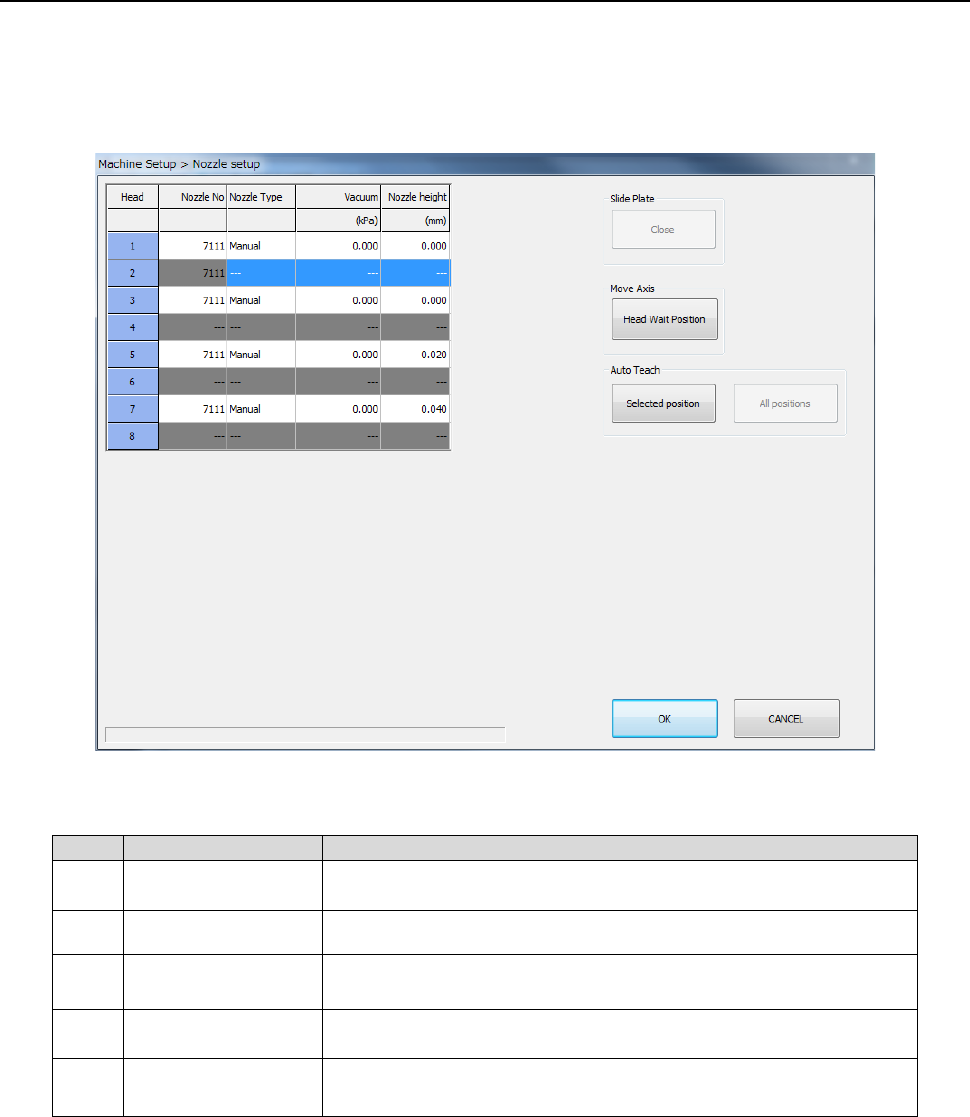
When you select [Device enable] – [Head], and then enable the “Manual nozzle” function, the
“Nozzle setup” screen appears as shown below.
The line of a head set not to be used is displayed in gray, and you cannot make any setting of the
line.
(1) Setting items
No.
Setting item
Description
1 Head Number of a head to which a nozzle is to be assigned: 1 to 8
2 Nozzle No Number of a nozzle to be assigned to a head
3 Nozzle Type
Type of a nozzle to be assigned to a head (obtained
automatically only)
4 Vacuum
Vacuum value to be applied when a nozzle is attached
(obtained automatically only)
5 Nozzle height
Length offset to the reference nozzle (obtained automatically
only)