RS-1_instruction manual.pdf - 第1046页
A p pendi x Glo ssar y ........................................................... A-1
Part 2 Detailed Description of Each Function Chapter 13 Supplementary Information for
Creating a Production Program
13-22
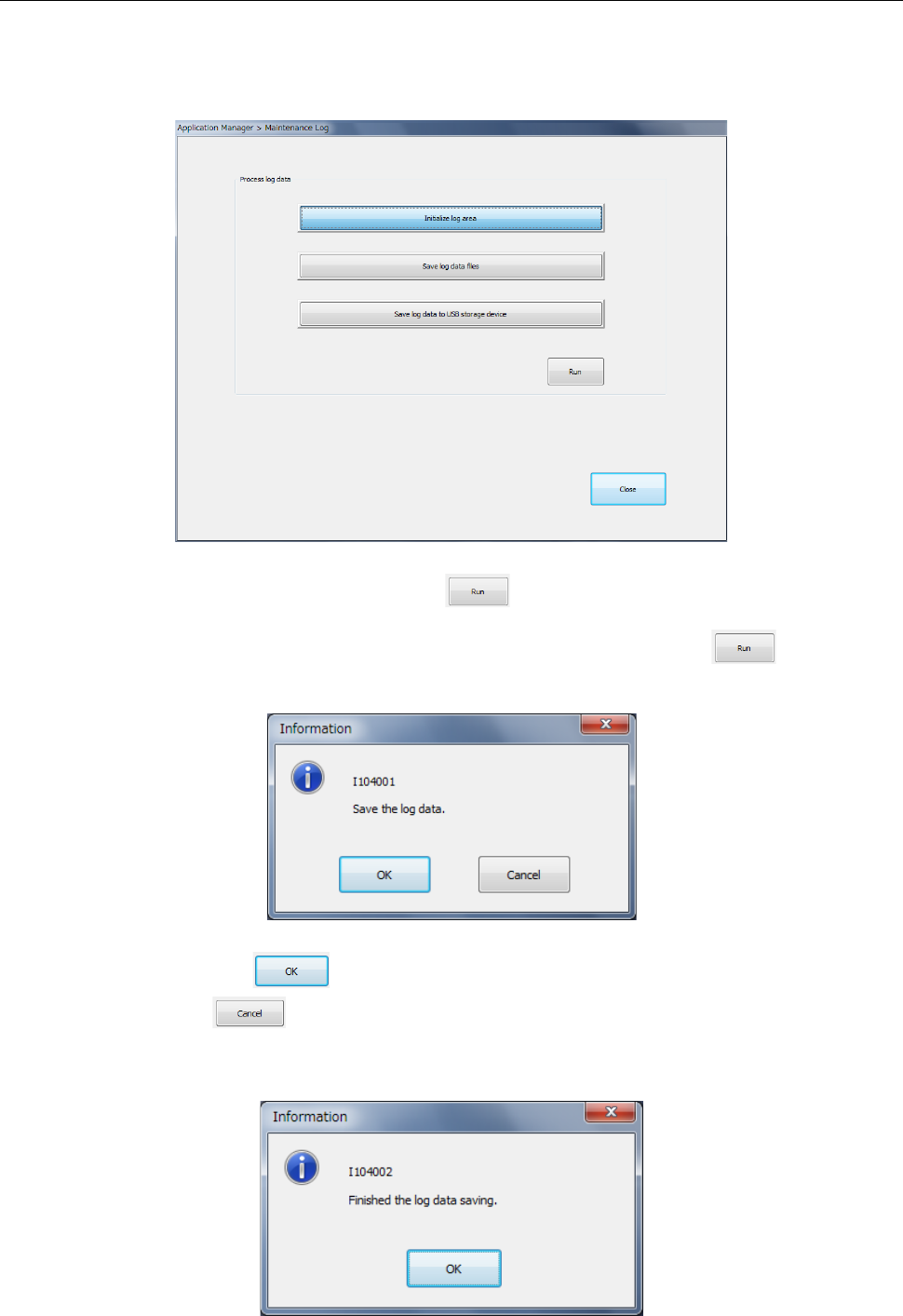
Getting a maintenance log 13.7.2
Get a maintenance log (operation log/event log).
Select [Maintenance log] in the “Maintenance” menu.
The log is initialized or saved into a file.
Select <Initialize log area> and press the button. Then, the contents of the existing
log are cleared.
Select <Save log data files> or <Save log data into USB> and press the button.
Then, the verification message is displayed.
When you press the button, saving is executed.
If you press the button, the data is not saved and the system is returned to the
previous status. After saving is completed, a message is displayed
(Folder for saving a log: D:¥JUKI¥LOG¥MaintLog)

Appendix
Glossary ........................................................... A-1

Glossary
A−1
Glossary
− List of contained terms
ATC
Bad mark
BGA, FBGA
BOC alignment
BOC mark
Centering
Component data
Component shape (“Comp
Shape”)
Coordinate
Current memory
Data compatibility
Directory
EPU
Extension
Feed
Feeder (and similar units)
Feeder bank
Head (unit)
HMS
I/O safety direction setting
IC mark
IFS-NX
JaNets
Land
Lead
Machine coordinate origin
Mounter
MTC
MTS
Nozzle
OCC
Off-line
On-line
Origin return
Pick data
Picking
Pitch
Placement
Placement data
Placement station
PLCC
Program (production
program)
PWB data
PWB origin (coordinates of
the origin)
QFP
SOJ
SOP
Square chip
Support table
S-VCS
Teaching
Tray holder
VCS (unit)
Verify
Vision data