RS-1_instruction manual.pdf - 第987页
Part 2 D etaile d Descript ion of E ach Functi on Chapter 12 Handling th e Optional Device s 12 - 103 12.14.9 Error handling If an error occurs wh i le the machi ne is running a copla narity check, the error log is displ…
Part 2 Detailed Description of Each Function Chapter 12 Handling the Optional Devices
12-102
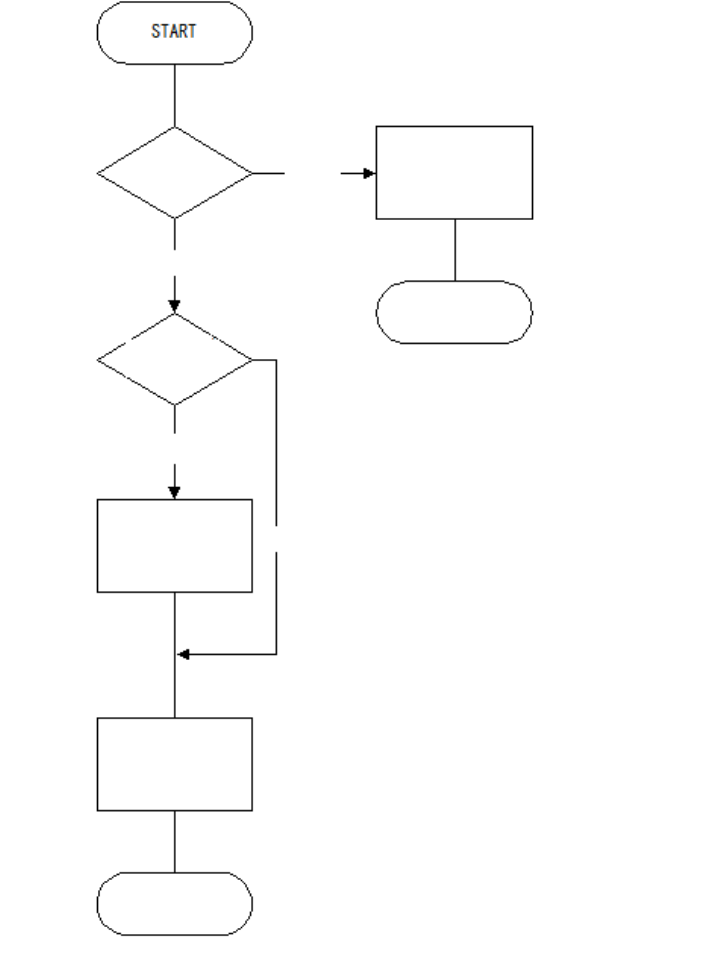
Flowchart of a check with a coplanarity unit
Note 1: Coplanarity check of a BGA or an FBGA is run according to the least-square method
only.
Note 2: The machine does not run a colinearity check for a unidirectional lead connector.
Note 3: A coplanarity check for a unidirectional lead connector is equivalent with a colinearity
check at the present.
BGA?
Run a coplanarity
check
(see Note 1).
Unidirectional lead
connector?
END
END
Run a colinearity
check
(see Note 2).
Yes
Run a coplanarity
check
(see Note 3).
Yes
No
No
Part 2 Detailed Description of Each Function Chapter 12 Handling the Optional Devices
12-103
12.14.9 Error handling
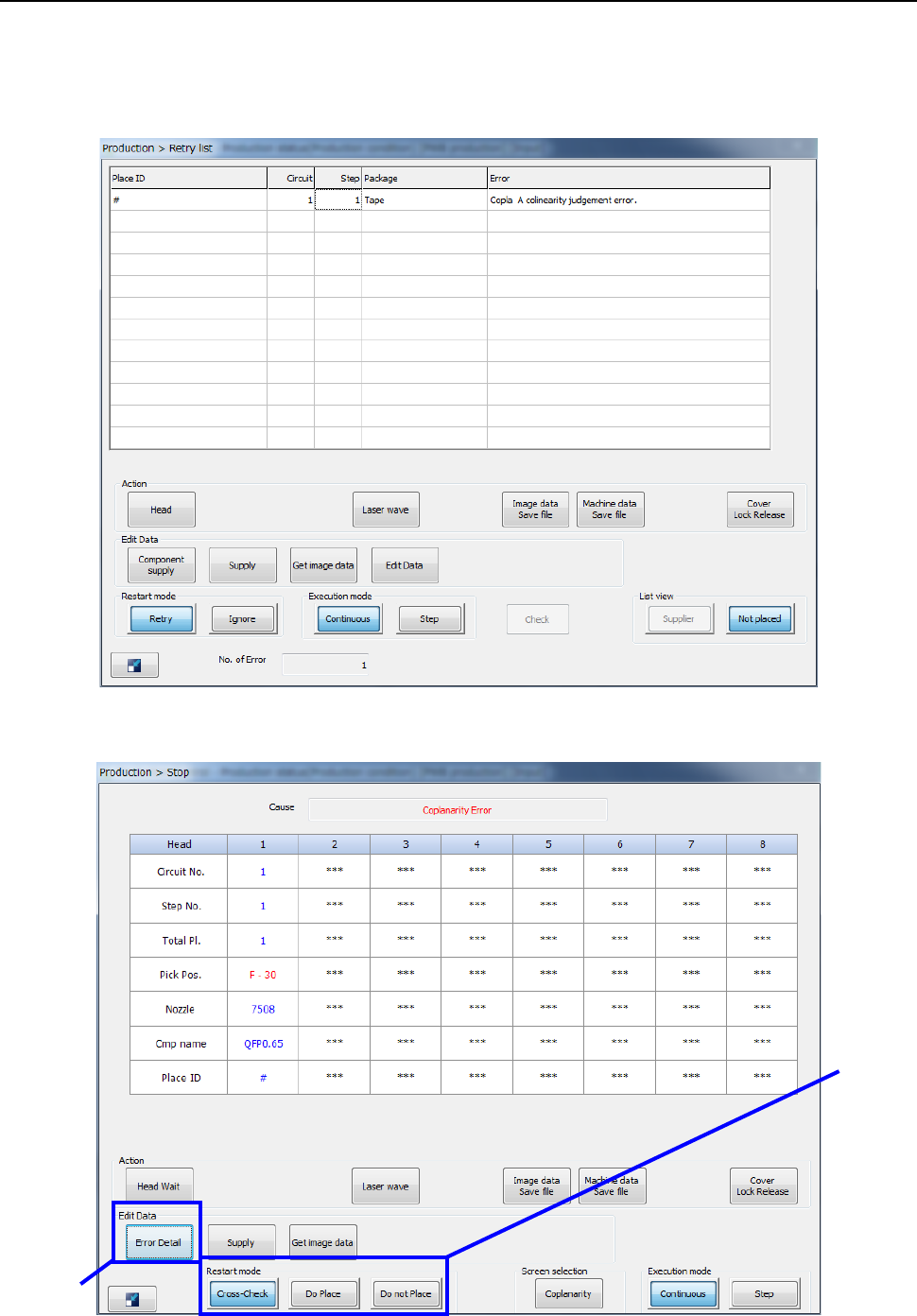
If an error occurs while the machine is running a coplanarity check, the error log is displayed on the
screen.
- When you select the <Put into trash box> button (see Section 7.4.4).
- When you select the <Pause> button (see Section 7.4.4).
②
①
Part 2 Detailed Description of Each Function Chapter 12 Handling the Optional Devices
12-104
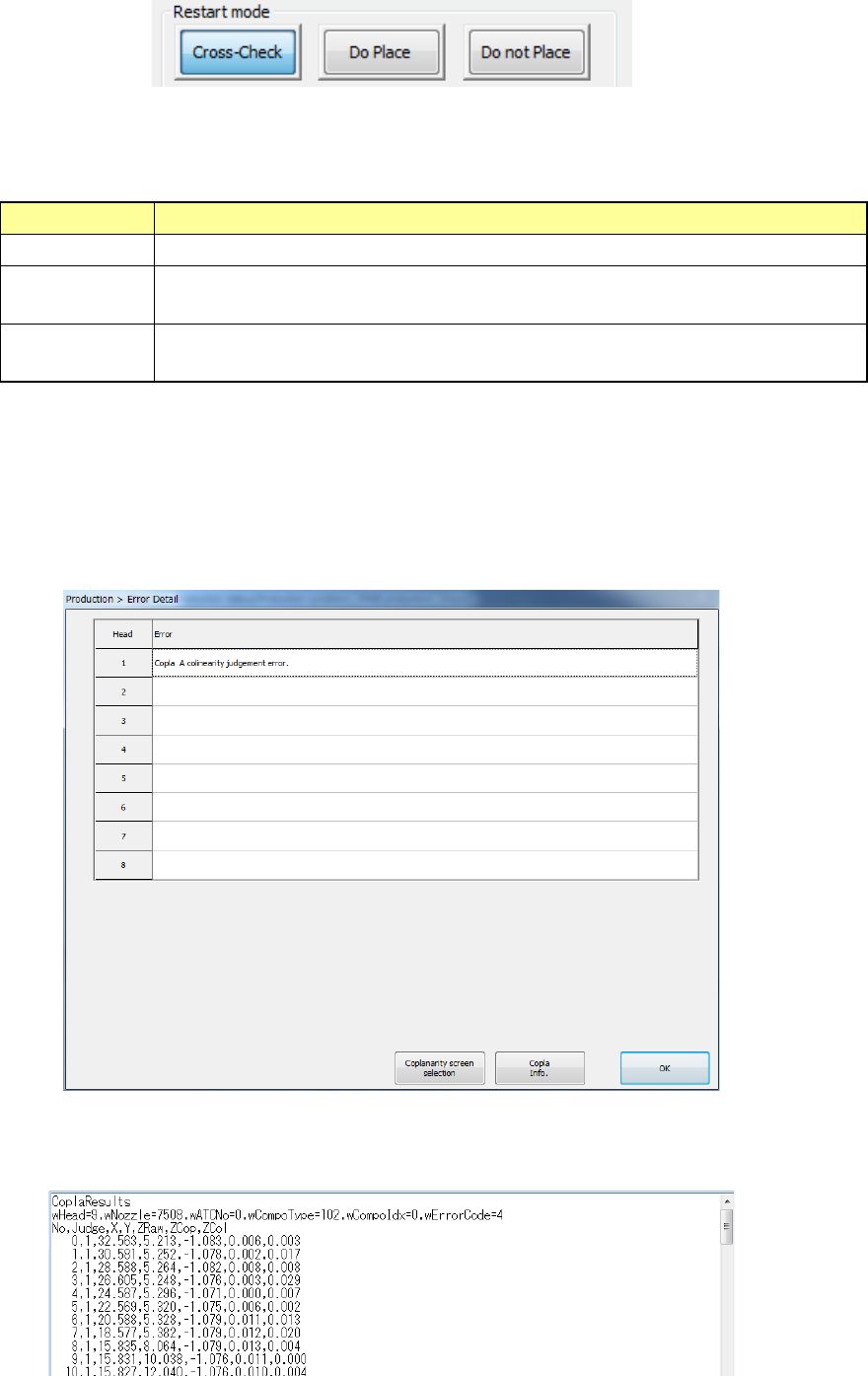
① Restart mode
To restart the suspended operation when the machine pauses due to a coplanarity error or a
colinearity error, select one of the following buttons: <Cross-Check>, <Do Place> and <Do
not Place>.
Restart mode
Operation the machine performs when it restart the suspended production
Cross-Check
Rechecks a component that caused an error when a check was run.
Do Place
Ignores an error and places on a board a component that caused an error when
a check was run.
Do not Place
Discards a component that caused an error when a check was run without
placing it on a board.
② Error Detail
When you press the <Error Detail> button on the “Stop” dialog box displayed due to a
coplanarity error or a colinearity error, the “Error Detail” dialog box appears on the screen.
When you select a head at which a coplanarity error or a colinearity error occurs, and then
press the <Copla Info.> button, information on the electrode set with the <Information of
Coplanarity> button on the “Inspection” tab invoked from the “Operation option” screen is
displayed on the Note Pad.
As the detailed information, the check results of each electrode, the X-coordinate and
Y-coordinate of the coplanarity sensor coordinate system, the Z-coordinate viewed from the
focus height, the coplanarity calculation result and the colinearity calculation result are output.