RS-1_instruction manual.pdf - 第505页
Part 1 B asic O peration Chapter 4 Cr eating a Produc tion Progra m 4- 170 If the number of data reco rds exceeds the maxim um number , the m essage lik e one sho wn below appears on the s creen, an d the copy operation …
Part 1 Basic Operation Chapter 4 Creating a Production Program
4-169
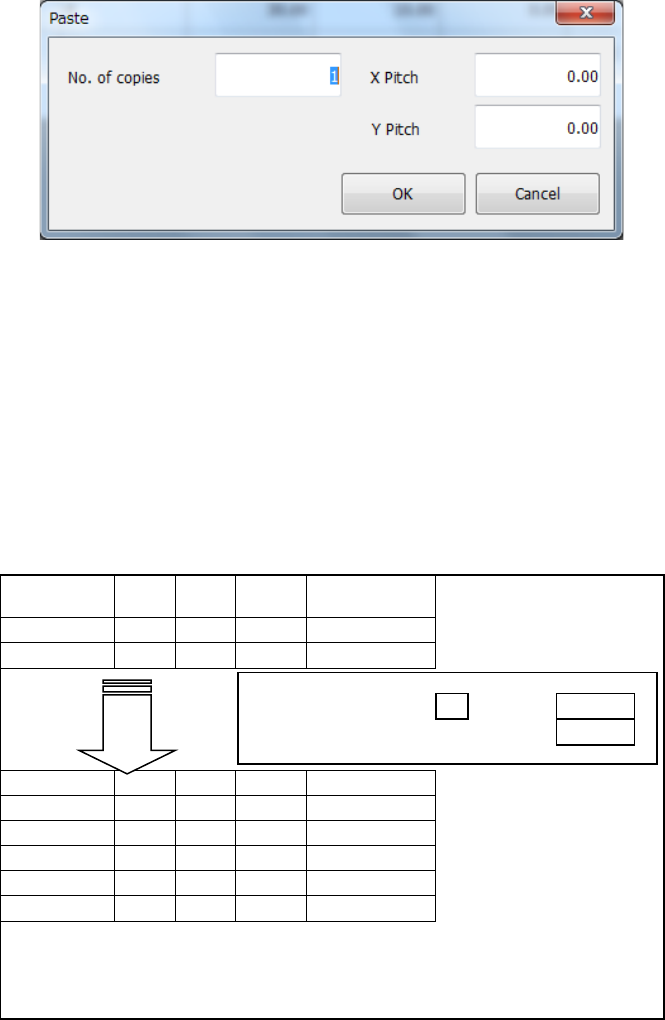
When you execute the [Paste] command, the dialog box like one shown below appears on the
screen.
No. of copies
: Specify the number of times the system will copy data. “1” is set by default.
X Pitch
: Specify the amount to increment or decrement a value of the component
placement position in the X direction. “0.000” is set by default.
Y Pitch
: Specify the amount to increment or decrement a value of the component
placement position in the Y direction. “0.000” is set by default.
OK
: This button pastes the data.
Cancel
: This button cancels the paste operation.
An example of the result of execution of the [Paste] command for the Placement data is shown
below.
Placement ID
X
Y
Angle
Component
name
R1
5.000
10.000
45.00
1608-A
R2
10.000
10.000
0.00
1608-A
No. of copies:
3
X Pitch:
0.500
Y Pitch:
1.000
#
5.500
11.000
45.00
1608-A
#
10.500
11.000
0.00
1608-A
#
6.000
12.000
45.00
1608-A
#
11.000
12.000
0.00
1608-A
#
6.500
13.000
45.00
1608-A
#
11.500
13.000
0.00
1608-A
– The copied block is inserted above the specified line.
– All placement IDs are set to “#.”
– The input focus is positioned in the first
“Placement ID” column of
the inserted block.
Part 1 Basic Operation Chapter 4 Creating a Production Program
4-170
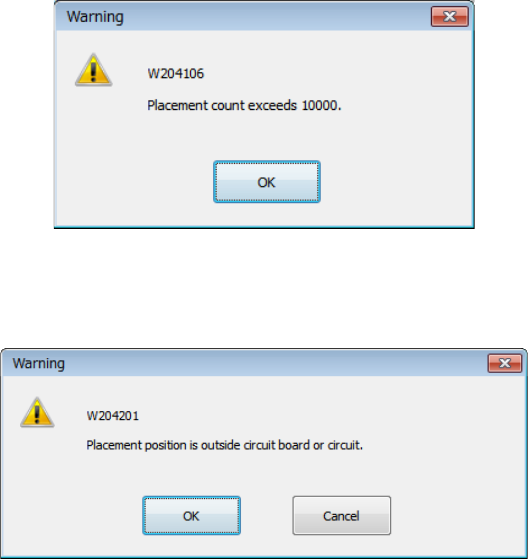
If the number of data records exceeds the maximum number, the message like one shown below
appears on the screen, and the copy operation is aborted. In this case, no data is copied.
If the placement position is outside the board or the circuit, the message like one shown below
appears on the screen.
OK: The system continues copying data. A mark indicating that a placement
position is outside the regulated range is appended to the copied data.
Cancel: The system aborts the copy operation.
Part 1 Basic Operation Chapter 4 Creating a Production Program
4-171
4.5.2.5 PWB control
This command loads and/or ejects a board.
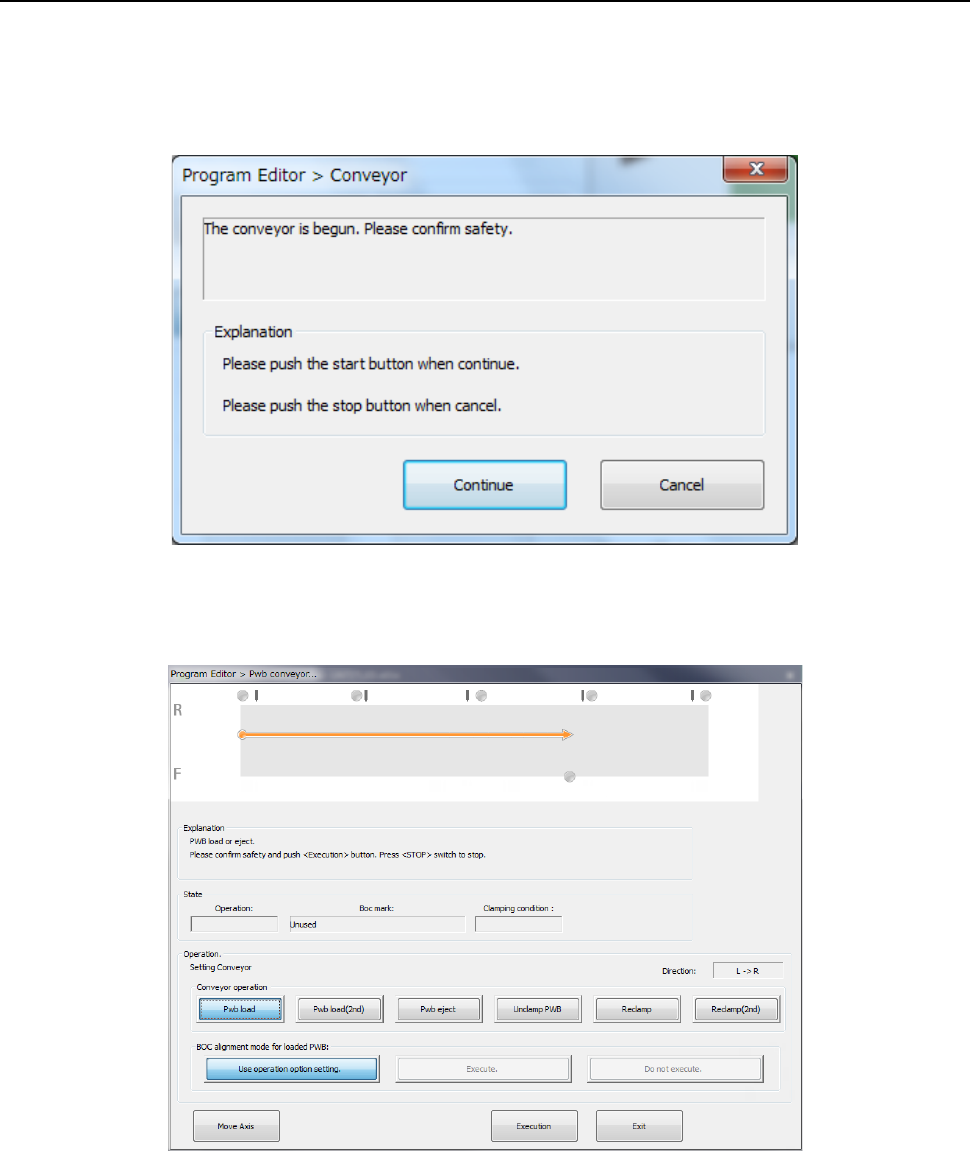
If the safety cover opens after this command is selected from the menu, the following dialog box
appears on the screen because the system has to move the axes to the safe positions.
Check the safety, and then press the <START> switch.
After the axes move to the safe positions, the following “Pwb conveyor” dialog box appears on the
screen.