RS-1_instruction manual.pdf - 第925页
Part 2 D etaile d Descript ion of E ach Functi on Chapter 12 Handling th e Optional Device s 12 - 41 12.7.2.3 BOC mark 12.7.2.3.1 M ark teaching When the m achine teac hes a BOC mar k, it clamps a board. The first BOC m …
Part 2 Detailed Description of Each Function Chapter 12 Handling the Optional Devices
12-40
12.7.2.2 Board stop position and component placement area
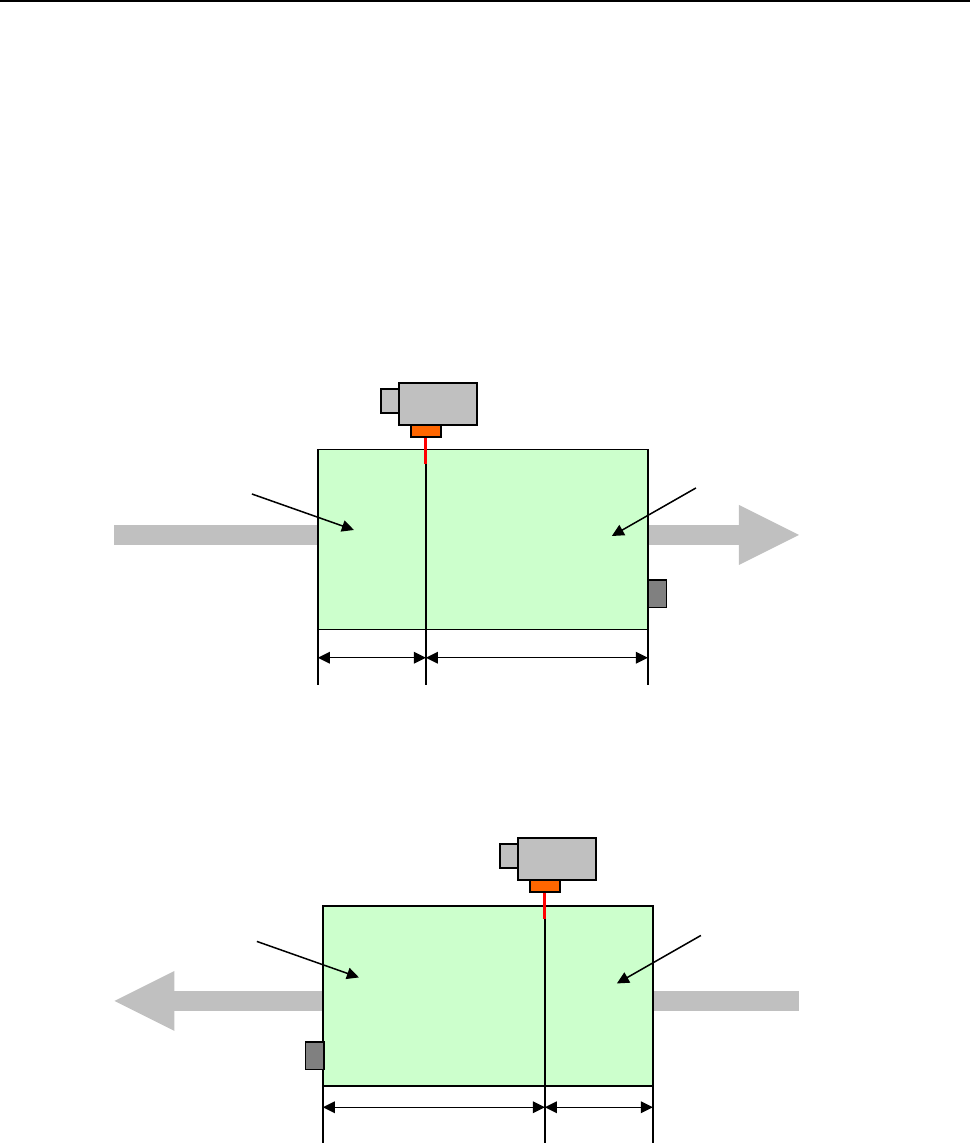
When the outer X-dimension of a board exceeds the regulated size, the machine cannot place any
component on the board with normal clamping operation.
The machine clamps the board inside the station twice. When the machine clamps the board for
the first time, it stops the board at the stopper position. When clamping it for the second time, it
uses the HMS to detect the edge of the board to stop it. These operations support a board
whose outer X-dimension is up to 950 mm (this value exceeds the regulated size). (When the
conveyor is extended, the machine supports a board whose outer X-dimension is up to 1200 mm.)
[When a board is transported from left to right]
①: Long-sized board division position (specified with
a production program)
②: “Board size” – “Long-sized board division position”
[When a board is transported from right to left]
Area where a
component is placed
with the first board
clamping operation
①
②
Area where a
component is placed
with the second board
clamping operation
①
②
Area where a
component is placed
with the second board
clamping operation
Area where a
component is placed
with the first board
clamping operation
Part 2 Detailed Description of Each Function Chapter 12 Handling the Optional Devices
12-41
12.7.2.3 BOC mark
12.7.2.3.1 Mark teaching
When the machine teaches a BOC mark, it clamps a board. The first BOC mark is taught when
the board is clamped at the stopper position. The second BOC mark is taught when the board is
clamped with the HMS.
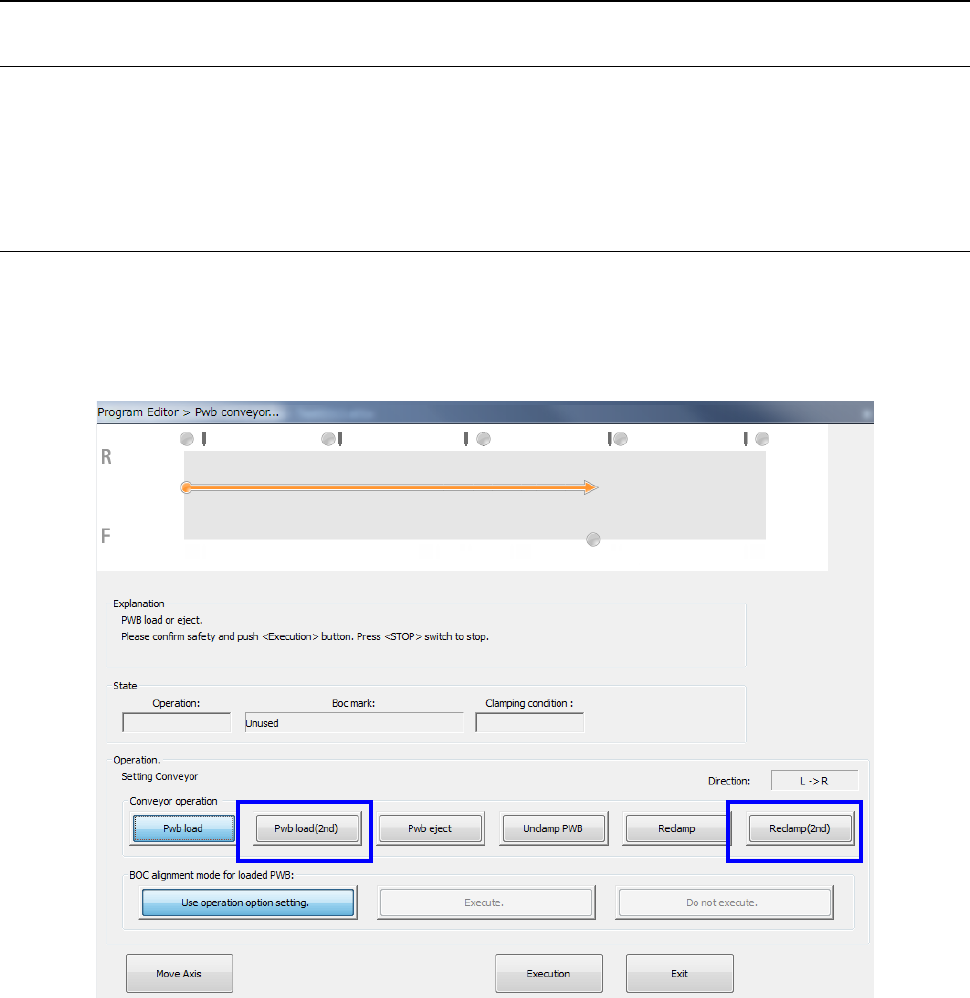
You can clamp a board from the screen “Pwb conveyor.”
12.7.2.3.2 Pwb conveyor
To clamp a board at the stopper position on the “Pwb conveyor” screen, select the <Pwb load>
button as conventionally.
To clamp a board in the second component placement area with the HMS, select the <Pwb load
(2nd)> button or the <Reclamp (2nd)> button.
Part 2 Detailed Description of Each Function Chapter 12 Handling the Optional Devices
12-42
12.7.2.3.3 Notes on a BOC mark
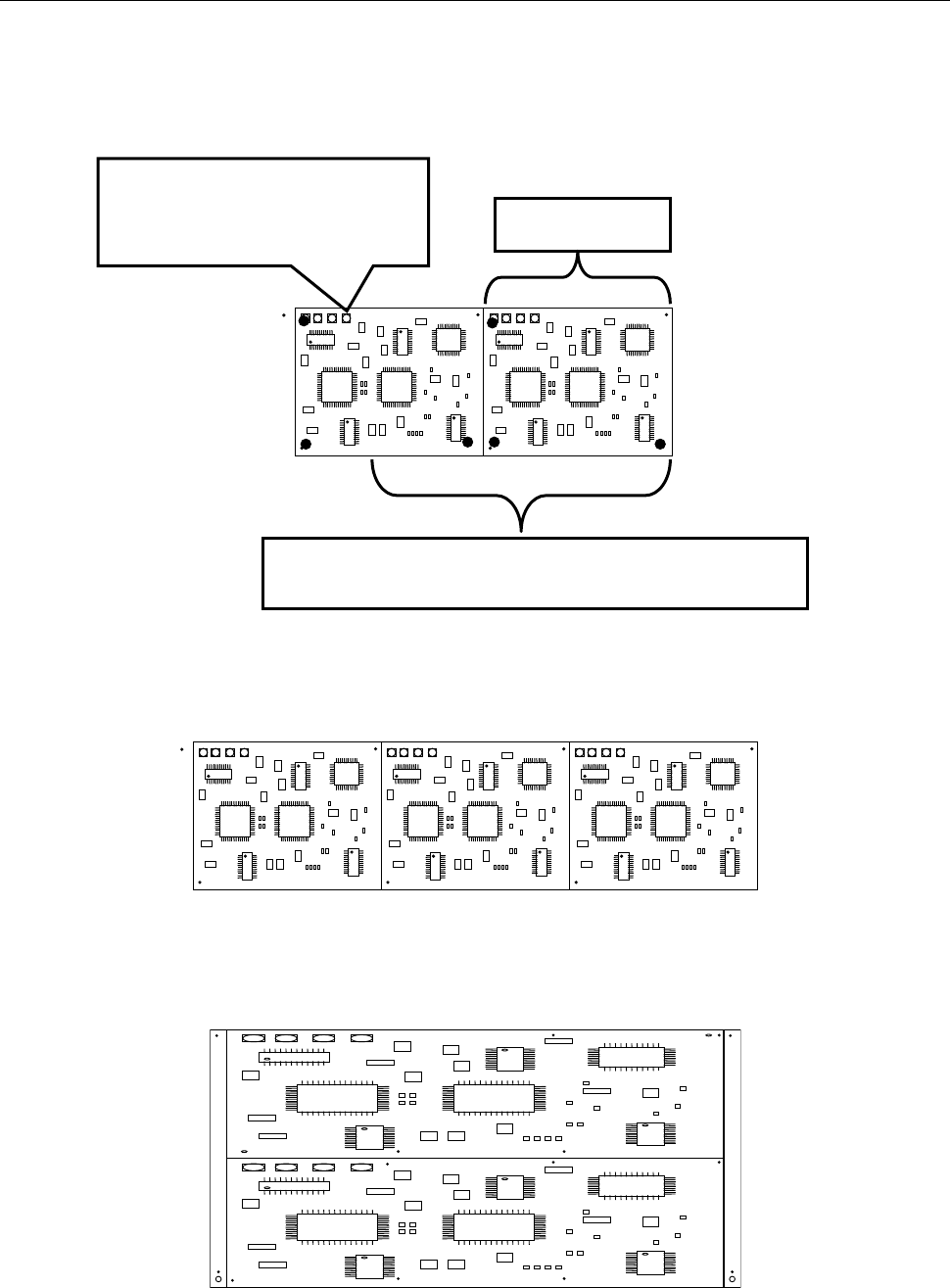
When the outer X-dimension of a multi-plane matrix or non-matrix board exceeds the regulated
size and circuits are divided in the X direction, you can select a mark for each circuit, but the
machine cannot produce any PWB. The machine displays the error before production starts.
An example where the board X-dimension is 900 mm, the long-sized board division position is at a
position 650 mm and a board is divided into two in the X direction is shown below.
When the outer X-dimension of a board exceeds 650 mm and the board is divided in the X
direction as shown below, a BOC mark is located outside the area where a board is to be clamped
for the first time. Therefore, an error is detected before production starts.
When the outer X-dimension of a board exceeds 650 mm and the board is divided in the Y
direction as shown below, any error does not occur even though there is a BOC mark outside the
area where a board is to be clamped for the first time. (You have to enter the second BOC mark.)
Since the mark position exceeds
the first clamping area 650 mm, an
error is detected before production
starts.
Area where a component is placed when a board is
clamped for the first time: 650 mm
450mm