RS-1_instruction manual.pdf - 第314页
Part 1 Basic Operat ion Chapter3 D aily maintenance 3- 22 Where to clean VCS unit Cleaning frequency : Every week How to clean Cleaning of the to p side of the VCS T ools to be used: Waste c lot h Recommended soluti on: …
Part 1 Basic Operation Chapter3 Daily maintenance
3-21
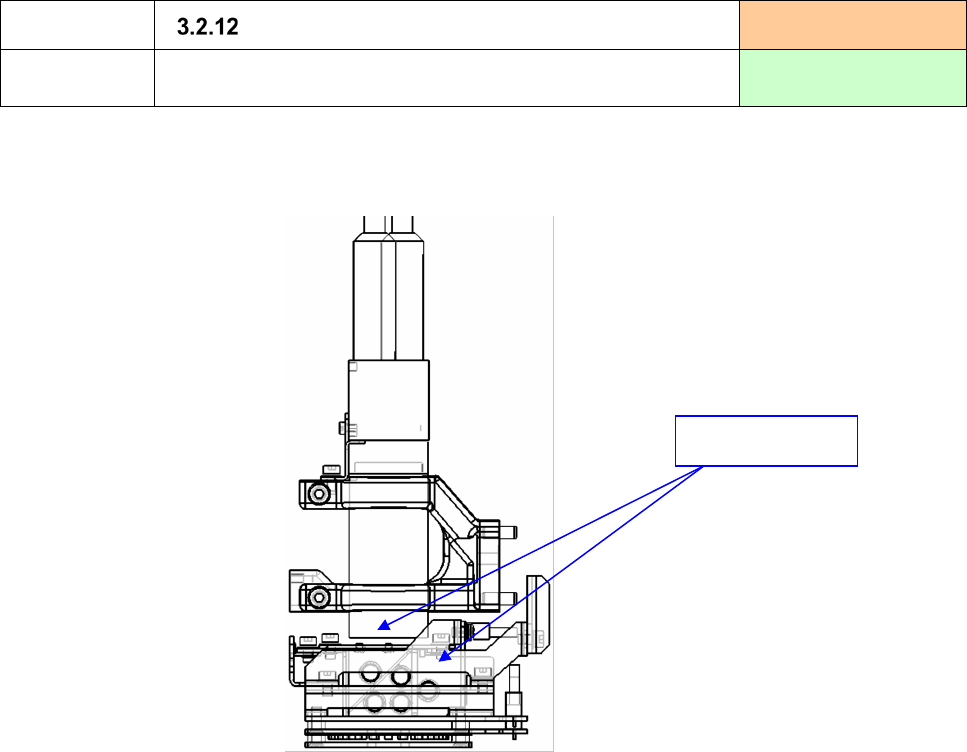
Where to clean
OCC (Polarizing filter)
Cleaning frequency:
Every week
How to clean
Cleaning of dust and/or a foreign substance from the OCC
(polarized filter)
Tool to be used:
Air gun
1) Check to see if there is no dust and/or foreign substance on the polarizing filter of the OCC. If there
is any, remove it with an air gun or like.
Polarizing filter
Part 1 Basic Operation Chapter3 Daily maintenance
3-22
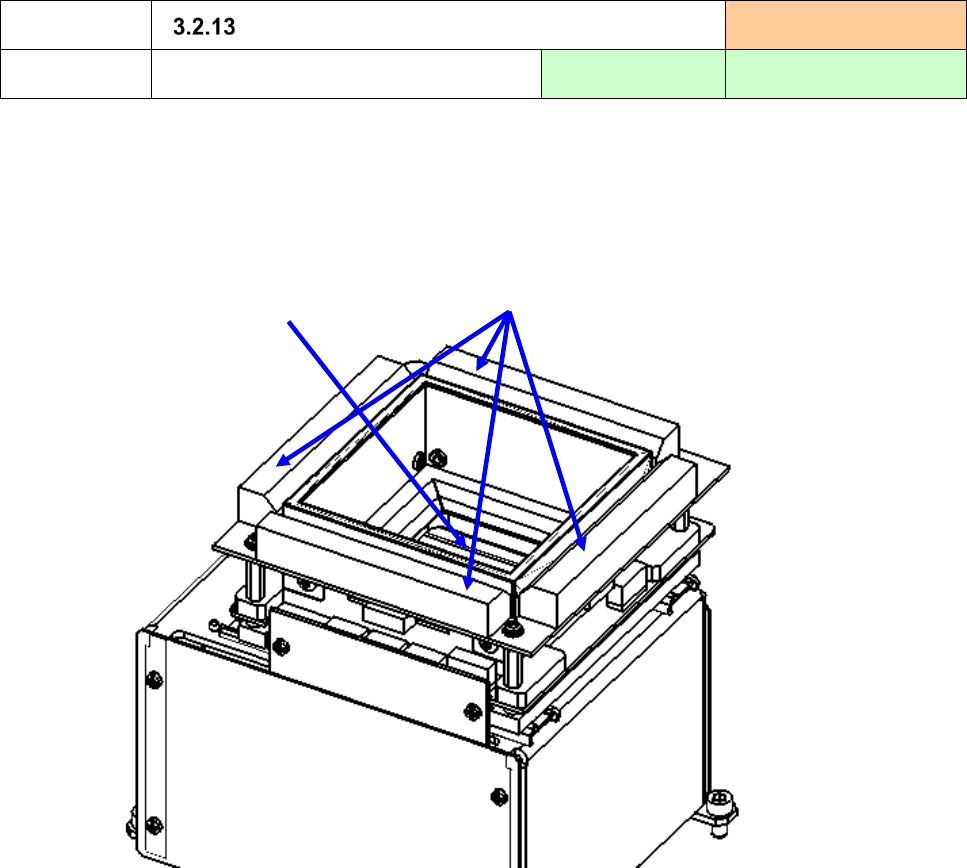
Where to clean
VCS unit
Cleaning frequency:
Every week
How to clean
Cleaning of the top side of the VCS
Tools to be used:
Waste cloth
Recommended solution:
IPA
1) Check to see if there is any foreign substance such as dust on the top side (window and LED) of the
VCS.
If there is, clean the top side of the VCS with dry waste cloth or gauze and blow off the stains stuck
to the LED with air.
Window
LED
Part 1 Basic Operation Chapter3 Daily maintenance
3-23
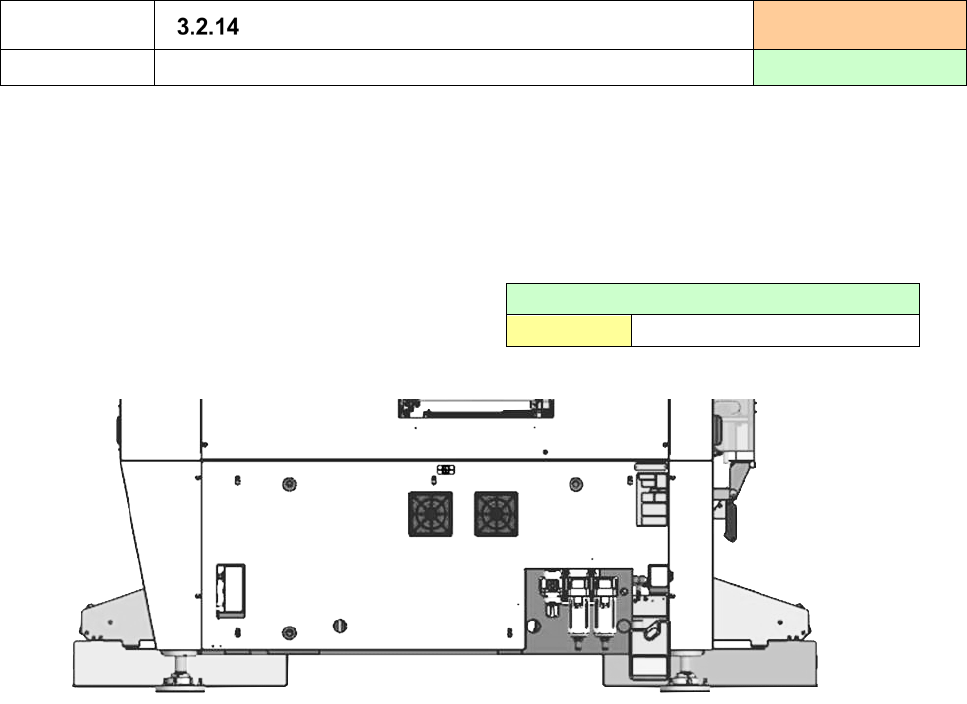
Where to clean
Fan motor filter
Cleaning frequency:
Every half year
How to clean
Clean the fan motor filter
1) Check to see if the fan motor cover (filter) attached before and after the center cover that is located
on the bottom of the inside of the machine is not stained.
2) When the filter is remarkably stained (attachment of dirt or dust), remove the fan motor and remove
the dirty. (Pull out the cover for removal.)
3) If it is difficult to eliminate the dirt of the filter or the filter is damaged, replace it with the filter of the
following part No.
Fan motor filter (5-filter set)
Part No.
HM001010020