RS-1_instruction manual.pdf - 第307页
Part 1 Basic Operat ion Chapter3 D aily maintenance 3- 15 1. W hen big dirt or dust adheres t o the sen sor window , blow it off w ith the blower brush etc. Avoid blowing it of f with the expirat ion. 2. Contain a sma ll…
Part 1 Basic Operation Chapter3 Daily maintenance
3-14
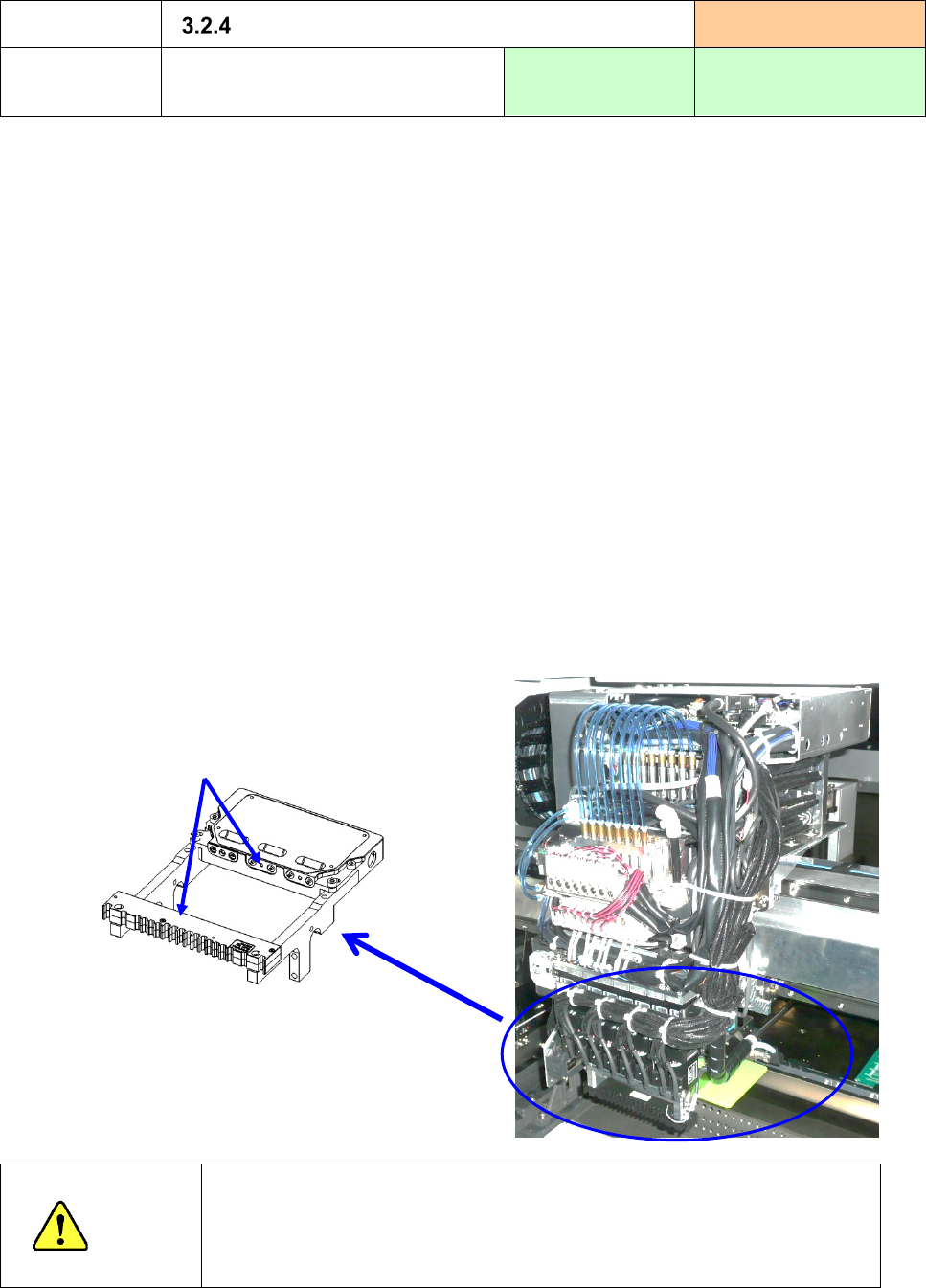
Where to clean
Laser align sensor
Cleaning frequency:
Every week
How to clean
Cleaning of the laser window
Tools to be used:
Waste cloth and
cotton swab
Recommended solution:
IPA
1) When a “stained laser head error” occurs during PWB production or on a regular basis, (every week),
check to see if the laser head is stained.
If the laser head is stained, clean it.
2) We recommend that you clean the sensor window every week.
However, if it can be stained easily, you have to clean it at the shorter intervals.
<How to check>
Select the [Self-Check] command and then the [Laser Dirty] command in this order to check to see if
the laser head is not stained. (Refer to Section 12.3.3 “Laser/sensor control”)
<How to clean>
① Clean the window (four positions on the front and the rear) with waste cloth with no fluff or
cotton swab moistened with alcohol once in one direction only.
② Wipe the lens with dry waste cloth only in one direction to remove alcohol remained on the
window.
CAUTION
If you use not alcohol but any solution such as acetone and thinner, the
resin part around the sensor window may fuse. Never use any solvent
other than alcohol. Moreover, never apply the air blow to the sensor
window because the foreign substances such as dust entered into the
sensor might influence the operation in recognition.
・LNC120-8
Sensor window
(six positions on the front and rear sides)
Rear side
Part 1 Basic Operation Chapter3 Daily maintenance
3-15
1. When big dirt or dust adheres to the sensor window, blow it off with the blower brush etc. Avoid
blowing it off with the expiration.
2. Contain a small amount of alcohol in a soft cloth (lens cleaner etc.), and wipe small dirt or dust off
with care. Avoid strongly wiping. If the filter is damaged, this will cause an error.
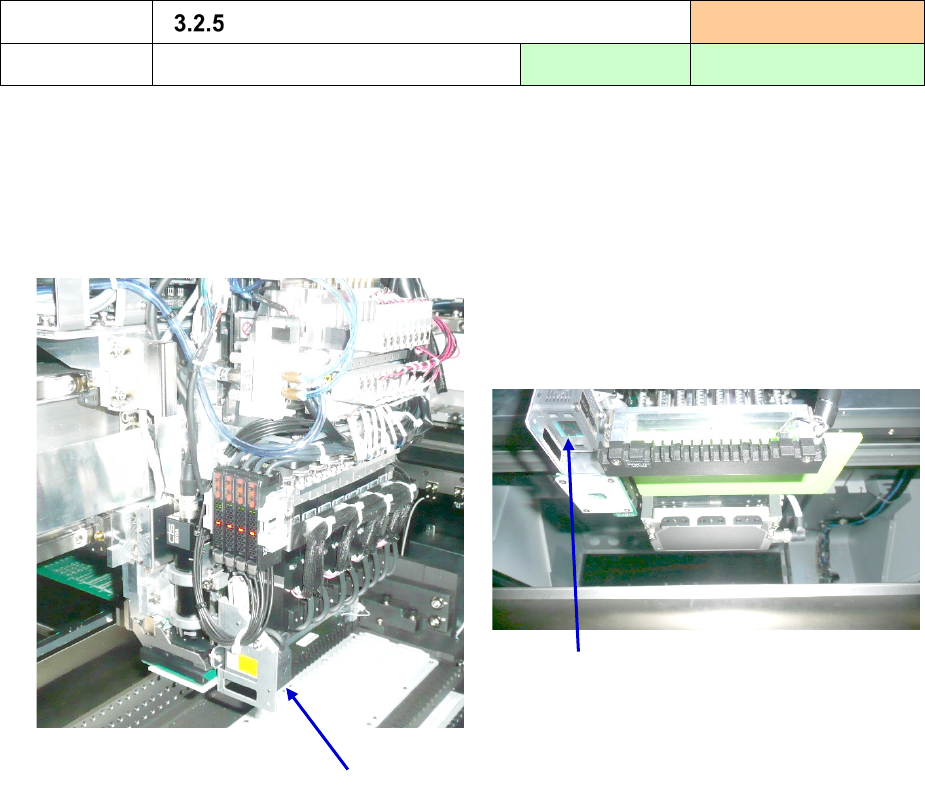
Where to clean
Height Measurement System (HMS)
Cleaning frequency:
Every week
How to clean
Cleaning of the laser window
Tool to be used:
Waste cloth
Recommended solution:
IPA
HMS
Sensor window
Part 1 Basic Operation Chapter3 Daily maintenance
3-16
Where to clean
Nozzle
Cleaning frequency:
Every week
How to clean
Cleaning of the nozzle
Tool to be used:
Ultrasonic cleaner
Recommended solution:
IPA
1) Dampen the entire nozzle whose number is from 7500 to 7504, 7509 in alcohol, and clean it with an
ultrasonic cleaner or similar tool for five minutes.
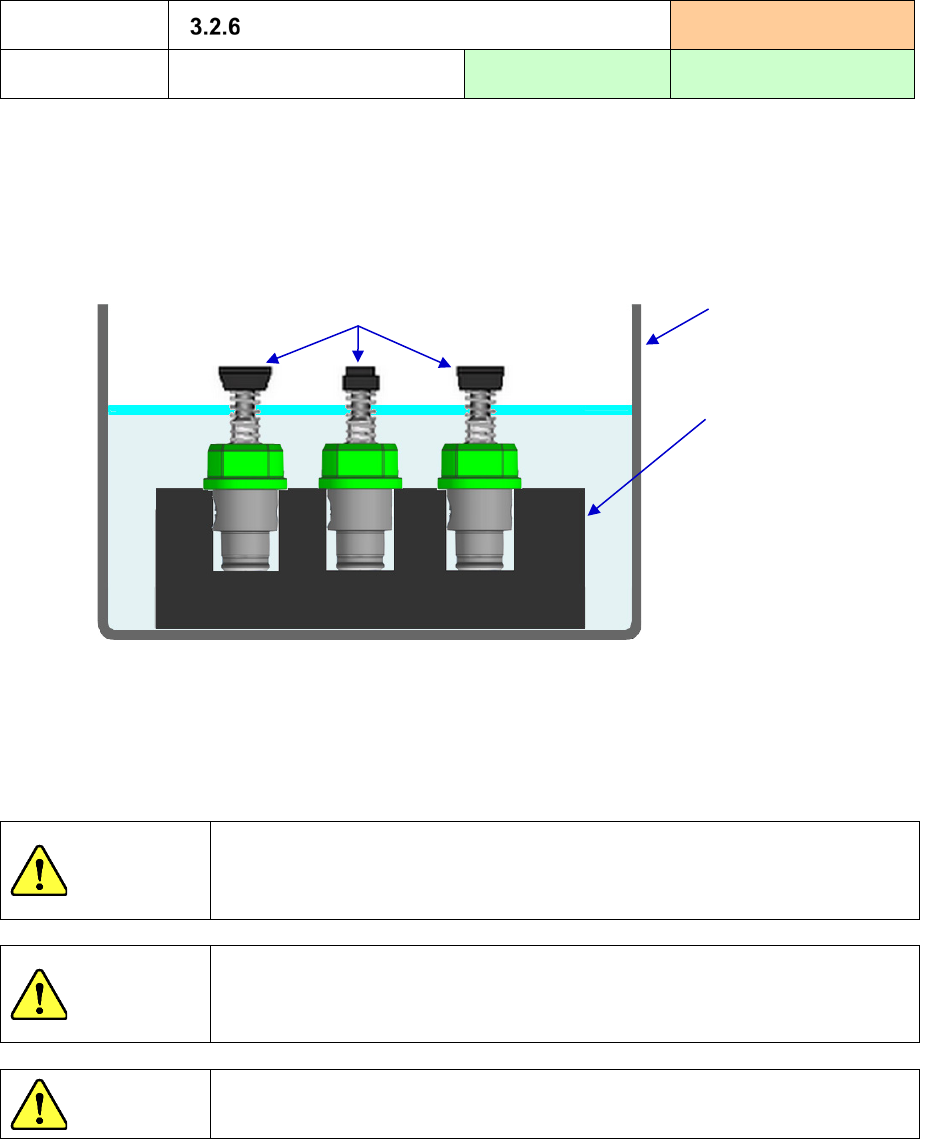
2) To prevent the urethane section of the nozzle tip from being peeled off by cleaning it with alcohol,
use the jig to turn the nozzle whose number is 7505 to 7508 upside down. Then, clean it with an
ultrasonic cleaner so that its tip cannot be dampened in alcohol.
3) Dampen soft cloth with alcohol and use it to clean the urethane part and any part of the nozzle
diffuser on which stains remain stuck to even after you use a supersonic cleaning bath to clean it.
4) After cleaning the nozzle, follow the description of “Applying oil to a nozzle after cleaning it” on the
next page and lubricate the nozzle to prevent its inside from being rusted.
CAUTION
Never use solution (such as acetone) other than alcohol.
The nozzle diffuser may be discolored.
In addition, solution may catch fire. Treat it with enough care.
CAUTION
While you are cleaning the nozzle, be sure to wear a protective mask for
organic odor.
IPA contains a substance harmful to your body.
CAUTION
Never disassemble the nozzle.
Jig block or similar
substance
Urethane part
Beaker or similar
container
Alcohol
We ask you to prepare
the beaker, jib block, etc.
on your side.