RS-1_instruction manual.pdf - 第524页
Part 1 B asic O peration Chapter 4 Cr eating a Produc tion Progra m 4- 189 When you pres s the button shown on t he figure b elow , the t eaching scr een is minim i zed as an icon, and then m oves to t he lower left side…
Part 1 Basic Operation Chapter 4 Creating a Production Program
4-188
(5) Reducing or minimizing the screen
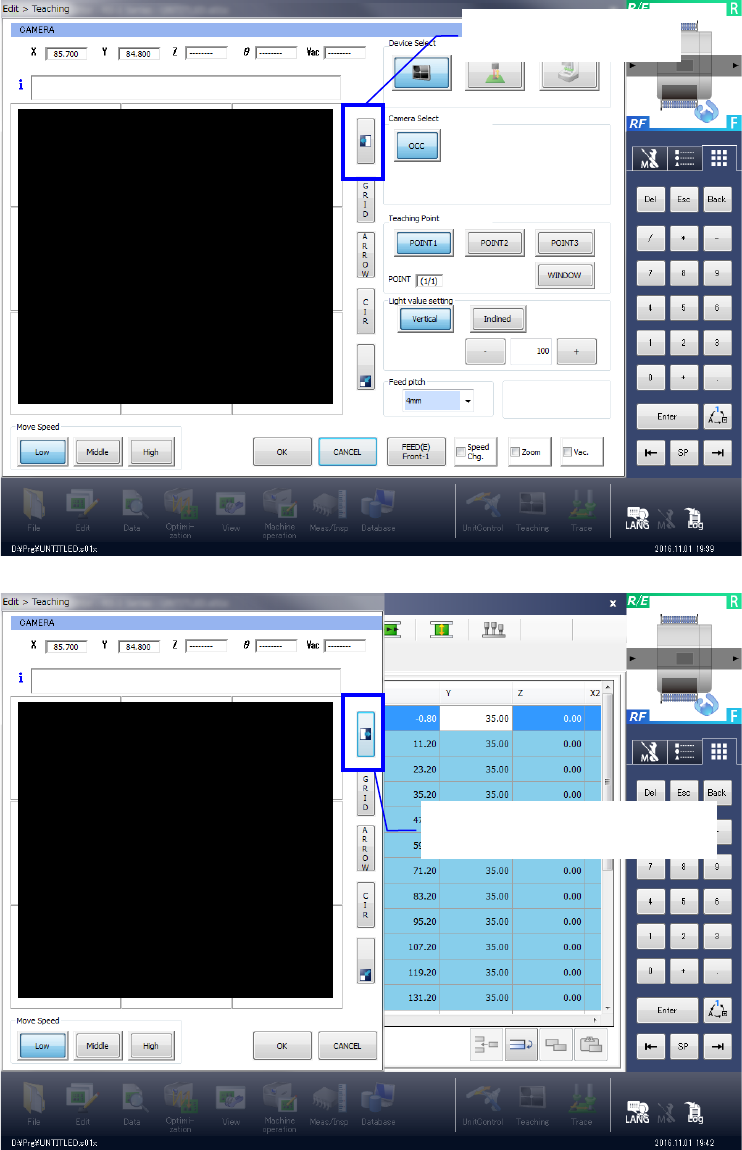
When you press the button shown on the figure below, the right screen disappears. When you
press this button again, the screen regains its original dimensions.
Hides the right side.
Displays the right side again.
Part 1 Basic Operation Chapter 4 Creating a Production Program
4-189
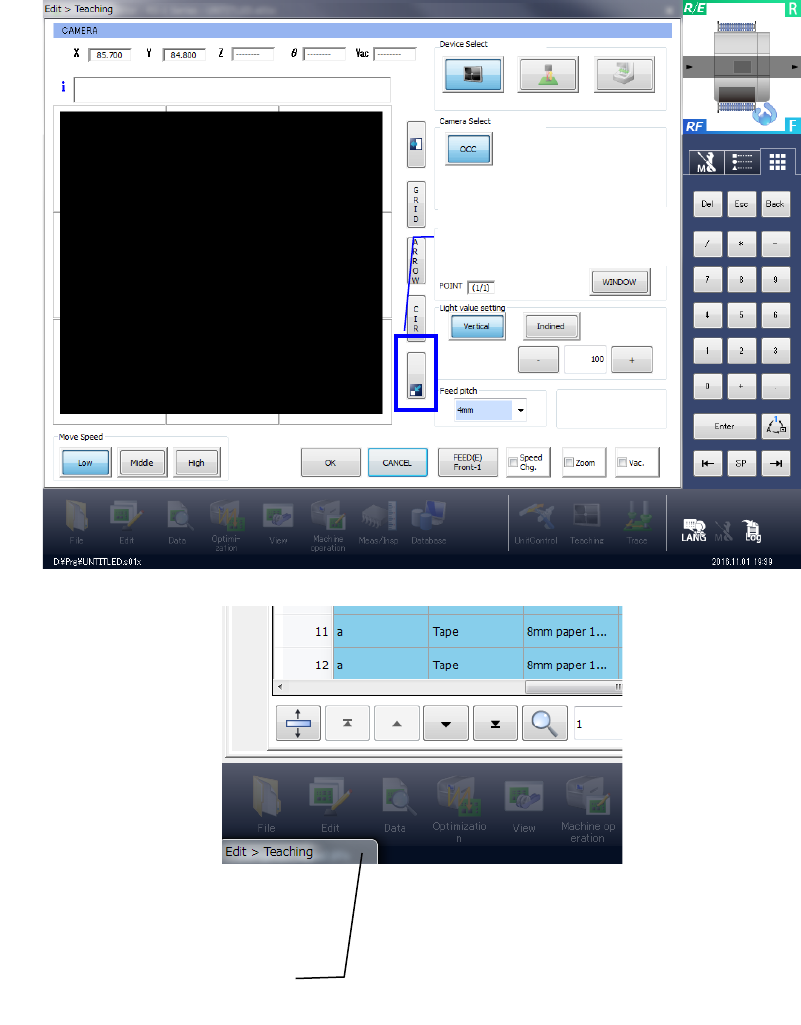
When you press the button shown on the figure below, the teaching screen is minimized as an
icon, and then moves to the lower left side.
When you press this icon again, the screen regains its original dimensions.
When you press the icon, the
screen regains its original
Minimized as an icon.
Part 1 Basic Operation Chapter 4 Creating a Production Program
4-190
(6) FEED
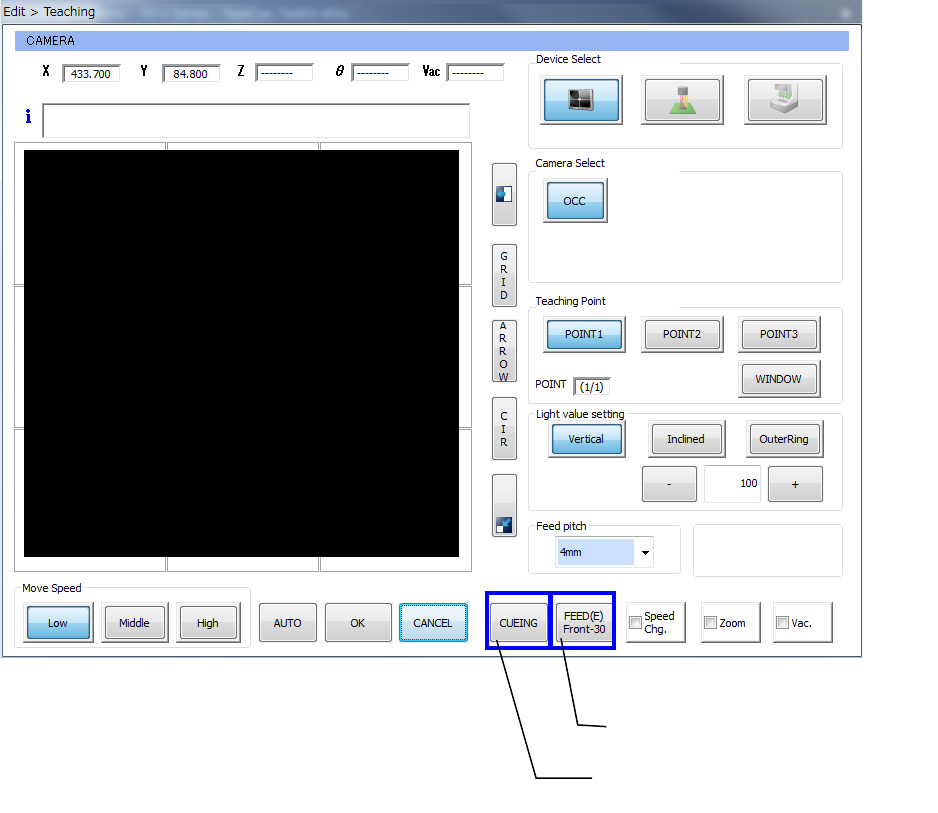
When you teach the component pick-up position, the <FEED> button indicating the feeder number
is displayed on the screen. When you press this <FEED> button, the corresponding feeder feeds
once.
When a component can be cued or it is set to be cued, the <CUEING> button appears on the
screen. When you press the <CUEIING> button, the corresponding feeder cues a component.
The feeder feeds a component.
The feeder cues a component.