RS-1_instruction manual.pdf - 第159页
Part 1 B asic O peration Chapter 2 Pr oduction 2- 48 Feeder The state of an e l ectr ic feeder during P WB prod uction is displayed her e. See Section 2. 10 “Elect ric feeder check” f or details.
Part 1 Basic Operation Chapter 2 Production
2-47
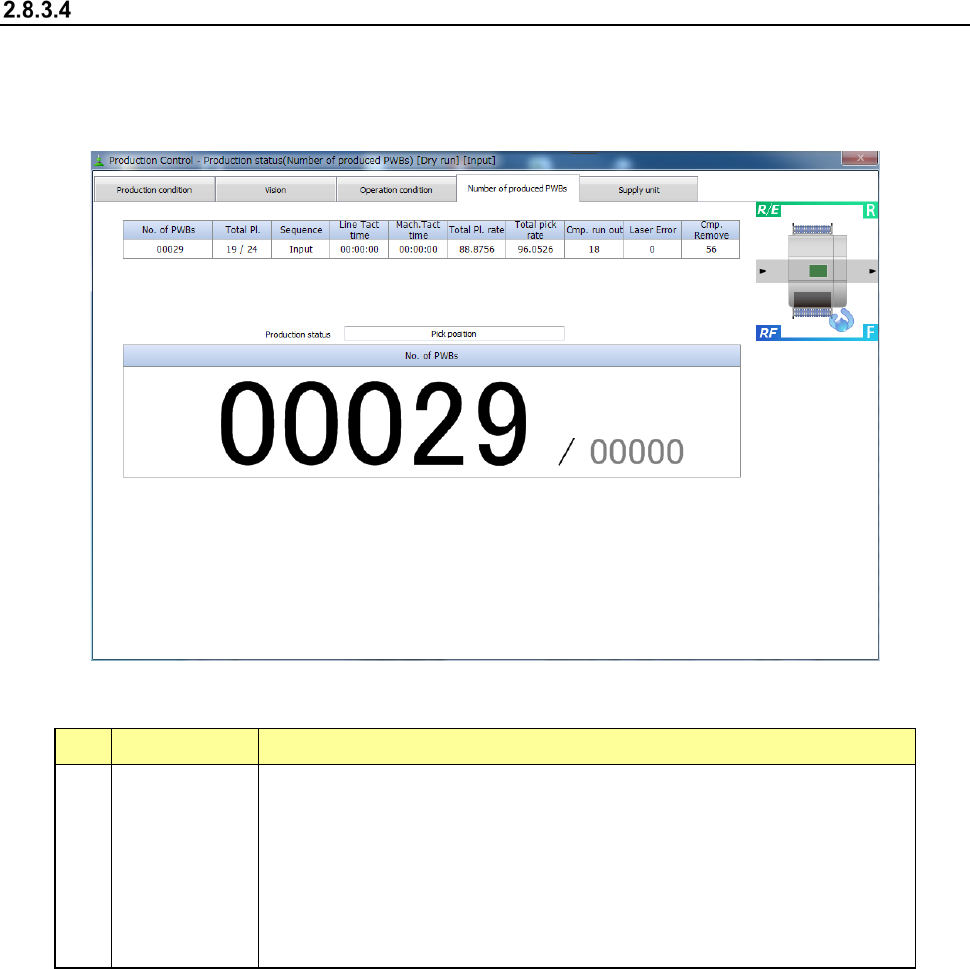
Number of produced PWBs
When you select the [Window] command, and then the [Production status (Number of produced
PWBs)] command, the “Production status (Number of produced PWBs)” screen appears.
This screen shows the number of PWBs already produced in large characters.
- Number of produced PWBs
1) Item displayed in large characters
No. Item Description
1 No. of PWBs
Shows “the number of PWBs produced already / the number of PWBs planned
to be produced.”
When the item “Count down the number of boards produced” is selected on the
Production (Display) tab of the “Operation option” menu, this field shows “the
number of PWBs that will be produced from now / the number of PWBs planned
to be produced.”
When the machine uses the dual-lane conveyor to produce PWBs, the total
number of PWBs produced with the front lane and the rear lane is displayed
here.
2) Items for operation condition
These items are the same as those displayed on the “Production status (Operation condition)”
screen. See Section 2.8.3.3 “Operation condition” for details.
3) Items for production information
These items are the same as those displayed on the “Production status (Vision)” screen. See
Section 2.8.3.2 “Vision” for details.
Part 1 Basic Operation Chapter 2 Production
2-48
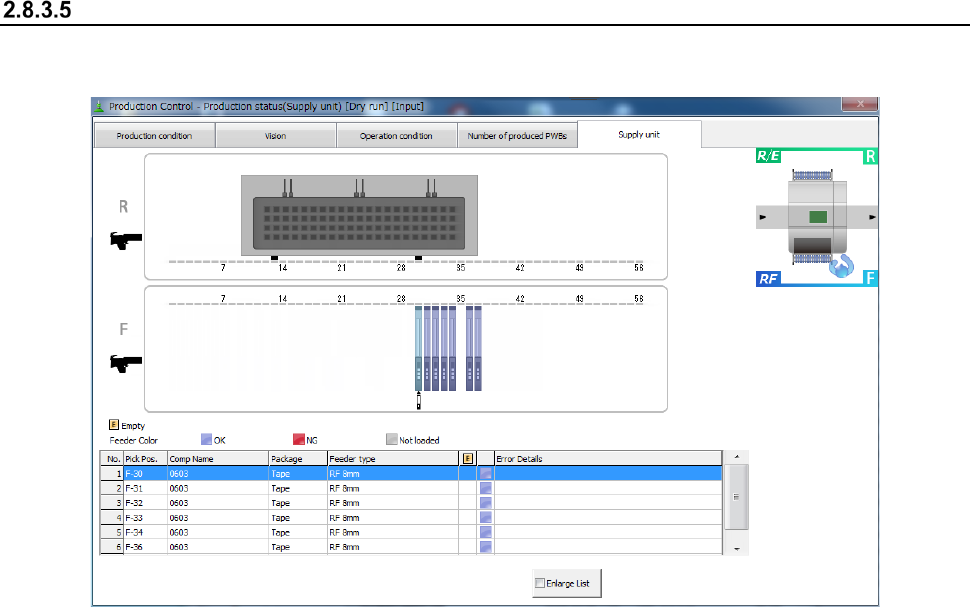
Feeder
The state of an electric feeder during PWB production is displayed here.
See Section 2.10 “Electric feeder check” for details.
Part 1 Basic Operation Chapter 2 Production
2-49
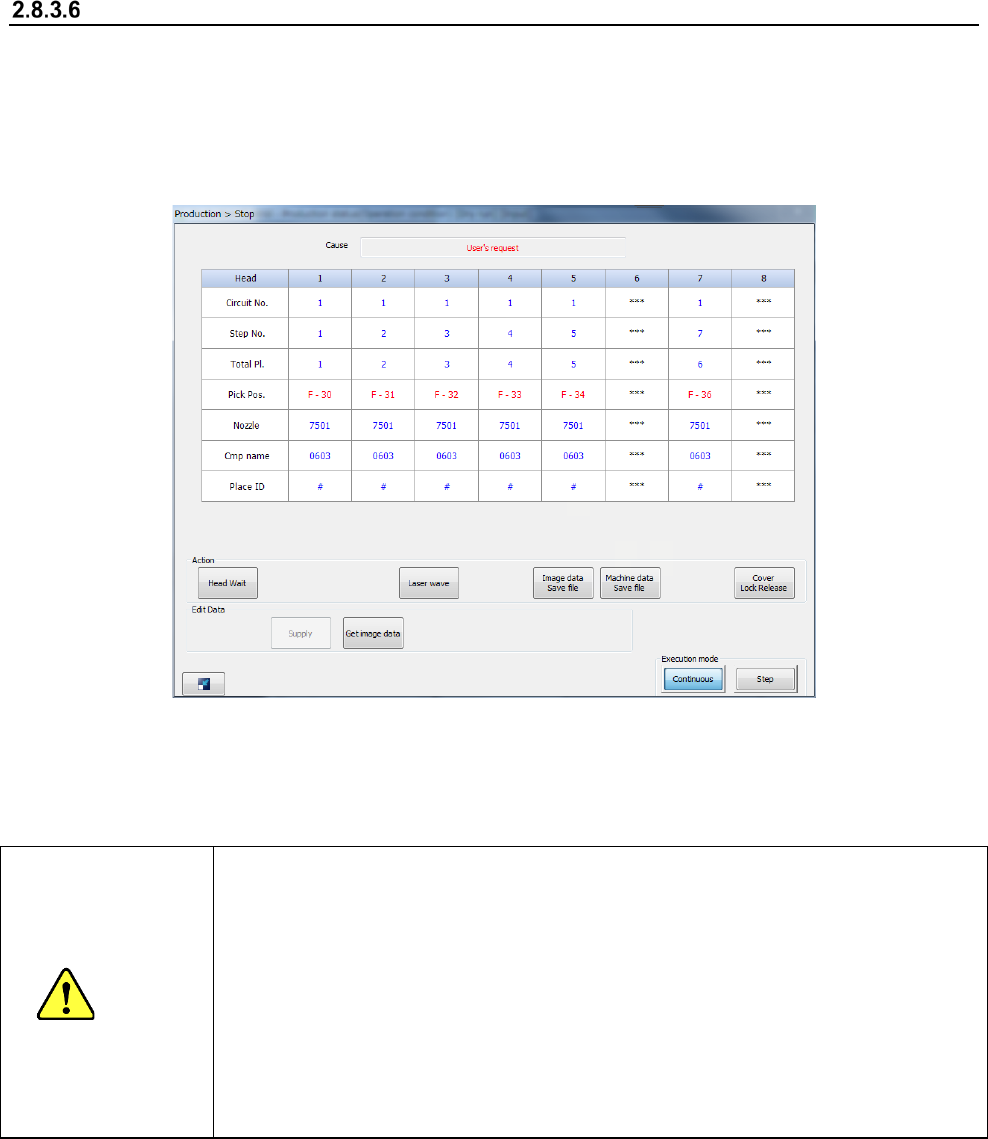
Stop
To temporarily stop PWB production, press the <STOP> switch on the operation panel.
Both stations stop producing a PWB temporarily, and two “Stop” screens appear on the right
and left sides.
When you press the <STOP> switch in Continuous production mode, or when the production
in Step production mode stops at a step position, the machine is put in the pause state.
The screen displayed when the machine pauses is shown in the figure below.
When you press the <START> switch at this point, the “Stop” screen disappears, and the machine
exits from the pause state. When you press the <STOP> switch, the machine starts performing the
production interrupt process.
CAUTION
Immediately after you press the <START> switch, the head starts moving and the
system starts production.
To avoid injuries, do not put your hands inside the machine or keep your face or
head away from the machine.
Before pressing the <START> switch, check to see if there is no one who is working
the internal parts of the machine.
Before pressing the <START> switch, check to see if there is no one who is near the
machine and may be injured.
Before pressing the <START> switch, check to see if there is no obstacle such as an
adjustment tool that is located or attached inside the machine and may prevent the
machine from operating normally.