RS-1_instruction manual.pdf - 第1012页
Part 2 D etaile d Descript ion of E ach Functi on Chapter 12 Handling th e Optional Device s 12 - 128 12.17.4 Machi ne Set up Select the c ommands [S etting] – [Machi ne Setup] from the menu to open t he “Machine S etup”…
Part 2 Detailed Description of Each Function Chapter 12 Handling the Optional Devices
12-127
however, set it so that the tag of nozzle faces left side seen from the front side of machine to
shorten the tag reading time.
The tag of large nozzle can face both of front and rear sides, however, set it so that the tag of
nozzle faces the front side seen from the front side of machine to shorten the tag reading time.
12.17.3 Procedure for reading an RFID
An RFID is to be read when you allocate nozzles. See Section 8.3.2.3 “Nozzle setup” for allocation
of nozzles.
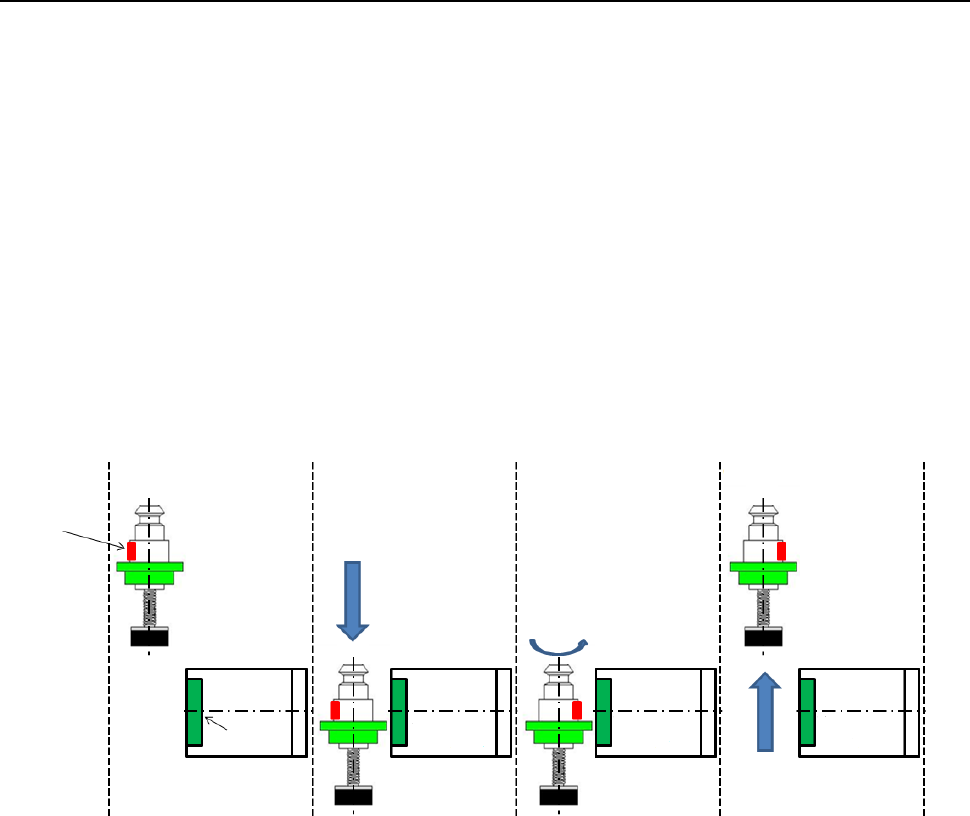
An RFID is read in the following order after the corresponding nozzle is allocated.
* Any RFID of a nozzle is not read during production.
① A nozzle is attached.
② The head moves to a position above the RFID tag recognition position.
③ The head moves down to the RFID recognition height to recognize the RFID.
④ If the head cannot recognize the RFID, it recognizes the RFID again after rotating the nozzle by
180 degrees.
⑤ After recognizing the RFID, the Z-axis of the head moves up.
⑥ The nozzle is returned to the original position.
① ② ③ ④ ⑤ ⑥
RFID tag
Antenna
Part 2 Detailed Description of Each Function Chapter 12 Handling the Optional Devices
12-128
12.17.4 Machine Setup
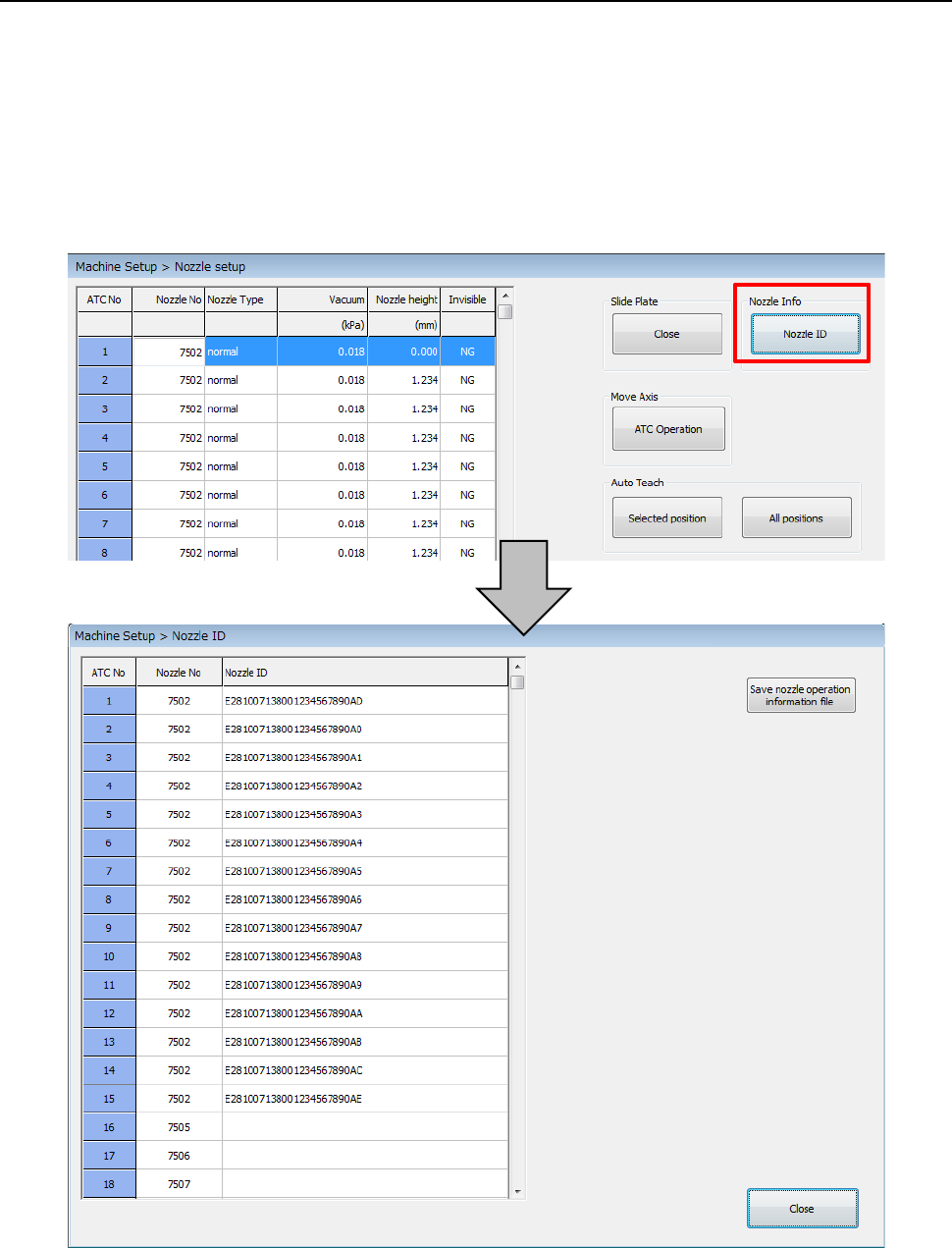
Select the commands [Setting] – [Machine Setup] from the menu to open the “Machine Setup”
screen. Select the commands [Nozzle] – [Nozzle setup], and then allocate the selected nozzle(s)
or automatically allocate nozzles. After nozzles are allocated, the corresponding RFIDs are read.
You can check the nozzle allocated to each ATC hole and the corresponding RFID on the nozzle
information dialog box displayed when you press the <Nozzle ID> button.
When you press the <Save nozzle operation information file> button on the “Nozzle ID” dialog box,
you can display the dialog box for saving a nozzle operation information file on the screen. (See
Section 1.9.6 “Get and Save Machine Data.”)
Part 2 Detailed Description of Each Function Chapter 12 Handling the Optional Devices
12-129
12.17.5 Machine Information
12.17.5.1 Nozzle Usage Information
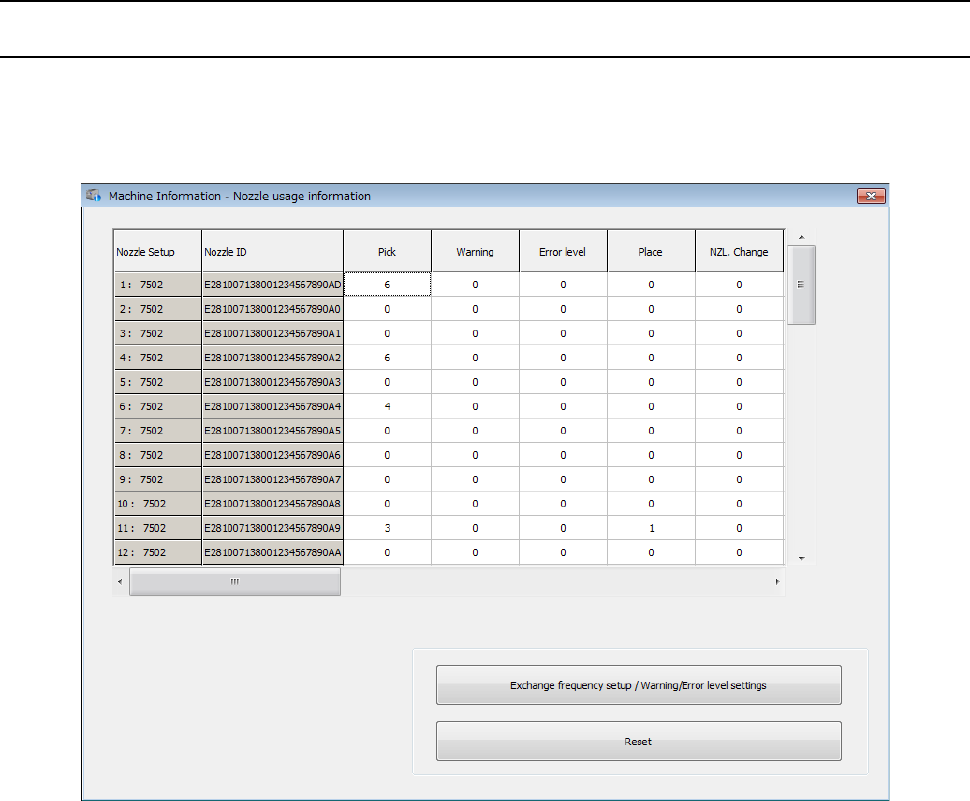
The nozzle usage information is managed with ATC numbers and nozzle numbers. When you set
an RFID of a nozzle to be used, the “Nozzle Usage Information” is displayed as shown below.
When a nozzle is associated with a nozzle ID, the nozzle ID is displayed also.