RS-1_instruction manual.pdf - 第253页
Part 1 B asic O peration Chapter 2 Pr oduction 2- 142 Returning a nozzle If the system cannot attach a nozzl e on a head correct ly when nozzle s are replaced dur i ng PWB production, the product ion is ter minated abn o…
Part 1 Basic Operation Chapter 2 Production
2-141
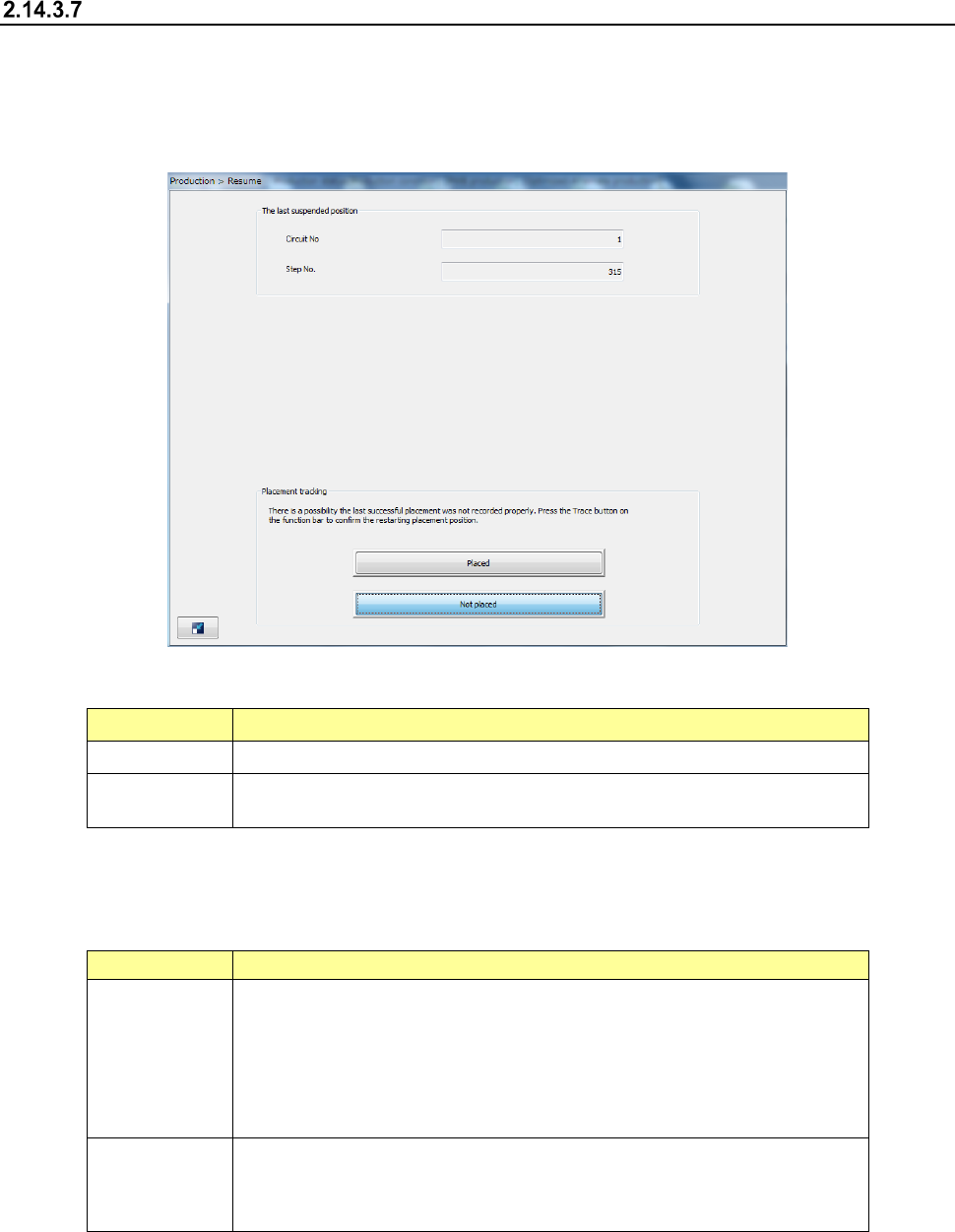
Tracking a component placement position when production is resumed
When the system finishes re-clamping a board after start of production, the following screen
appears.
When you press the “Trace” button in the Operation area, the system tracks a component
placement position to allow you to check to see if a component is placed on the next component
position.
(1) The last suspended position
The component placement position from which the system resumes production is shown here.
Menu item Description
Circuit No. Displays the circuit number from which the system resumes production.
Step No.
Displays the component placement position from which the system resumes
production.
(2) Placement tracking
Select whether a component is already placed on the position from which the system resumes
production.
Menu item
Description
Placed
The system assumes that a component is already placed at the placement
position from which it resumes production.
It starts placing a component from the position next to that from which it
resumes production.
Check to see if a component is placed at production start position (specified in
the “Restart position” field on the “Prod Cond” screen) with tracking a
component placement position.
Not placed
The system assumes that any component is not placed at the placement
position from which the system resumes production.
The system starts placing a component from a placement position where it
resumes production.
When you press the <START> switch, the system starts placing a component on a board.
When you press the <STOP> switch, the system returns to Idle mode.
Part 1 Basic Operation Chapter 2 Production
2-142
Returning a nozzle
If the system cannot attach a nozzle on a head correctly when nozzles are replaced during PWB
production, the production is terminated abnormally.
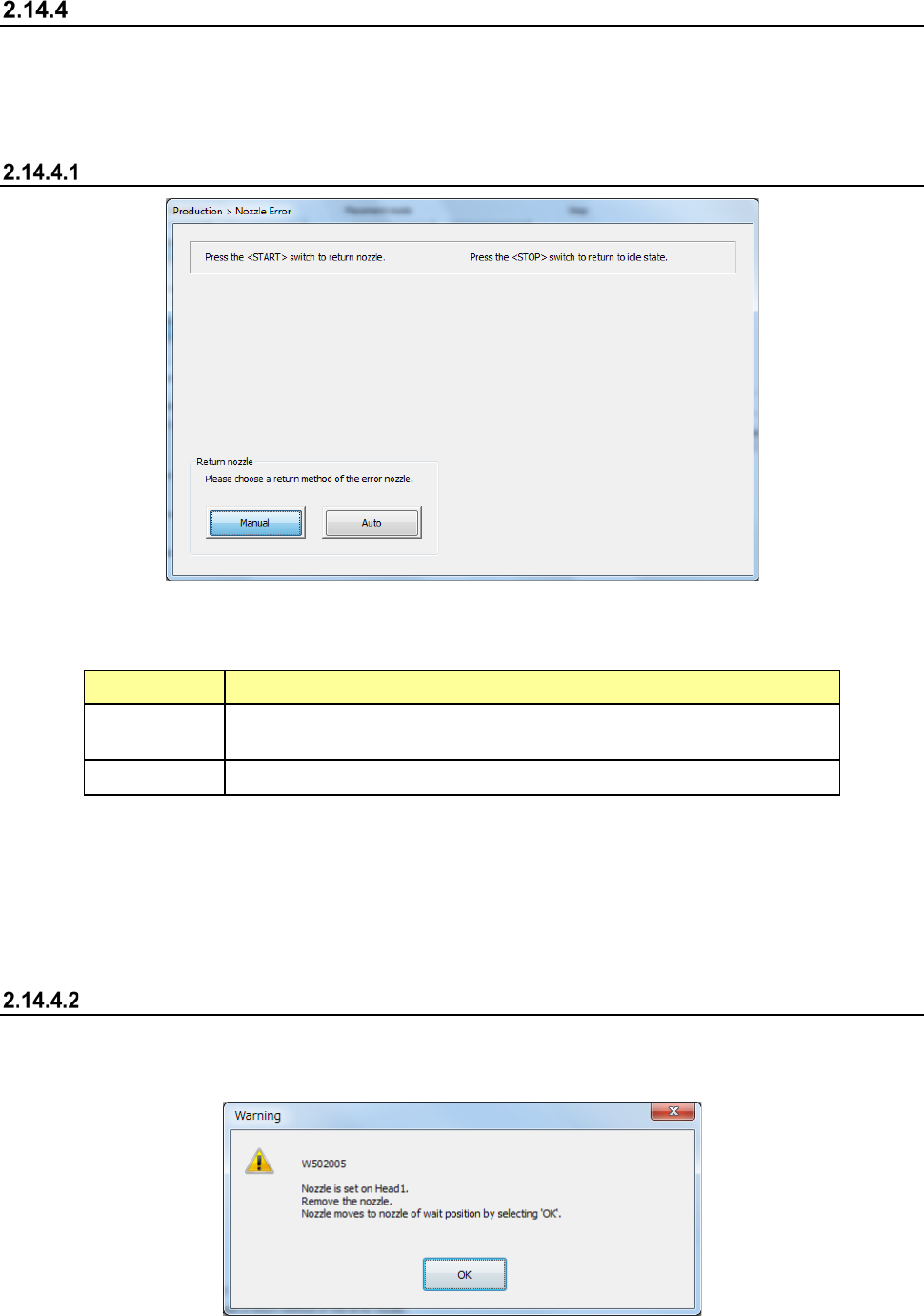
At this time, the system displays the “Nozzle Error” screen, and provides you with the function form
returning the nozzle held with the head manually or automatically.
Displaying the “Nozzle Error” screen
(1) Return nozzle mode
Select how to return a nozzle that failed to be attached on the head.
Menu item Description
Manual
The head and the nozzle move to the nozzle detachment position.
Remove the nozzle with hands.
Auto The system returns a nozzle that caused an attachment error automatically.
(2) <START> switch and <STOP> switch
When you press the <START> switch, the system starts returning a nozzle in the selected
Nozzle Return mode.
When press the <STOP> switch, the system displays the previous screen again without
returning the nozzle.
Manually returning a nozzle
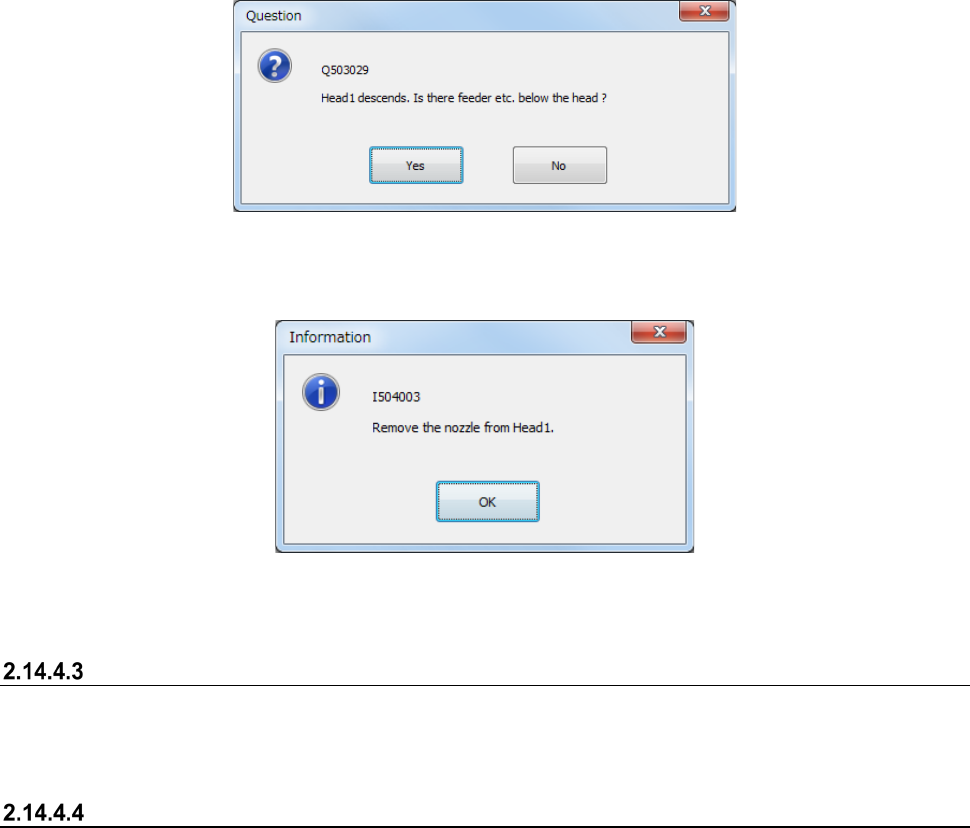
When you select the <Manual> button and then press the <START> switch, the “Warning” message
indicating that the head and the nozzle move to the nozzle detachment position appears on the
screen.
Part 1 Basic Operation Chapter 2 Production
2-143
The system displays the “Question” message for asking you whether a feeder or any other device is
located under the head or not in order to move down the Z-axis after the head and the nozzle move
to the nozzle detachment position.
After the Z-axis moves down, the message for asking you to remove the nozzle appears on the
screen.
If there are two or more nozzles that cause a nozzle attachment error, the system repeats
performing this process.
Press the <OK> button, and then perform the same process for other head(s) that cause(s) a nozzle
attachment error. When the system finishes returning nozzles of all heads, the Z-axis moves up,
and then moves to the waiting position.
Automatically returning a nozzle
When you select the <Auto> button, and then press the <START> switch, the system automatically
returns a nozzle that causes a nozzle return error.
After the system returns nozzles of all heads, it moves up the Z-axis and then to the waiting position.
Operation after a nozzle is returned
If you return a nozzle after production is terminated abnormally, the system is put into the
Production Idle state.
If the system detects a nozzle attachment error at start of production, it starts production after
returning the nozzle.