RS-1_instruction manual.pdf - 第520页
Part 1 B asic O peration Chapter 4 Cr eating a Produc tion Progra m 4- 185 6) Move Spee d Operate thes e buttons i n the same manner tea ching with a cam era. The screen s hown above is displayed whe n the XY - axes are …
Part 1 Basic Operation Chapter 4 Creating a Production Program
4-184
(3) Teaching with a head device
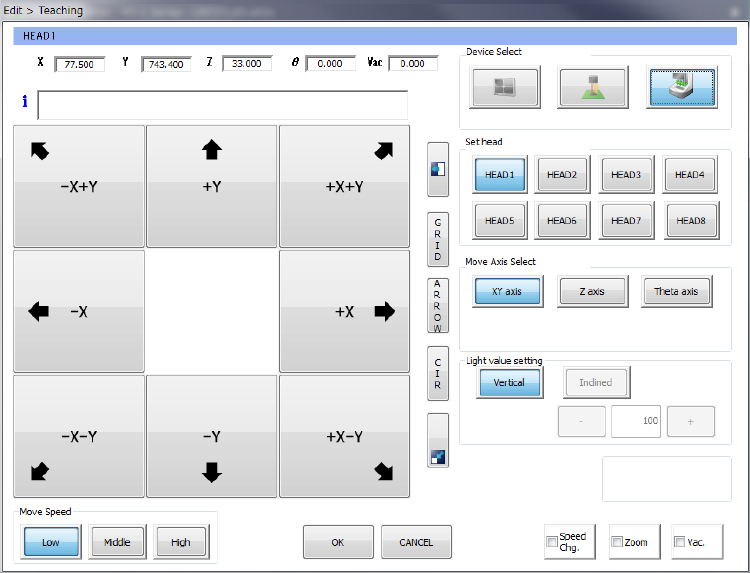
The head device teaches the XY-axes, the Z-axis and the θ-axis respectively.
1) Device Select
These buttons switch a device to be used to perform teaching to another one.
2) Set Head
Specify a head nozzle to be used to perform teaching.
3) Move Axis Select
These buttons change the axis to be moved.
4) Light value setting
You cannot set this item by teaching with a head device.
5) Feed pitch
Set a value when you want to change the feed pitch of the electric feeder.
Part 1 Basic Operation Chapter 4 Creating a Production Program
4-185
6) Move Speed
Operate these buttons in the same manner teaching with a camera.
The screen shown above is displayed when the XY-axes are selected. When you select
another axis, see the following pages.
If you press one of eight arrow keys when the <XY axis> button is selected as the menu item
“Move Axis Select,” the head moves in the XY direction, and the axes continue to move while
you are touching the button.
The current coordinates of the head are displayed on the upper section of the screen.
CAUTION
To avoid a risk of injury, do not put your hands inside the machine
or move your face or head close the machine while the system is
teaching data.
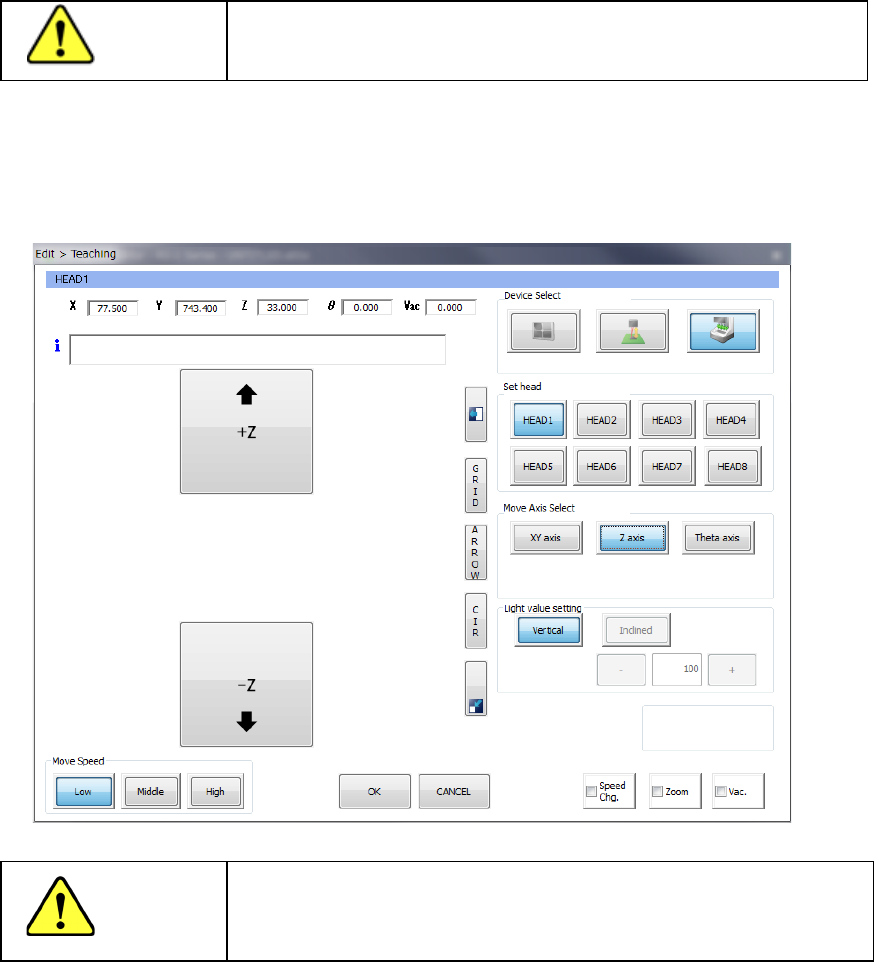
If you press the up/down arrow buttons displayed on the left side of the screen when the <Z axis>
button is selected as the menu item “Move Axis Select,” the head moves in the Z direction.
Be sure to check the safety around the head so that there cannot be any substance the nozzle that
interferes with on the lower side before moving the head.
CAUTION
To avoid a risk of injury, do not put your hands inside the machine
or move your face or head close the machine while the system is
teaching data.
Part 1 Basic Operation Chapter 4 Creating a Production Program
4-186
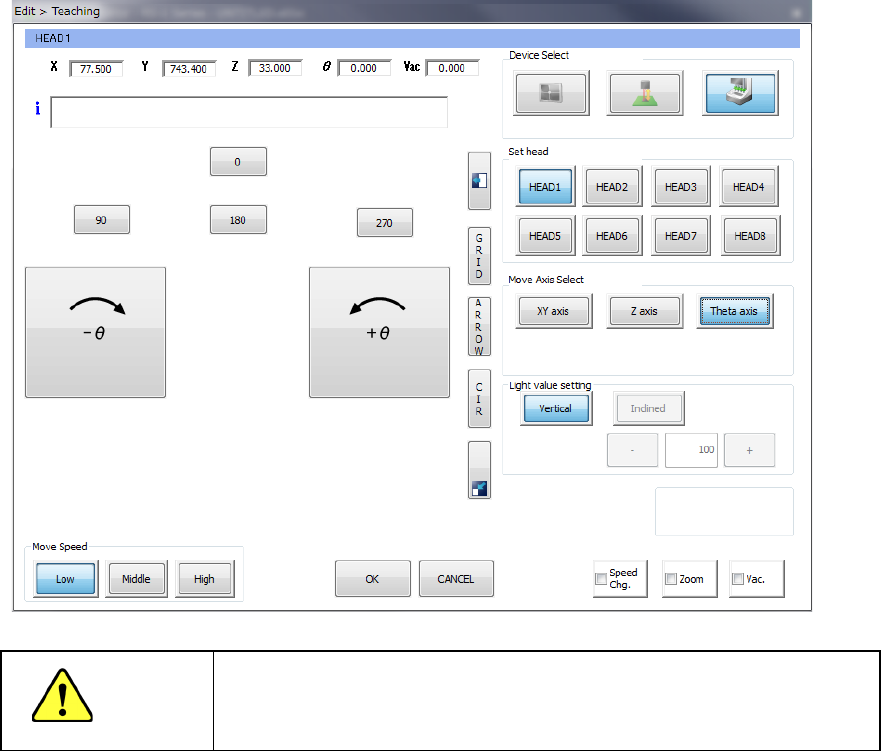
If you press the clockwise/anticlockwise rotation button displayed on the left side of the screen
when the <Theta axis> button is selected as the menu item “Move Axis Select,” the head rotates.
The rotating direction is decided viewed from the top of the machine.
When you press one of the buttons <0>, <90>, <180> and <270>, the nozzle head rotates by the
angle indicated with the button.
CAUTION
To avoid a risk of injury, do not put your hands inside the machine or
move your face or head close the machine while the system is
teaching data.