RS-1_instruction manual.pdf - 第683页
Part 2 D etaile d Descript ion of E ach Functi on Chapter 7 Operation Option 7-8 7.3.3 Mark recognizing opera tion When you pres s the < Mark recogn i tion > button, t he “ mar k recogniz ing operat ion option set …
Part 2 Detailed Description of Each Function Chapter 7 Operation Option
7-7
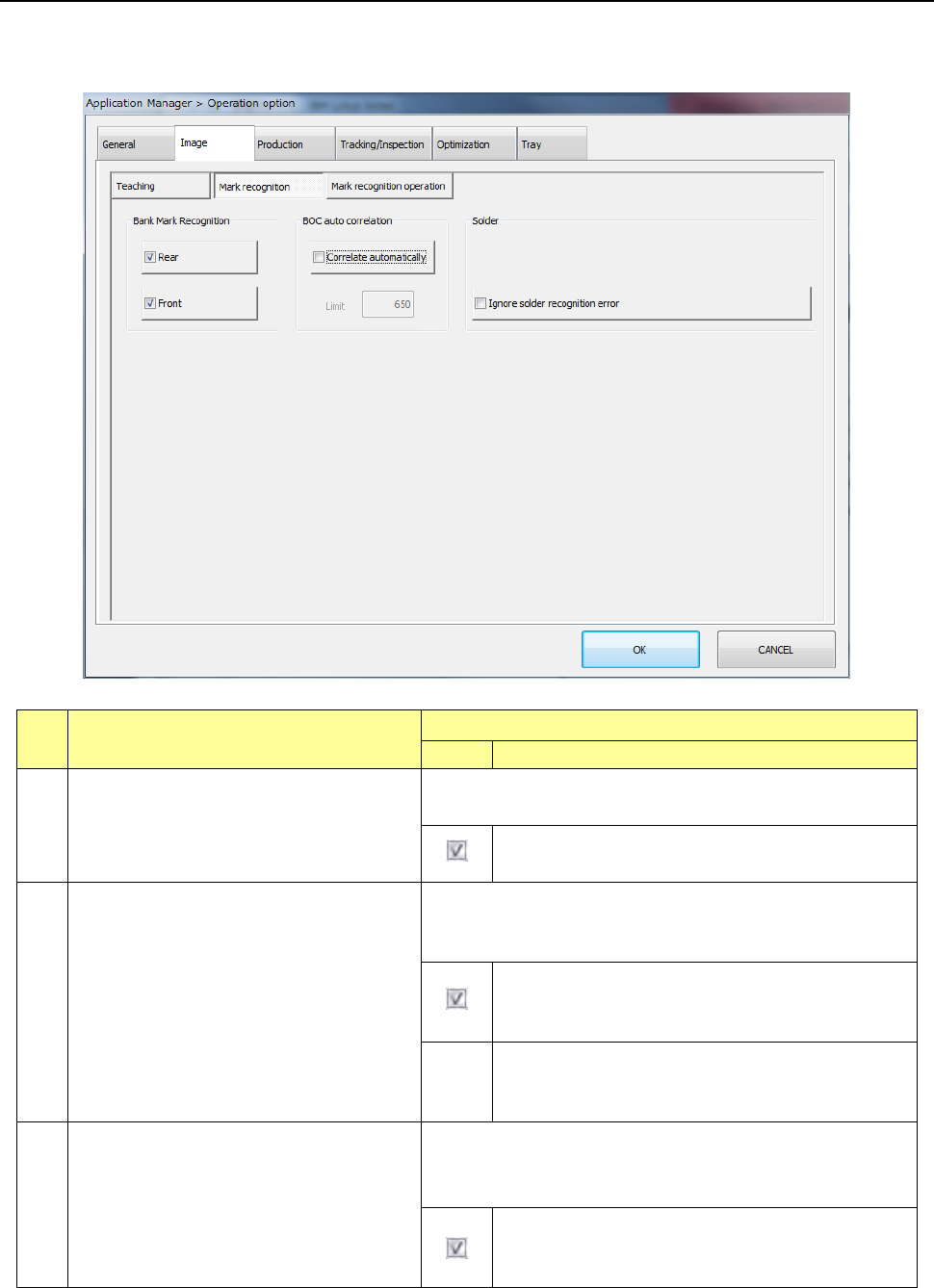
7.3.2 Mark recognition
When you press the <Mark recognition> button, the “mark recognition option setting screen”
appears.
No.
Menu item
Description
Status
Operation and detailed explanation
1
Feeder bank recognition
Specify a function to correct the pick position by bank mark
recognition.
Bank mark recognition is performed and the pick
position is corrected.
2
Auto change of BOC mark threshold value
Specify whether the threshold value is automatically changed to
the automatically set lower limit value when oxidized BOC
cannot be recognized.
When the oxidized BOC cannot be recognized, the
threshold value is automatically changed to the
automatically set lower limit value for recognition.
Lower
limit
value
Specify the lower limit value of threshold value.
When “Automatic change of BOC mark threshold
value” is checked off, this item is enabled.
3
Placement on the placement coordinates
ignoring a solder recognition error
Specify a function to ignore an error at occurrence of a solder
recognition error.
It can be specified when the solder option is enabled.
Placement is performed on the placement coordinates
by ignoring the error when a solder recognition error
occurs.
Part 2 Detailed Description of Each Function Chapter 7 Operation Option
7-8
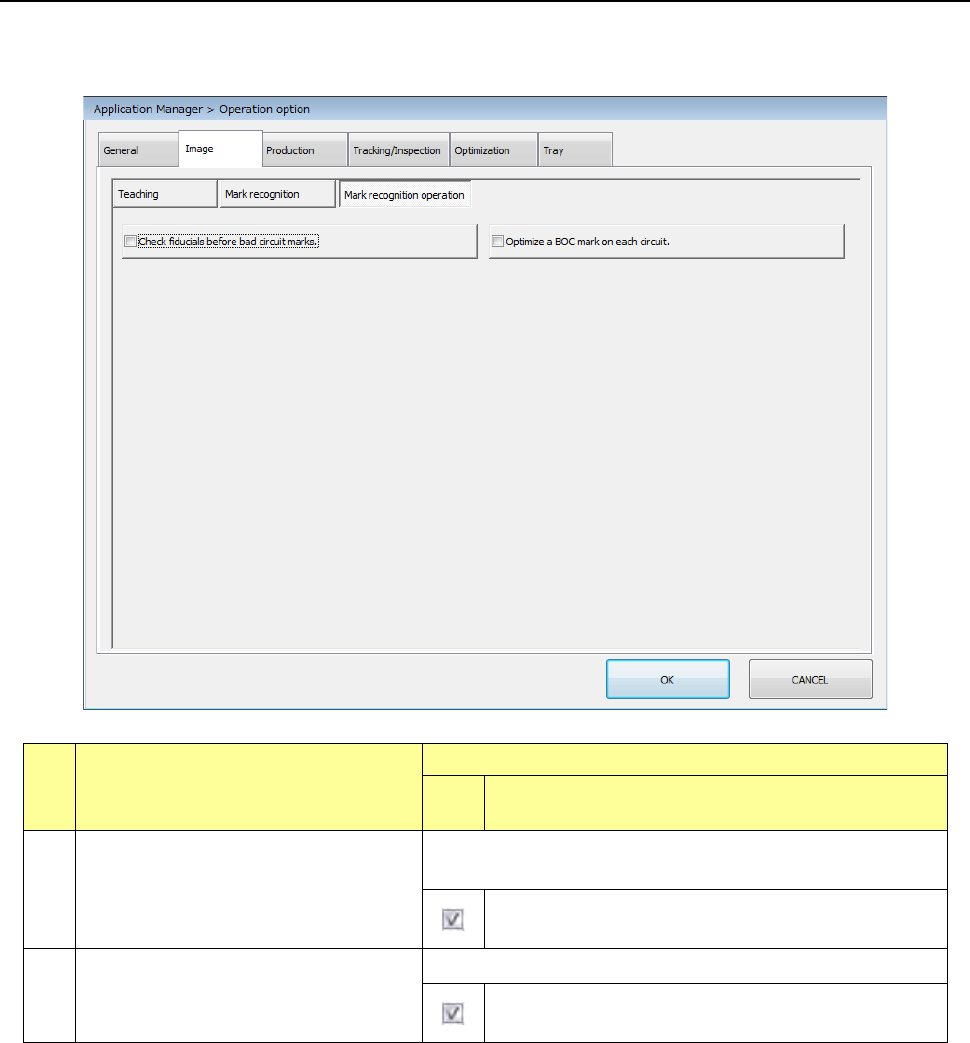
7.3.3 Mark recognizing operation
When you press the <Mark recognition> button, the “mark recognizing operation option setting
screen” appears.
No.
Menu item
Description
Statu
s
Operation and detailed explanation
1
Check fiducials before bad circuit marks.
Specify which of the BOC mark and bad mark is recognized with
priority.
The BOC mark is recognized with priority instead of the
bad mark.
2
Optimize a BOC mark on each circuit.
Change the BOC mark recognition order during production.
The BOC mark recognition order of each circuit is
optimized.
Part 2 Detailed Description of Each Function Chapter 7 Operation Option
7-9
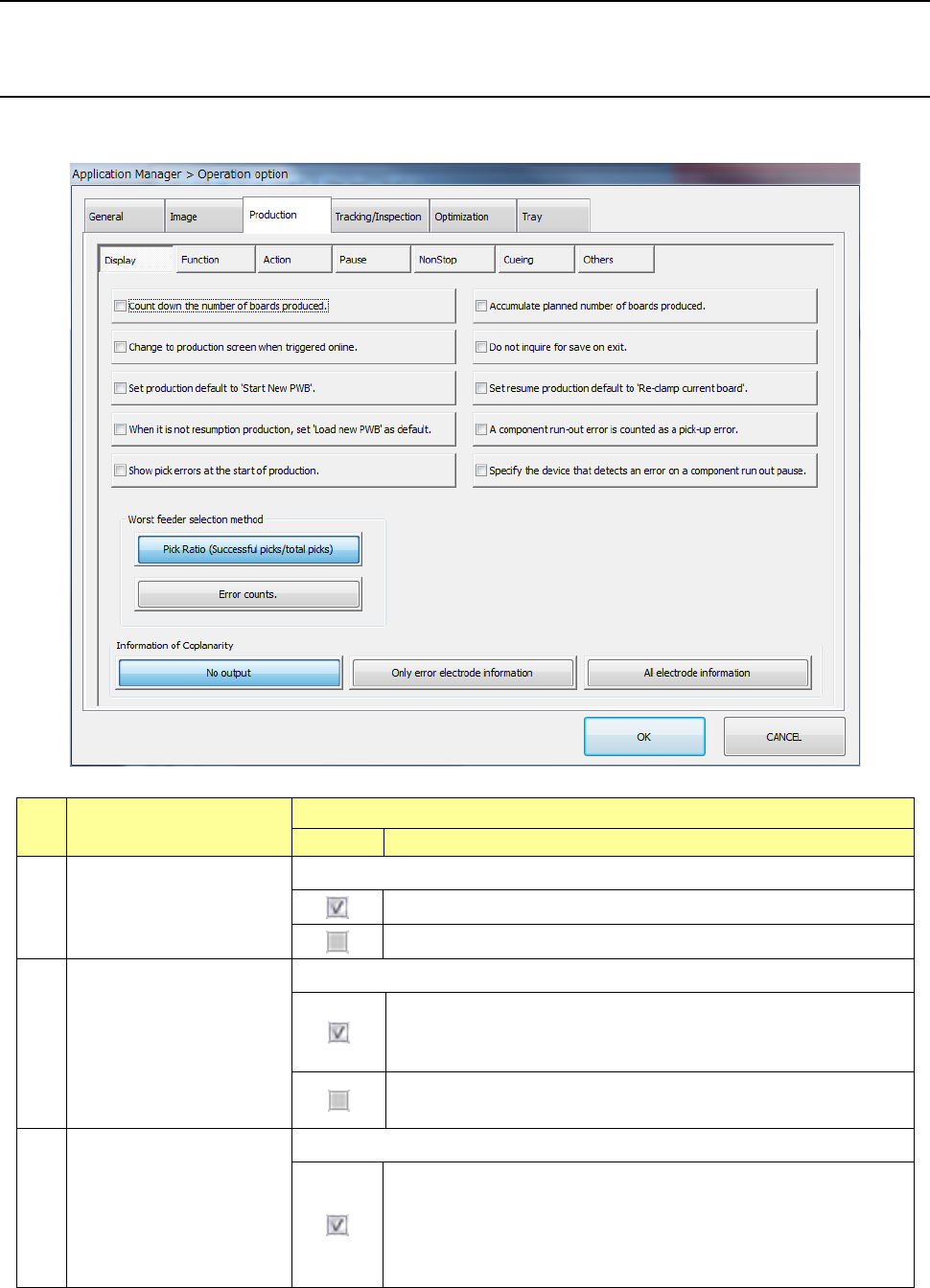
7.4 Production
Specify operation options for production.
7.4.1 Display
When you press the <Display> button, the “production display option setting screen” appears.
No.
Menu item
Description
Status
Operation and detailed explanation
1
Subtract the number of
production PWBs.
Specify the method of displaying the number of production PWBs.
The scheduled residual number of production PWBs is displayed.
The number of produced PWBs is displayed.
2
Add the number of
production PWBs.
Specify the method of updating the number of production PWBs
The number of produced PWBs is added unless the production
management information is cleared. (The added number of PWBs
is displayed.)
The number of produced PWBs is cleared to zero by pressing the
<START> switch.
3
Change over to the
production screen when
Production start (ONLINE) is
selection.
Specify automatic screen changeover at a start of production by ONLINE.
Specify automatic screen changeover at a start of production by
ONLINE. When the PWB production is started by ONLINE in the
initial (desktop) status, the production condition (PWB production)
screen appears automatically after the end of production program
data download.