RS-1_instruction manual.pdf - 第867页
Pa r t 2 Det ai l ed Des c r i pti on o f Ea c h Fu nc ti on Chapte r 1 1 S el f - diagnosis Func ti on 11 -9 VC S stai n che ck W hen you sel ect [VC S stai n] i n t he s elf - diag nosi s menu, t he VC S st ai n check …
Part 2 Detailed Description of Each Function Chapter 11 Self-diagnosis Function
11-8
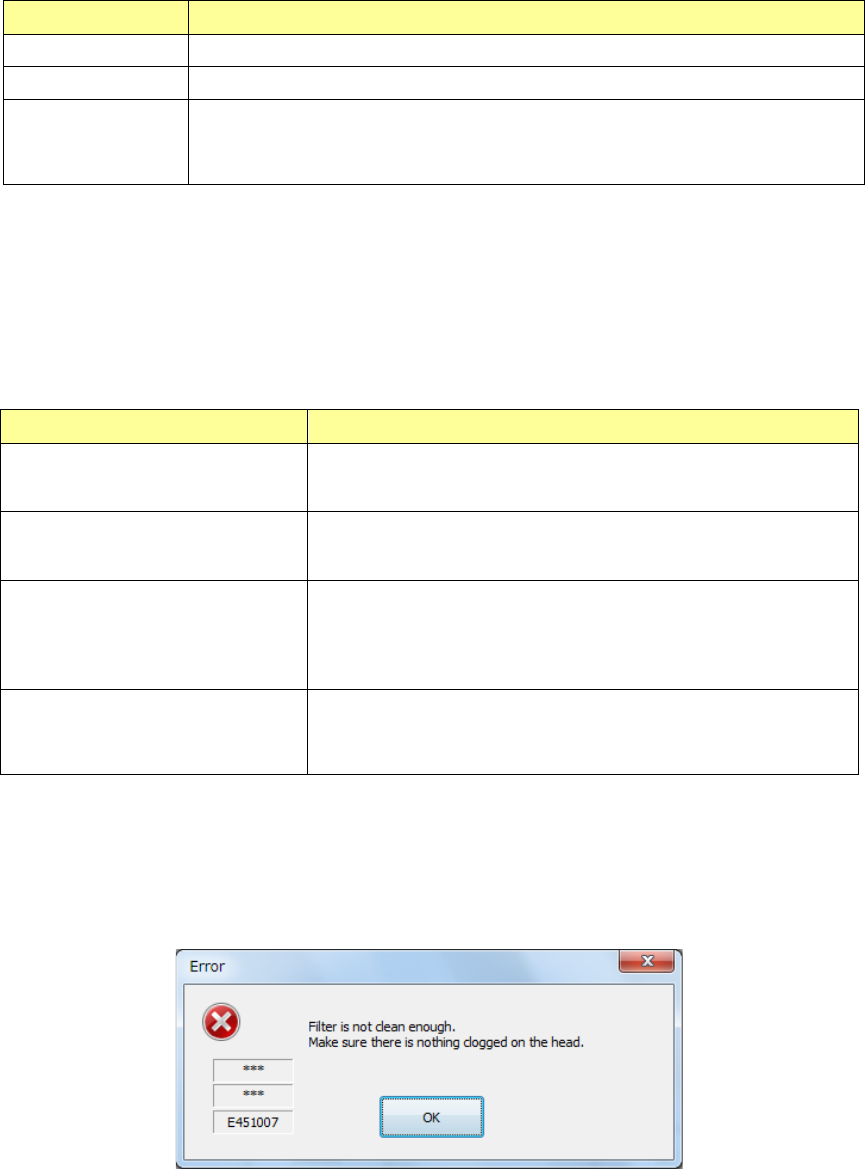
Each item in the table is described as follows.
Item Description
Vacuum The vacuum ON/OFF status is displayed.
Value The vacuum value without vacuum is displayed.
Judgment
The judgment result by filter stain check is displayed.
“OK” is displayed at a normal end, and “Error” is displayed at detection of
filter stain.
Regarding the judgment of filter stain, an error is output when the obtained vacuum value is lower
than the lower limit value of vacuum that permits mounting the nozzle (filter clogging check value).
When the obtained vacuum value is larger than “LNC120 filter fault judging value + Nozzle change
or filter fault judging threshold value”, an error is also output.
Each item of common settings is described below.
Set value
Description
LNC120-8 filter fault judging
value
LNC120 filter fault judging value
Nozzle change or filter fault
judging threshold value
Filter fault judging threshold value at nozzle change
Nozzle change
Delay time at a retry operation in
waiting for vacuum ascent
(1/1000 sec)
Delay time until the vacuum ascent is completed at nozzle
change
Nozzle change
Retry count in waiting for
vacuum ascent
Retry count until the vacuum ascent is completed at nozzle
change
Save the common settings by the <OK> button and close the screen.
Close the screen without saving the common settings by the <CANCEL> button.
When a filter stain error occurs, the following message is output.
Check whether the head in which filter stain was detected is clogged or whether air is normally
distributed.
Check whether an air-down occurs or whether the vacuum pump or ejector comes to its
replacement time.
Part 2 Detailed Description of Each Function Chapter 11 Self-diagnosis Function
11-9
VCS stain check
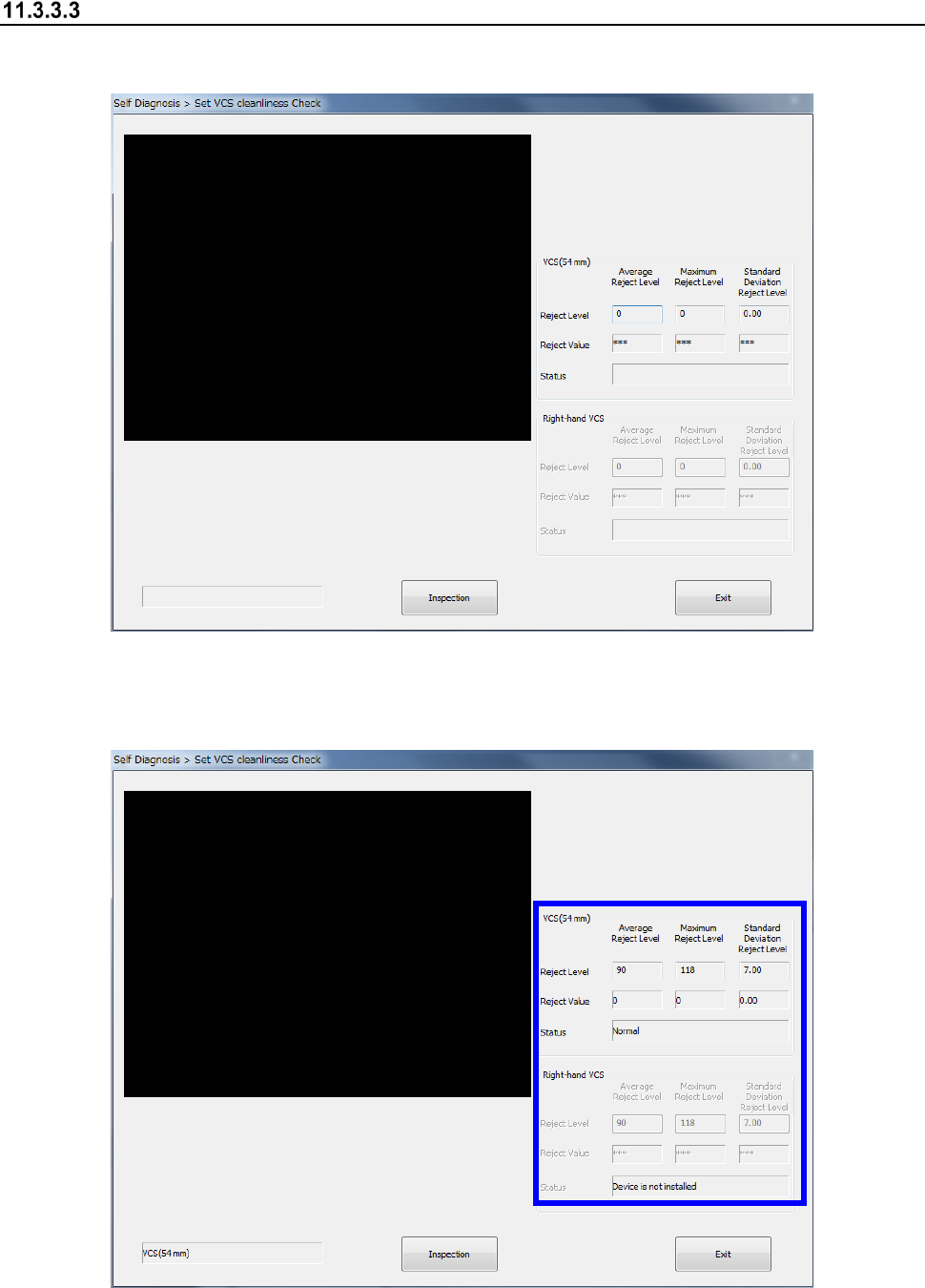
When you select [VCS stain] in the self-diagnosis menu, the VCS stain check dialog appears.
Press the <Exec> button to execute a VCS stain check.
The check result is displayed by detection level, detection value, and status.
Part 2 Detailed Description of Each Function Chapter 11 Self-diagnosis Function
11-10
Head Offset
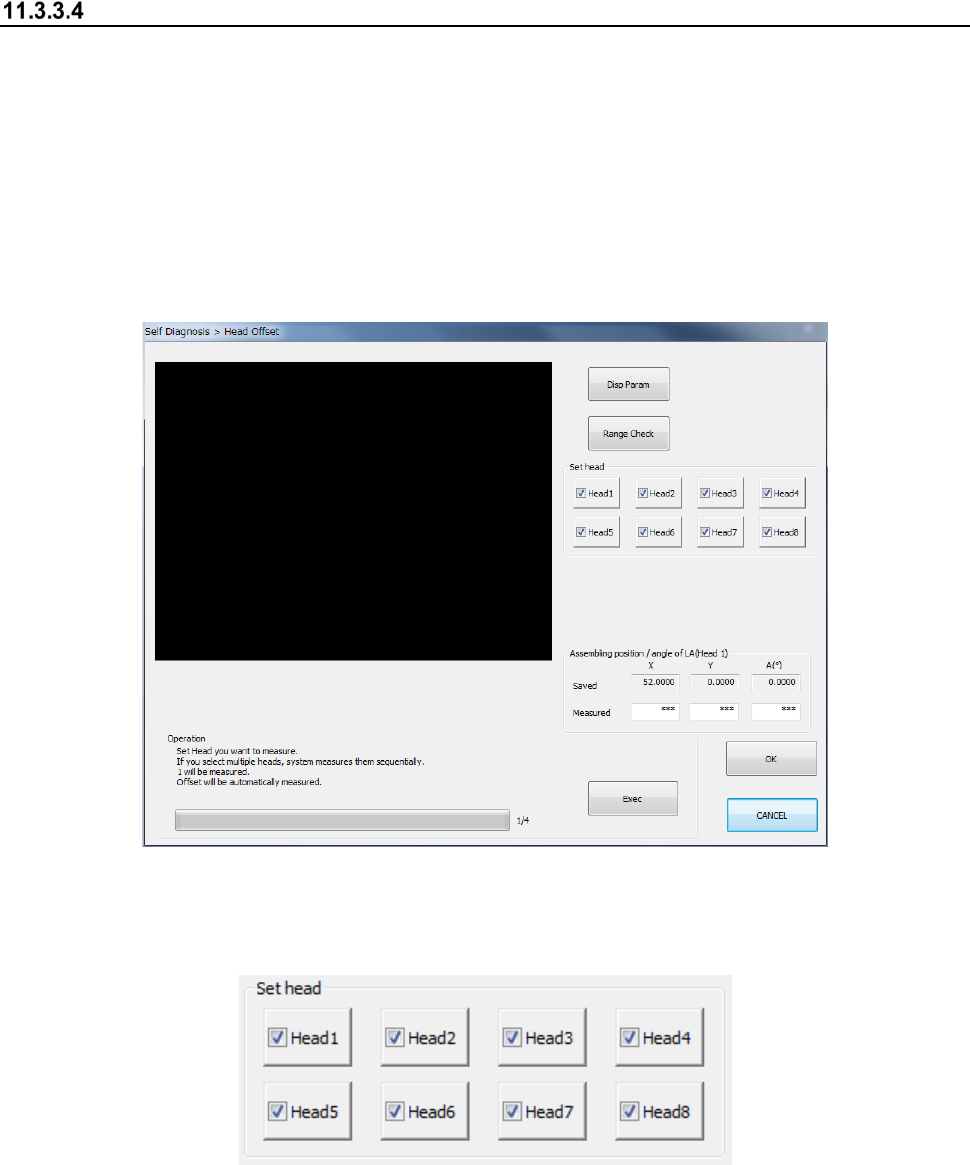
When you select the [Head Offset] command from the menu, the “Head Offset” dialog box appears
on the screen.
Set the assembling position of each head for the OCC, and the assembling angle between the
laser alignment unit and the main unit (viewed from the main unit).
If the position of a component placed with a certain head is shifted from the regulated position, set
these items.
To make settings of them, a bare chip is used.
- “Head Offset” screen
(1) Set head
Select a target head from among the “Head 1” to “Head 8.”
You can select two or more heads to be measured at the same time.
(2) Assembling position/angle of LA (Head 1)
Values saved with the MS Parameter and the measured values are displayed here.