RS-1_instruction manual.pdf - 第499页
Part 1 B asic O peration Chapter 4 Cr eating a Produc tion Progra m 4- 164 The definit ion of an of fset value is sho w n in the f igure below . Source PWB Destinati on PWB Source PWB reference pos ition Destinati on PWB…
Part 1 Basic Operation Chapter 4 Creating a Production Program
4-163
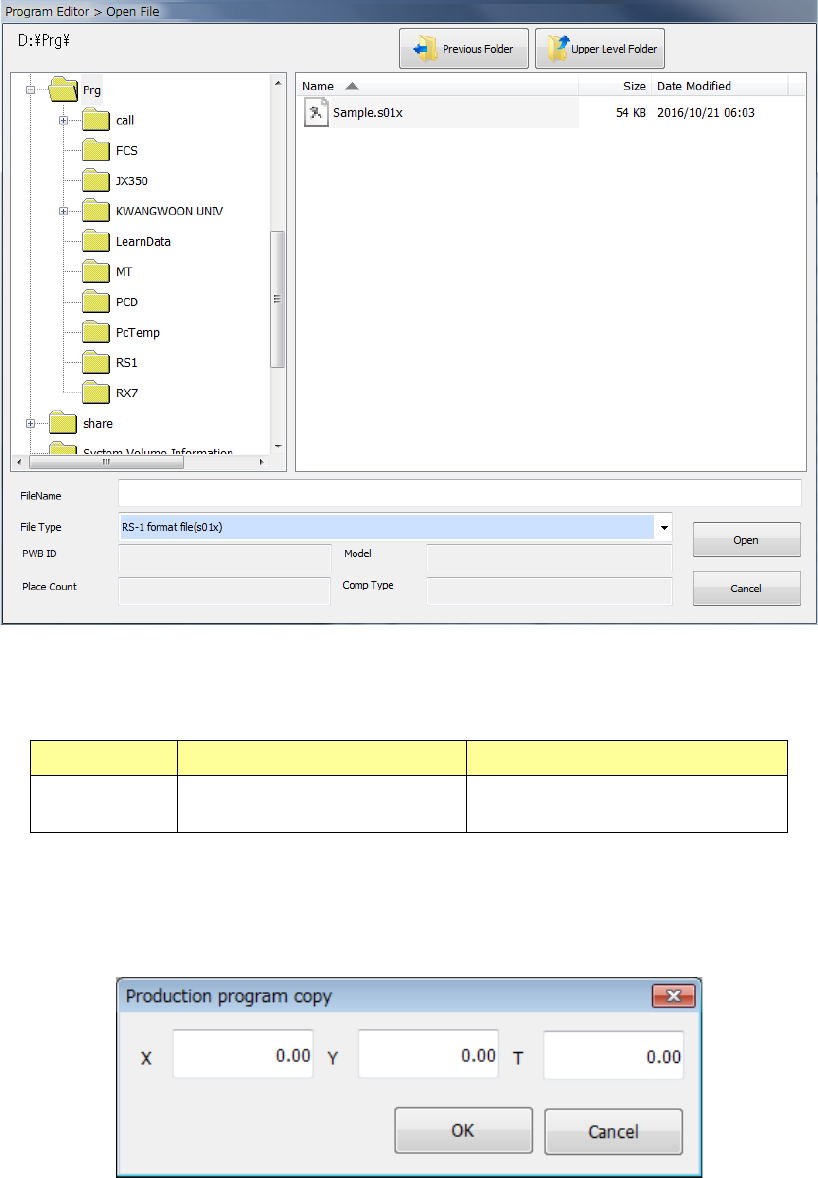
When you select the [Production program copy] command from the menu, the “Open File” dialog
box appears on the screen.
Combination of the file formats of production programs that can be copied is shown in the table
below.
Model Source file format Destination file format
RS-1/1R RS-1/1R format file (s01x) RS-1/1R format file (s01x)
Note: Combination of any other formats of files is impossible.
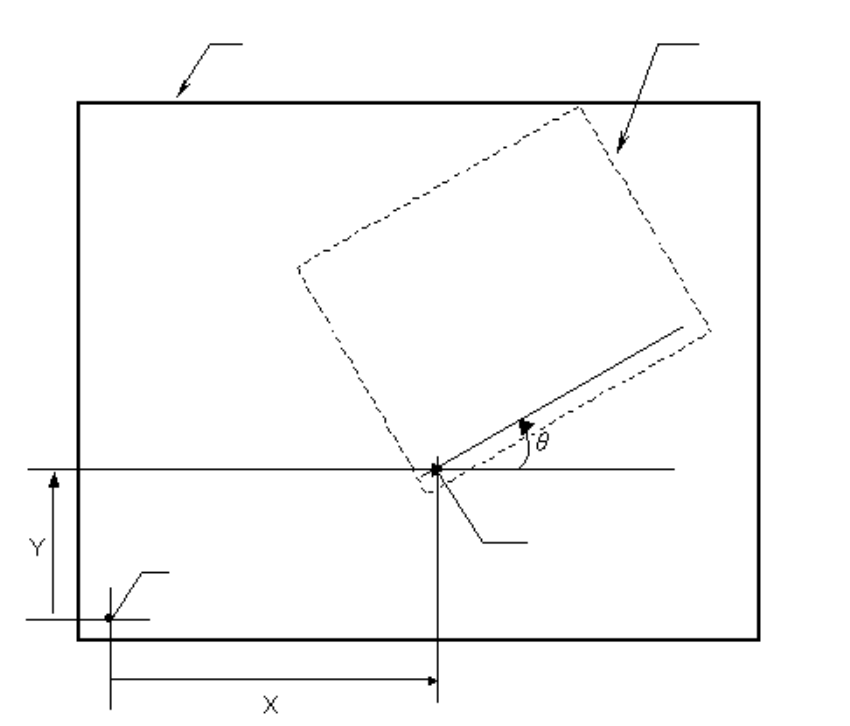
When the system reads a file, the following dialog box for entering an offset to the next reference
board position opens. Enter an offset value.
Part 1 Basic Operation Chapter 4 Creating a Production Program
4-164
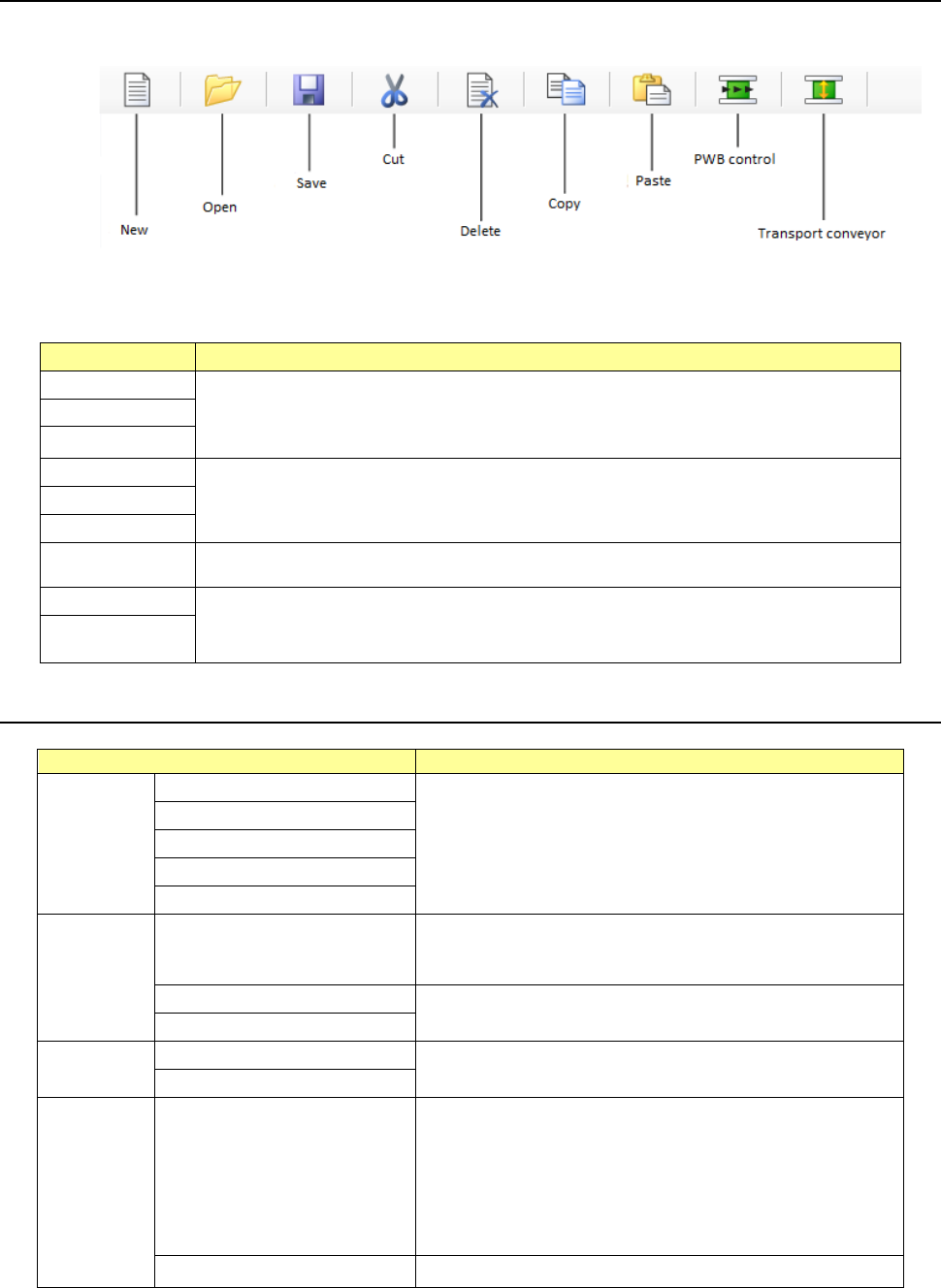
The definition of an offset value is shown in the figure below.
Source PWB
Destination PWB
Source PWB
reference position
Destination PWB
reference position
Part 1 Basic Operation Chapter 4 Creating a Production Program
4-165
4.5.2 Toolbar
The toolbar displayed on the upper section of the Program Editor screen is shown below.
A button whose corresponding function cannot be used on the displayed screen is dimmed.
Item
Whether the tool can be used or not
New
These tools can be always used.
Open
Save
Cut
These tools can be selected only when the corresponding commands of the “Edit” menu
can be used.
Copy
Paste
Delete
This tool can be used on the “List” screen, the “Area Mark” screen and the “Area Bad
Mark” screen of the “Placement” data.
PWB control
These tools can be always used.
Transport
conveyor
4.5.2.1 Cut
Screen
Function
PWB data
Basic setting screen
This command cannot be used.
Dimension setup screen
Circuit Layout screen
Ex. Bad Mark screen
PWB Conveyor screen
Placement
data
List screen
This command cuts the selected record.
The cut record is stored in the memory buffer, and you can
use the [Paste] command or the [Paste Matrix] command to
paste it.
Area mark screen
This command cannot be used.
Area Bad Mark screen
Componen
t data
List screen
This command cannot be used.
Form screen
Pick data
List screen
This command cuts the selected record.
This command can be used only if there are two or more
Pick data records for the same component, and the focus is
located in one of these records. Otherwise, this menu
command is dimmed.
There has to be at least one Pick data record for one
Component data record on the list.
The cut record is stored in the memory buffer, and you can
paste it with the [Paste] command.
Form screen
This command cannot be used.
If you used the sort function, you cannot select the [Cut] command.