RS-1_instruction manual.pdf - 第113页
Part 1 B asic O peration Chapter 2 Pr oduction 2-2 2.2 Overview Use the creat ed product ion program to chec k that a PWB is p laced corre ctly and produce PWB s. After creat ing a new progr am, perform a trial PW B prod…
Part 1 Basic Operation Chapter 2 Production
2-1
Chapter 2 Production
2.1 Flowchart for production
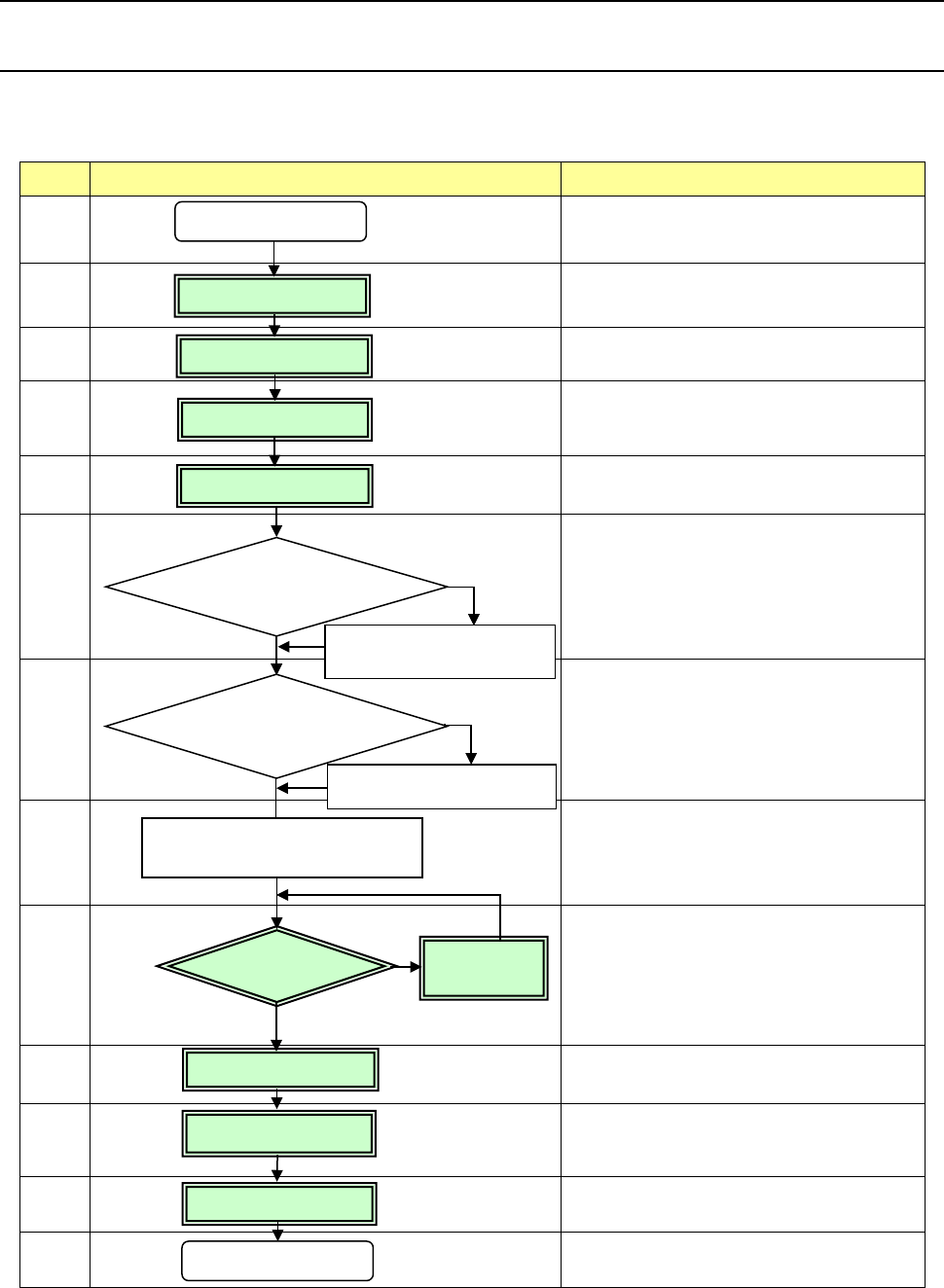
This chapter describes the operations marked with the numbers from 2 to 5, and 9 to 12 in the
flowchart below.
No Flowchart Comment
1
Perform routine inspection including an
ATC-related check.
2
Check the main air pressure (0.5 MPa).
3
Check to see if there is no foreign substance
inside the machine before production.
4
Be sure to warm up the system after holidays or in
cold climates (it takes approximately 10 minutes).
5
6
Change the settings on the “Machine setup” menu
if you clean the nozzle and you have to change
the initial setup after you perform the daily
inspection or set a PWB.
(See Chapter 8 “Machine Setup.”)
7
See Chapter 5 “Database.”
8
9
If any problem occurs during PWB placement:
for example, the PWB position is shifted from the
regulated position or the centering function fails,
correct the production program on the “Program
Editor” menu. You can correct a part of
component data on the “Production” menu also.
10
11
12
13
Perform the daily inspection periodically.
(See Chapter 3 “Daily Maintenance.”)
No
Yes
Change the desired settings
on the Machine setup menu.
Create component data on
the “Database” menu.
Power ON
Inspection of system
Origin return
Warm-up
PWB setting
Create the component
database?
Production
Power OFF
No
PWB placement
confirmation
No problem
Daily inspection
Correct the
program.
Problem
Yes
Creation/Edition of
your production program
Change the machine
setup conditions?
End of production
Part 1 Basic Operation Chapter 2 Production
2-2
2.2 Overview
Use the created production program to check that a PWB is placed correctly and produce PWBs.
After creating a new program, perform a trial PWB production before actually producing PWBs in
order to check the PWB placement/pick-up coordinates and perform the final check of the program.
Production mode
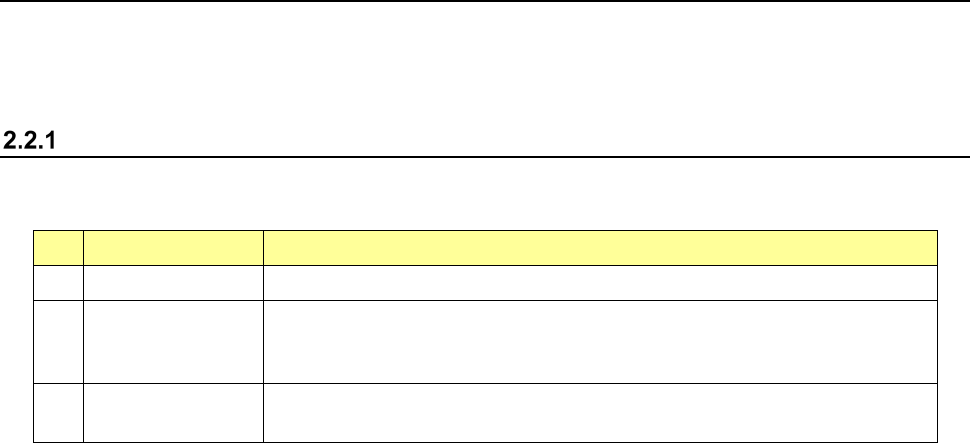
The following four production modes are available during production:
No. Production mode Description
1 PWB production Specifies the number of PWBs you plan to produce and produces PWBs actually.
2 Trial Performs a trial PWB production.
You can select the PWB pick-up position tracking function or PWB placement
position tracking function that is to be performed after placement. *1
3 Dry run Checks the PWB pick-up/placement process without using any component.
You can select the PWB pick-up/placement position tracking function. *1
*1 See Section 4.5.6.4 “Component placement position” and Section 4.5.6.5 “Component pick-up
position/component pick-up height.”
The system allows you to specify the requirements for producing PWBs, performing a trial PWB
production, or executing the dry run operation in each mode above.
Part 1 Basic Operation Chapter 2 Production
2-3
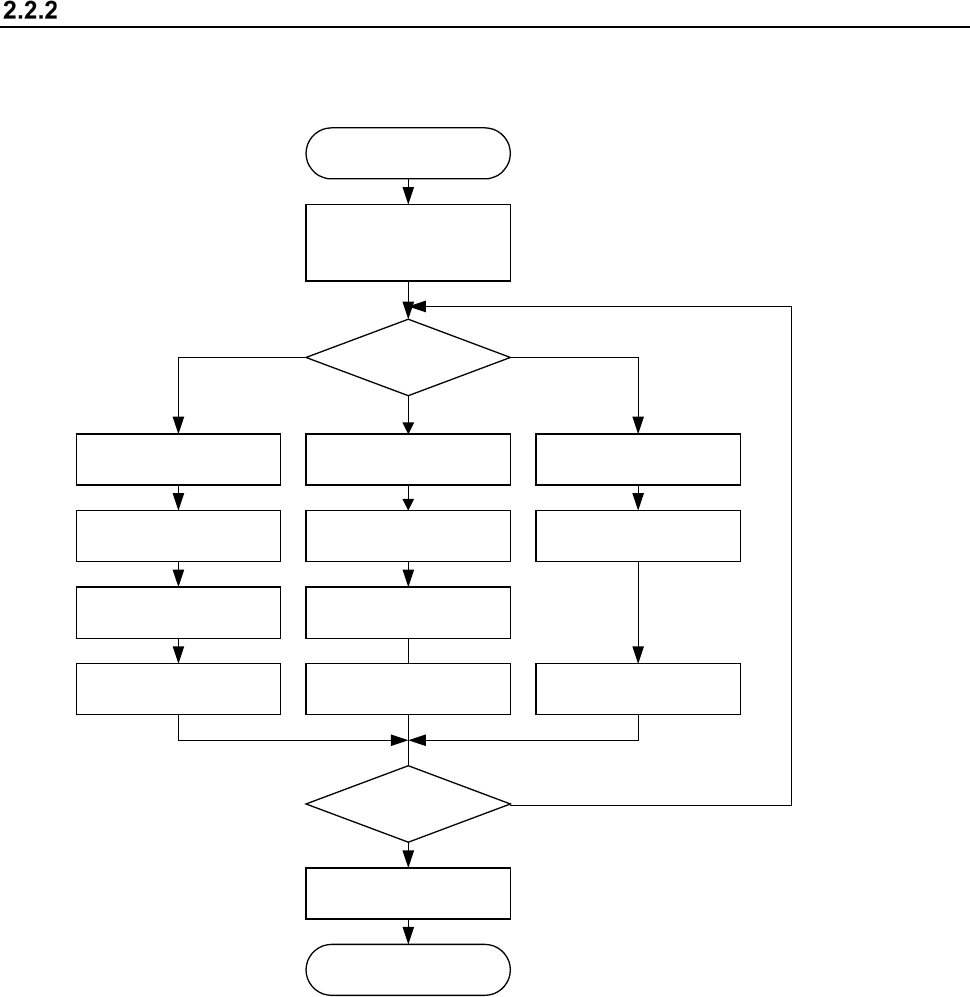
Production flowchart
General flow of PWB production
START
Select the production
requirements and start
up the system.
End of production
Specify the production
requirements?
Specifying of the
production requirements
Set the
number of components.
PWB production Dry run
Specifying of the Dry
run requirements
Specifying of the trial
production requirements
Set the
number of components.
Trial
End?
Specify
the execution mode.
END
Dry runTrial
PWB Production
N
Y
Specify
the execution mode.
Specify
the execution mode.