RS-1_instruction manual.pdf - 第960页
Part 2 D etaile d Descript ion of E ach Functi on Chapter 12 Handling th e Optional Device s 12 - 76 12.12.2.3 Editing Component Data Specify whether to ver ify a component and set t he value to be use d for judgi ng the…
Part 2 Detailed Description of Each Function Chapter 12 Handling the Optional Devices
12-75
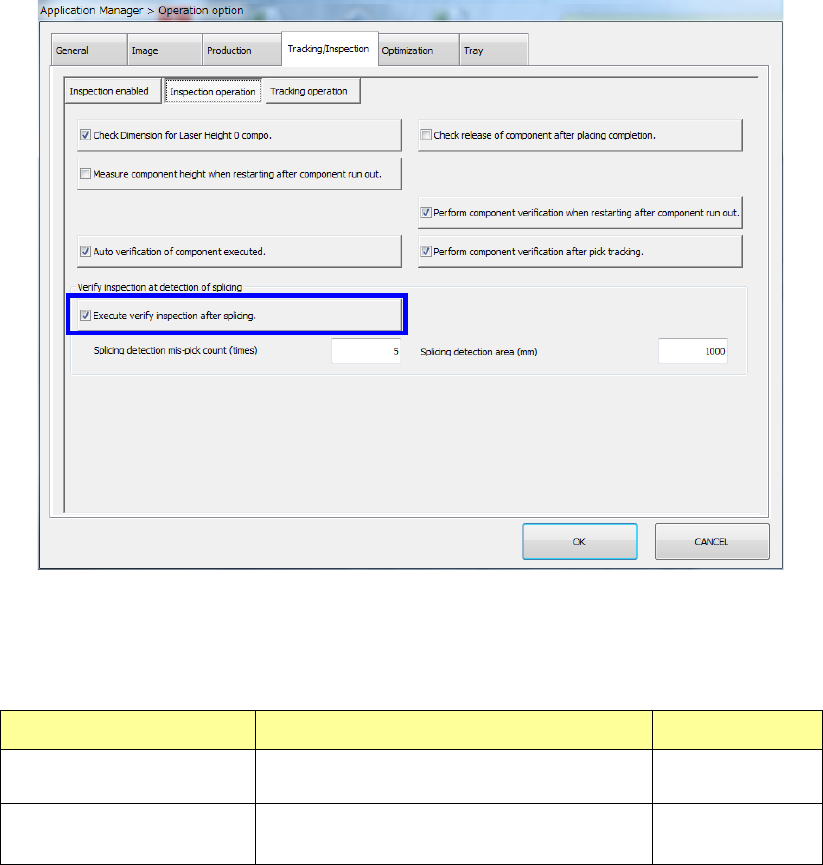
(4) Execute verify inspection after splicing.
Check to see if the “Execute verify inspection after splicing.” check box is checked off in the
same manner as (1), (2) and (3).
When you select the “Execute verify inspection after splicing.” check box, you can make
settings of the “Splicing detection mis-pick count (times)” field and the “Splicing detection area
(mm)” field.
Setting item Description Input range
Splicing detection mis-pick
count
Specify the number of mis-picks for
detecting a spliced positon.
1 – 100
Splicing detection area
Specify the detection area for detecting a
spliced position.
500 – 10000
Part 2 Detailed Description of Each Function Chapter 12 Handling the Optional Devices
12-76
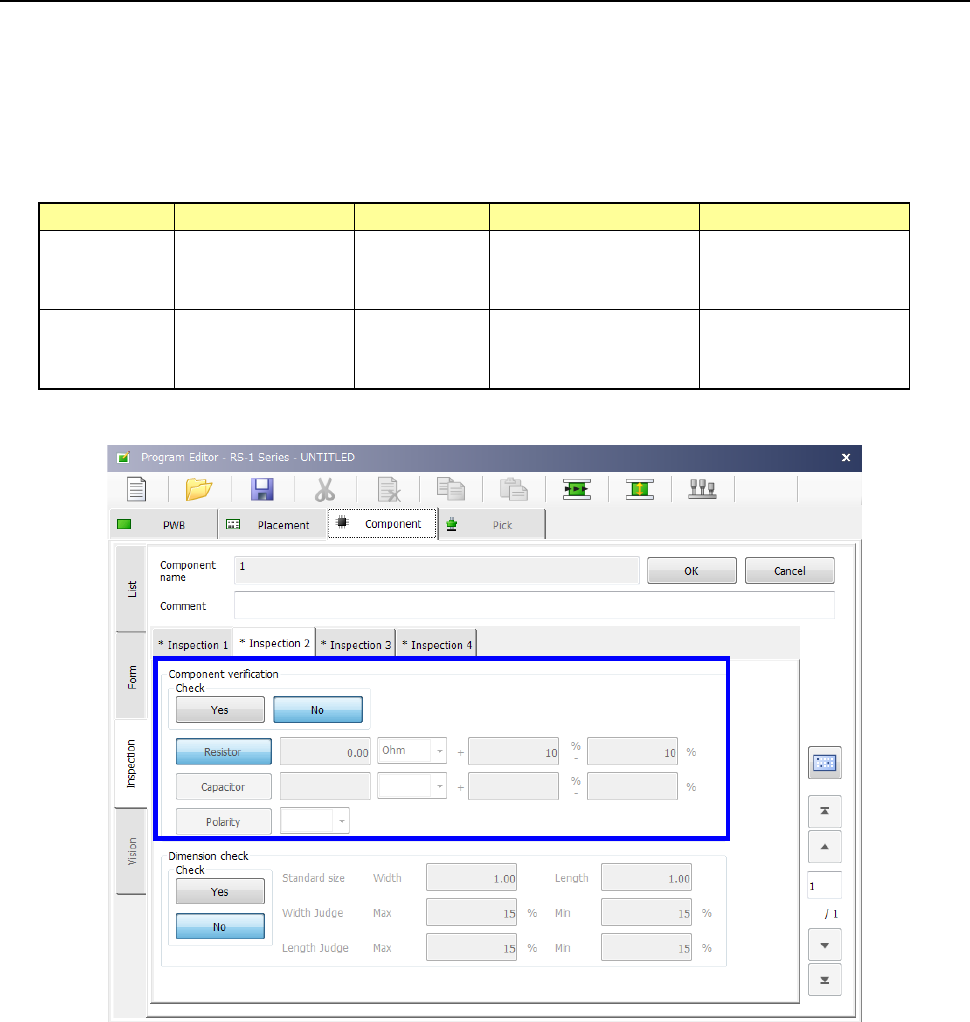
12.12.2.3 Editing Component Data
Specify whether to verify a component and set the value to be used for judging the inspection
result on the “Inspection” tab of the “Component” data screen.
To set the supplying direction of a component that has a polarity such as a diode, regard the right
side viewed from the front of the machine as “+,” and the left side as “-” when the component
supply angle is 0º.
For details, refer to “4.3.5.2.(7) Inspection 2.”
Input range
Unit
Upper limit
Lower limit
Resistor 0.00 to 999.99
Default: 0.00
Ω (default)
KΩ
MΩ
0 to 100 %
in increments of 1 %
Default: 10 %
- 100 to 0
in increments of 1 %
Default: - 10 %
Capacitor 0.0 to 999999.99
Default: 0.00
pF (default)
μF
0 to 100 %
in increments of 1 %
Default: 80 %
- 100 to 0
in increments of 1 %
Default: - 20 %
Part 2 Detailed Description of Each Function Chapter 12 Handling the Optional Devices
12-77
12.12.2.4 Operations
1) Single check/Continuous check
You can execute a single verify check or a continuous verify check from the menu provided on
the Production menu invoked from the “Program Editor” screen.
See Section “2.12.3 Verify check (option)” for operation.
2) When components run out
If you check the “The verification inspection is done on restart, when component run out.”
option on the “Operation option” menu, the machine will restart PWB production only after
performing a verification check for a chip component.
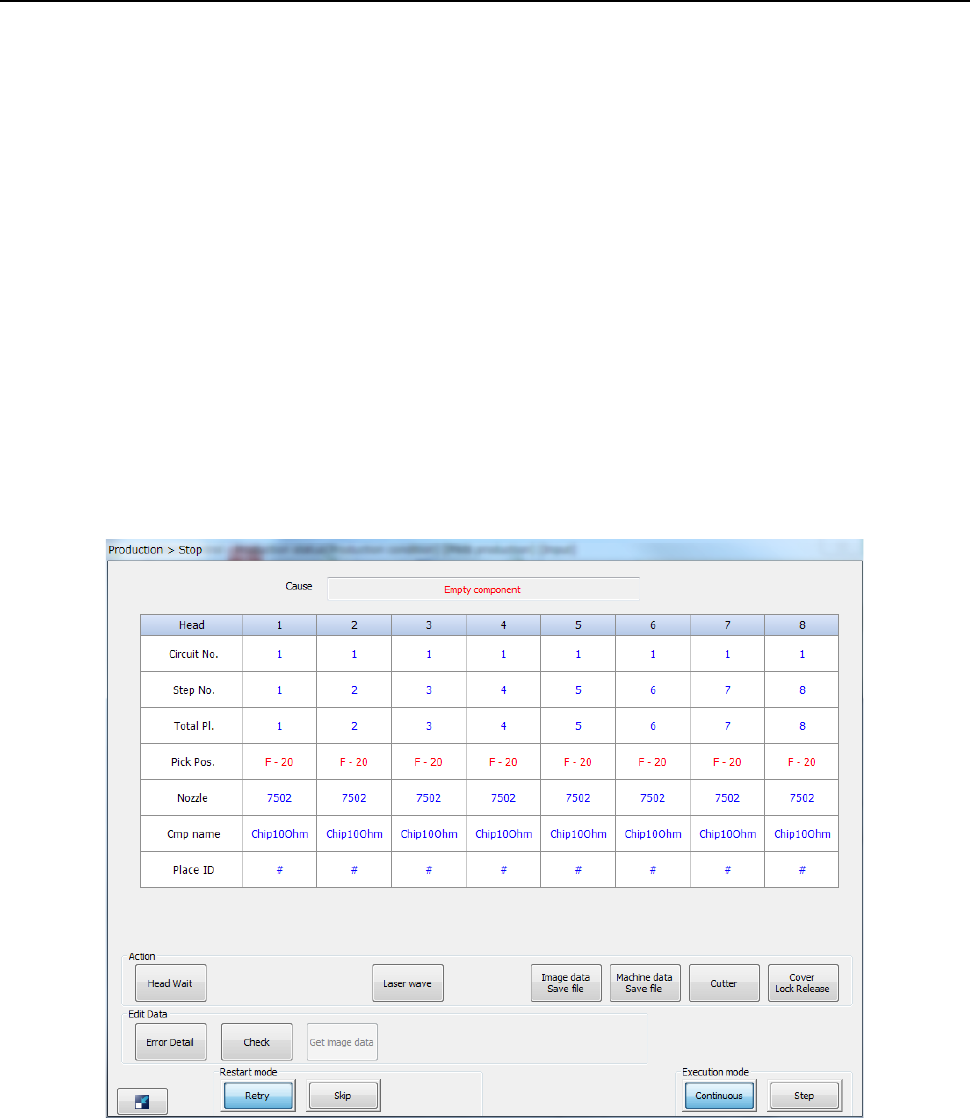
3) Verify check from the “Retry” list displayed during PWB production
When you replace a feeder with another one due to a component run-out error or another
reason while the “Retry” list is being displayed, you can execute the component verification
check.
- The following screen appears when the system stops since you check the check box “Stop
system when components run out.” on the “Production (Pause)” tab invoked from the
“Operation option” dialog box.