RS-1_instruction manual.pdf - 第9页
For the s afe operatio n of machiner y T able of Conte nts Part 1 Ba sic Operati on Over view of t he Machine ............................................................................................... 1-1 General ..…

vi
CAUTION
Although the drive D of this machine is used to install software or store data on it, its capacity is
limited.
1. Secure free space of the drive D.
Secure at least 500 MB free space of the drive D.
If the free space capacity is below 500 MB, delete unnece
ssary files (such as the old version main
unit software, log files and unnecessary production programs) to secure the free space.
• If you continue to use the machine although the free space is not sufficient, the software
operates unstably, for example, an application error occurs or an I/O error occurs, so the
machine cannot operate normally.
CAUTION
1. ATX power supply and battery are incorporated into this machine to protect a production program
and any other data at power failure. To prevent a battery built into the ATX from degrading, do
not leave this machine without turning it on for six months or longer.
• Only when the main circuit breaker and main switch are set to ON, this machine is assumed to
be turned on.
For the safe operation of machinery
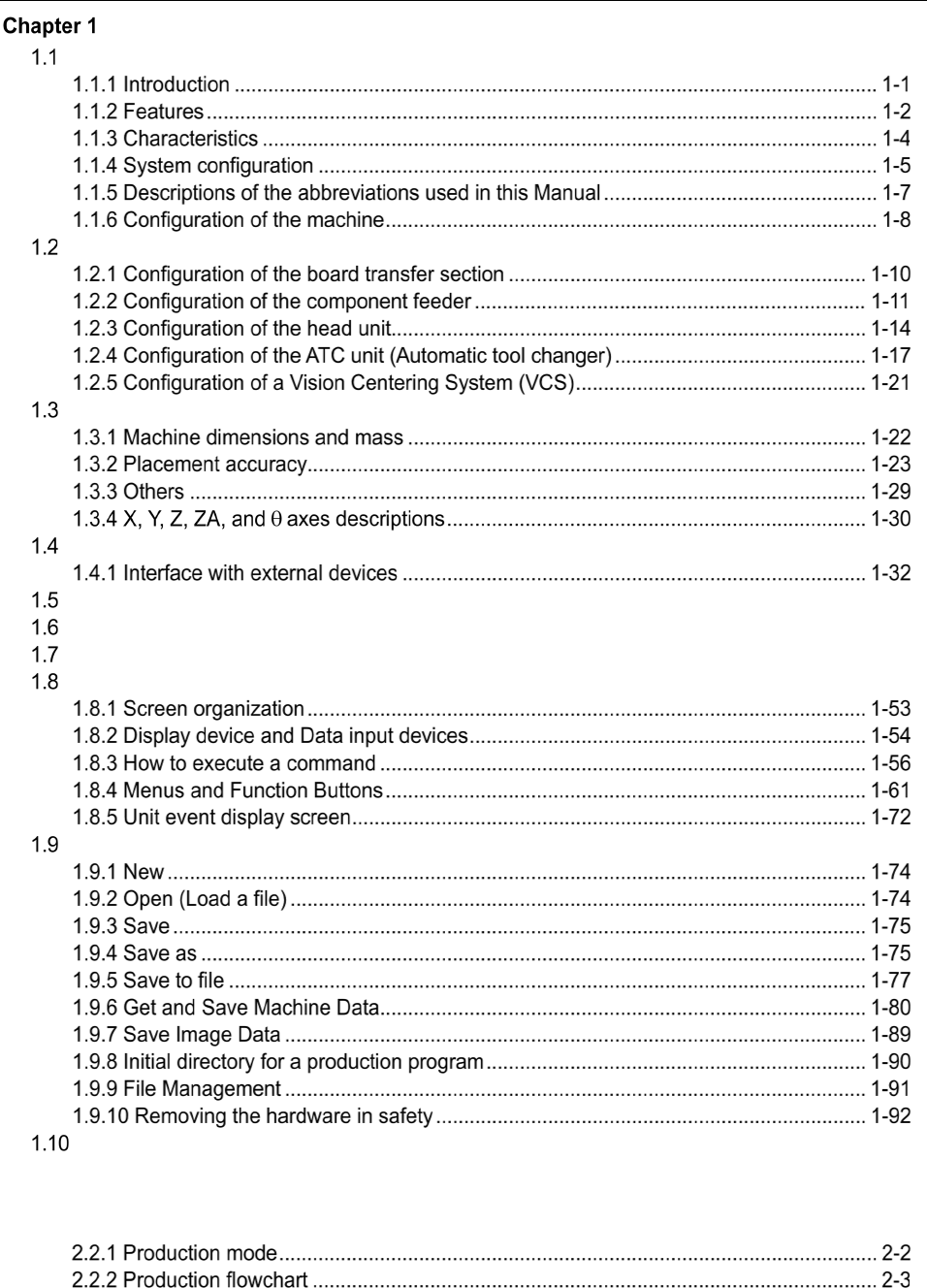
Table of Contents
Part 1 Basic Operation
Overview of the Machine ............................................................................................... 1-1
General ................................................................................................................................................. 1-1
Configuration of the machine ......................................................................................................... 1-10
Mechanical specifications ................................................................................................................ 1-22
Electrical specifications .................................................................................................................... 1-31
Applicable components and packaging styles ............................................................................. 1-35
Printed circuit board specifications ................................................................................................ 1-44
Centering system ............................................................................................................................. 1-48
Basic Operations .............................................................................................................................. 1-53
Operating a File ............................................................................................................................... 1-74
Updating the Drive C .................................................................................................................... 1-93
Chapter 2 Production 2-1
2.1 Flowchart for production ..................................................................................................................... 2-1
2.2 Overview ............................................................................................................................................... 2-2
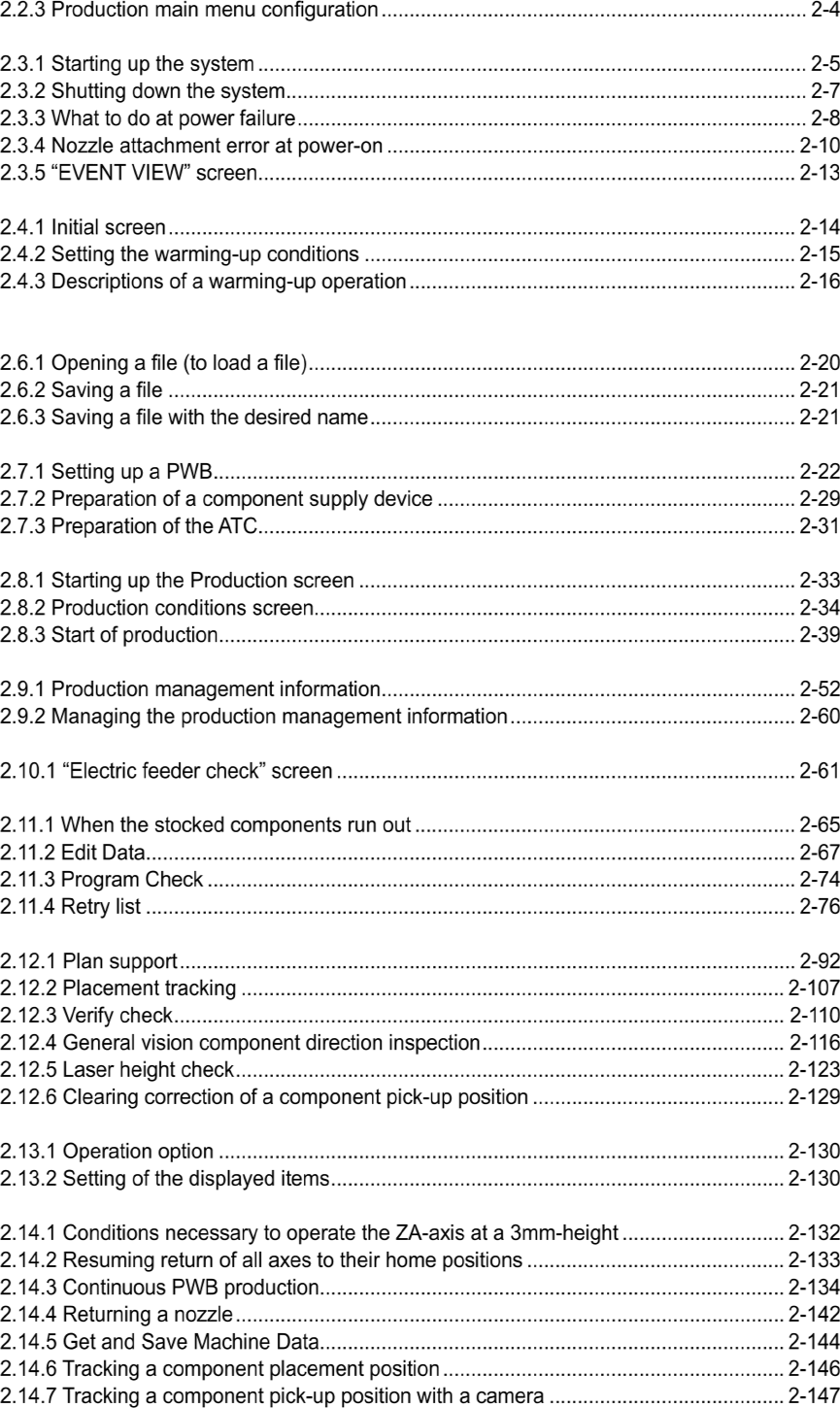
2.3 Start Up and Shut Down of The System ....................................................................................... 2-5
2.4 Warming Up ...................................................................................................................................... 2-14
2.5 Pass-Thru Mode ............................................................................................................................... 2-17
2.6 File Operations ................................................................................................................................. 2-20
2.7 Preparation for PWB Production.................................................................................................... 2-22
2.8 Production Screen ............................................................................................................................ 2-33
2.9 Production Management Information (Window) ........................................................................... 2-52
2.10 Electric feeder check ..................................................................................................................... 2-61
2.11 Production Program ....................................................................................................................... 2-65
2.12 Support ............................................................................................................................................ 2-92
2.13 Tool ................................................................................................................................................ 2-130
2.14 Process of PWB Production ...................................................................................................... 2-132