RS-1_instruction manual.pdf - 第484页
Part 1 B asic O peration Chapter 4 Cr eating a Produc tion Progra m 4- 149 4.5 Oth er Function s 4.5.1 Edit This comma nd off ers the auxi liary functions for cre ating a program. 4.5.1 .1 Replacement Screen Function PWB…
Part 1 Basic Operation Chapter 4 Creating a Production Program
4-148
Menu item Description
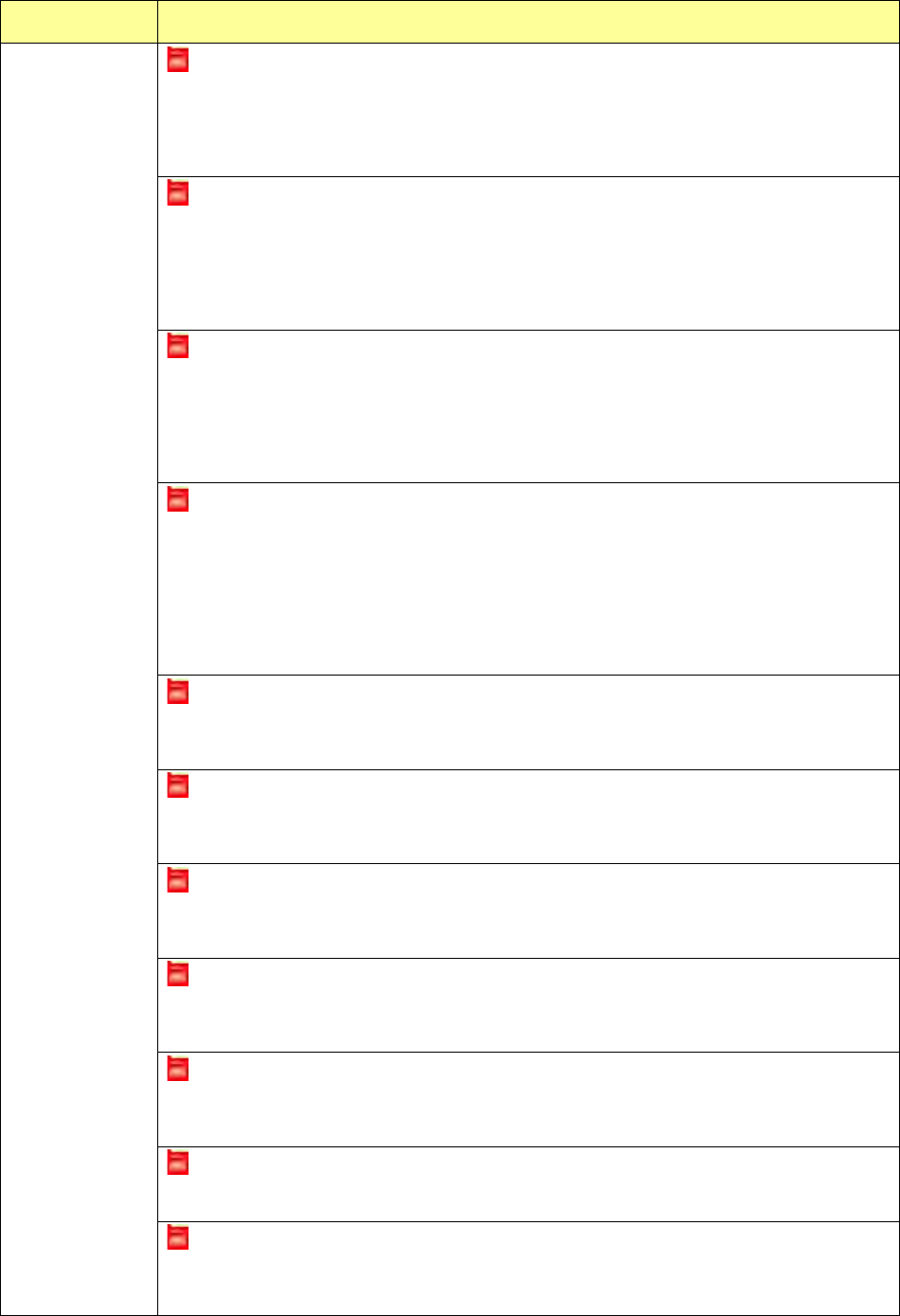
The feeder type is different (XXX).
If an electric feeder is specified with a production program and an electric feeder whose type is
different f
rom that of the production program is attached on the electric bank, this error is
displayed on the screen. The type (XXX) of the electric feeder attached on the bank is
displayed also. Attach an electric feeder whose type is the same as that specified with the
production program on the machine.
The tape pitch is different (PRG: X mm ETF: Y mm).
If an electric feeder is specified with a production program and an electric feeder whose tape
pitch is different from that of the former is attached on the electric feeder, this error is displayed
on the screen. The tape pitch (PRG: X mm) of a component specified with the production
program and that (ETF: Y mm) of the electric feeder attached on the electric bank are
displayed also. Attach an electric feeder whose tape pitch is the same as that specified with the
production program on the electric bank.
The tape type is different (PRG: XXX ETF: YYY).
If an electric feeder is specified with a production program and an electric feeder whose tape
type is different from that of the former is attached on the electric bank, this error is displayed on
the screen. The tape type (PRG: XXX) of a component specified with the production program
and that (ETF: YYY) of the electric feeder attache
d on the electric bank are displayed also.
(Emboss: an embossed tape, Paper: a paper tape) Attach an electric feeder whose tape
type is the same as that specified with the production program on the electric bank.
The component height is different (PRG: X ETF: Y)
If an electric feeder is specified with a production program and an electric feeder whose
component height is quite different from that of the former is attached on the electric bank, this
error is displayed on the screen. The height of a
component specified with the production
program (PRG: X) and that of the attached electric feeder (ETF: Y) are displayed also.
Attach an electric feeder whose component height is the same as that specified with the
production program on the electric bank.
(“The component height is quite different” means that it is twice or more high as that of a
production program or it is “0.”)
The panel switch is being operated.
If an electric feeder is specified with a production program, and that attached on the electric bank
is being operated with the panel switch, this error is displayed on the screen. Stop operating
the panel switch.
Tension error
If an electric feeder is specified with a production program and a tension error has occurred at an
electric feeder attached on the electric bank, this error is displayed on the screen. Adjust the
tension of the electric feeder.
A command is being processed.
If an electric feeder is specified with a production program, and that attached on the electric bank
is processing any command, this error is displayed on the screen. Wait for the electric feeder to
finish processing the command.
Power supply voltage reduction error
If an electric feeder is specified with a production program, and a power voltage reduction error
occurs on the electric feeder attached on the electric bank, this error is displayed on the screen.
Adjust the power supply voltage of the electric feeder.
Feeder origin return not performed
If an electric feeder is specified with a production program, and origin return of the electric feeder
attached on the electric bank has not been performed yet, this error is displayed on the screen.
Perform origin return of the electric feeder.
Feeder step out
If an electric feeder is specified with a production program, and that attached on the electric bank
loses synchronism, this error is displayed on the screen. Adjust the electric feeder.
Feeder is returning to the origin.
If an electric feeder is specified with a production program, and that attached on the electric bank
is returning to the origin, this error is displayed on the screen. Wait for the electric feeder to
finish returning to the origin.
Part 1 Basic Operation Chapter 4 Creating a Production Program
4-149
4.5 Other Functions
4.5.1 Edit
This command offers the auxiliary functions for creating a program.
4.5.1.1 Replacement
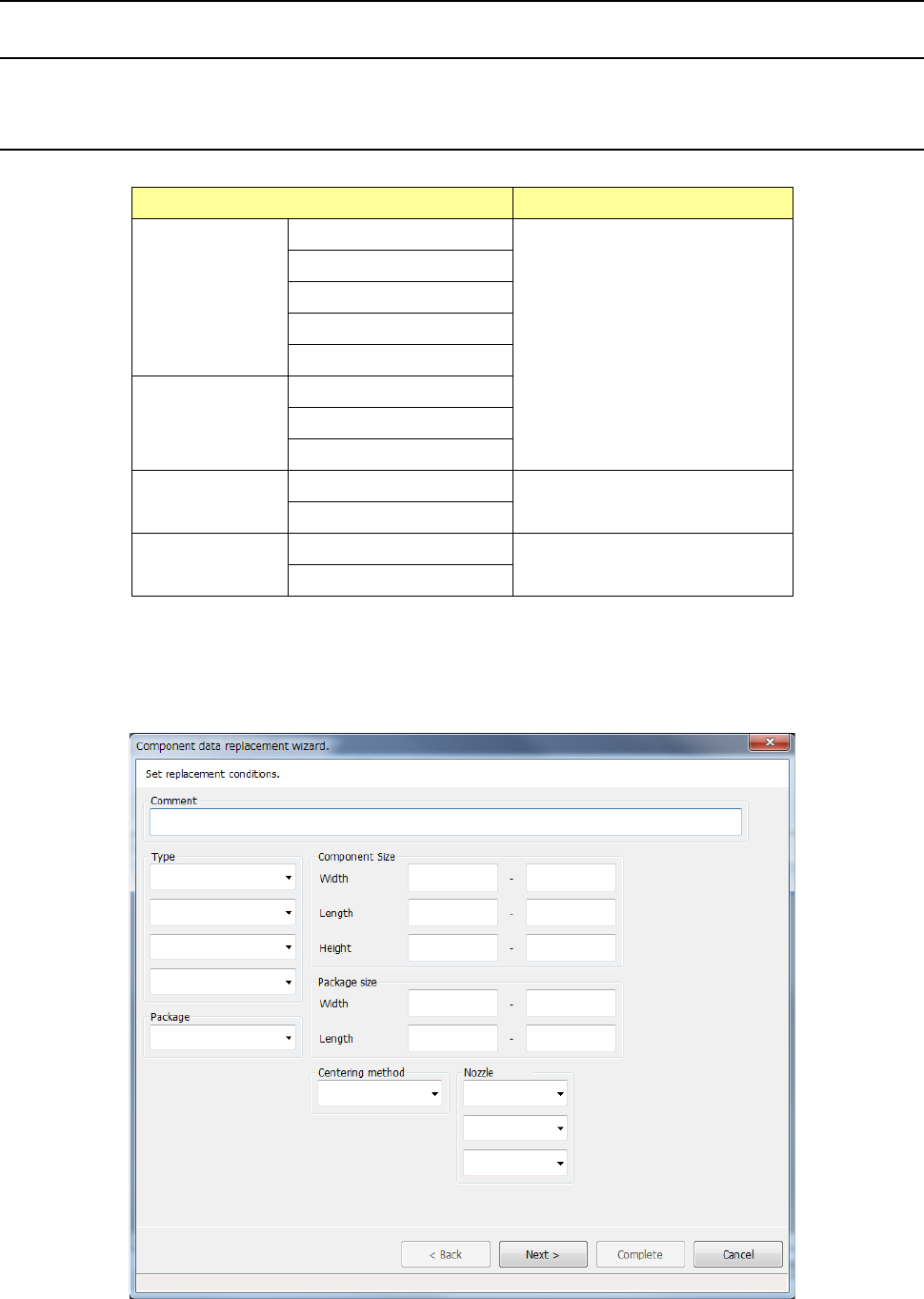
Screen Function
PWB data
Basic setting screen
This command cannot be used.
Dimension setup screen
Circuit Layout screen
Ex. Bad Mark screen
PWB Conveyor screen
Placement data
List screen
Area Mark screen
Area Bad Mark screen
Component data
List screen
See the descriptions below for
how to use this command.
Form screen
Pick data
List screen
This command cannot be used.
Form screen
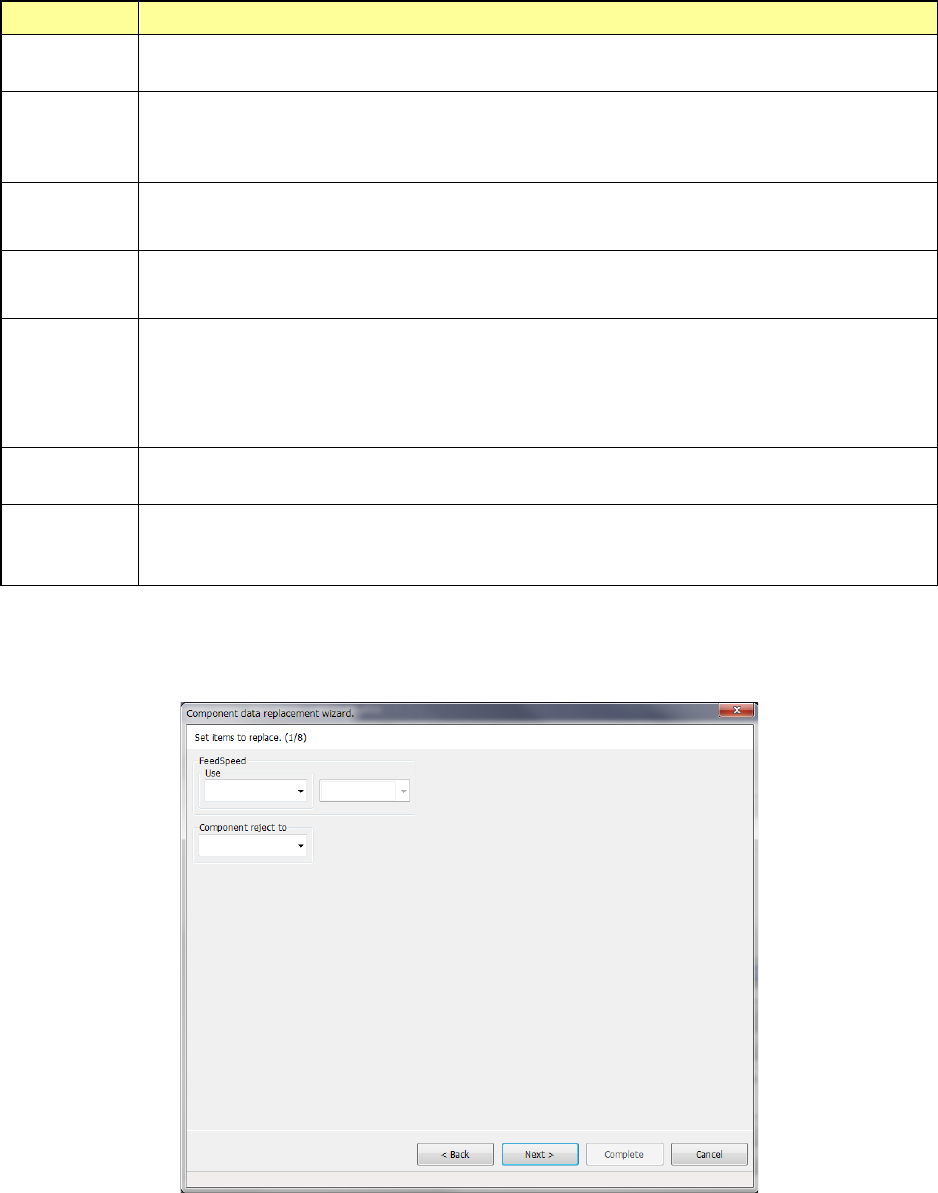
When you select the [Replacement] command, the “Component data replacement wizard” starts
up.
Specify the conditions of a component to be changed on the conditions setting screen shown
below.
Part 1 Basic Operation Chapter 4 Creating a Production Program
4-150
The conditions you can specify are shown below.
Item Description
Comment
Specify the comment. When an input character string exists in the comment, the record is to be
replaced.
Type
You can specify up to four component types. If you specify two or more component types here,
the system will search through all the specified types of components to replace their data.
If you specify no component type, the system searches through all components.
Component
Size
Specify the maximum and minimum length, width and height of a component. If you omit these
fields, the system automatically sets the maximum and minimum values that can be entered.
Package
size
If the size of a portion of a component on which the laser beam strikes is different from that of the
package part (body) when the component is recognized, enter the package size (PW/PL) here.
Nozzle No.
Specify up to three types of nozzles here.
If you specify two or more types of nozzles here, the system searches through all components
whose nozzles are specified here.
If you do not specify any nozzle number, the system replaces data on a component regardless of
the nozzle number.
Package
Specify the packaging style of a component. If you do not specify any package, the system
searches through components of all types of packages in order to replace their data.
Centering
method
Specify the component centering method.
If you do not specify any centering method, the system searches through components of all
types of centering methods in order to replace their data.
Specify the conditions for replacing data of components, and select the <Next> button.
Part of data displayed on the “Packaging style” tab of the “Component” data screen is displayed on
the screen.
Enter the desired value for each item.
The input range is displayed on the bottom of the dialog box.
When you select the <Back> button, the screen is switched back to the previous screen.
When you select the <Next> button, the screen is switched back to the next screen.
When you select the <Cancel> button, the system aborts the current processing, and then closes
the dialog box.