RS-1_instruction manual.pdf - 第254页
Part 1 B asic O peration Chapter 2 Pr oduction 2- 143 The syste m display s the “Question” message for as king you whet her a feeder or any other d evice is located und er the head or not in order to move down the Z - ax…
Part 1 Basic Operation Chapter 2 Production
2-142
Returning a nozzle
If the system cannot attach a nozzle on a head correctly when nozzles are replaced during PWB
production, the production is terminated abnormally.
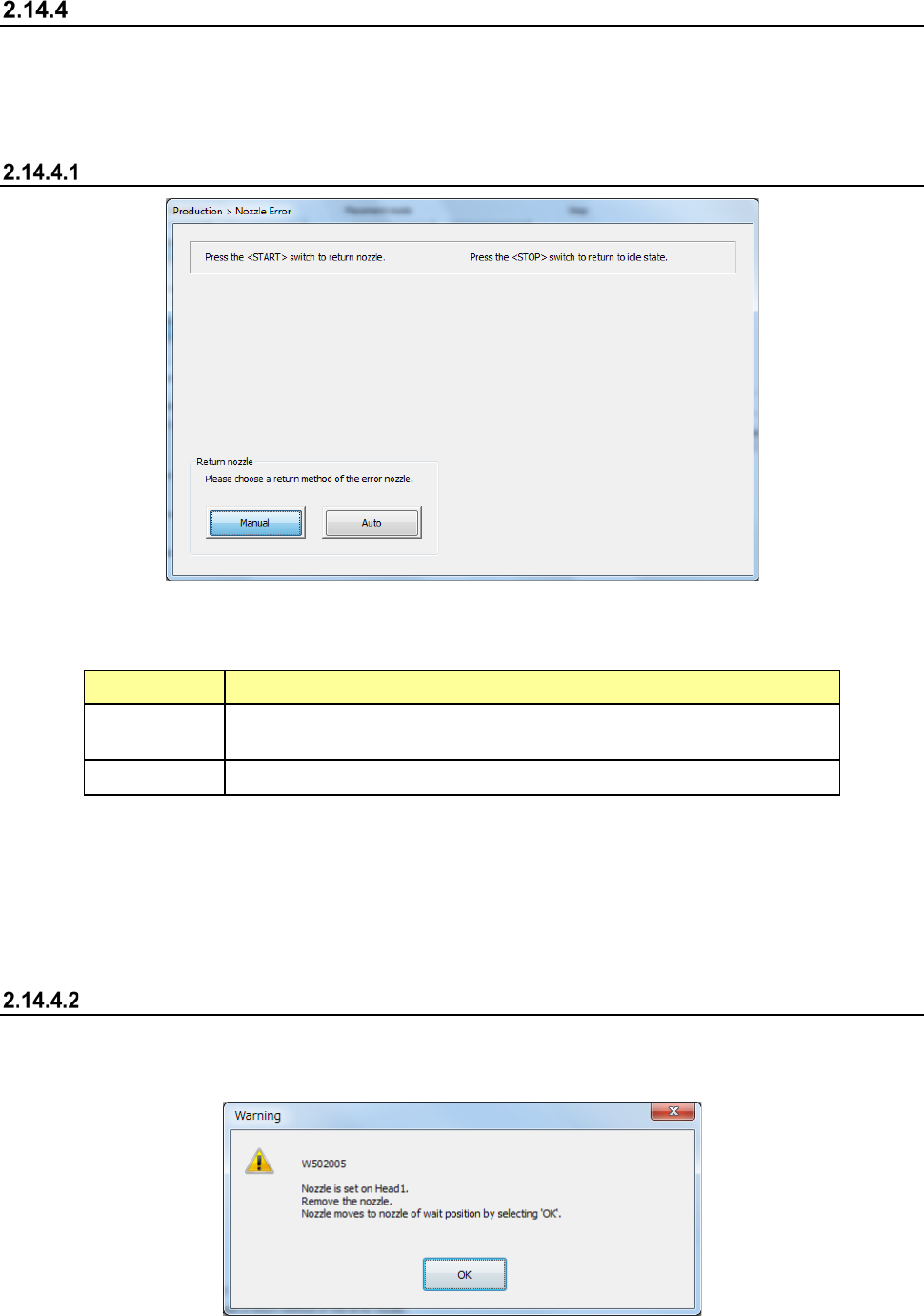
At this time, the system displays the “Nozzle Error” screen, and provides you with the function form
returning the nozzle held with the head manually or automatically.
Displaying the “Nozzle Error” screen
(1) Return nozzle mode
Select how to return a nozzle that failed to be attached on the head.
Menu item Description
Manual
The head and the nozzle move to the nozzle detachment position.
Remove the nozzle with hands.
Auto The system returns a nozzle that caused an attachment error automatically.
(2) <START> switch and <STOP> switch
When you press the <START> switch, the system starts returning a nozzle in the selected
Nozzle Return mode.
When press the <STOP> switch, the system displays the previous screen again without
returning the nozzle.
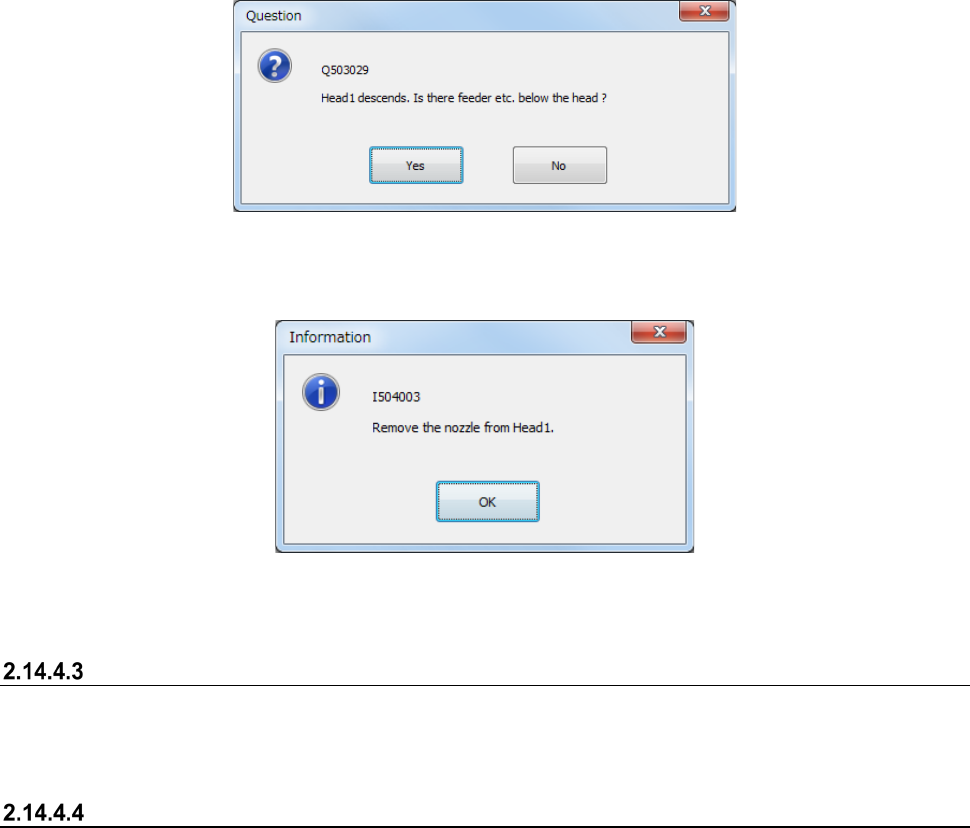
Manually returning a nozzle
When you select the <Manual> button and then press the <START> switch, the “Warning” message
indicating that the head and the nozzle move to the nozzle detachment position appears on the
screen.
Part 1 Basic Operation Chapter 2 Production
2-143
The system displays the “Question” message for asking you whether a feeder or any other device is
located under the head or not in order to move down the Z-axis after the head and the nozzle move
to the nozzle detachment position.
After the Z-axis moves down, the message for asking you to remove the nozzle appears on the
screen.
If there are two or more nozzles that cause a nozzle attachment error, the system repeats
performing this process.
Press the <OK> button, and then perform the same process for other head(s) that cause(s) a nozzle
attachment error. When the system finishes returning nozzles of all heads, the Z-axis moves up,
and then moves to the waiting position.
Automatically returning a nozzle
When you select the <Auto> button, and then press the <START> switch, the system automatically
returns a nozzle that causes a nozzle return error.
After the system returns nozzles of all heads, it moves up the Z-axis and then to the waiting position.
Operation after a nozzle is returned
If you return a nozzle after production is terminated abnormally, the system is put into the
Production Idle state.
If the system detects a nozzle attachment error at start of production, it starts production after
returning the nozzle.
Part 1 Basic Operation Chapter 2 Production
2-144
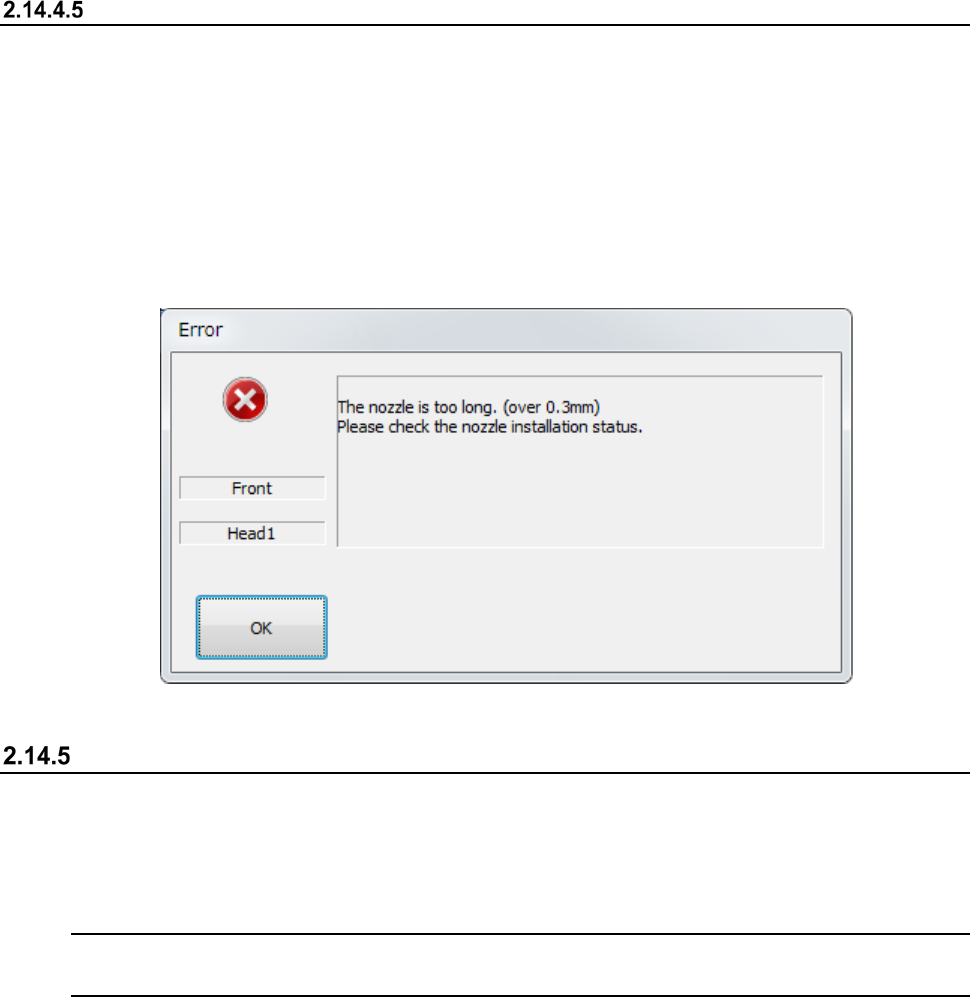
Corrective action to be taken if a nozzle is recognized to be longer than it is
An error indicating that a nozzle is recognized to be longer than it is occurs is supposed to be
caused due to an engagement failure of the Z-axis shaft and the nozzle.
Check the nozzle mounting condition. If it is stained or scratched, polish the nozzle mounting part.
See Section 3.1.11 “Nozzle” for how to check the nozzle mounting condition or polish the nozzle
mounting part.
After polishing the nozzle mounting part, allocate the nozzle.
See section 8.3.2.3 “Nozzle setup” for details of nozzle allocation.
Get and Save Machine Data
When you select the [Get and Save Machine Data] command from the “Arrange” pull-down menu
invoked from the main menu, the message appears on the screen that asks you whether to obtain
and save the machine information.
This function collects machine information files, compresses the collected machine information files,
and saves it into a desired folder when the system is put into the Production Idle state.
Note: Use this function only if our service personnel or your dealer tells you to do so.
Handle the obtained file as instructed too.
How to operate the function
* Before executing this function, obtain and save the machine information on the “Production”
screen.