RS-1_instruction manual.pdf - 第216页
Part 1 B asic O peration Chapter 2 Pr oduction 2- 105 Program Check This button a l lows you t o check a pr oduction progra m before star ting PWB pr oduction. Y ou can disp l ay the list of check items f or a production…
Part 1 Basic Operation Chapter 2 Production
2-104
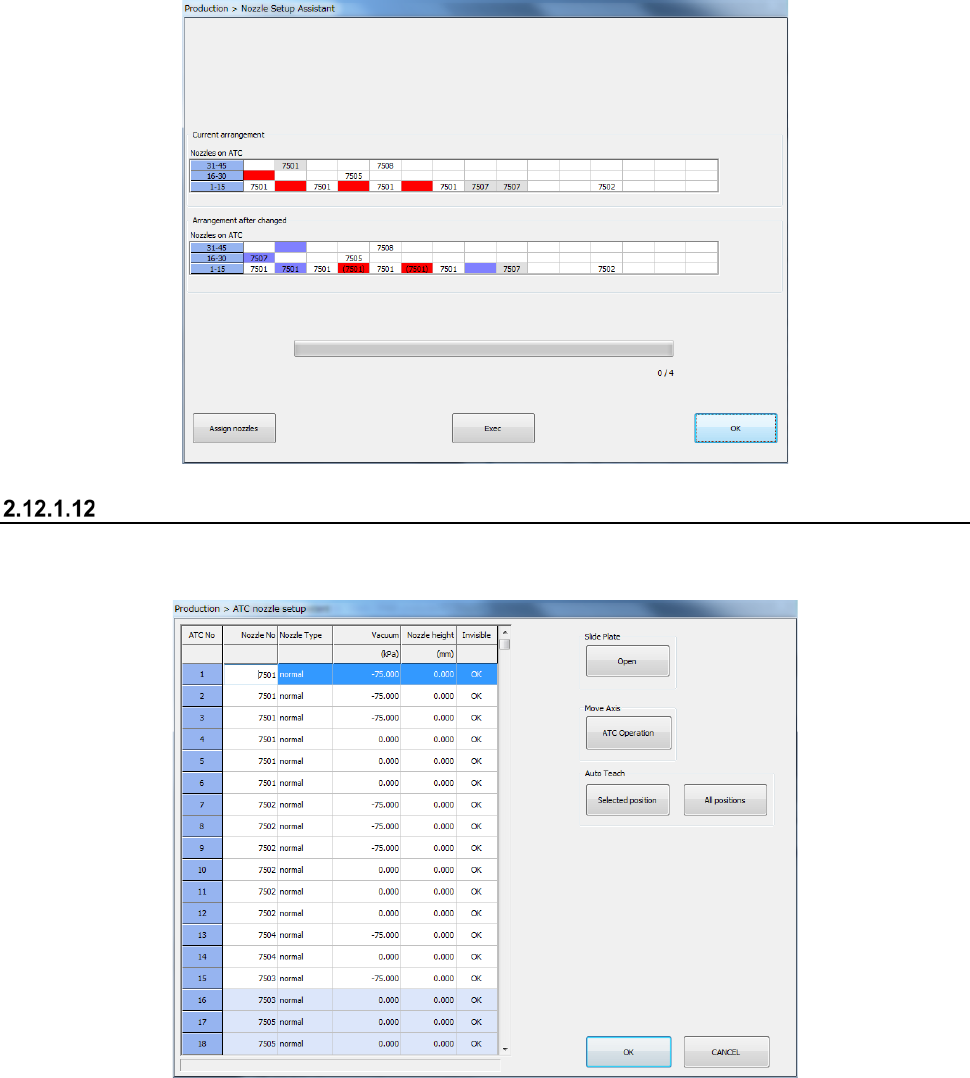
When you press the <Rearrangement of nozzles> button, the system rearranges nozzles on the
ATC optimally.
When you press the <Exec> button on the screen for rearranging nozzles, the system actually
rearranges nozzles.
The current nozzle assignment on the ATC, “Current arrangement” is displayed on the upper section
of the screen. If any nozzle not specified in the optimized nozzle layout is assigned, it is displayed
in red.
The reassignment of nozzles, “Arrangement after change” is displayed on the lower section of the
screen. The position at which nozzles are replaced is displayed in blue. The position at which
nozzles cannot be automatically replaced as instructed according to the optimal layout is displayed
in red. You have to replace the nozzle manually.
ATC Setup
This button assigns a nozzle to the ATC.
See Section 8.3.2.3 “ATC nozzle setup” of Chapter 8 “Machine Setup” for details.
Part 1 Basic Operation Chapter 2 Production
2-105
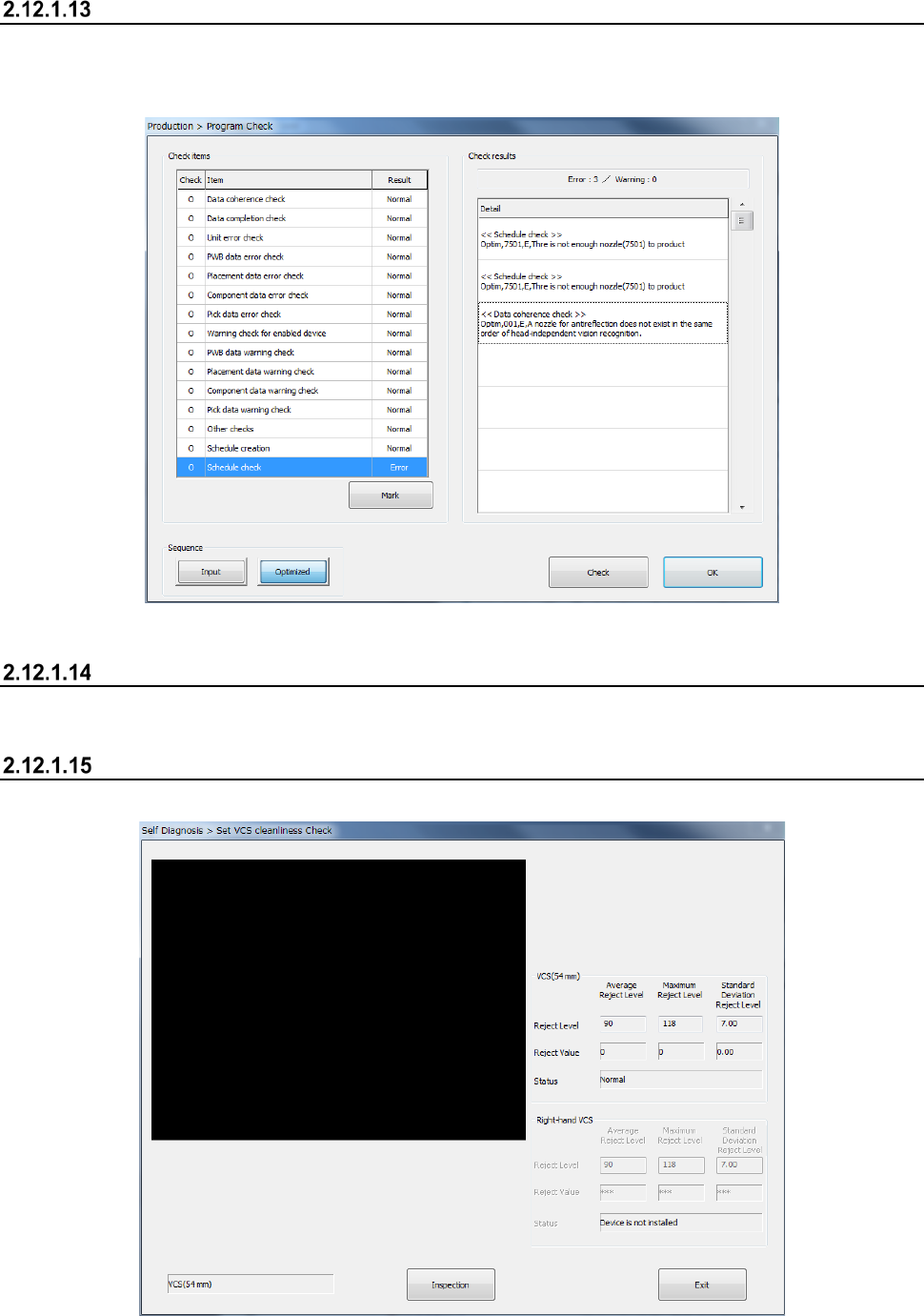
Program Check
This button allows you to check a production program before starting PWB production.
You can display the list of check items for a production program, and the system displays the check
results.
See Section 2.11.3 “Program Check” for details.
Laser check
See Section 2.12.5 “Laser height check” for details.
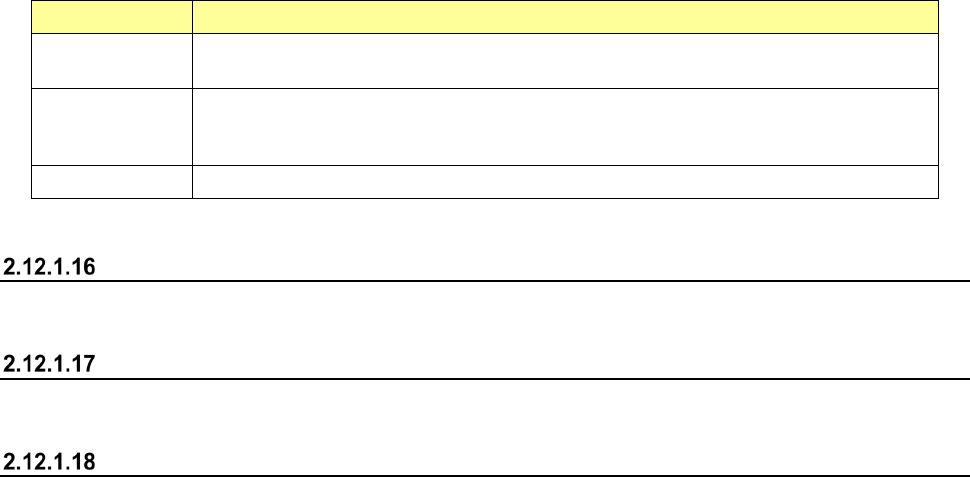
VCS Dirty Check
This button displays the results of the check of a standard VCS and a high-resolution VCS.
Part 1 Basic Operation Chapter 2 Production
2-106
(1) Checking to see if each VCS is stained or not
Item Description
Reject Level
Displays settings of the average value “Average Reject Level,” the maximum value
“Maximum Reject Level” and the standard deviation “Standard Deviation Reject Level.”
Reject Value
Displays the average value “Average Reject Level,” the maximum value “Maximum Reject
Level” and the standard deviation “Standard Deviation Reject Level” that are detected with
the check.
Status Displays the result if the corresponding VCS is stained.
See Section 11.3.3.3 “VCS Dirty Check” of Chapter 11 “Self-diagnosis Function” for details.
Verify All check
See Section 2.12.3 “Verify check (optional)” for details.
GNRL. Vision direction continuous inspection
See Section 2.12.4 “General vision component direction inspection” for details.
PWB Height
See Section "4-5-7-2 Measurement of mounting board surface height" in "Chapter 4 Program" for
details.