RS-1_instruction manual.pdf - 第909页
Part 2 D etaile d Descript ion of E ach Functi on Chapter 12 Handling th e Optional Device s 12 - 25 When you set the DIP SW 6 - 2 locat ed at the position ③ of the MAI N board t o ON, t he TR5SNX/ TR5DNX that has been r…
Part 2 Detailed Description of Each Function Chapter 12 Handling the Optional Devices
12-24
12.3.7 Setting the MAIN board (TR5SNX/TR5DNX)
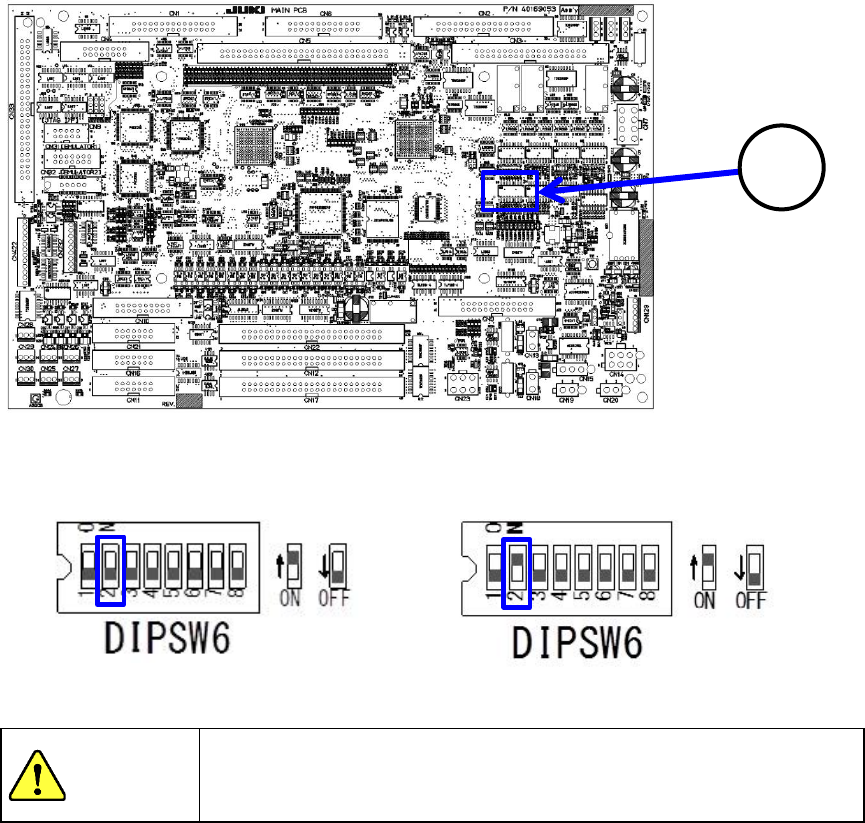
You have to set the DIP switch of the MAIN board of an MTS other than a TR8SR.
The DIP SW 6-2 is set to OFF at the factory.
If you use with an RS-1/1R a TR5SNX/TR5DNX that was used with another machine model, you
have to change the setting of this DIP SW 6-2 to ON after remodeling the MTS and upgrading the
MTS software.
Machine model an MTS is connected to
DIPSW6-2
RS-1/1R
ON
Other than an RS-1/1R
OFF
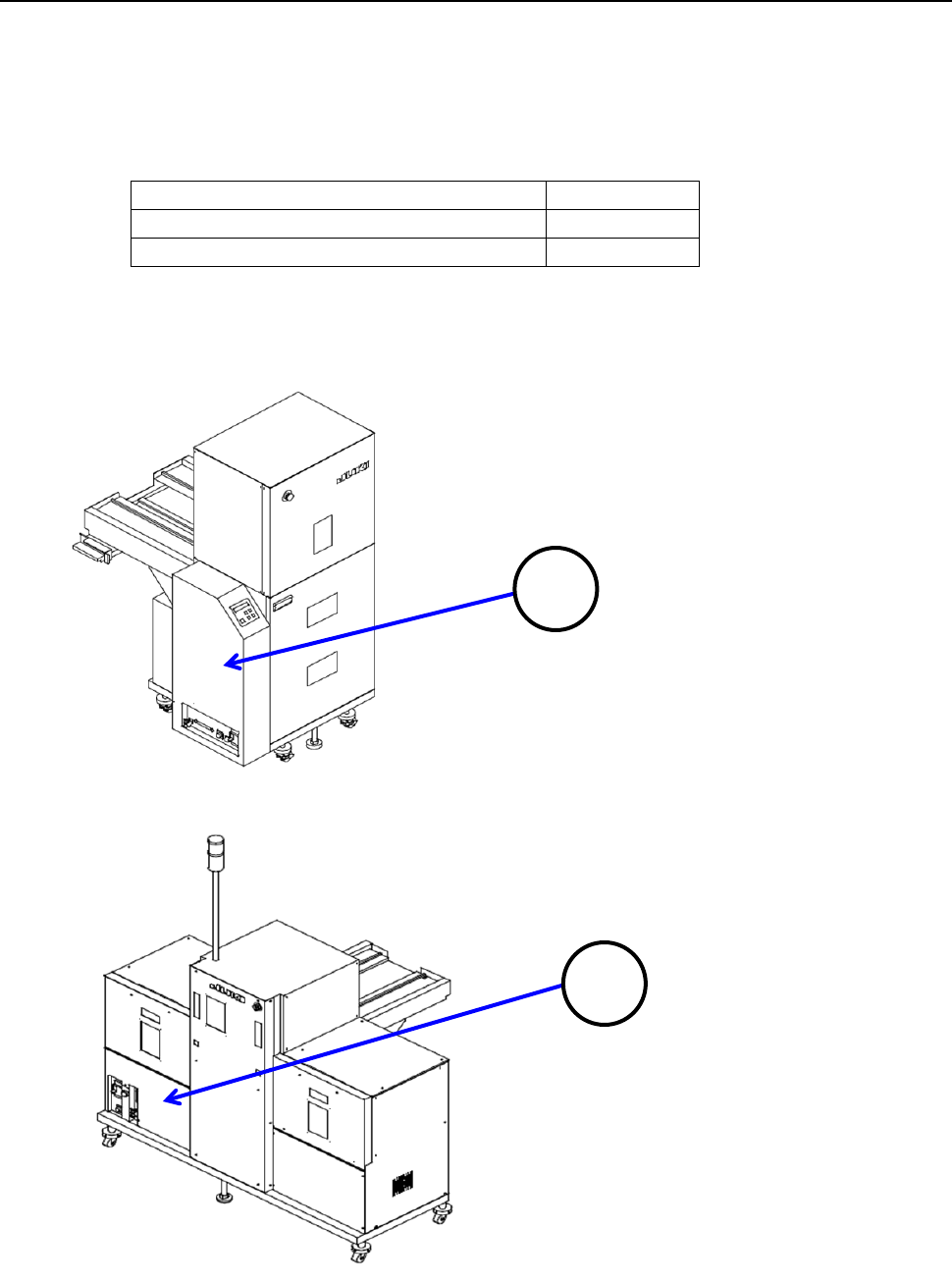
To check the MAIN board, remove the cover 1 in case of the TR5SNX or the cover 2 in case of the
TR5DNX.
1
2
Part 2 Detailed Description of Each Function Chapter 12 Handling the Optional Devices
12-25
When you set the DIP SW 6-2 located at the position ③ of the MAIN board to ON, the
TR5SNX/TR5DNX that has been remodeled and whose software has been upgraded can be used
with the RS-1/1R. When you set the DIP SW 6-2 to OFF, the MTS can be connected to a machine
model other than an RS-1/1R with which the MTS can be used.
Machine model the MTS is connected to:
Other than an RS-1/1R
Machine model the MTS is connected to:
RS-1/1R
To avoid any accident caused by sudden activation of the machine,
turn off the power.
3
CAUTION
Part 2 Detailed Description of Each Function Chapter 12 Handling the Optional Devices
12-26
12.3.8 Removing the stopper (TR5SNX/TR5DNX)
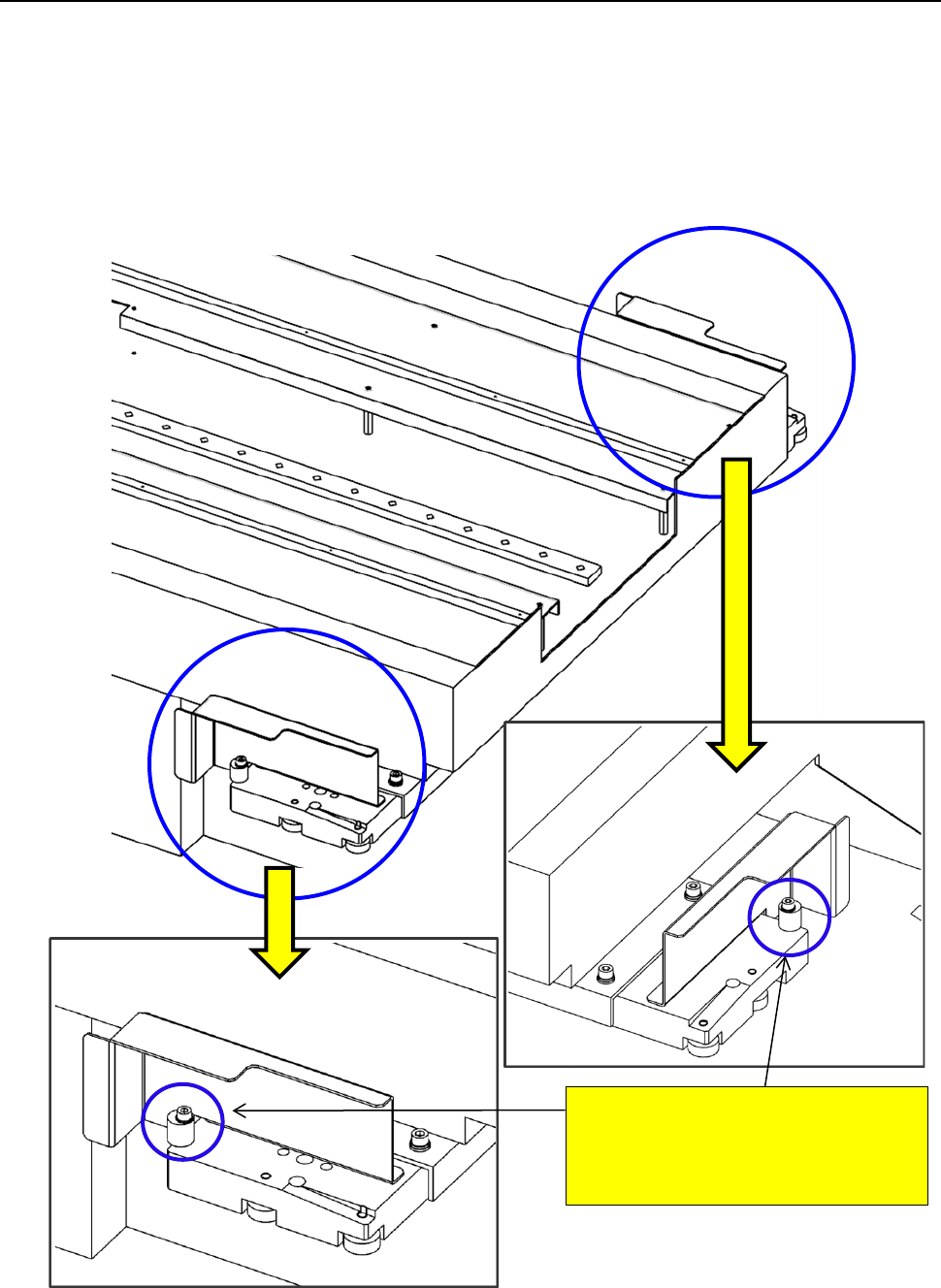
You have to remove the stopper from an MTS other than a TR8SR when connecting it to an
RS-1/1R.
Since the stopper is attached on the MTS at the factory, remove it from the MTS when connecting it
to the RS-1/1R. When connecting it to a machine other than an RS-1/1R, attach the stopper on the
MTS.
To use with the RS-1/1R a TR5SNX/TR5DNX that was used in another machine model, follow the
instructions below only after remodeling the MTS and upgrading its software.
<<Stopper>>
RS-1/1R: Remove the stopper.
Machine model other than
an RS-1/1R: Attach the stopper.