RS-1_instruction manual.pdf - 第892页
Part 2 D etaile d Descript ion of E ach Functi on Chapter 12 Handling th e Optional Device s 12 -8 (4) After inserting t he connec tor , pull down the lock rel ease lever to clamp it . (5) Now , the EF serie s electric f…
Part 2 Detailed Description of Each Function Chapter 12 Handling the Optional Devices
12-7
12.1.2 EF series Electric tape feeder
When you attach an attachment on the RF/EF bank, you can use an EF series electric feeder with
the machine.
12.1.2.1 RF_ETF_ATTACHMENT (40169273)
When you use an EF series electric feeder, attach it on the RF/EF bank.
How to Use the Attachment for EF Series Electric Feeder
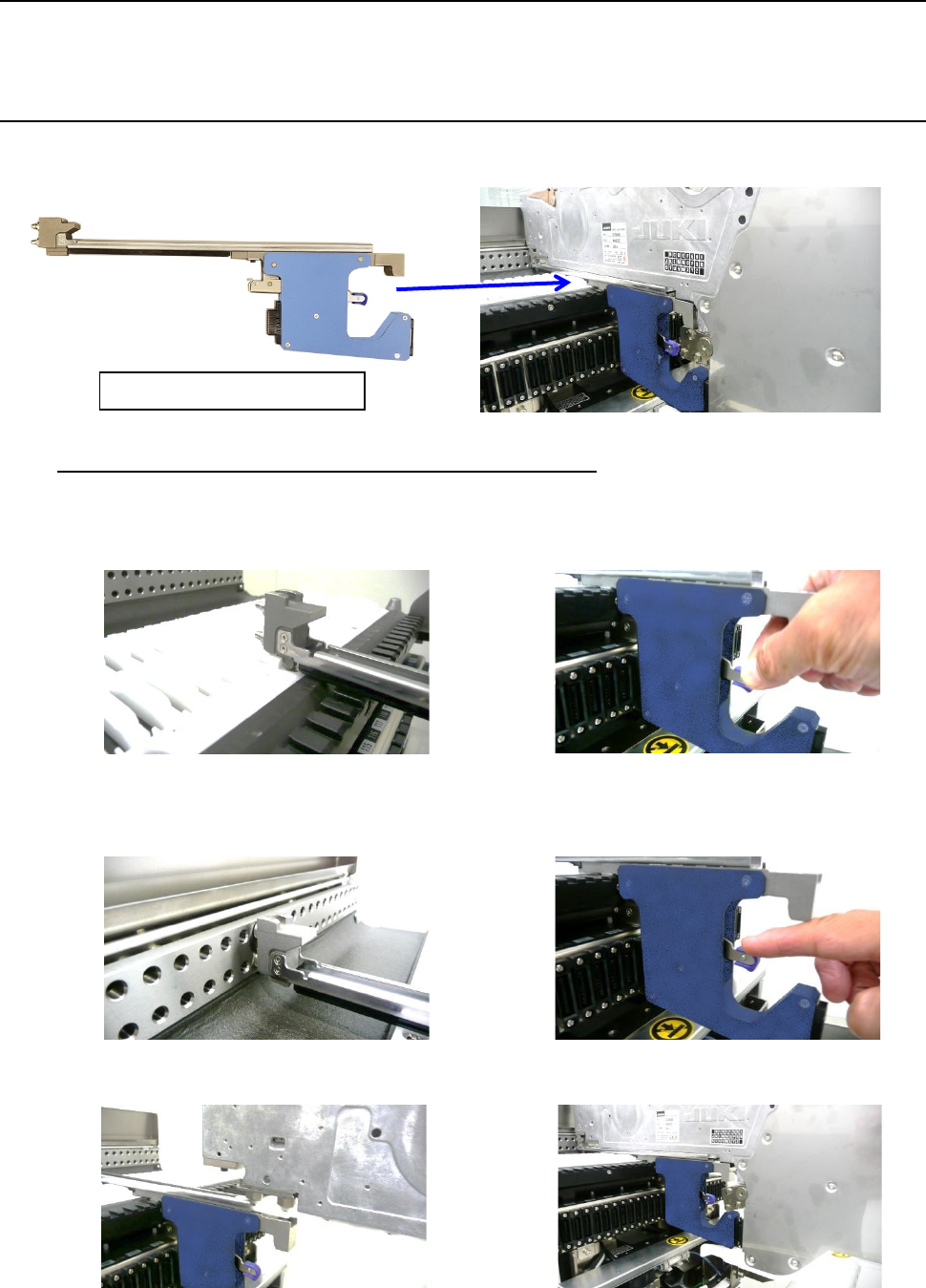
(1) Insert the slide rail of the attachment into the lane of the RF/EF bank. Then, raise the lock
release lever to open the clamp.
(2) Insert the guide pin to the fixing plate until it hits the end. Then lower the lock release lever to
clamp it. (Now, the attachment has been mounted.)
(3) Insert the slide rail of the EF series electric feeder into the lane of the attachment.
RF_ETF_ATTACHMENT
Part 2 Detailed Description of Each Function Chapter 12 Handling the Optional Devices
12-8
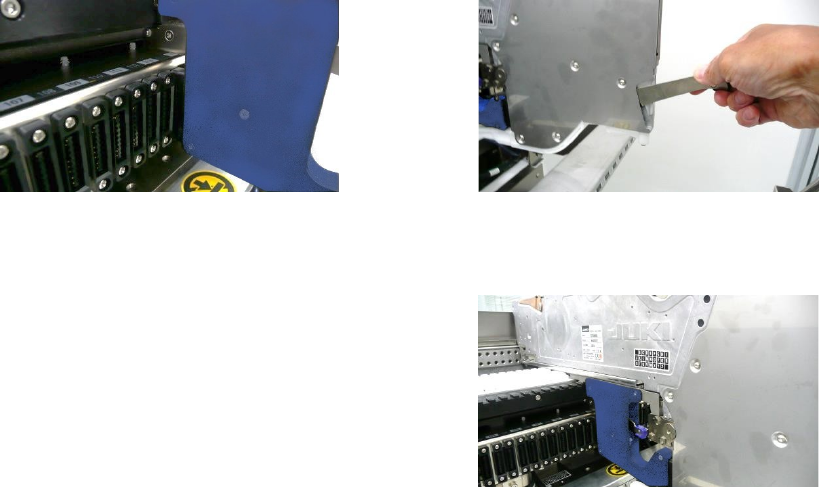
(4) After inserting the connector, pull down the lock release lever to clamp it.
(5) Now, the EF series electric feeder has been successfully mounted.
* NEVER insert to or remove from the bank
with the attachment mounted on the
electric feeder. Doing so may deform or
damage the attachment.
Part 2 Detailed Description of Each Function Chapter 12 Handling the Optional Devices
12-9
12.1.2.2 Procedure for setting a tape with the set-up stand EF for an EF series electric feeder.
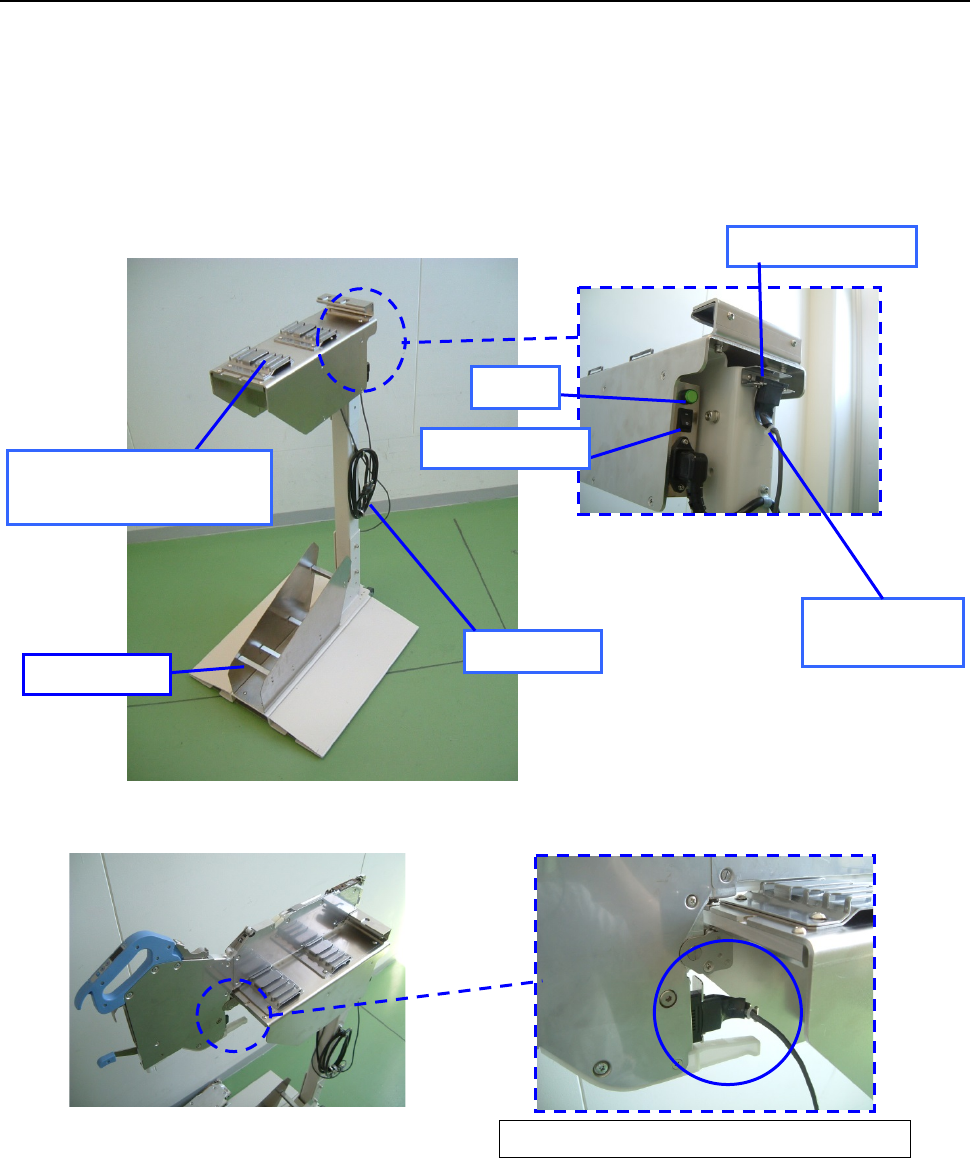
(1) Connect the power plug of the tape reel stand to the AC outlet to supply power to the stand.
(2) Set the power switch to ON. Check to see if the lamp lights.
(3) Attach the ETF onto the ETF work base.
(4) Disconnect the connector for offline setup from the ETF power hook, and then connect it to
the connector of the ET F.
(5) Place the tape reel on the reel holder, and then set a tape onto the ETF.
(Refer to the “ETF Instruction Manual” for how to set a tape onto the ETF.)
Enlarged view of the rear of the
ETF attachment section
Overall view of the tape reel stand for an ETF
Enlarged view of connector connection
Connector for
off-line setup
ETF power hook
Lamp
Power plug
Reel holder
ETF work base
(ETF attachment section)
Power switch