RS-1_instruction manual.pdf - 第627页
Part 1 B asic O pera t ion Chapter 5 Database 5-6 Sear ch 5.1.3. 1 Y ou can s earc h the com pone nt dat abas e for dat a. <Procedure> ① Cl ick the <Sear ch> butto n on the d atab ase list s cr ee n. ② The fo…
Part 1 Basic Operation Chapter 5 Database
5-5
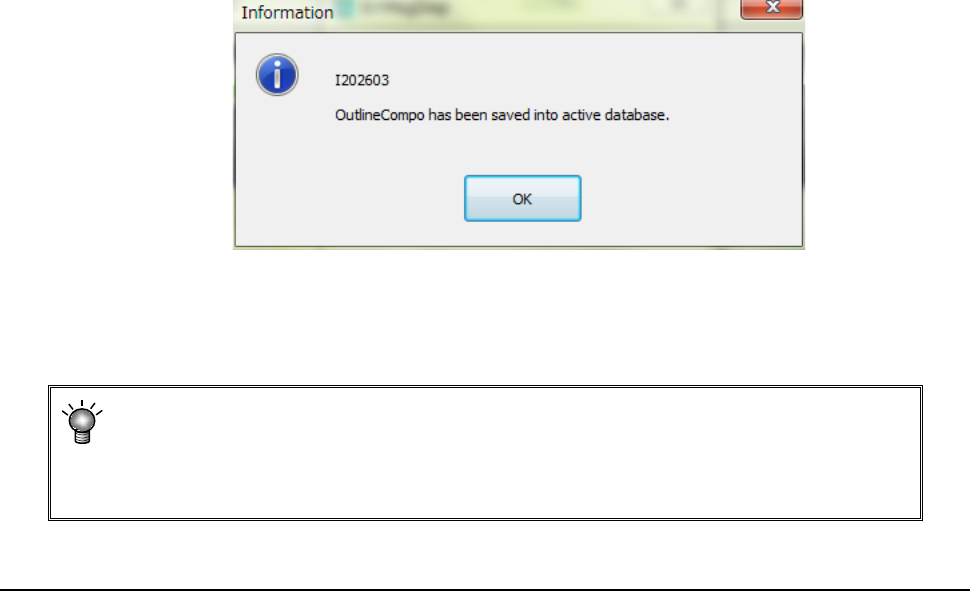
If you select “Yes” for the menu item “Notify when data into DB” on the “Environment
setting” screen, the following message appears on the screen when the system finishes
registering data into the database.
If you select “No” for the menu item “Notify when data into DB” on the “Environment
setting” screen, the “Information” message shown above does not appear on the screen.
• The system registers component data in the database sequentially according to
each component name.
• The database in which the system registers data is the database specified with the
“Environment Setting” (See Section 4.5.5 “Environment setting”).
Call List 5.1.3
When you select the [Database] command from the “Placement data” screen (if any
component name is not entered in the Placement data) or the “Component data” screen, you
can select the [Call List] command. If any component name is entered in the Placement
data, you cannot execute this command.
In this case, this command is dimmed on the “Database” menu.
See Section 5.1.1 “How to Use a Database” for how to execute this command.
Part 1 Basic Operation Chapter 5 Database
5-6
Search 5.1.3.1
You can search the component database for data.
<Procedure>
①
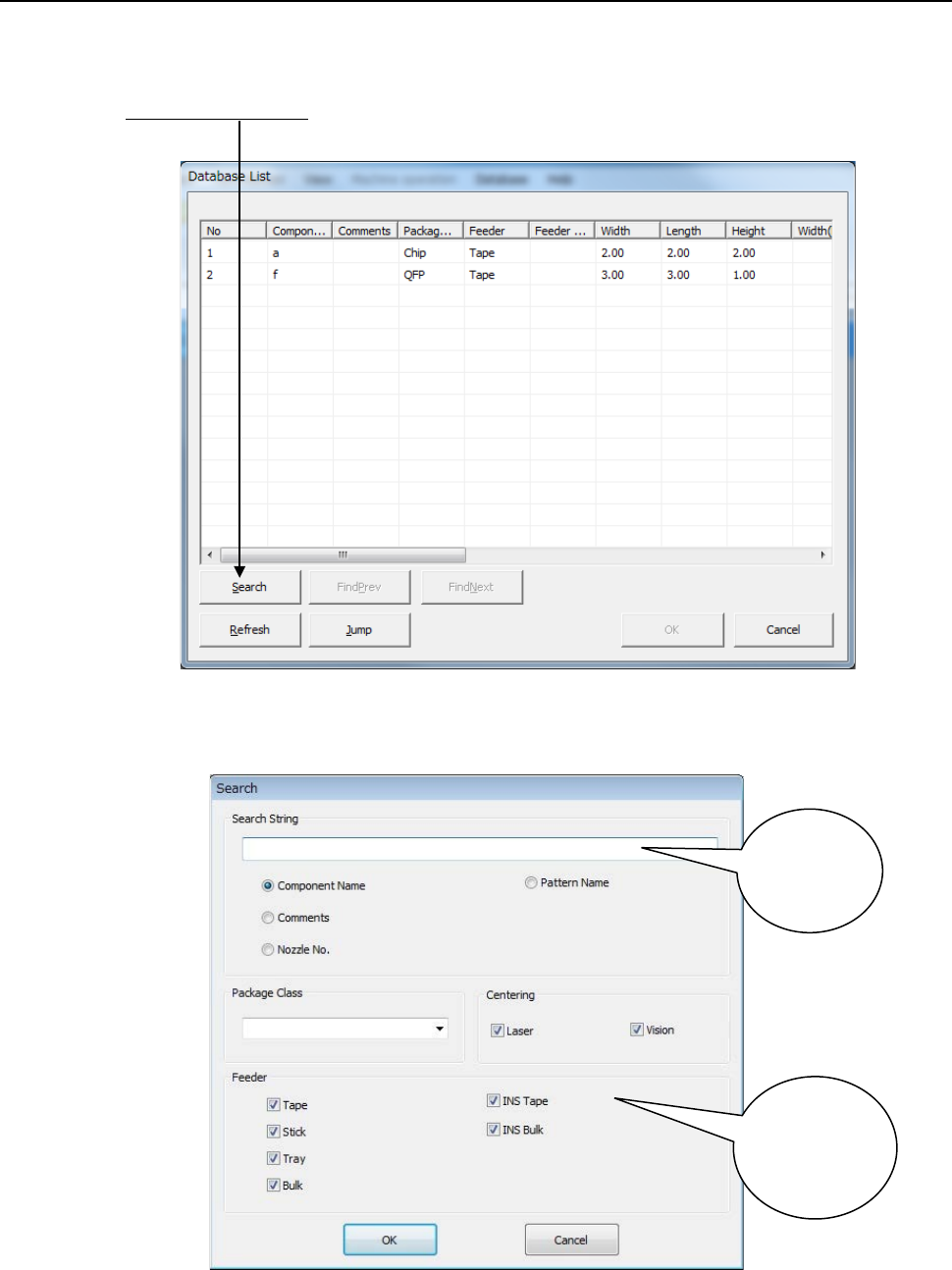
Click the <Search> button on the database list screen.
② The following dialog box appears on the screen.
Specify the search conditions, and click the <OK> button.
To narrow a search, specify the “Package Class,” “Feeder,” and/or “Centering” fields.
③ When the system finishes searching, it displays the “Database List” on which the first
matched component data registered in the database is highlighted.
Enter your
search
keyword.
Select one
from among
these search
options.
Part 1 Basic Operation Chapter 5 Database
5-7
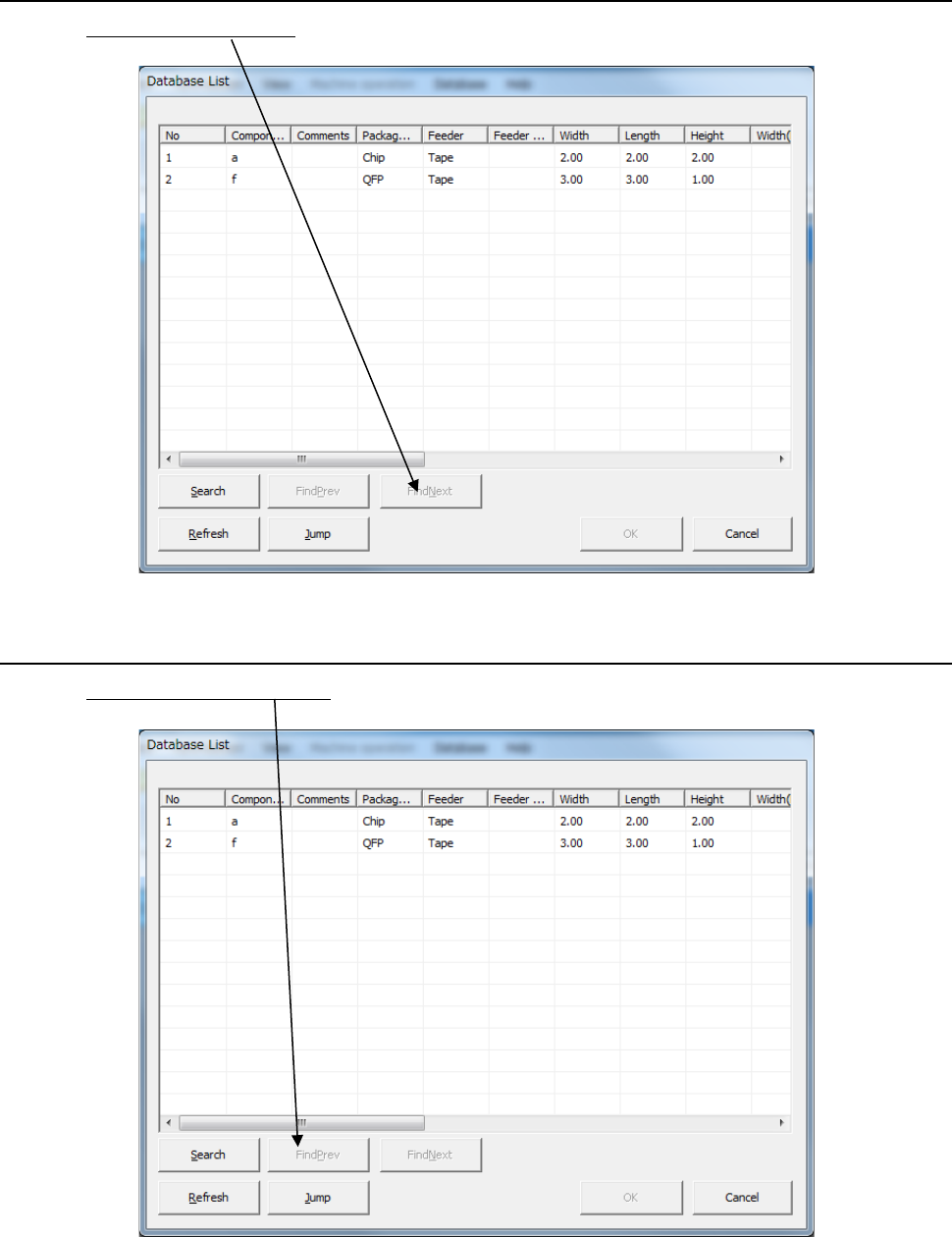
Searching the next matched component data 5.1.3.2
Click the <Find next > button on the screen.
The system displays the next matched data.
Searching the previous matched component data 5.1.3.3
Click the <Find previous> button on the screen.
The system displays the matched component data located before the component data
currently displayed.