RS-1_instruction manual.pdf - 第630页
Part 1 B asic O pera t ion Chapter 5 Database 5-9 ReSear ch 5.1.4 Thi s [R eS ear ch] c omma nd re - se arch es the data base or per ma nent in forma tion for Com ponent dat a, Pick da ta of a pro ducti on pro gram to up…
Part 1 Basic Operation Chapter 5 Database
5-8
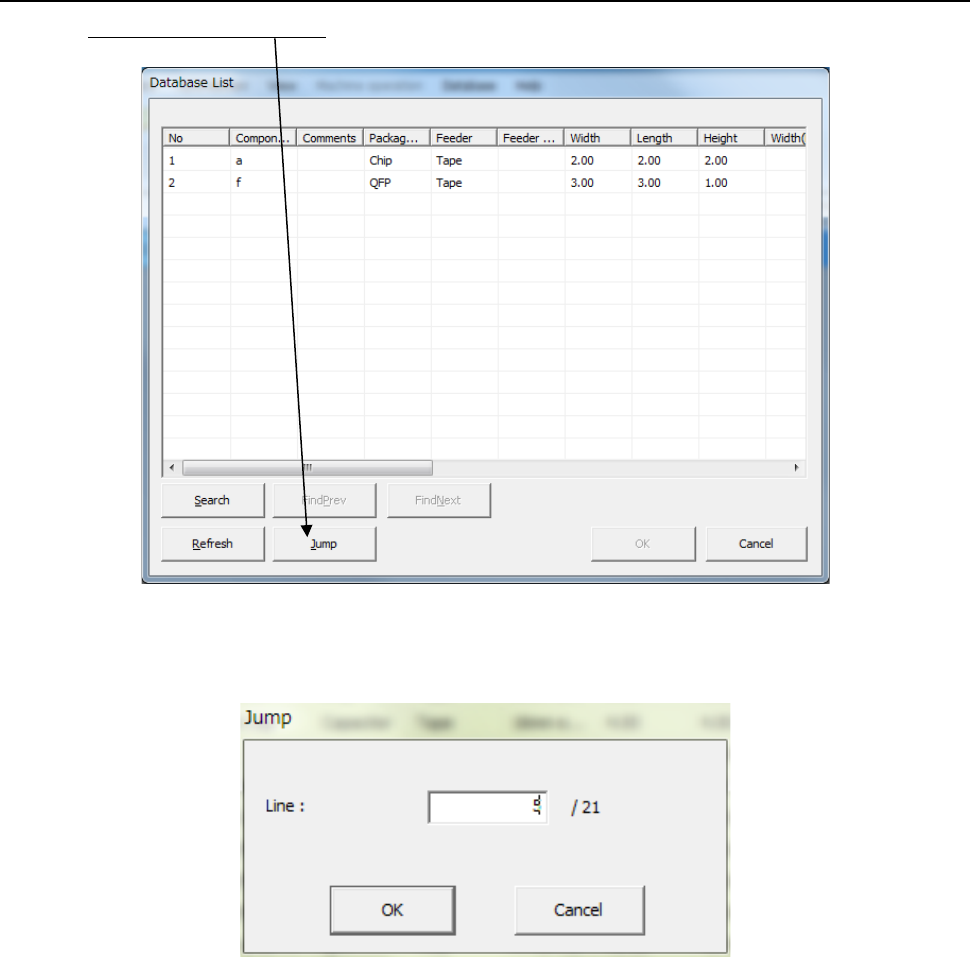
Jump 5.1.3.4
Click the <Jump> button on the screen.
The following screen appears. Enter the record number of component data to which you
want to jump.
When you click the <OK> button, the system jumps to the specified record number of
component data
Part 1 Basic Operation Chapter 5 Database
5-9
ReSearch 5.1.4
This [ReSearch] command re-searches the database or permanent information for
Component data, Pick data of a production program to update data of the program.
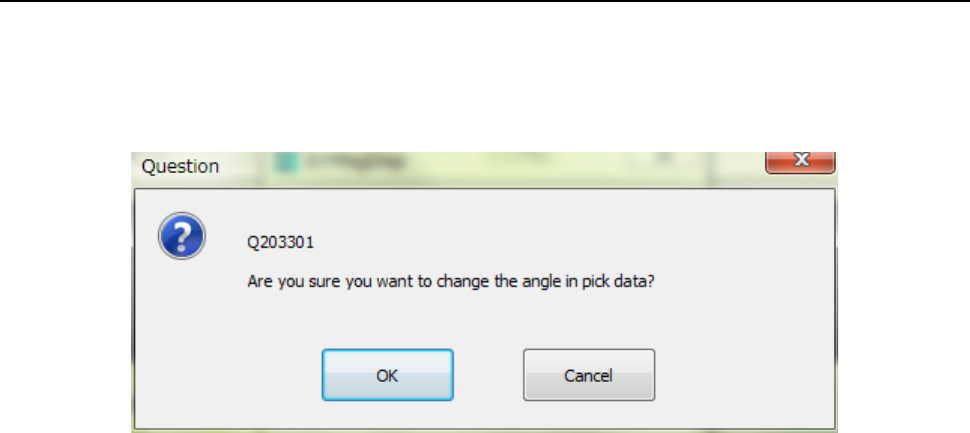
When you click the [ReSearch] command, the message like the one shown below appears
on the screen.
- When you select the <OK> button, the system updates all component pick-up angles.
- When you select the <Cancel> button, the system does not update the angle(s) set in the
Pick data.

Part 2 Detailed Description of Each Function
Part 2 Detailed Description of Each Function
Chapter 6 General-Purpose Vision Component ................................. 6-1
Chapter 7 Operation Option ............................................................... 7-1
Chapter 8 Machine Setup ................................................................... 8-1
Chapter 9 Manual Control................................................................... 9-1
Chapter 10 Machine Management Information .................................. 10-1
Chapter 11 Self-diagnosis Function ................................................... 11-1
Chapter 12 Handling the Optional Devices ........................................ 12-1
Chapter 13 Supplementary Information
for Creating a Production Program.................... 13-1