RS-1_instruction manual.pdf - 第467页
Part 1 B asic O peration Chapter 4 Cr eating a Produc tion Progra m 4- 132 b) Au to assign al l data: Ignore the sp eci fied fee der layout and optim i ze the who l e feeder layout. Once you execut e the optim ization fu…
Part 1 Basic Operation Chapter 4 Creating a Production Program
4-131
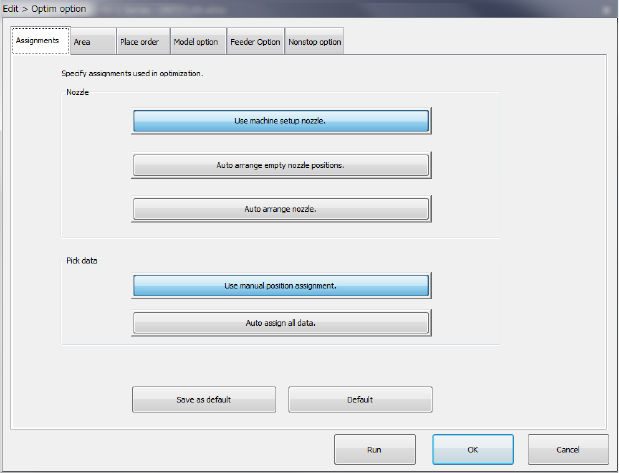
(1) “Assignments” option
Set "Nozzle layout" and "Feeder layout" intended for dividing (optimizing) the program data.
1) Nozzle
Select which nozzle layout you want to use, the nozzle layout set on the "Machine setup"
menu or the optimized nozzle layout.
a) Use machine setup nozzle:
The nozzle settings on the "Machine setup" menu are used as they are. The current
nozzle layout can be used as it is. This option does not need any changeover time, and thus
select this option for flexible manufacturing.
b) Auto arrange empty nozzle positions:
The permanent nozzles set on the “Machine setup” menu are used as they are, and the
nozzles required as the result of optimization are assigned to the empty area of the ATC. If
your system has enough nozzles to do this operation, select this option. Note that you
have to change the settings on the “Machine setup” menu to set the additionally assigned
nozzles if you select this option.
c) Auto arrange nozzle.
The nozzle layout is optimized with ignoring the settings of the nozzles made on the
“Machine setup” screen.
In this case, the production tact becomes speedier but nozzle re-layout and machine setup
setting changes are required. Accordingly, preparation may take more time.
d) Rearrange already assigned nozzles
The permanent nozzles set on the “Machine setup” screen are used to optimize the nozzle
layout.
You are supposed to use this setting to rearrange the nozzle layout without changing the
current number of nozzles. Note that preparation may require more time because the
nozzle re-layout and/or change of the settings of the Machine Setup items are (is) required.
2) Pick Data
Specify whether to assign feeders according to a feeder layout specified in the “Side” field
on the “Pick” data screen or optimize the feeder layout with ignoring this layout.
a) Use manual position assignment:
Perform the specified feeder layout as specified and optimize only the feeder layout set to
"Auto selection."
Part 1 Basic Operation Chapter 4 Creating a Production Program
4-132
b) Auto assign all data:
Ignore the specified feeder layout and optimize the whole feeder layout.
Once you execute the optimization function, its result will be reflected in the “Side” filed of
the “Pick” data screen also. To retry optimization from the beginning after data editing is
finished after this, select "Distribute all." To perform additional layout for only changed
portions, select "Distribute items in the "Auto selection" status."
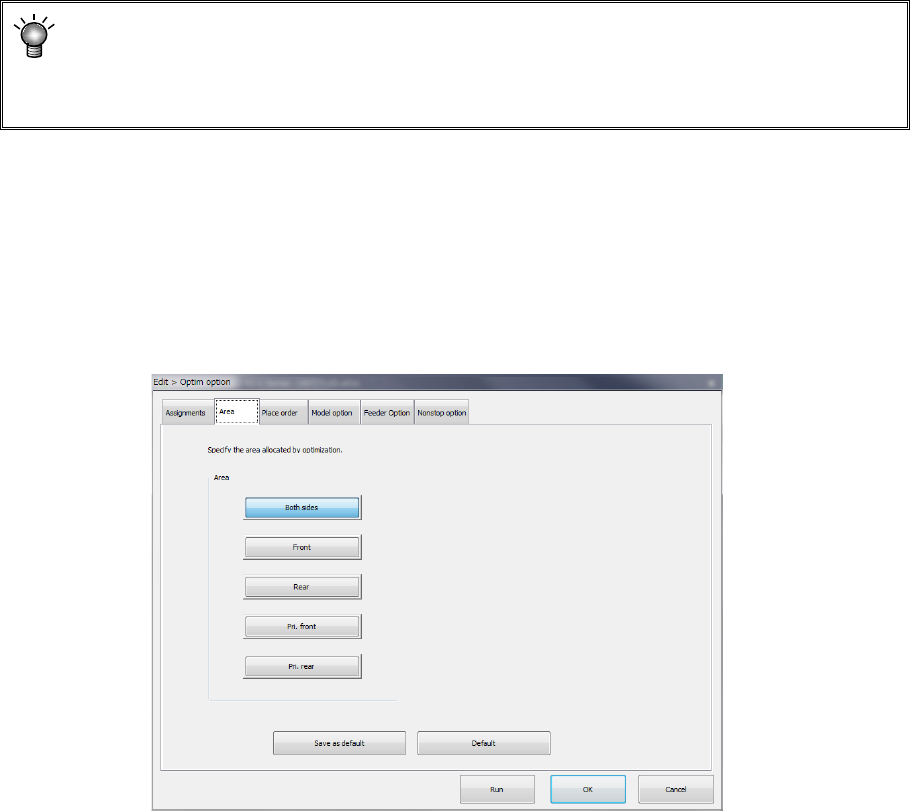
(2) "Area" option
Specify the area for the feeder layout.
The default selecting state and the area you can select vary depending on existence of a “rear
component supply device” option.
<Rear component supply device option>
Enabled: All buttons from the <Both sides> to <Prf. Rear> can be selected. (Default: <Both
sides>)
Disabled: Only the button <Front> can be selected. (Default: <Front>)
Area
1) Both sides:
Feeders are arranged into the feeder banks of all areas. For ordinary production, select
this. Because there is no limitation on optimization, the layout is advantageous to the tact.
2) Front:
Feeders are arranged in only the feeder bank on the front side.
3) Rear:
Feeders are arranged in only the feeder bank on the rear side.
All feeders can be arranged on only the front side or rear side.
If feeders are provided in the overall change table in advance, the time up to the next start of
production can be shortened. This makes a layout that makes much of the workability. In
case all the number of feeders to be used cannot be put in the bank of one side, this item
cannot be used.
4) Pri: front:
The feeders are arranged giving priority to the feeders on the front side.
5) Pri: rear:
The feeders are arranged giving priority to the feeders on the rear side.
Part 1 Basic Operation Chapter 4 Creating a Production Program
4-133
All feeders can be arranged on only one side giving priority to the side. In case all the
number of feeders to be used cannot be put in the bank of one side, the other side also can
be used.
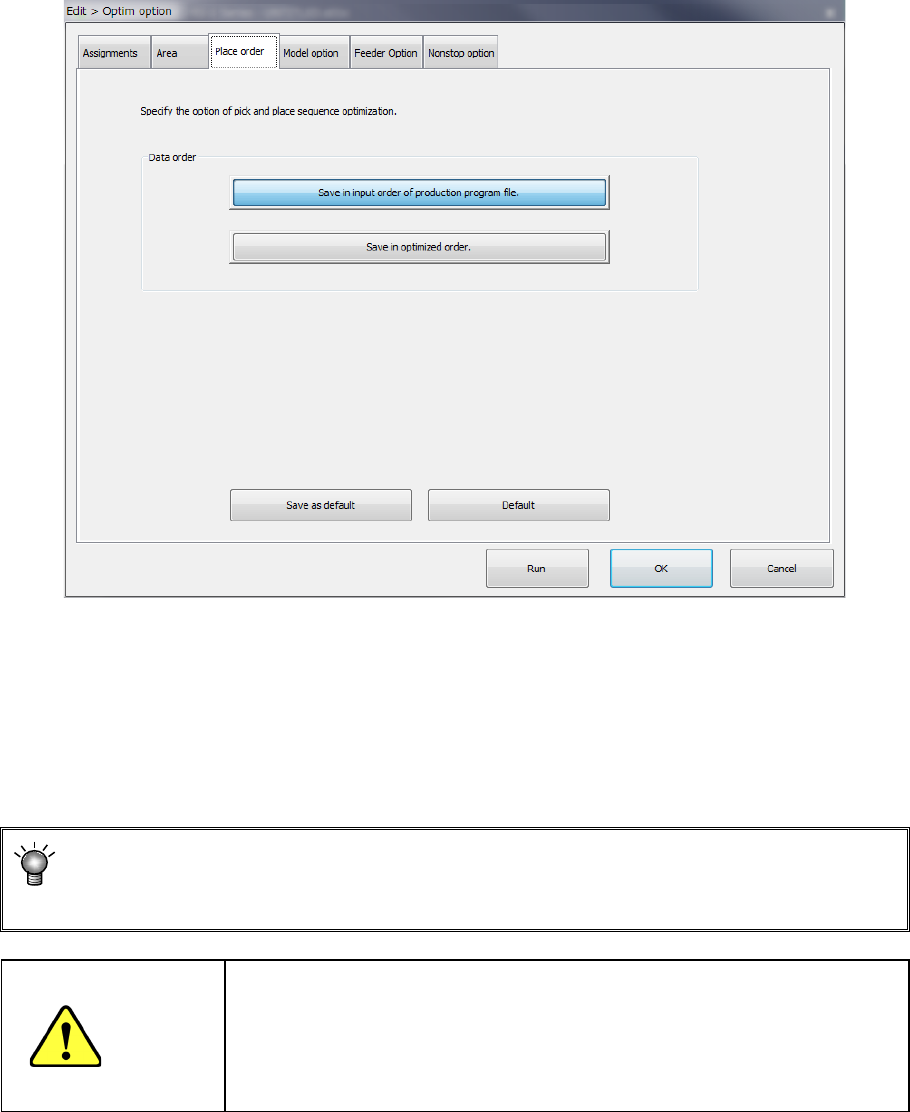
(3) "Placement order" option
Specify the placement data order: use the input order or change it according to the optimized
result.
Data order
a) Assign in input order of production program File
Placement data will be displayed in entry order (that is, not changed at all).
b) Assign in optimized order
Placement data will be displayed in the optimized order.
You can display the optimized order of placement order by selecting the [Optimization]
― [Divided placement data] commands from the menu also. (You cannot edit any data
on this screen.)
CAUTION
"Assign in optimized order" is a function for editing the optimized data
(optimization result can be referred to, but cannot be edited).
However, once this function is executed, the data in order of the
original date entry will be deleted. Therefore, back up the data before
executing this function.