RS-1_instruction manual.pdf - 第936页
Part 2 D etaile d Descript ion of E ach Functi on Chapter 12 Handling th e Optional Device s 12 - 52 12.9 Dual Tray S erv er ( DTS) Y ou can select a T R 1RB as a DT S to be used w ith this machi ne. Refer to the “I N ST…
Part 2 Detailed Description of Each Function Chapter 12 Handling the Optional Devices
12-51
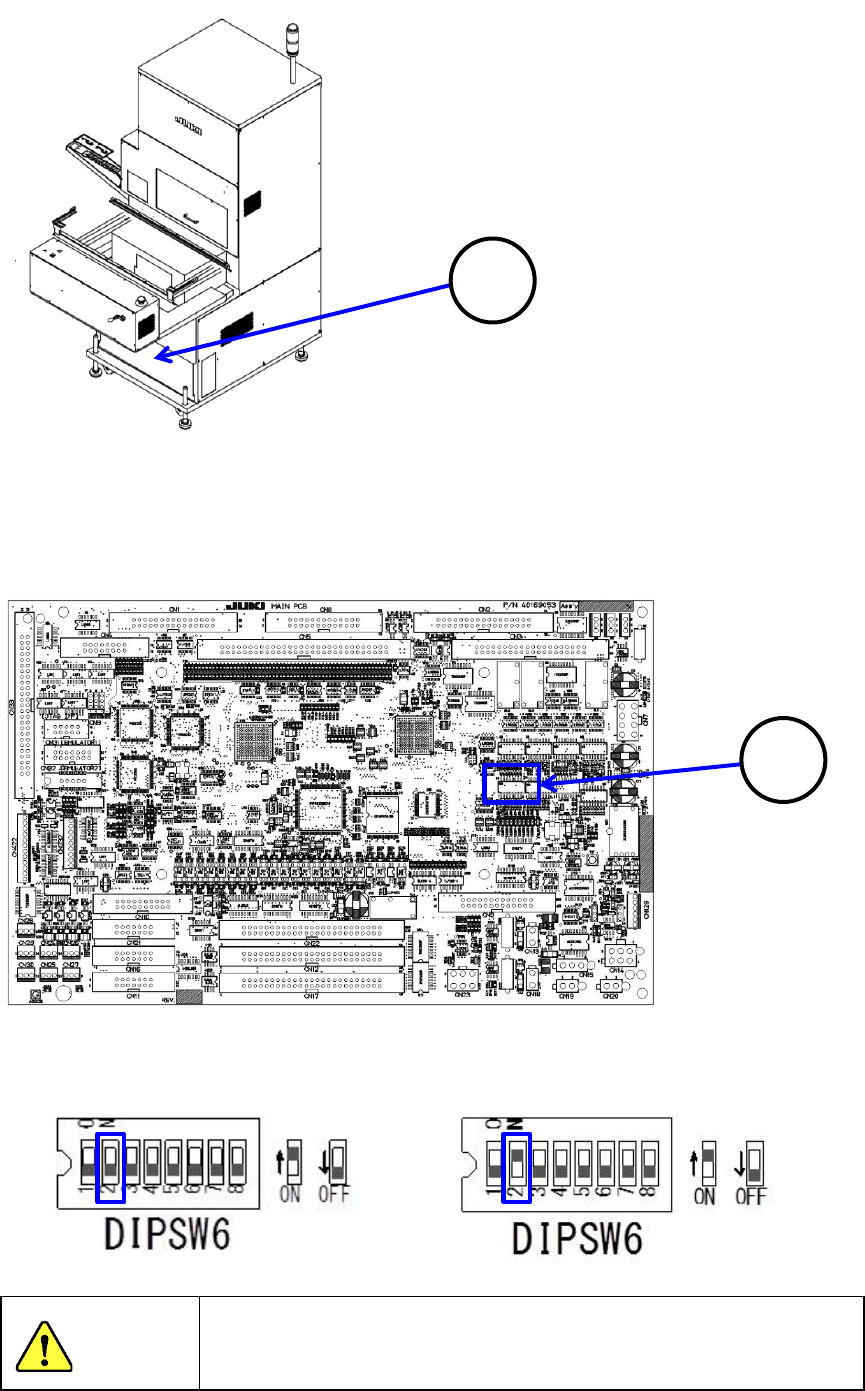
When you set the DIP SW 6-2 located at the position ② of the MAIN board to ON, the
TR6SNV/TR6DNV that has been remodeled and whose software has been upgraded can be used
with the RS-1/1R. When you set the DIP SW 6-2 to OFF, the MTC can be connected to a
machine model other than an RS-1/1R with which the MTC can be used.
Machine model the MTC is connected to:
Other than an RS-1/1R
Machine model the MTC is connected to:
RS-1/1R
To avoid any accident caused by sudden activation of the machine,
turn off the power.
1
CAUTION
2
Part 2 Detailed Description of Each Function Chapter 12 Handling the Optional Devices
12-52
12.9 Dual Tray Server (DTS)
You can select a TR1RB as a DTS to be used with this machine.
Refer to the “INSTRUCTION MANUAL” of the DTS for how to handle it in details.
CAUITON
Do not replace the DTS with another one while the X- or Y-axis, or head is
operating. It may cause a serious injury to the operator or damage the machine
itself since the tray holder touches the operating parts.
Do not replace the tray holder with another one while the X- or Y-axis or head is
operating.
Be sure to open the safety cover before replacing a tray holder with another one.
After setting feeders required for PWB production at the positions specified with a
production program respectively, set feeders not to be used for production such
as an 8-mm tape feeder at all the positions not occupied with the feeders above
so that any finger or hand cannot be put between the set feeders to secure your
safety.
When using a tray with a thickness exceeding 10 mm, leave the rear feeder
floating sensor non-used. And you can use it by removing the regulation bar.
RS-1 operates with component height 25 mm only.
When using a tray with a thickness of 10 mm or less, use the rear feeder floating
sensor. If you install the regulation bar, it works according to the part height.
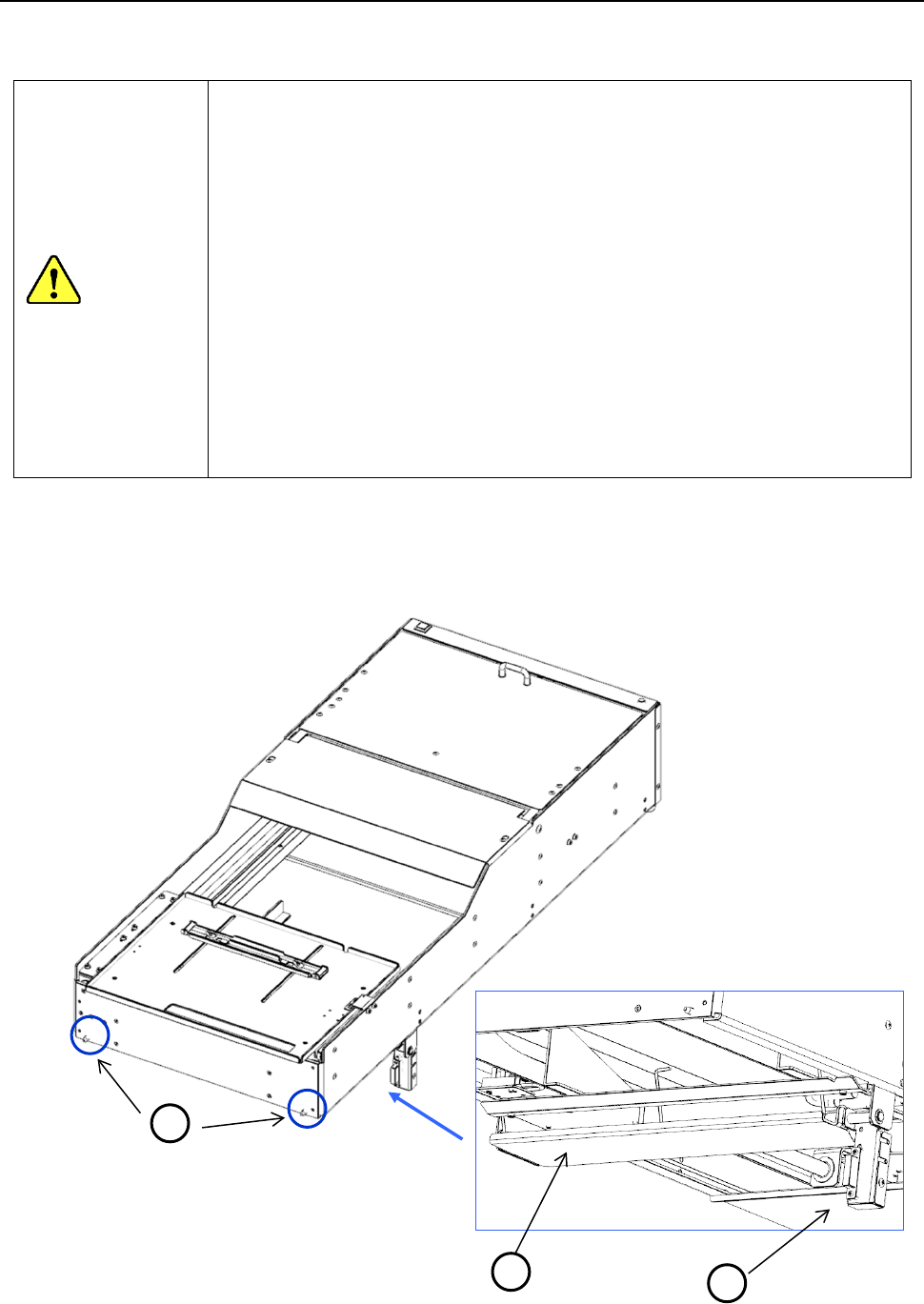
1) Attach the DTS at the desired position of the rear bank set with the “Machine Setup” screen.
Insert the positioning pin ① at the edge of the DTS into the bank.
2) Lock the clamp lever ② to fix the DTS.
3) Lower the I/F connector bracket ③ to insert the connector securely.
1
2
3
Part 2 Detailed Description of Each Function Chapter 12 Handling the Optional Devices
12-53
12.10 Light for Recognizing Solder
If there is not any BOC mark on a board or a circuit, the system can make the printed solder light
on to integrate it with a pad and recognize it as a BOC mark.
This function is to be used, for example, to place a component in an area in which a BOC mark
cannot be detected when a long-sized board is clamped twice.
If a soldered position is shifted from a pad largely, this function may not be able to be used.
If the “solder” shape is similar with that of a normal mark, which does not require any user template,
you can register it in the mark database and use it.
* Since the shape of printed solder is not clear as a mark, the component placement accuracy
may not become sufficient.
12.10.1 Teaching with using the light for recognizing solder
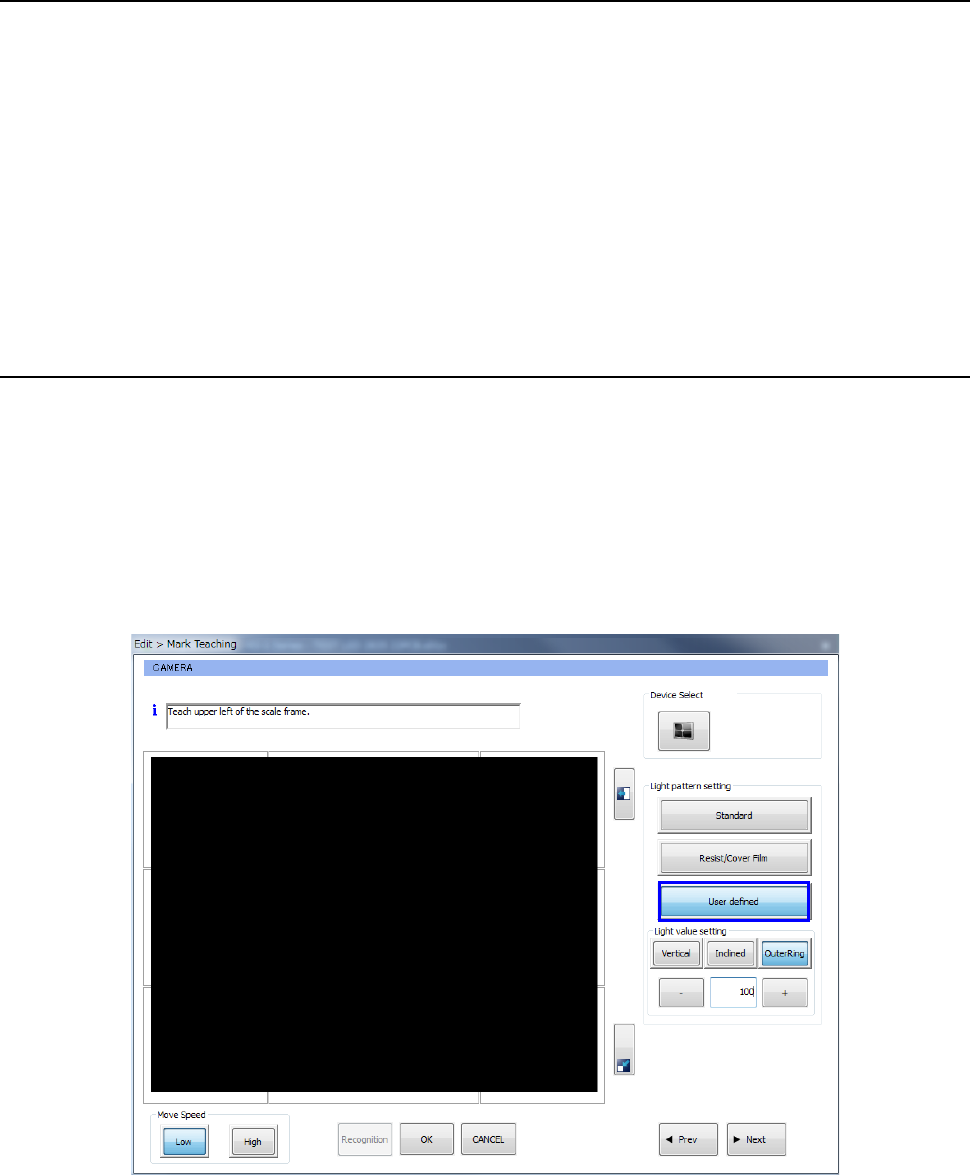
To improve the contrast between printed solder and a board, adjust each of the “Light value setting”
parameters: <Vertical>, <Inclined> and <OuterRing>.
<Procedure>
① Move the cursor to the mark position to be taught.
② Make the “Light pattern setting” before specifying the top left hand corner of the measurement
frame.
Select the <User defined> button and the <OuterRing> button, and then set the light value.
③ The procedure you shall follow after Step 2 above is the same as the normal procedure.