RS-1_instruction manual.pdf - 第189页
Part 1 B asic O peration Chapter 2 Pr oduction 2- 78 4) Ac ti on Item Description Head Moves the h ead to i ts waitin g position . When the fr ont panel is enabl ed, the head m oves to the rear side. When the rear panel …
Part 1 Basic Operation Chapter 2 Production
2-77
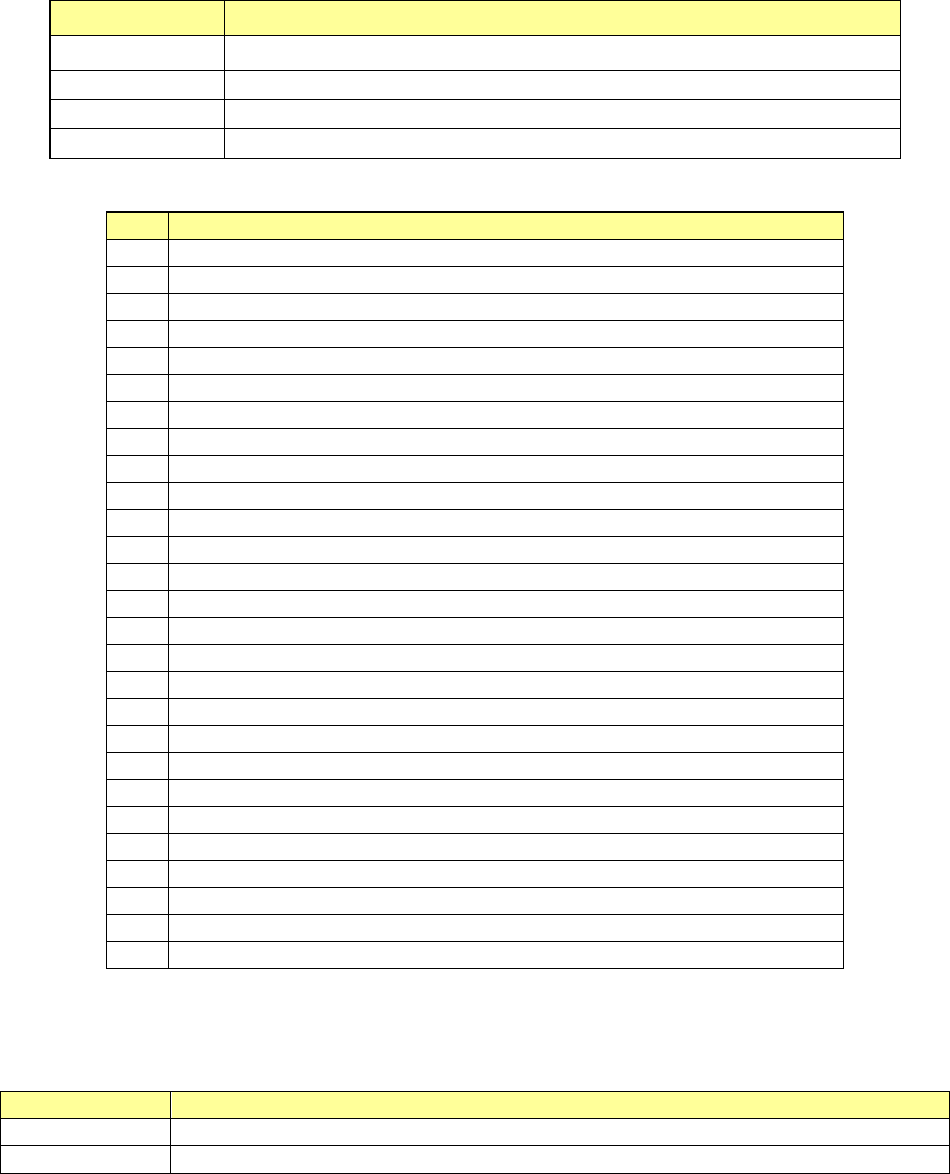
1) List (Supplier)
The system displays errors in ascending order of the component supply unit positions.
Menu item Description
Pick Pos. Displays a component supply unit that failed to pick up a component.
Package
Displays the packaging style of a component that the machine failed to pick up.
Cmp.
Displays the name of a component that the machine failed to pick up.
Error
Displays a cause of a component pick-up failure.
The errors that have occurred at component supply unit and their causes are shown below.
No.
Displayed information (reason why an error occurred)
1
No component
2
Different component type
3
LA retry over
4
Retry over
5
Offline
6
Supply
7
Move failed
8
LA recognition error
9
Tombstone
10
Transfer mistake
11
Feeder bank invalid
12
Stacker invalid
13
Tray invalid
14
Pick position check error
15
Component direction error
16
Laser recog angle error
17
Pick error
18
Laser Alignment Error
19
HMS error
20
Axis error
21
MTS tray polarity error
22
Interference with Laser Unit
23
Sensor Unworking
24
An empty pocket overdetection
25
No empty pocket
26
Splicing Verify Error
27
Splice sensor unavailable
2) No. of Errors
The number of errors shown in the list is displayed here.
3) List view
Button
Description
Supplier
Shows the list of component supply units that failed to pick up a component.
Not placed
Shows the list of placement data on which the system failed to place a component based.
Part 1 Basic Operation Chapter 2 Production
2-78
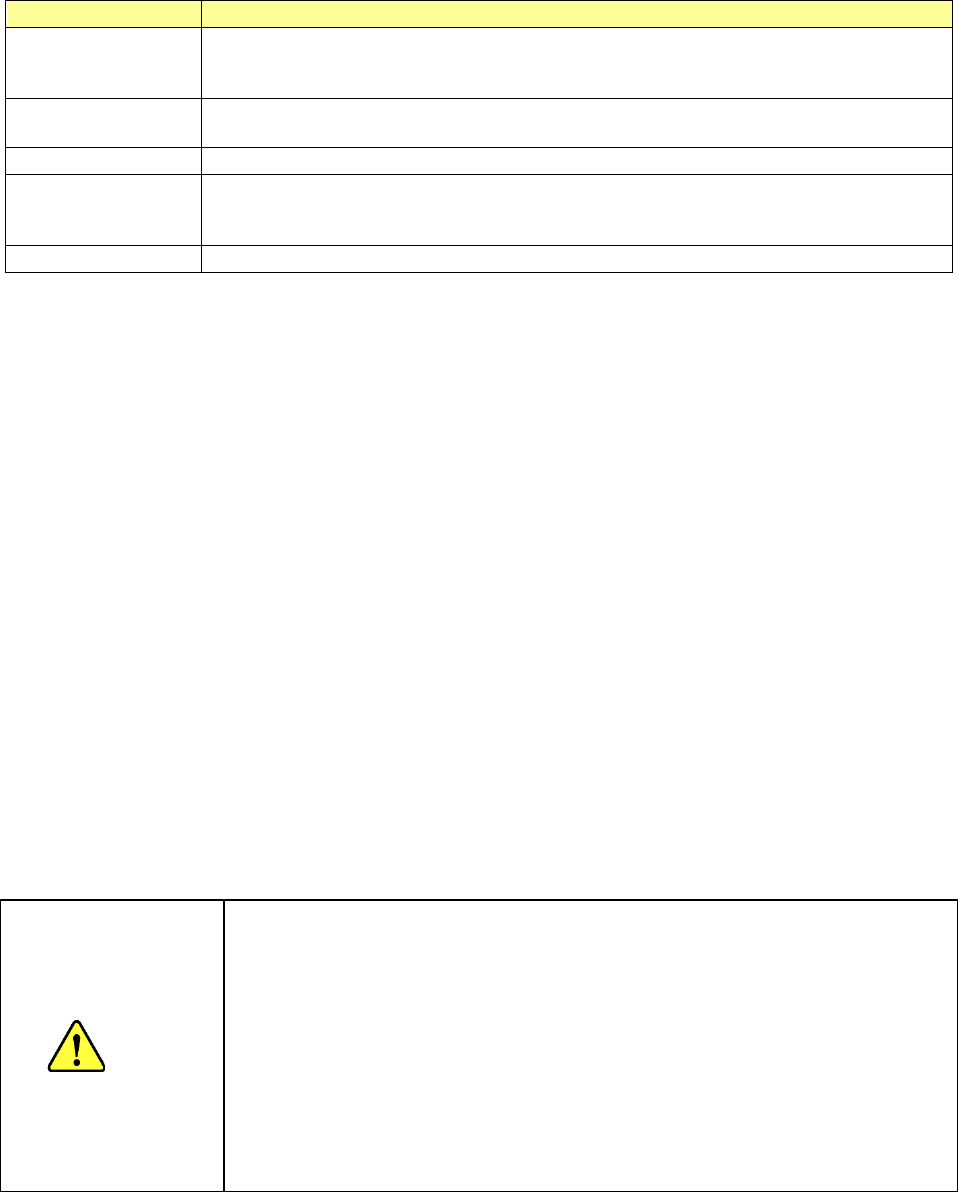
4) Action
Item
Description
Head
Moves the head to its waiting position.
When the front panel is enabled, the head moves to the rear side. When the rear panel is
enabled, the head moves to the front side.
Laser wave
Displays the “Laser wave” screen to allow you to check the laser waveform.
See Section 2.15.7 “Protecting a component” for details.
Image data Save file
Outputs a shot image from the image processing unit to the storage device of the mounter.
Machine data Save
file
Displays the screen for obtaining information on the machine and saving it to allow you to
save the machine information.
See Section 1.10 “Get and Save Machine Data” for details.
Cover Lock Release
Unlocks the protection cover.
5) Edit Data
These buttons allow you to change data being used for the current PWB production.
They are not shown at end of PWB production.
See the description of the “Edit Data” buttons of Section 2.15.1 “If an error occurs” for details.
See the description of Section 2.11.2 “Change Data” for details about how to change the data.
6) Restart mode
Specify how to restart PWB production by pressing the <START> switch when the system
stops it temporarily.
These buttons are not shown at end of PWB production.
See the description of the “Restart mode” buttons of Section 2.15.1 “If an error occurs” for
details.
7) Execution mode
Select whether to produce PWBs continuously or stop in every step.
These buttons are not shown at end of PWB production.
See the description of the “Execution mode” buttons of Section 2.15.1 “If an error occurs” for
details.
8) <START> switch
When you press the <START> switch during PWB production, the system restarts the
production according to “Restart mode” you selected.
CAUTION
Immediately after you press the <START> switch, the head starts moving and
the system starts production.
To avoid injuries, do not put your hands inside the machine or keep your face or
head away from the machine.
Before pressing the <START> switch, check to see if there is no one who is
working the internal parts of the machine.
Before pressing the <START> switch, check to see if there is no one who is
near the machine and may be injured.
Before pressing the <START> switch, check to see if there is no obstacle such
as an adjustment tool that is located or attached inside the machine and may
prevent the machine from operating normally.
Part 1 Basic Operation Chapter 2 Production
2-79
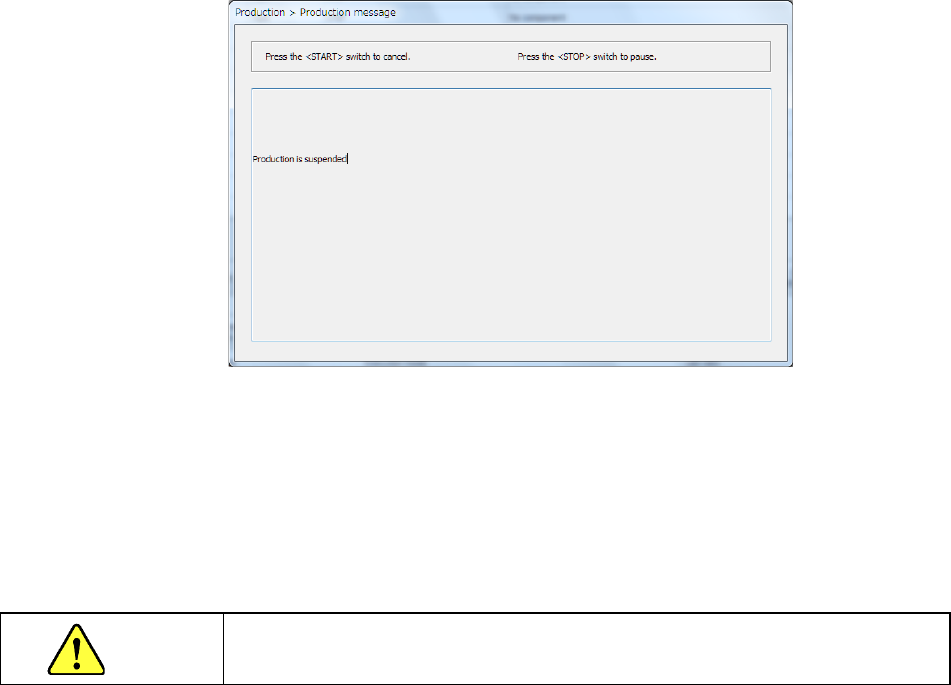
9) <STOP> switch
When you press the <STOP> switch during PWB production, the system pauses if any station
is producing a PWB or it aborts production if there is no station producing a PWB.
When you press the <STOP> switch, the system aborts PWB production.
The system moves down the Support plate so that you can take out a board.
It also removes the nozzle attached on the head.
When you press the <START> switch at this point, the system displays the “Retry list” again.
When you press the <STOP> switch, the system displays the production start screen again.
Even though you abort the current PWB production, the XY-axes and the nozzle heads keep
operating to replace a nozzle with another one.
When these parts finish operating, the clamped board is released.
CAUTION
When you press the <STOP> button, the system starts replacing nozzles.
To avoid a risk of injury, do not place your hand in the machine, nor move your face or
head close to the machine while the machine is operating.