RS-1_instruction manual.pdf - 第522页
Part 1 B asic O peration Chapter 4 Cr eating a Produc tion Progra m 4- 187 (4) T eaching with t he support t able When you star t up the tea chi ng funct ion from the menu item such as th e “PWB thickness, ” the teach in…
Part 1 Basic Operation Chapter 4 Creating a Production Program
4-186
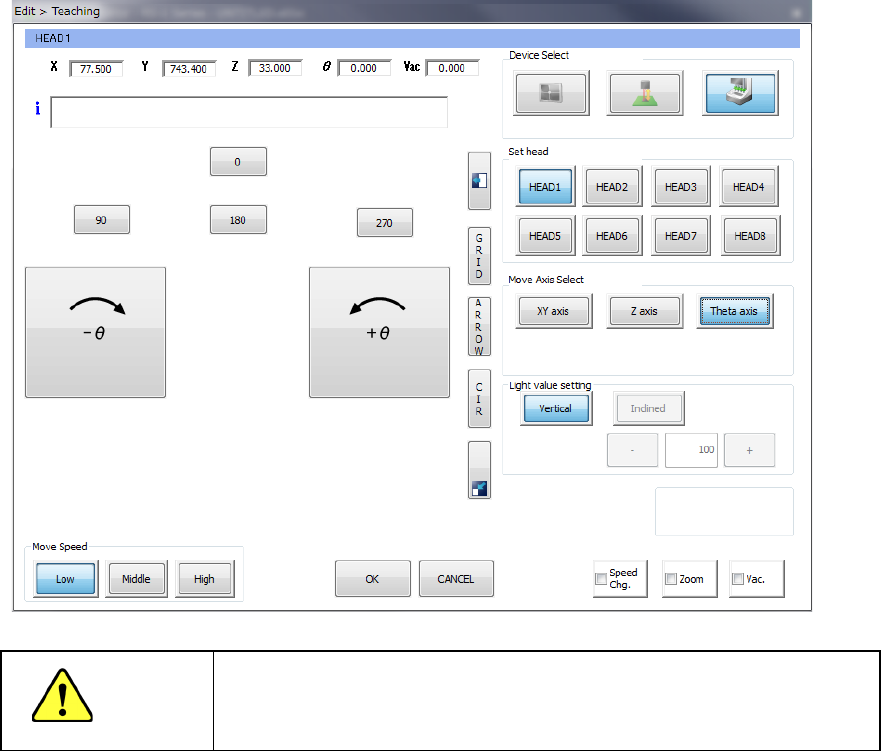
If you press the clockwise/anticlockwise rotation button displayed on the left side of the screen
when the <Theta axis> button is selected as the menu item “Move Axis Select,” the head rotates.
The rotating direction is decided viewed from the top of the machine.
When you press one of the buttons <0>, <90>, <180> and <270>, the nozzle head rotates by the
angle indicated with the button.
CAUTION
To avoid a risk of injury, do not put your hands inside the machine or
move your face or head close the machine while the system is
teaching data.
Part 1 Basic Operation Chapter 4 Creating a Production Program
4-187
(4) Teaching with the support table
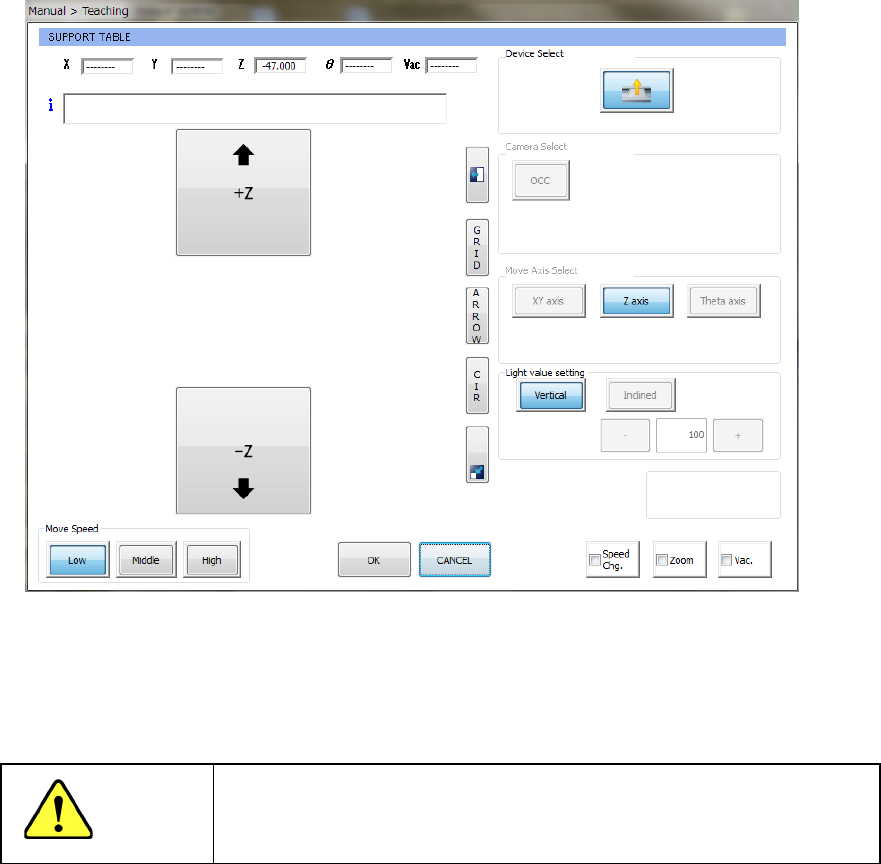
When you start up the teaching function from the menu item such as the “PWB thickness,”
the teaching screen with the support table starts up.
When you press the up/down arrow button displayed on the left side of the screen, the
support tables moves up/down correspondingly.
The current coordinates to which the support table has moved is displayed on the upper
section of the screen.
CAUTION
To avoid a risk of injury, do not put your hands inside the machine or
move your face or head close the machine while the system is
teaching data.
Part 1 Basic Operation Chapter 4 Creating a Production Program
4-188
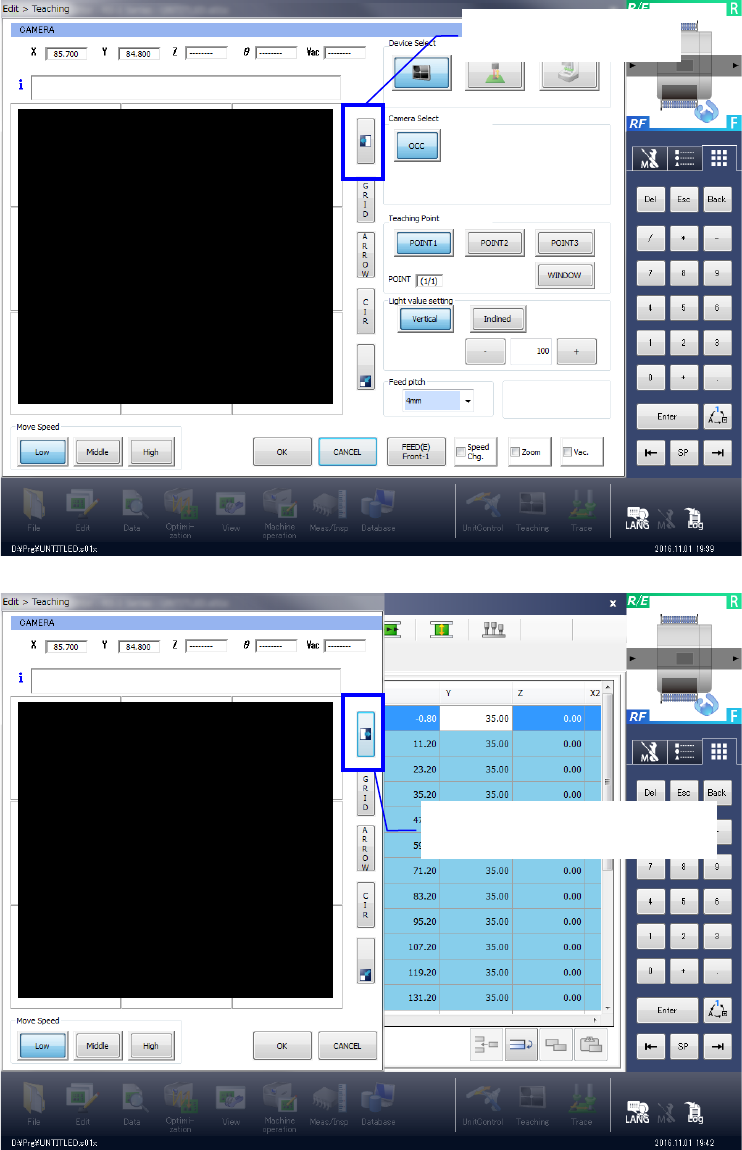
(5) Reducing or minimizing the screen
When you press the button shown on the figure below, the right screen disappears. When you
press this button again, the screen regains its original dimensions.
Hides the right side.
Displays the right side again.