RS-1_instruction manual.pdf - 第339页
Part 1 B asic O peration Chapter 4 Cr eating a Produc tion Progra m 4-4 4.2.2 Language Selection When you se lect the “ Env . Setti ng ” butto n from the deskt op screen, and then the [ Languag e Selection] command, the …
Part 1 Basic Operation Chapter 4 Creating a Production Program
4-3
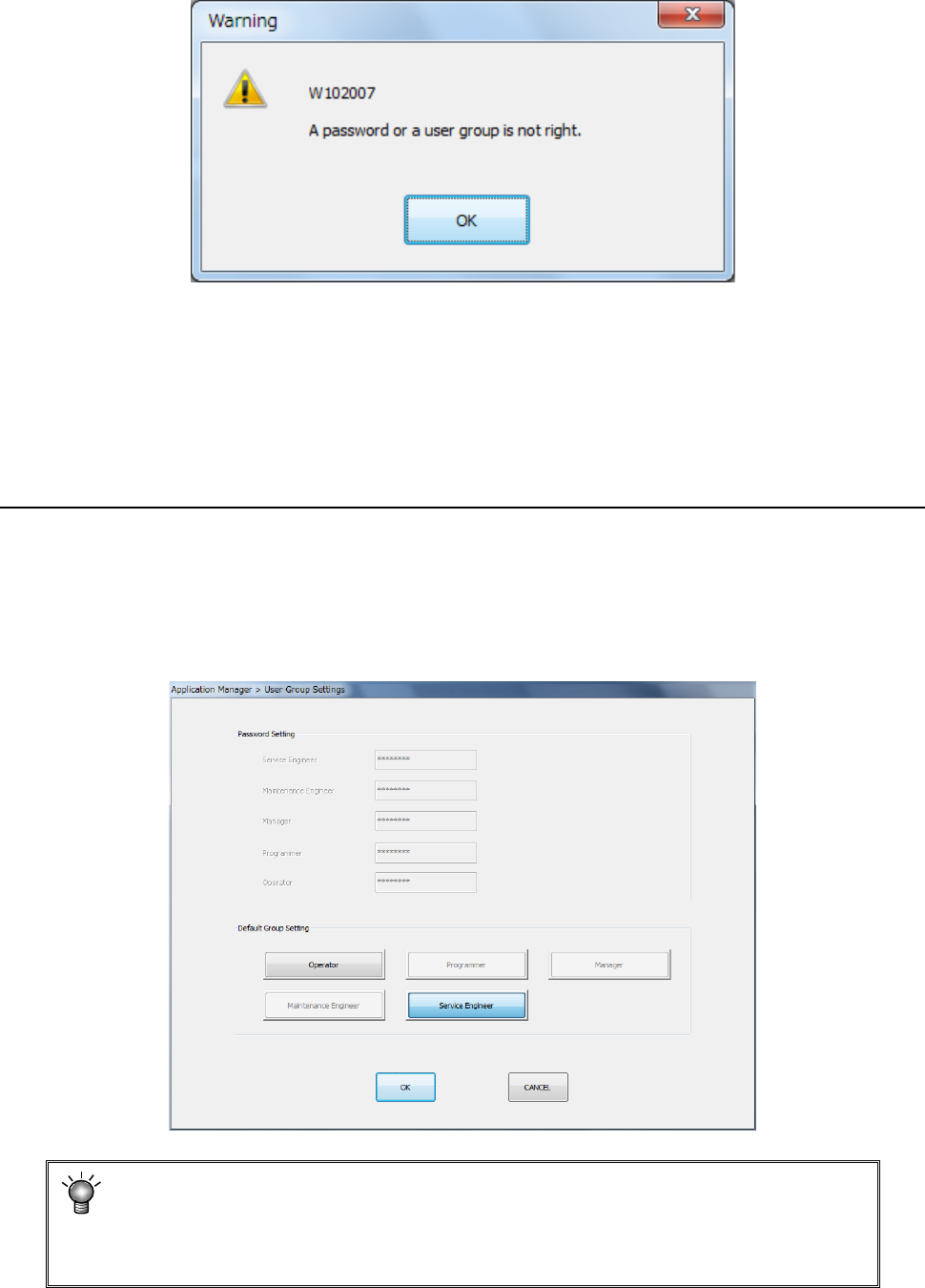
If the user group does not match the entered password, the following message appears on the
screen.
♦ Check box “Set as default after reboot”:
This check box sets the user level that is selected at first when the machine is rebooted.
If you check this check box, the user level set at the “Default user” field described under
Section 4.2.1.2 “User Grou
p Settings” is selected. Otherwise, the user level you
selected the last time is selected when the machine is rebooted.
4.2.1.2 User Group Settings
This command allows you to change each password you have to enter to change the user level, or
set the default user level (see the description of the check box “Set as default after reboot” under
Section 4.2.1.1 “Changing the user group”).
When you select the <User Group Settings> button on the “Register User Group” screen, the
dialog box appears.
The following example shows the screen displayed when you select “Service Engineer.”
• You cannot refer to or set the password for the user level higher than the user
level currently selected, and cannot change to the higher user level either.
• The default user cannot be changed to the higher user level than the present level.
• If you change the password for the user level “Manager,” do not forget it.
Part 1 Basic Operation Chapter 4 Creating a Production Program
4-4
4.2.2 Language Selection
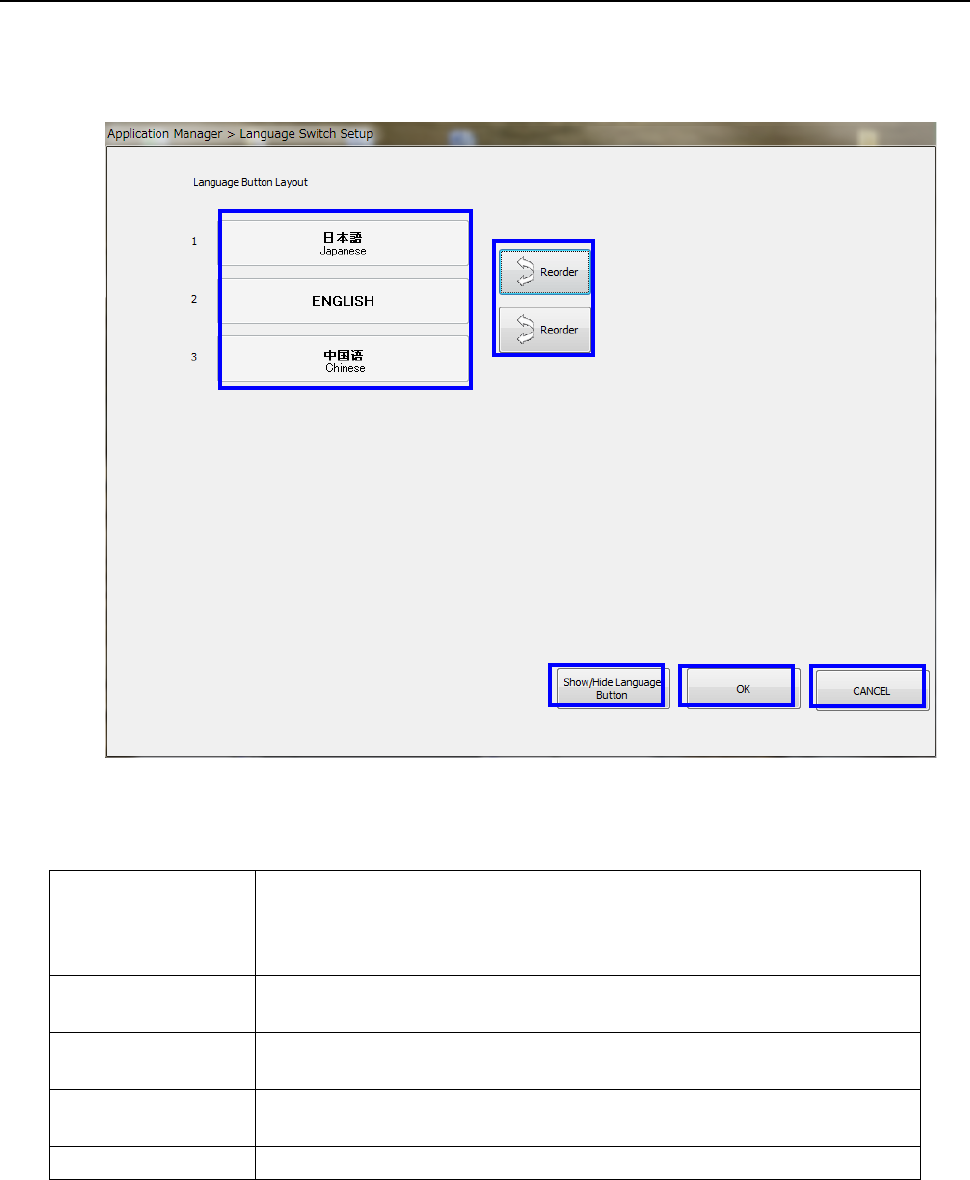
When you select the “Env. Setting” button from the desktop screen, and then the [Language
Selection] command, the following screen appears.
* This function can be executed by a user whose user group is “Manager” or higher.
◆ Function of each button
① Language buttons
When you select the “LANG” button in the Operation area, the switchable
languages appears on the screen.
A selectable language is displayed by the “Language selecting” button of the
function bar. The language in use is displayed in orange.
② Reorder
This button changes the display order of the languages on the men
u invoked with
the “LANG” button.
③
Show/Hide
Language Button
This button allows you to switch the language to be used.
④ OK
This button validates the display order the languages on the menu invoked with
the “LANG” button.
⑤ CANCEL This button cancels your settings.
①
②
④
③
⑤
Part 1 Basic Operation Chapter 4 Creating a Production Program
4-5
4.2.3 Date and Time Setting
A user whose user level is “Manager” or higher can execute this function.
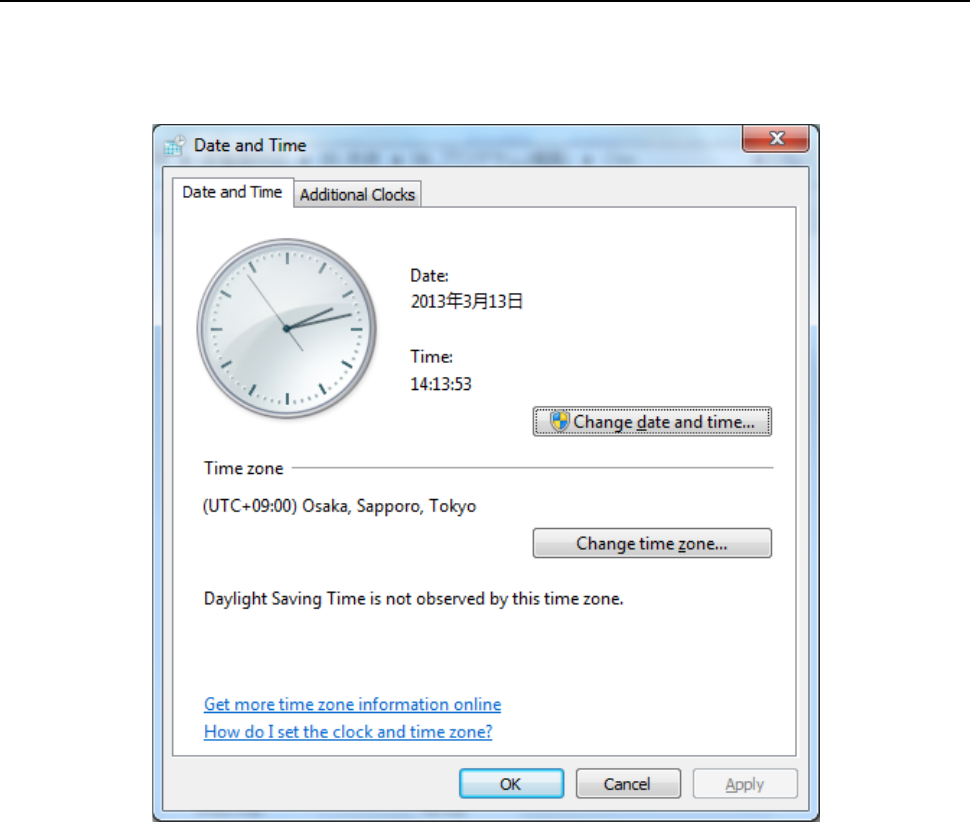
Select the “Startup” button on the desktop screen, and then the [Date and Time Setting] command.
The date and time can be adjusted.