RS-1_instruction manual.pdf - 第767页
Part 2 D etaile d Descript ion of E ach Functi on Chapter 8 Machine Set up 8- 59 (3) θ A xis Contr ol When [Contr ol unit] is specified as t he head, y ou can move the theta ax is. (4) Z A Axis Co ntrol When [Contr ol un…
Part 2 Detailed Description of Each Function Chapter 8 Machine Setup
8-58
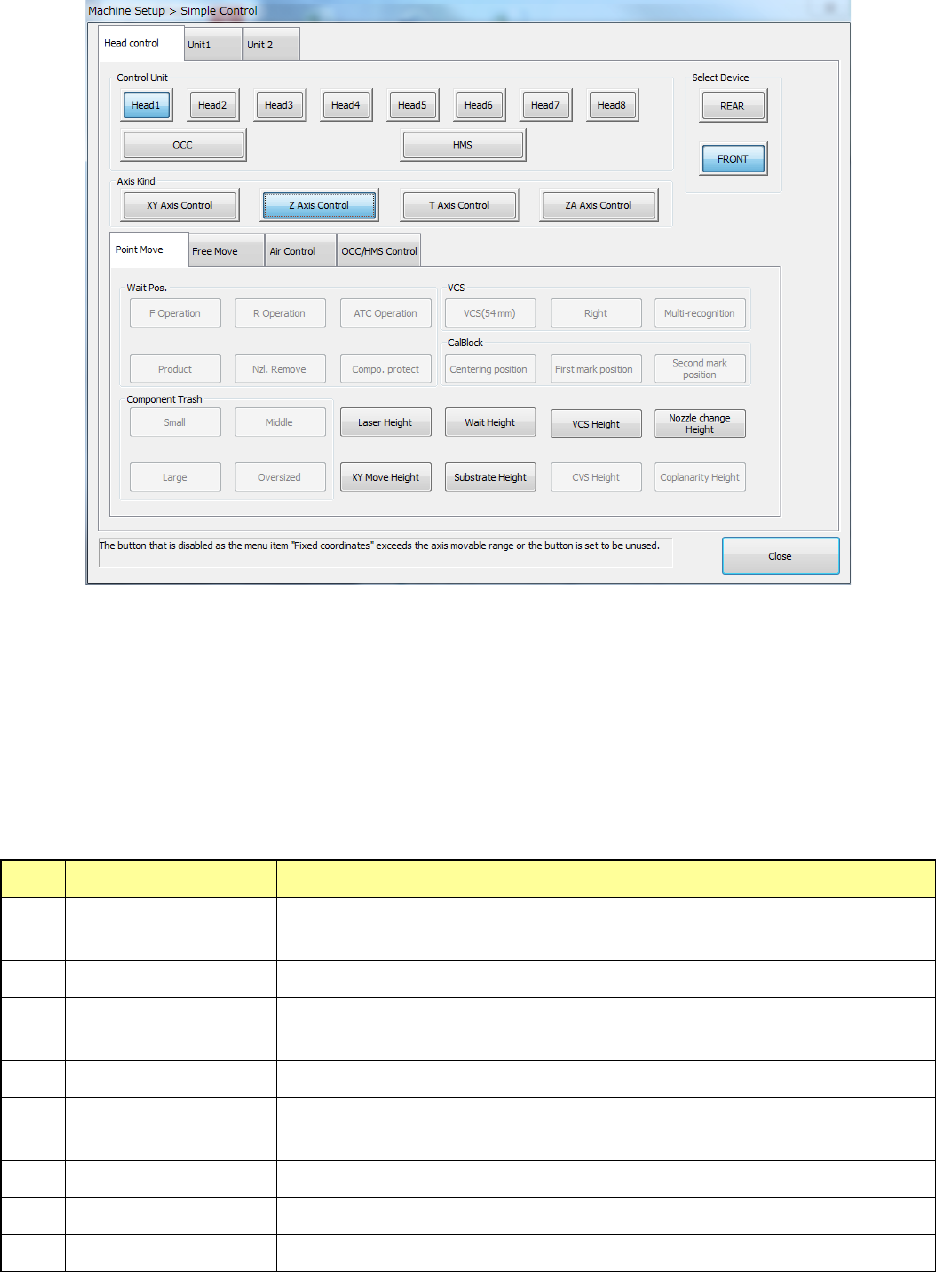
(2) Z Axis Control
When “Control unit” is specified as the head, you can move the Z-axis.
The <Wait Height>, <Laser Height>, <XY Move Height>, <Substrate Height>, <Nozzle
change Height>, <VCS height>, <SOT inspect unit Height>, <CVS Height> and <Coplanarity
Height> buttons are displayed.
Any potion button other than those shown below is disabled.
- When you press the <Nozzle change Height> button, the message indicating that a
nozzle moves down appears on the screen.
- Z Axis Control (Control Units: Head 1-8)
No. “Move Pos.” items Description
1
Wait Height
Moves the specified head to the position of the top side of a component
+ 0.5 mm.
2 Laser Height Moves the specified head to the laser height.
3
XY Move Height
Moves the specified head to the position of the top side of a component
+ 3 mm.
4 Substrate height Moves the specified head to the substrate height position.
5
Nozzle change
Height
Moves the specified head to the nozzle replacement height.
6 VCS Height Moves the specified head to the VCS height.
7 CVS Height Moves the specified head to the CVS height.
8 Coplanarity Height Moves the specified head to the coplanarity measurement position.
Part 2 Detailed Description of Each Function Chapter 8 Machine Setup
8-59
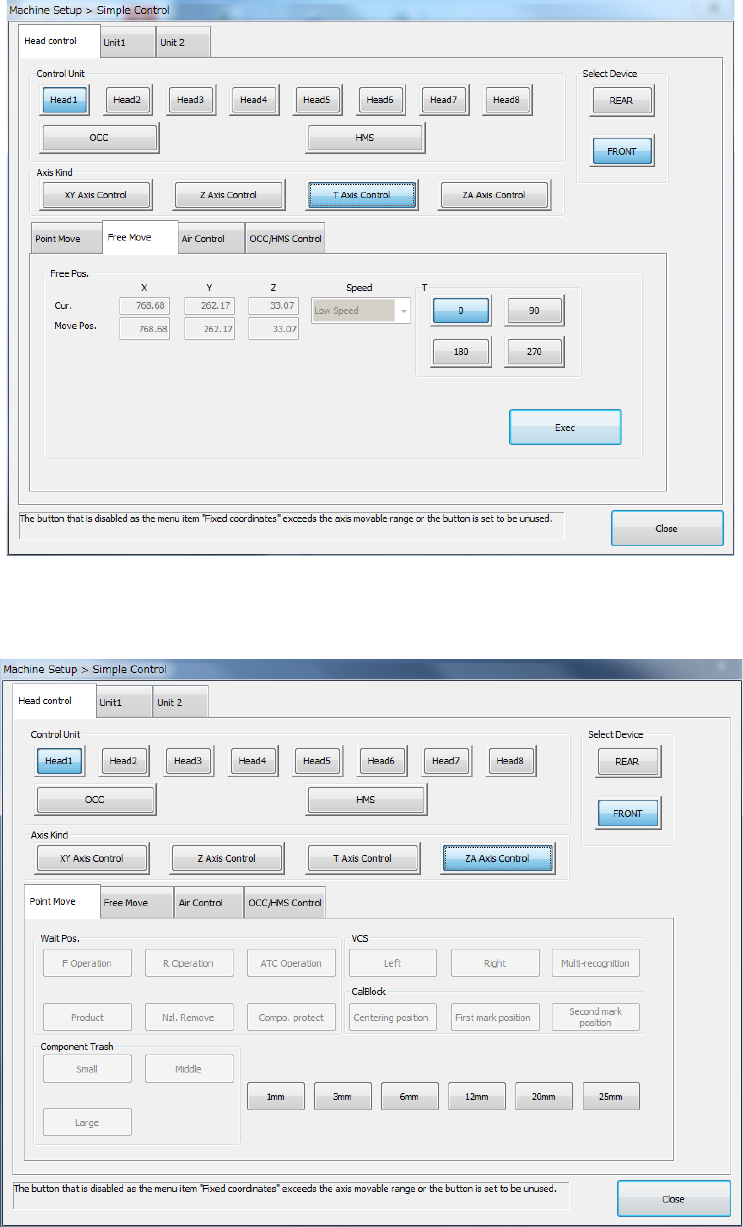
(3) θ Axis Control
When [Control unit] is specified as the head, you can move the theta axis.
(4) ZA Axis Control
When [Control unit] is specified as the head, you can move the ZA-axis.
You can select only a category height where the ZA-axis can move.
- When you select any of <1mm> to <25mm> buttons, the down message appears if the
ZA-axis moves to a position lower than the current height.
Part 2 Detailed Description of Each Function Chapter 8 Machine Setup
8-60
8.4.3 Moving the axis to the desired coordinates
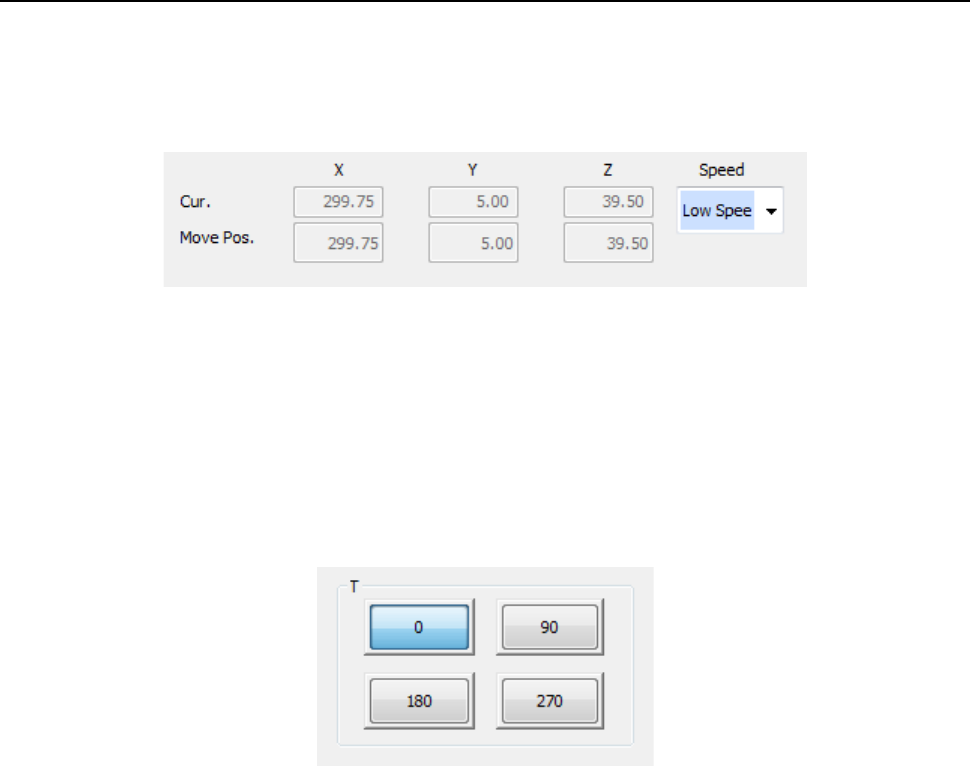
(1) Moving the X, Y and/or Z-axis
If you select the <Exec> button when you select the <XY Axis Control> or <Z Axis Control>
button in the “Axis Kind” group, the system moves the specified axis(axes) to the coordinates
specified in the “Move Pos.” field of the “Free Pos.” group.
(2) Speed
If you select the <Exec> button when you select <XY Axis Control>, <Z Axis Control>, or <T
Axis Control>, the selected axis is moved at the speed of “Low speed 2” to “High speed 2” for
XYZ axis, or at the speed of “Low speed” to “Height speed” for theta axis.
(3) θ (theta rotation)
If you select the <Exec> button when you select the <T Axis Control> button in the “Axis
Kind” group, the system rotates the specified unit in the theta direction by the angle you
specify here.