RS-1_instruction manual.pdf - 第380页
Part 1 B asic O peration Chapter 4 Cr eating a Produc tion Progra m 4- 45 The compo nent name it ems with out data setti ng are not set are indic ated in yellow . When the comp onent names set in the component data ar e …
Part 1 Basic Operation Chapter 4 Creating a Production Program
4-44
4.3.5 Component data
On the "Component" data screen, enter the detailed information on the "Component name" that
was entered on the "Placement" data screen.
Therefore, data will be created for the number of component names entered on the "Placement"
data screen.
4.3.5.1 Viewing the component data screen
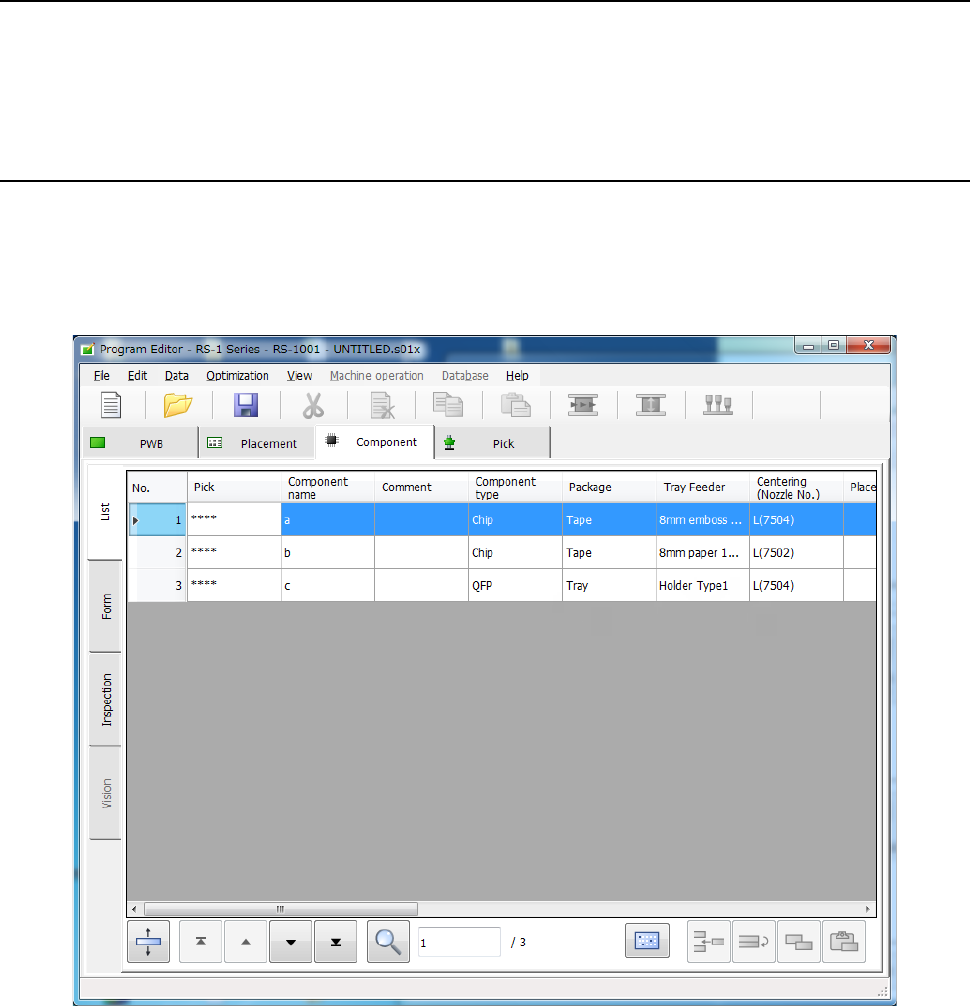
Two types of component data screens are provided: “List” screen and “Form” screen.
On the “List” screen, the system displays a list of the summary information of two or more
components.
You cannot enter any data on this screen, but you can check how you have completed component
data.
Each item can be used as a sort key to sort data and display it on the “List” screen of the
“Component” data screen.
Part 1 Basic Operation Chapter 4 Creating a Production Program
4-45
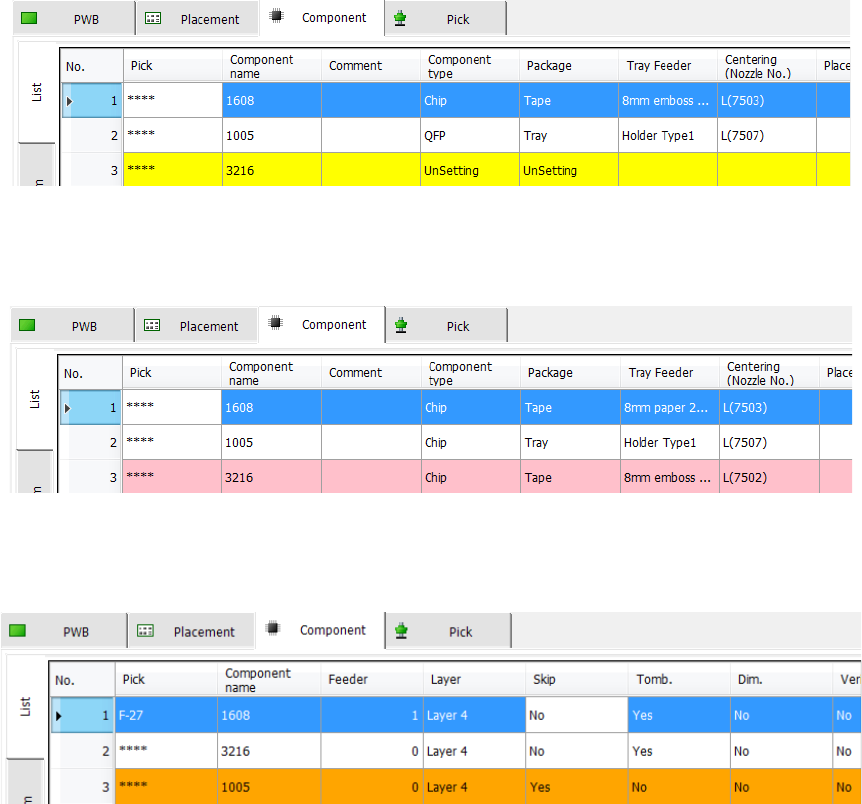
The component name items without data setting are not set are indicated in yellow.
When the component names set in the component data are not used by placement data, the items
are displayed in pink.
When Component skip is set, the items are displayed in orange. For Component skip, refer to "7)
Component skip" of "4-3-5-2 (5) Place condition."
Part 1 Basic Operation Chapter 4 Creating a Production Program
4-46
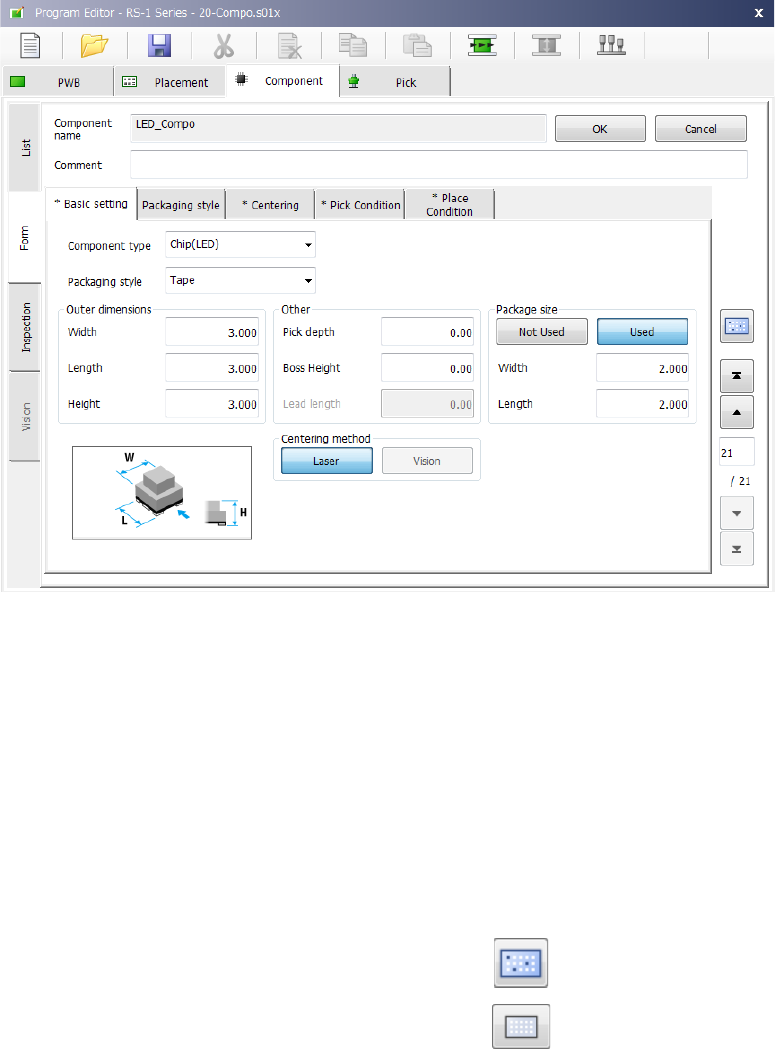
When you select a “Component name” on the “List” screen, the “Form” screen for the selected
component appears to allow you to create/edit its component data.
The “Form” screen displays data on one component on one page of screen.
When any data is not entered yet, the “Basic setting” tab sheet is displayed on which any input
item is not displayed.
When you enter data on the “Basic setting” tabs sheet, the corresponding input items are
displayed.
When you touch the filter button on the bottom of the “List” screen or on the right side of the “Form”
screen, the system switch the screen to the “List” screen of the placement data of the component
displayed at the present.
To display the list of all placement data records again, touch the filter cancel button displayed on
the bottom of the “List” screen of the “Placement” data screen.
Filer button:
Filter cancel button: