RS-1_instruction manual.pdf - 第794页
Part 2 D etaile d Descript ion of E ach Functi on Chapter 9 M anual Control 9- 22 9.5 Feeder 9.5.1 Electri c feed er contr ol When you se lect [Feeder ] – [ Electric feed er control] in the menu, t he electric feeder con…
Part 2 Detailed Description of Each Function Chapter 9 Manual Control
9-21
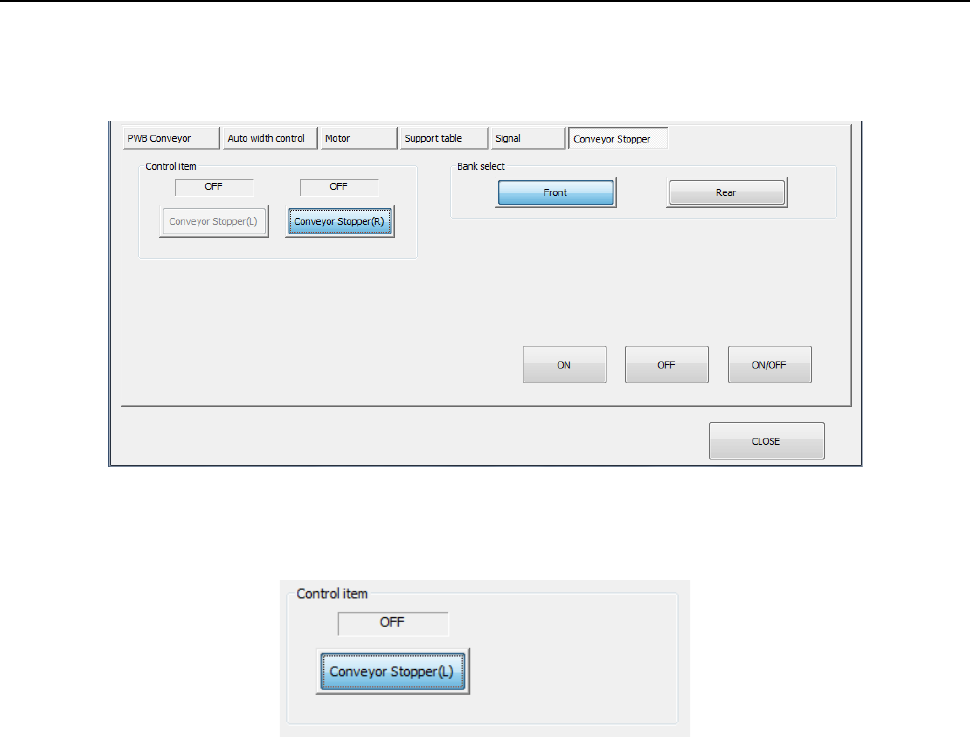
9.4.1.6 Control tab: Conveyor Stopper
When you press the <Conveyor Stopper> button, the following screen appears.
・Conveyor Stopper
(1) Control item
Select the desired control item with the corresponding radio button.
(2) <ON>/<OFF>/<ON/OFF> buttons
Press the <ON> button, the <OFF> button or the <ON/OFF> button to control the ON/OFF
state of the selected conveyor stopper.
Part 2 Detailed Description of Each Function Chapter 9 Manual Control
9-22
9.5 Feeder
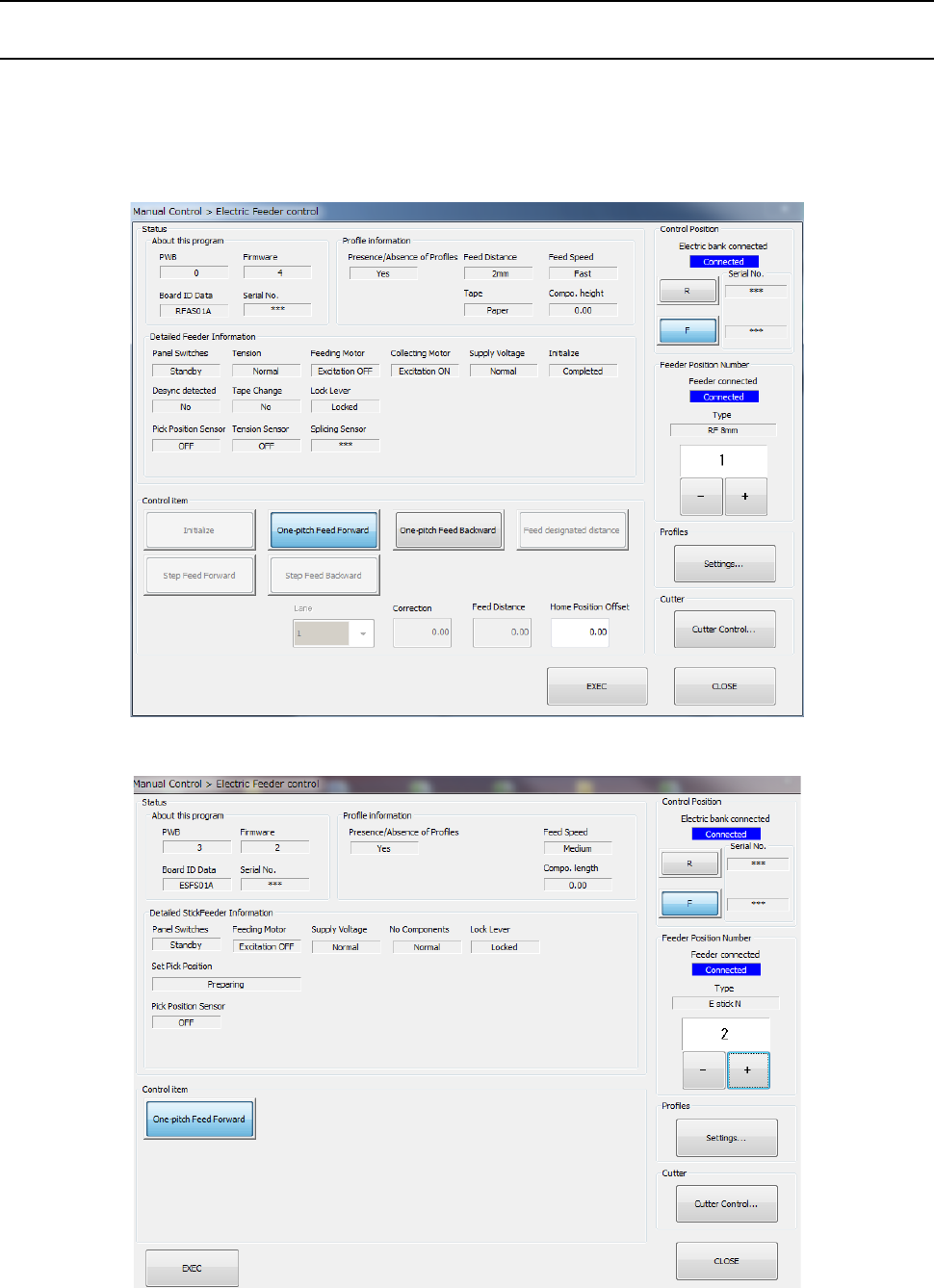
9.5.1 Electric feeder control
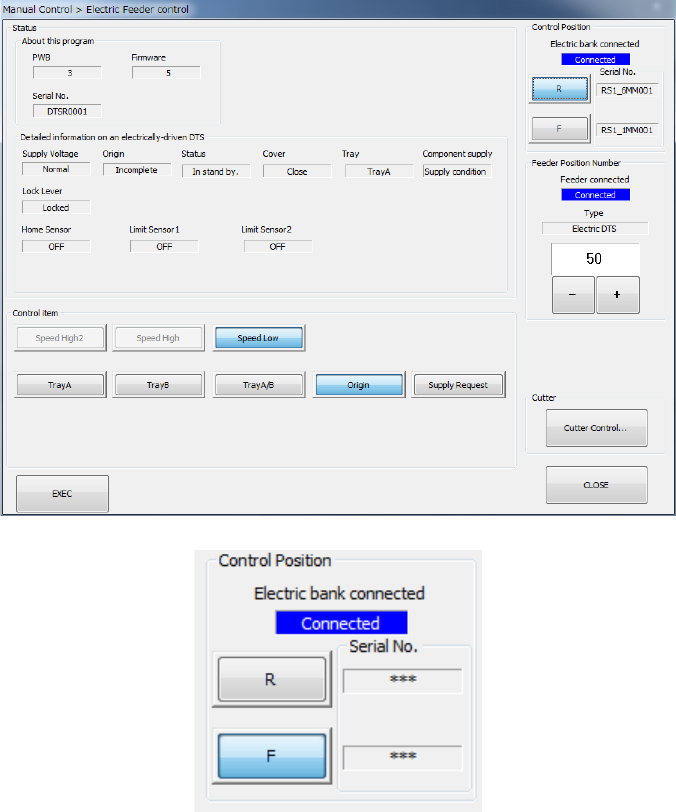
When you select [Feeder] – [Electric feeder control] in the menu, the electric feeder control dialog
is displayed. The status and control items vary a little depending on the device type to be
mounted.
<Electric feeder>
<Electric stick feeder>
Part 2 Detailed Description of Each Function Chapter 9 Manual Control
9-23
<Electric DTS>
However, when “Electric bank connected” is “Not connected”, <Exec>, <Settings…> and
<Cutter Control…> cannot be operated.