RS-1_instruction manual.pdf - 第509页
Part 1 B asic O peration Chapter 4 Cr eating a Produc tion Progra m 4- 174 4.5.3 Functions to be inv oked from the “ List ” screen These are the au xiliary functions f or creating a pr oduction program. T h e Edit but to…
Part 1 Basic Operation Chapter 4 Creating a Production Program
4-173
4.5.2.6 Transport conveyor
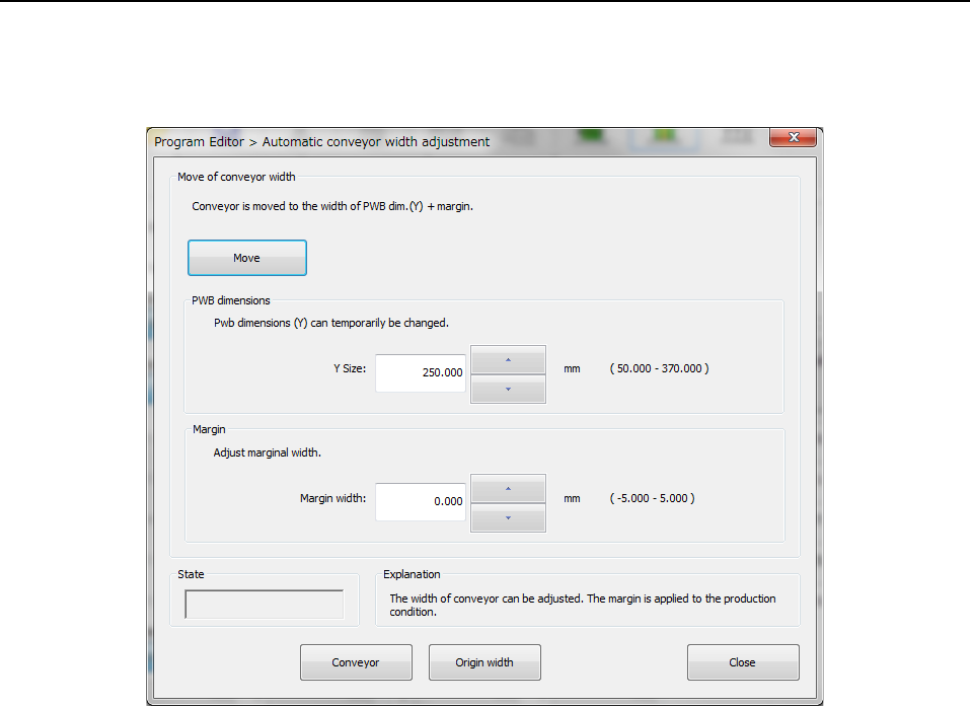
This command allows you to adjust the board transport width.
After you select this command from the menu, the following dialog box appears.
Automatic conveyor width adjustment
(1) Move
This button changes the board transport width to the “PWB dimensions” + “Margin.”
(2) PWB dimensions
Enter the outer dimensions of a board. The “PWB dimensions (Y)” of the PWB data is
entered here by default.
(3) Margin
Enter the margin between a board and the conveyor rail.
(4) State
The operation condition of the board transport path is displayed here when a board is
transported or when the automatic board width adjustment unit returns to the origin.
(5) Conveyor
This button starts up the “Pwb conveyor” dialog box.
(6) Origin width
This button returns the automatic board width adjustment unit to the origin.
(7) Close
This button quits the “Automatic conveyor width adjustment” dialog box.
Part 1 Basic Operation Chapter 4 Creating a Production Program
4-174
4.5.3 Functions to be invoked from the “List” screen
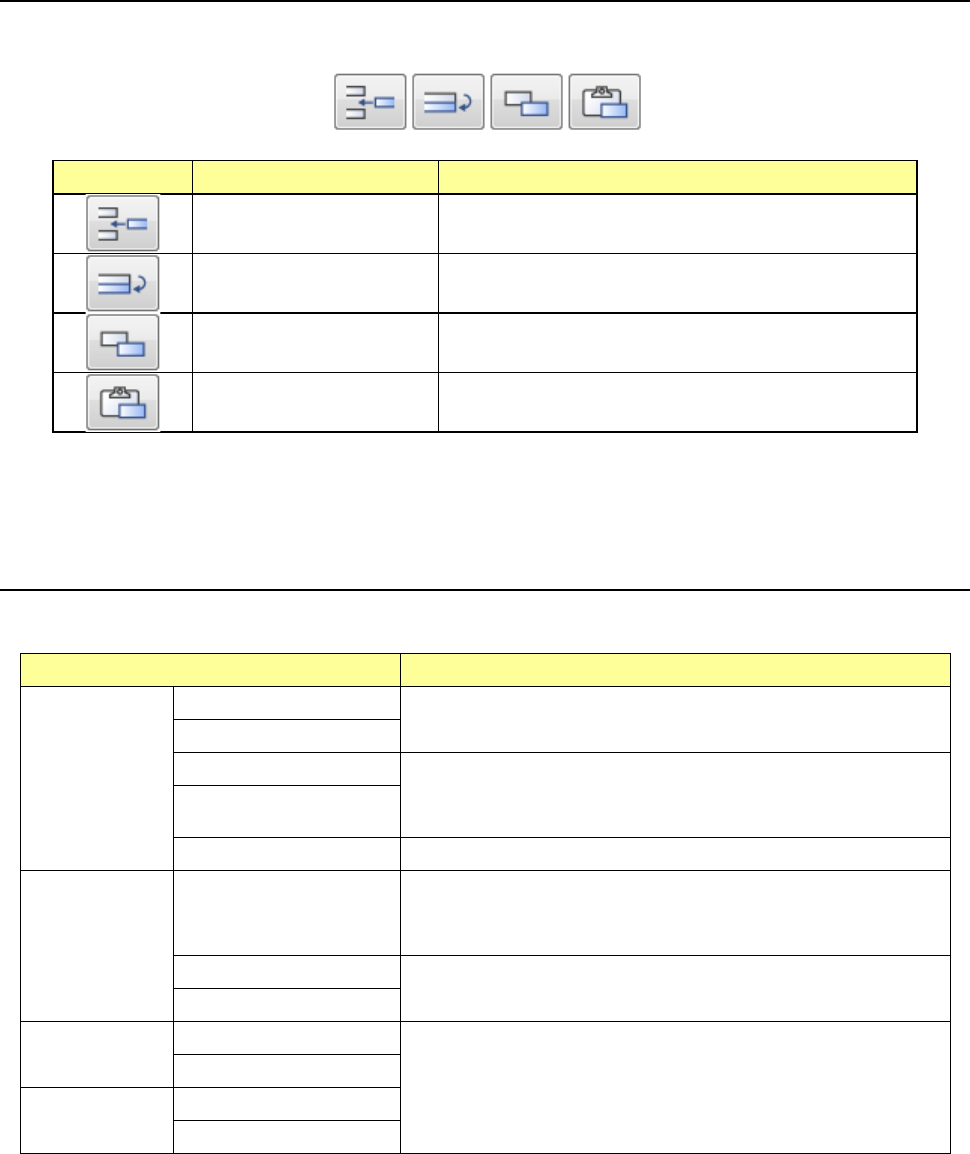
These are the auxiliary functions for creating a production program. The Edit buttons are
displayed on the lower right corner of the “List” screen.
Icon Function Description
Inserting of a line Inserts a blank record to the selected line.
Duplicating of a line Copies a record of data of the selected line and inserts it.
However, all data may not be copied.
Copy of a cell Stores a cell(s) whose range is selected and highlighted
into the memory buffer.
Pasting of a cell
Pastes data stored in the memory buffer with the [Copy of
a cell] command.
You can change the width of a cell or sort data on each “List” screen of the Program Editor.
4.5.3.1 Inserting a line
This function inserts a bank record in the selected line.
Screen Function
PWB data
Basic setting screen
This function cannot be used.
Dimension setup screen
Circuit Layout screen This command inserts a blank line to the cursor position.
After this command is executed, the cursor moves to the leftmost
input field of the blank line.
Ex. Bad Mark screen
PWB Conveyor screen This command cannot be used.
Placement
data
List screen
This command inserts a blank line to the cursor position.
The placement ID becomes “#.” The cells for the placement
positions, “Angle” and “Component name” are blank.
Area Mark screen
This command cannot be used.
Area Bad Mark screen
Component
data
List screen
This command cannot be used.
Form screen
Pick data
List screen
Form screen
* If you used the sort function, you cannot select the command for inserting a line.
Part 1 Basic Operation Chapter 4 Creating a Production Program
4-175
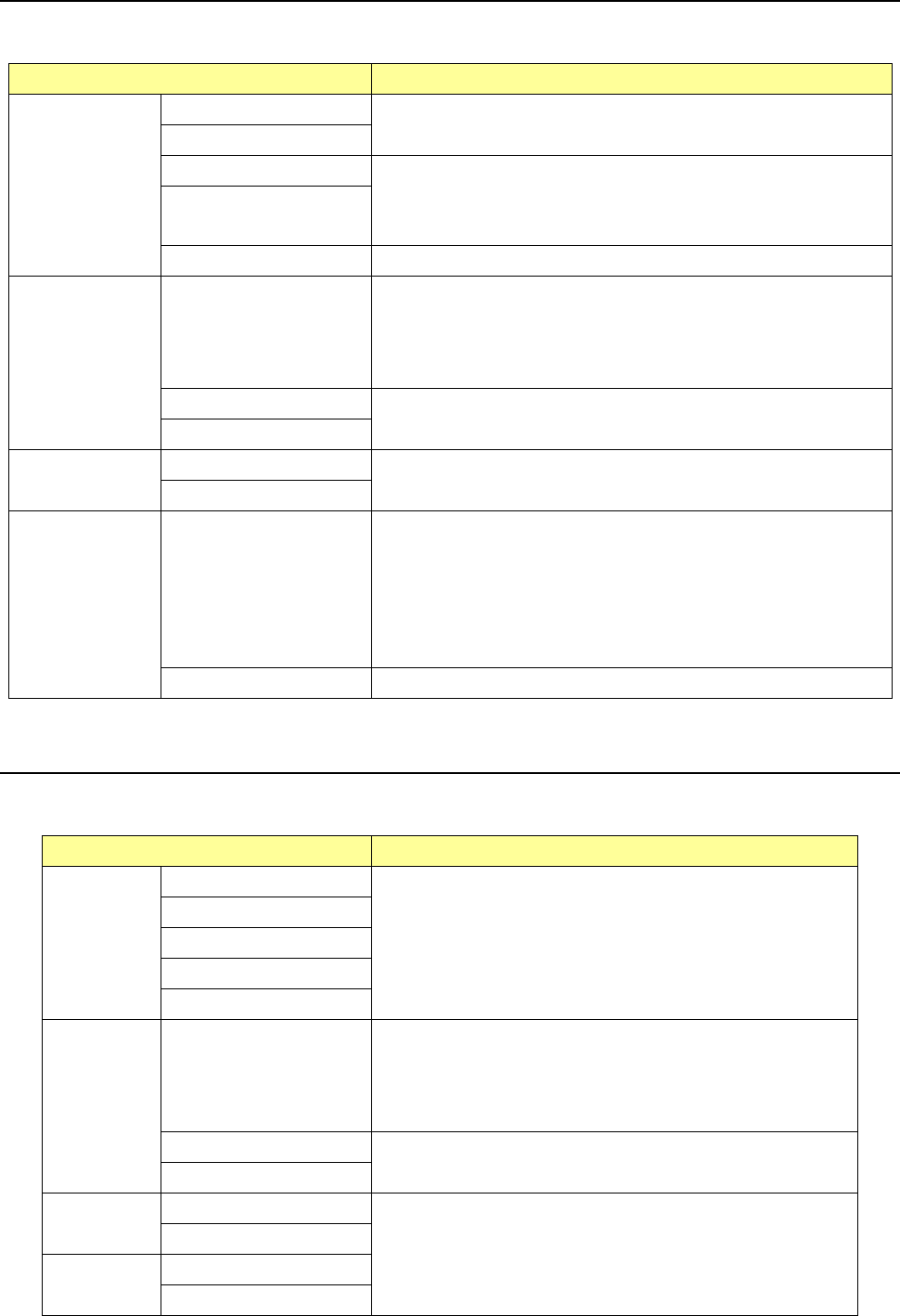
4.5.3.2 Duplicating a line
This command copies a record of data of the selected line and inserts it. However, all data may
not be copied.
Screen Function
PWB data
Basic setting screen
This function cannot be used.
Dimension setup screen
Circuit Layout screen
This command copies a line on which the cursor is located, and
inserts it to the next line.
After this command is executed, the cursor moves to the leftmost
input field of the copied line.
Ex. Bad Mark screen
PWB Conveyor screen This command cannot be used.
Placement data
List screen
This command copies a line on which the cursor is located, and
inserts it to the next line.
After this command is executed, the cursor moves to the leftmost
input field of the copied line.
The placement ID becomes “#.”
Area Mark screen
This command cannot be used.
Area Bad Mark screen
Component data
List screen
This command cannot be used.
Form screen
Pick data
List screen
The data entered in the “Component name,” “Package” and “Tape
feeder” menu items is copied, and other items are initialized.
For a tray, “*” is displayed as the component pick-up coordinates
until you enter a value in the “Pos” field.
For an MTS, the coordinates of a component pick-up position are
copied, and you cannot edit them until you enter a value in the
“Pos” field.
Form screen This command cannot be used.
* If you used the sort function, you cannot select the command for duplicating a line.
4.5.3.3 Copying a cell
This command stores a cell(s) whose range is selected and highlighted into the memory buffer.
To paste the copied cell(s) into data, execute the command for “pasting a cell.”
Screen Function
PWB data
Basic setting screen
This command cannot be used.
Dimension setup screen
Circuit Layout screen
Ex. Bad Mark screen
PWB Conveyor screen
Placement
data
List screen
The cells to be copied are: “X,” “Y,” “Angle” and “Component
name.”
Data of a cell in which the cursor is located is stored in the
memory buffer.
To paste the copied cell to data, execute the command for
pasting a cell.
Area Mark screen
This command cannot be used.
Area Bad Mark screen
Component
data
List screen
This command cannot be used.
Form screen
Pick data
List screen
Form screen