RS-1_instruction manual.pdf - 第438页
Part 1 B asic O peration Chapter 4 Cr eating a Produc tion Progra m 4- 103 When you se lect a ball pa ttern, and then touch the <Preview> button, the sel ected ball pat tern is previewed. Number of bal l s When you…
Part 1 Basic Operation Chapter 4 Creating a Production Program
4-102
⑪ Browse
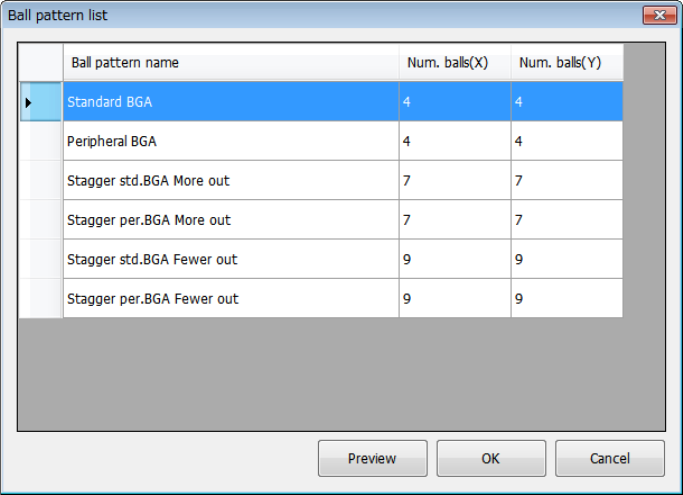
This button displays the “Ball pattern list” dialog box.
Set a ball pattern in the “Ball pattern list” dialog box.
To set it, touch the ball pattern to be set twice quickly, or touch the <OK> button after
selecting a ball pattern. The confirmation dialog box appears on the screen.
Part 1 Basic Operation Chapter 4 Creating a Production Program
4-103
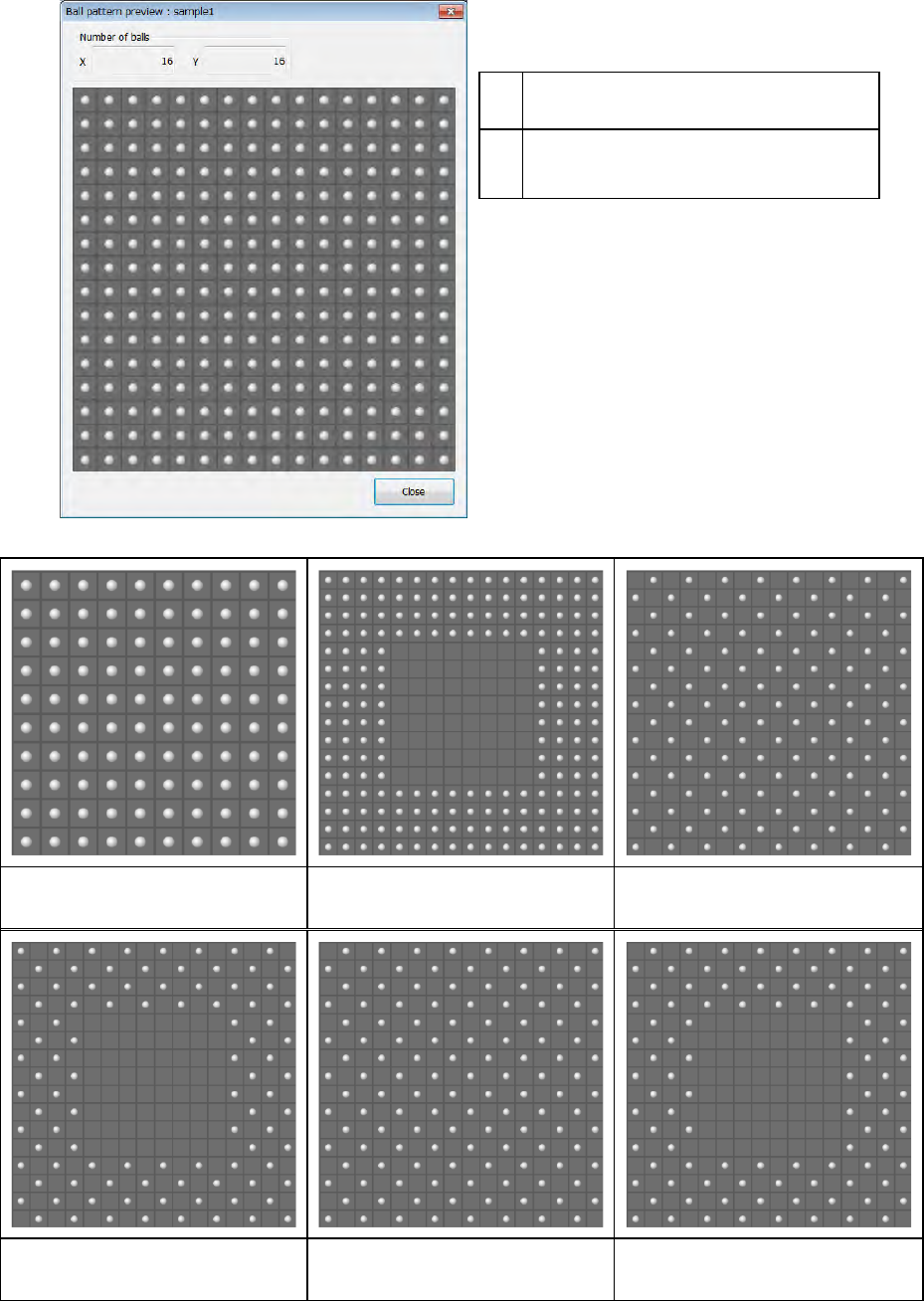
When you select a ball pattern, and then touch the <Preview> button, the selected ball pattern is
previewed.
Number of balls
When you select the <Close> button, the
screen is switched back to the pattern
selection screen.
Standard BGA Peripheral BGA Staggered std. BGA (More out)
Staggered per. BGA (More out) Staggered std. BGA (Fewer out) Staggered per. BGA (Fewer out)
X
Number of columns of balls (number of
balls located in the horizontal direction)
Y
Number of rows of balls (number of balls
located in the vertical direction)
Part 1 Basic Operation Chapter 4 Creating a Production Program
4-104
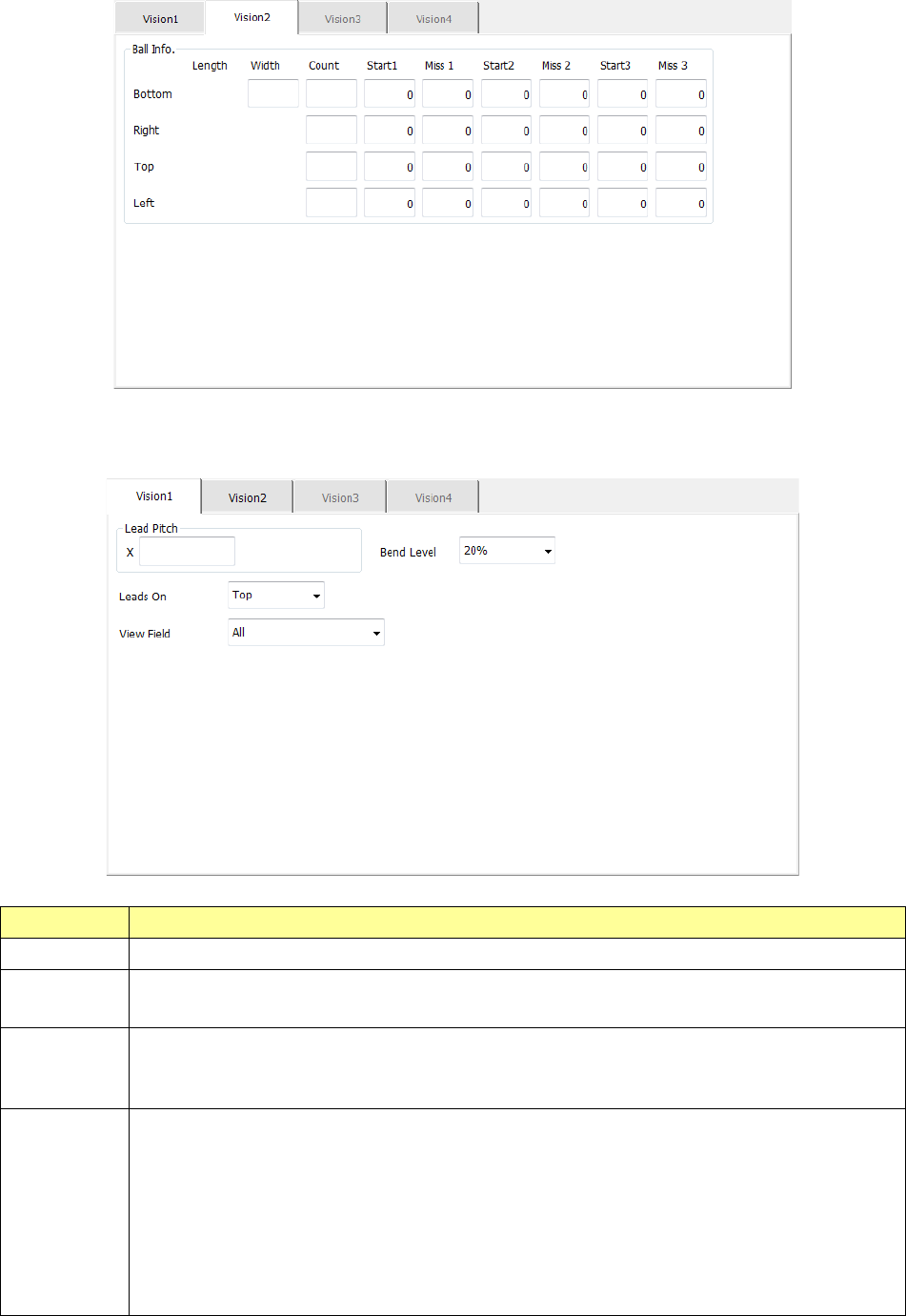
The “Vision 2” tab allows you to set information on balls.
8) Unidirectional lead
The “Vision 1” tab allows you to set the lead pitch and the lead bending level.
Menu item Overview
Lead Pitch Enter the distance between two consecutive leads.
Bend level
Select the bending level of a lead to be detected among “15 %,” “20 %,” “25 %,” “30 %” and “None.”
The default value is 20 %.
Leads On
Select the lead direction, “Top” or “Bottom.”
The items displayed in the “View Field” and the input section of the “Lead info.” column displayed
on the “Vision 2” tab are switched according to this setting.
View Field
Select the range of leads of a connector component to be recognized and that not to be recognized
among “All” (all leads), “Only the both ends lead” (only leads on both ends) and “Both ends lead
exclusion” (leads on both ends are excluded).
“All” is selected by default.
When you select “Only the both ends lead” or “Both ends lead exclusion”:
- If “Top” is selected for the menu item “Leads On,” the items “L Top” and “R Top” are displayed.
- If “Bottom” is selected for the menu item “Leads On,” the items “L Bot.” and “R Bot.” are
displayed.