RS-1_instruction manual.pdf - 第920页
Part 2 D etaile d Descript ion of E ach Functi on Chapter 12 Handling th e Optional Device s 12 - 36 12.6.2.2 Manual Control When you se lect [Other ] – [Cutt er control] on t he manua l control scree n, the cutter contr…
Part 2 Detailed Description of Each Function Chapter 12 Handling the Optional Devices
12-35
12.6 Cutter
12.6.1 Overview
The tape was automatically cut after placement and processed collectively.
This is an integrated type which is mounted on the main body.
12.6.2 Operations
12.6.2.1 Machine setup
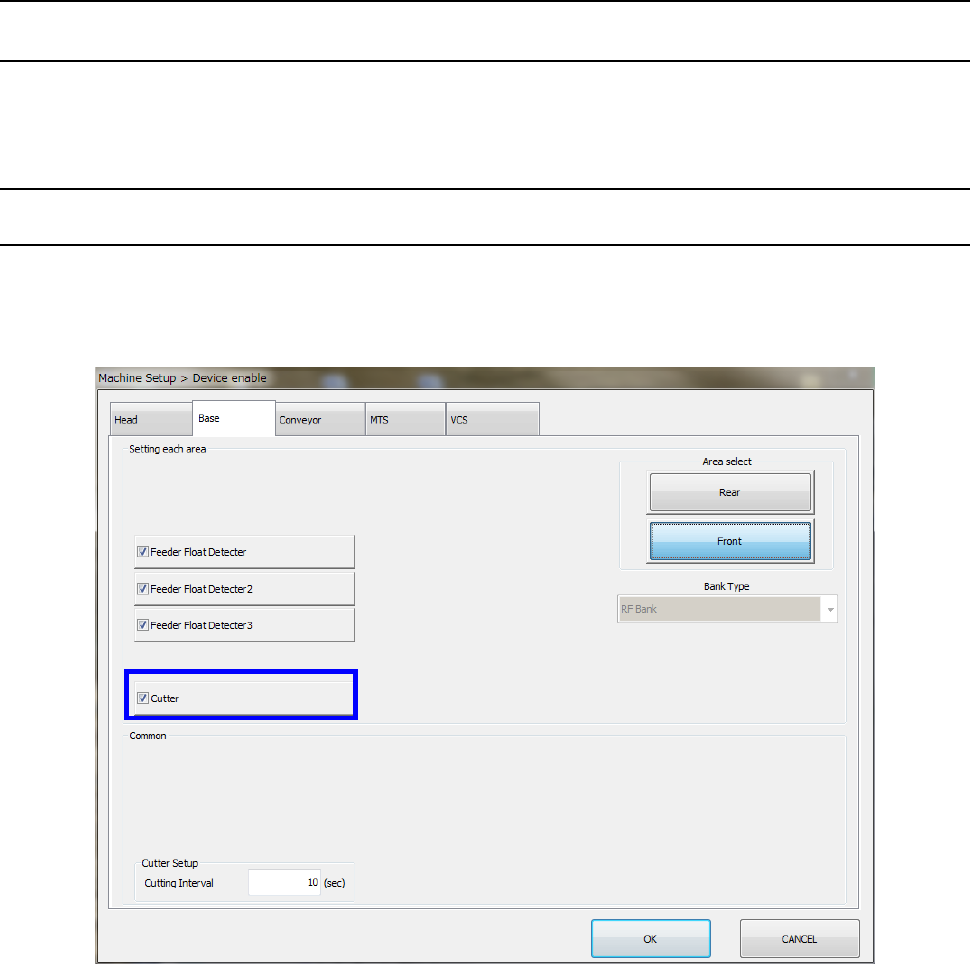
Select [Device enable] – [Option unit] in the machine setup screen and make sure that “Cutter” is
checked off.
For the setting method, refer to “8.3.1.2 Base.”
Part 2 Detailed Description of Each Function Chapter 12 Handling the Optional Devices
12-36
12.6.2.2 Manual Control
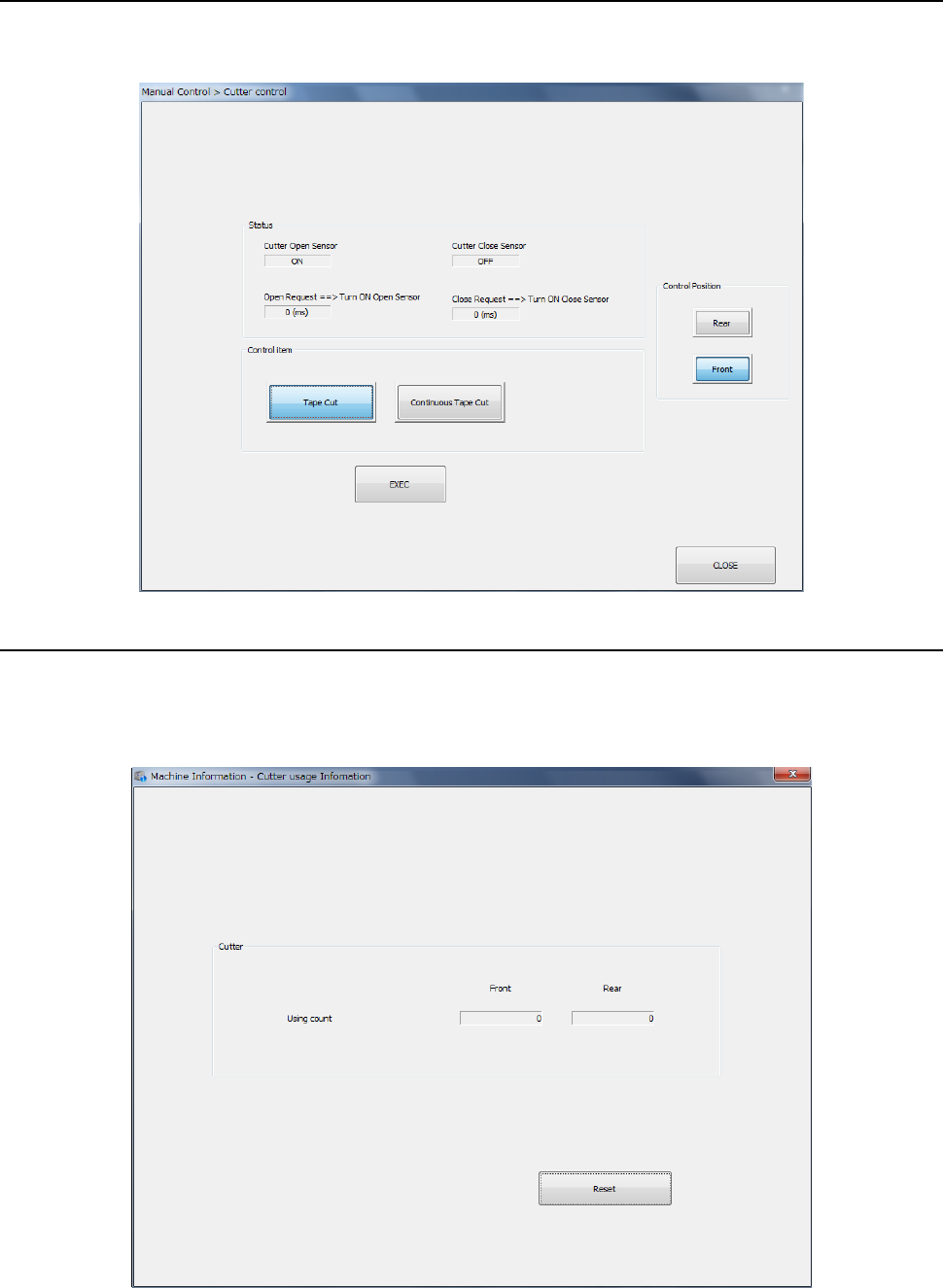
When you select [Other] – [Cutter control] on the manual control screen, the cutter control screen
is started. For the operating method, refer to “9.6.9 Cutter control.”
12.6.2.3 Machine Information
Select [Cutter usage information] on the machine information screen to display the cutter usage
information screen. You can check the number of cutter operations. For the operating method,
refer to “10.3.12 Cutter usage information.”
Part 2 Detailed Description of Each Function Chapter 12 Handling the Optional Devices
12-37
12.6.2.4 Production
When “Cutter” is checked off in [Option device enable] in Machine setup, the cuter is operated in a
certain cycle during production.
(1) Cutter operation timing
When production is started, the tape cutter functions at constant intervals. When production
is finished, the tape cutter operation is completed.
1) Cutter operation stop timing
The cyclic tape cut operation is stopped in the status shown below.
- Pause
- Non-production
2) Cutter single operation timing
The tape cut operation is performed once at the timing shown below.
- Production completion
- Pause
- <Cutter> button is pressed on the “Pause” screen.
(2) <Cutter> button
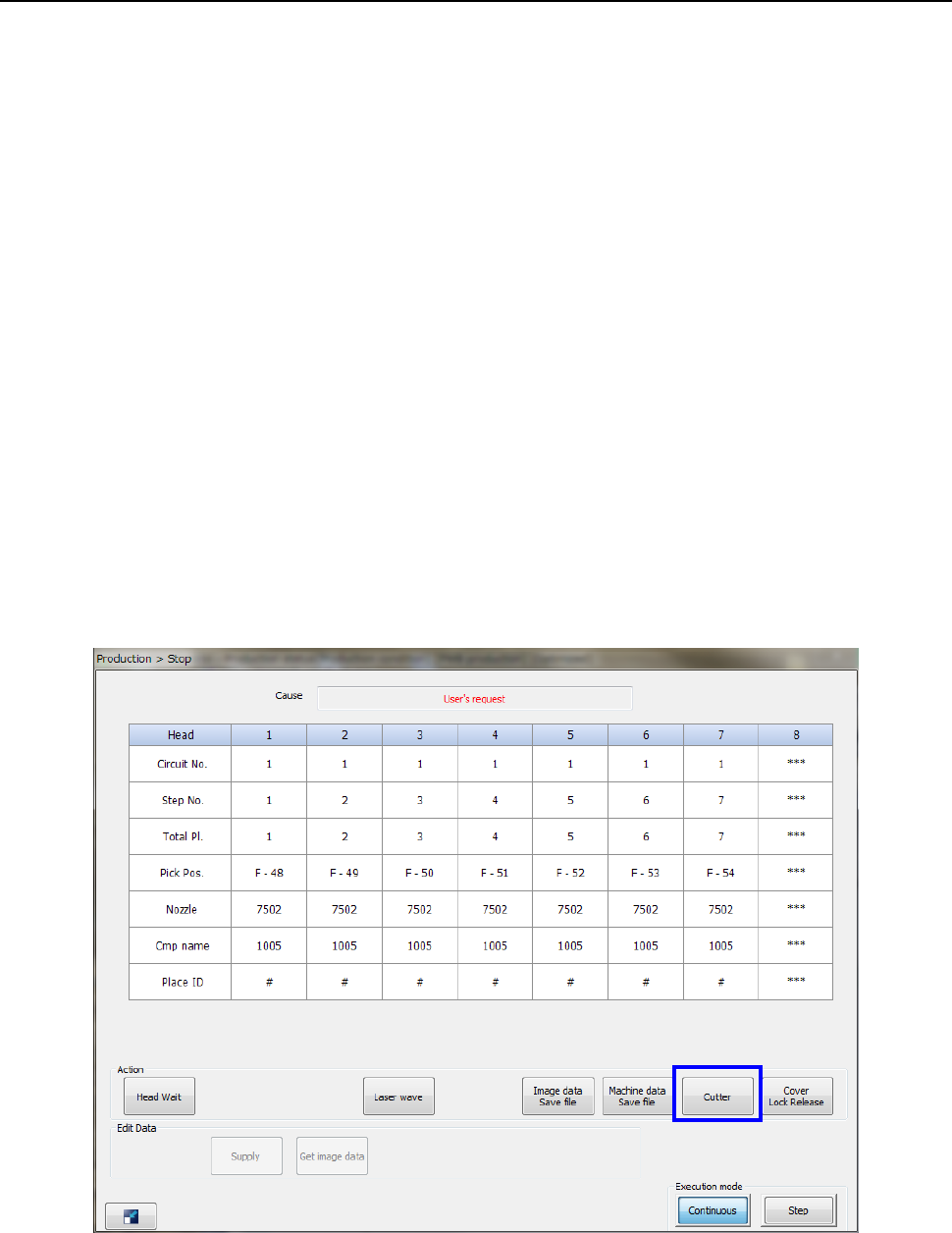
The <Cutter> button is displayed in the “Stop” dialog box.
When you press the <Cutter> button, the “Question” message appears.
Pressing <OK> will start the tape cut operation.
- “Stop” dialog box