RS-1_instruction manual.pdf - 第459页
Part 1 B asic O peration Chapter 4 Cr eating a Produc tion Progra m 4- 124 (6) P ick posi ti on Specify th e X, Y an d Z co ordinates of the com ponent pick - up position h ere. When you enter data into the “ Side ” and …
Part 1 Basic Operation Chapter 4 Creating a Production Program
4-123
(4) Lane
When you use a stick feeder, select the lane number.
The lane numbers are assigned from 1 when viewed from the left on both the front side and the
rear side.
Only one lane is to be used on the current supply device.
When you use a DTS, select the stage on which a tray component is stored.
The system automatically calculates the component pick-up position from the DTS based on the
tray information of the Component data to show it.
The top side is the first stage, while the bottom side is the second stage.
(5) Feeder type (You have to specify this menu item for a tray, an electric tape feeder or a stick
feeder.)
Select a type of a tray an electric tape feeder or a stick feeder.
Note that the contents set in the component data of a stick feeder or a tray are displayed here. To
change any of the contents, do it on the “Component” data screen.
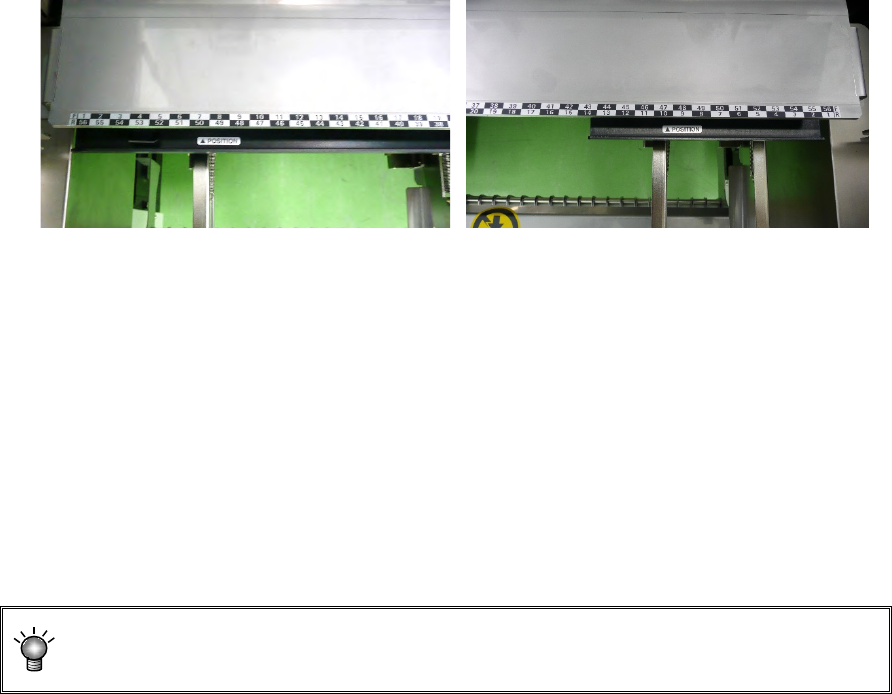
• Tray holder
Tray holders are classified into "Type 1 (full specification)" and "Type 2 (half specification)."
Tray holder (Type 1) Tray holder (Type 2)
* When installing a tray holder, check it at the position of the ▲POSITION mark.
● For electric bank (RF) :
When the electric bank (RF) is used, only the electric tape feeder (RF) can be selected for
the feeder type.
● For electric bank (RF/EF) :
When the electric bank (RF/EF) is used, the electric tape feeder (RF) or electric tape feeder
(EF) can be selected for the feeder type. The default setting is the electric tape feeder (RF).
To mount the electric tape feeder (EF), an optional attachment is needed.
When the electric feeder (EF) is mounted on the electric bank (RF/EF) using the
attachment, the pickup accuracy is not guaranteed.
Part 1 Basic Operation Chapter 4 Creating a Production Program
4-124
(6) Pick position
Specify the X, Y and Z coordinates of the component pick-up position here. When you enter data
into the “Side” and “Position” fields, the system automatically calculates and displays these
coordinates. Make fine adjustments of these coordinates with teaching operation.
CAUTION
To avoid a risk of injury, do not put your hands inside the machine nor
move your face or head close the machine while the system is performing
a teaching operation.
If the feeder bank is never recognized (for example, immediately after the
devices of the machine return to their home positions or the bank moves
down then up), the head moves across the feeder bank when you perform
a teaching operation. Do not place your hand or head in the machine, nor
move your hand or face close to the machine.
When you use an HMS, use caution for preventing laser beam from getting
into your eyes directly or after reflecting by a mirror.
You can enter only the “X1” and “Y1” fields for a tape feeder or stick feeder.
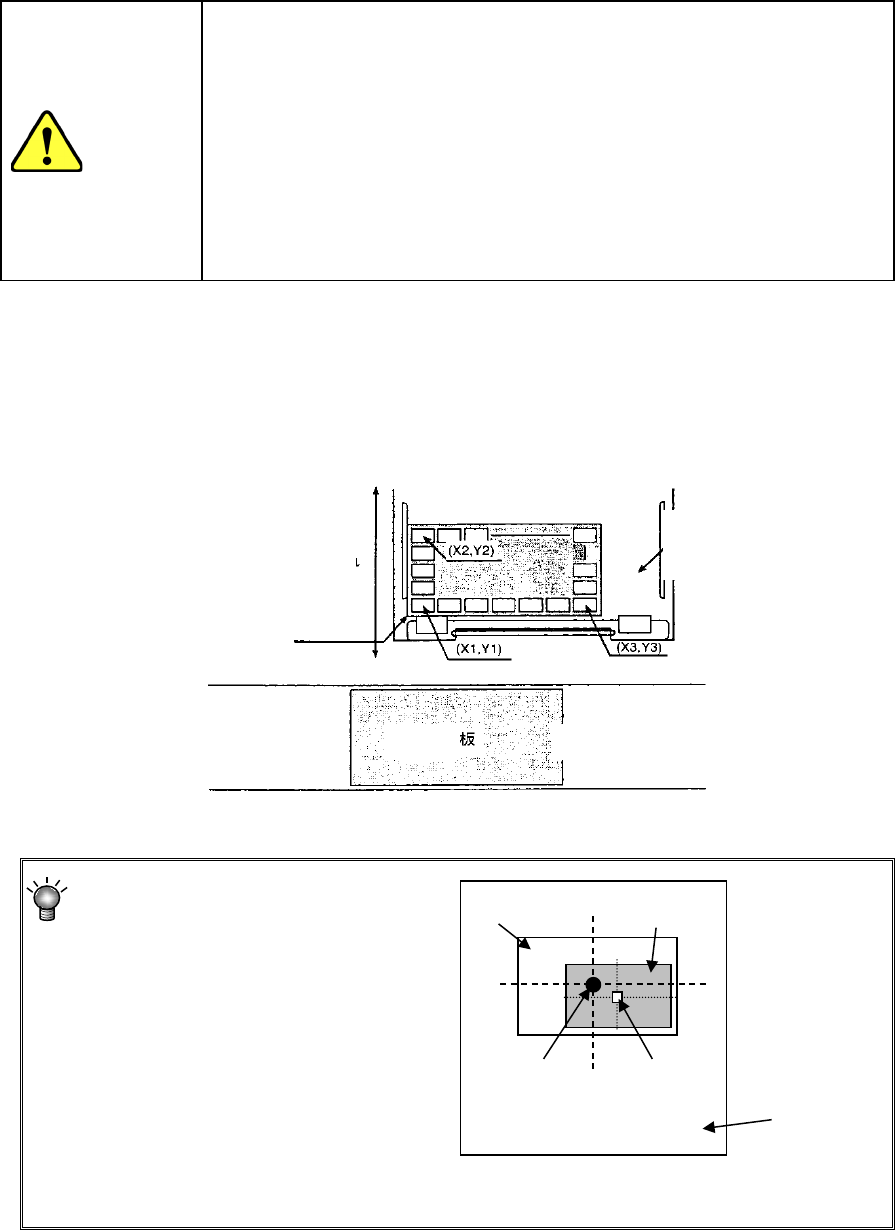
For a tray, you have to perform the teaching operation for three positions (X1Y1, X2Y2 and X3Y3
as shown in the figure below) since the head moves to each component position and pick up each
one from a tray. Note that you do not have to enter any data in the “Z” field in case of an MTC
since a component is picked up inside the MTC.
Specify the center of the frame within
which a component is located instead
of the center of a component as the
XY coordinates.
* If you specify an incorrect value in the “X,” “Y” or “Z” field, a tombstone error or
pick-up error may tend to occur.
Frame
Component
Center of
the frame
Center of a
component
Feeder unit
Putting in/out
PWB
MTS, MTC, DTS or tray
holder
Transport path
Machine front
Press the tray against here
Part 1 Basic Operation Chapter 4 Creating a Production Program
4-125
(7) Status (Used)
Specify whether or not to use this feeder unit when production.
“Used” is selected as the initial setting.
If there are two or more feeder units, specify the unit that is actually used for production with this
machine.
A feeder unit whose “Status” is “Not Used (No)” cannot be used as an alternate feeder even
though there are two or more feeder units.
(8) Remain
Specify the number of the remaining components. You have to enter this value for components
supplied in a tray.
You cannot set any value for components supplied with a feeder.