semi合集-English.pdf - 第2087页
SEMI E54.11-0301 © SEMI 2 001 10 Table 15 Sensor-BI-EP O b ject Serv ices Service Service Identifier Type Descrip tion Endpoint O n S1 R Used to pr ompt the endp oint object t o go from the ENDPOINT OFF s tate to ENDPOIN…

SEMI E54.11-0301 © SEMI 20019
5-63 = Reserved
64-255 = Manufacturer Specified (optional)
8.5.1.4 Status — An attribute which s pecifies whether endpoint detection event reporting is active based upon the
services ‘Endpoint On’, ‘Endpoint Start’, and ‘Endpoint Off or On’. This attribute is an enumerated byte that can
take on one of the following values:
0 = Endpoint Off
1 = Endpoint On
8.5.1.5 Minimum Time — An attribute that specifies the minimum time in milliseconds for an endpoint detection
event. No attempt to report an endpoint detection event will take place until the minimum time specified has
expired.
8.5.1.6 Maximum Time — An attribute that specifies the maximum time in milliseconds for an Endpoint detection
event before an alarm is reported.
8.5.1.7 Target Time — An attribute that specifies the expected time in milliseconds for an Endpoint detection
event.
8.5.1.8 Elapsed Time — An attribute that specifies in milliseconds the amount of time that has elapsed since the
beginning of the current endpoint detection event. This attribute will behave as a count up timer that is frozen when
the endpoint event is detected.
8.5.1.9 Time Stamp — An attribute that specifies the time when the endpoint detection event completed.
8.5.1.10 Recipe Identifier — An attribute that specifies a manufacturer specific endpoint algorithm or algorithms to
be utilized to determine the current endpoint detection event. The interpretation of this attribute is manufacturer
specific.
8.5.1.11 Step Identifier — An attribute that specifies a process recipe step that is associated with the current
endpoint detection recipe and/or event. The interpretation of this attribute is manufacturer specific.
8.5.1.12 Initial and Default Values
Table 14 Sensor-BI and Sensor-BI-EP Object Attributes Initial and Default Values
Attribute Initial Value Default Value Comment
Value FALSE FALSE
Reading Valid 0 0 Invalid Reading
State LVV 0 ENDPOINT OFF
Status 0 Endpoint Off
Minimum Time LVV 0 Milliseconds
Maximum Time LVV 0 Milliseconds
Target Time LVV 0 Milliseconds
Elapsed Time LVV 0 Milliseconds
Time Stamp LVV Manufacture Specified Date_And_Time
Recipe Identifier LVV Manufacture Specified
Step Identifier LVV Manufacturer Specified
8.5.2 Sensor-BI-EP Object Services — The services provided by the Sensor-BI-EP are inherited from the Sensor-
BI object defined in SEMI E54.1. The Sensor-BI-EP object supports the additional services listed in Table 15 below.

SEMI E54.11-0301 © SEMI 2001 10
Table 15 Sensor-BI-EP Object Services
Service Service
Identifier
Type Description
Endpoint On S1 R Used to prompt the endpoint object to go from the ENDPOINT OFF state to
ENDPOINT ON/ENDPOINT IDLE state as defined by the State and Status
attribute.
Endpoint Off S2 R Used to prompt the endpoint object to go immediately to the ENDPOINT OFF state
as defined by the State and Status attribute. All endpoint detection processes are
aborted and all active timers are stopped.
Endpoint Start S3 R Used to prompt the endpoint object to go from the ENDPOINT OFF or ENDPOINT
IDLE (optional) state to the ENDPOINT IN PROCESS state and begin the endpoint
detection event process.
Endpoint
Suspend
S4 R Used to prompt the endpoint object to go to the ENDPOINT SUSPENDED state
from the ENDPOINT IN PROCESS state. All endpoint detection event processes
and active timers are suspended.
Endpoint
Resume
S5 R Used to prompt the endpoint object to go from the ENDPOINT SUSPENDED state
to the ENDPOINT IN PROCESS state. All endpoint detection event processes and
active timers resume from where they were suspended.
Reserved S6–S64 — Reserved for future expansion
Manufacturer
Specified
> S64 — Manufacturer Specific services
8.5.2.1 Endpoint On (Required) — Th is service is
used to prompt the endpoint object to go from the
ENDPOINT OFF state to the ENDPOINT ON /
ENDPOINT IDLE state as defined by the State
attribute. If the device does not support the ENDPOINT
IDLE state then the endpoint object goes immediately
to the ENDPOINT ON / ENDPOINT IN PROCESS
state. If the State attribute is already set to ENDPOINT
IDLE or ENDPOINT IN PROCESS, the endpoint
object is set to the appropriate state. If the device turns
on successfully, a “success” response is returned. If the
device fails to turn on properly, a “fail” response is
returned and the endpoint object remains in the
appropriate state.
8.5.2.2 Endpoint Off (Required) — This service is
used to prompt the endpoint object to go immediately to
the ENDPOINT OFF state from the ENDPOINT ON
state as defined by the State attribute. All endpoint
detection event processes are aborted and all active
timers are stopped. If the state attribute is already set to
ENDPOINT OFF, the endpoint object remains in the
appropriate state. If the device turns off successfully, a
“success” response is returned. If the device fails to turn
off properly, a “fail” response is returned and the
endpoint object remains in the current state.
8.5.2.3 Endpoint Start (Optional) — T his service is
used to prompt the endpoint object to go from the
ENDPOINT OFF or ENDPOINT IDLE state to the
ENDPOINT IN PROCESS state and begin the endpoint
detection event process with the initial endpoint
attribute parameter values. If the State attribute is not
currently in the ENDPOINT OFF or ENDPOINT IDLE
state, an “object state conflict” error response is
returned and the endpoint event remains in the
appropriate state.
8.5.2.4 Endpoint Suspend (Optional) — This service is
used to prompt the endpoint object to go from the
ENDPOINT IN PROCESS state to the ENDPOINT
SUSPENDED state and suspend the endpoint detection
event process. All active timers are suspended and held
at their current values. If the State attribute is not
currently in the ENDPOINT IN PROCESS state, an
“object state conflict” error response is returned and the
endpoint object remains in the appropriate state. The
Endpoint Suspend service is conditional on the
Endpoint Resume service being supported.
8.5.2.5 Endpoint Resume (Optional) — This service is
used to prompt the endpoint object to go from the
ENDPOINT SUSPENDED state to the ENDPOINT IN
PROCESS state and resume the endpoint detection
event process. The process resumes using the endpoint
attribute parameter values and timer readings that were
saved when the endpoint was suspended by the
Endpoint Suspend service request. If the Endpoint
Resume service is issued while the State attribute is not
in the ENDPOINT SUSPENDED state, an “object state
conflict” error response is returned and the endpoint
event remains in its existing state. The Endpoint
Resume service is conditional on the Endpoint Suspend
service being supported.
8.5.3 Sensor-BI-TH-EP Object Behavior — The
behavior exhibited by the Sensor-BI-TH-EP object is
SEMI E54.11-0301 © SEMI 200111
inherited from the Sensor-BI-TH object defined in
SEMI E54.1. Additional specific behavior associated
with the Sensor-BI-TH-EP object is defined below.
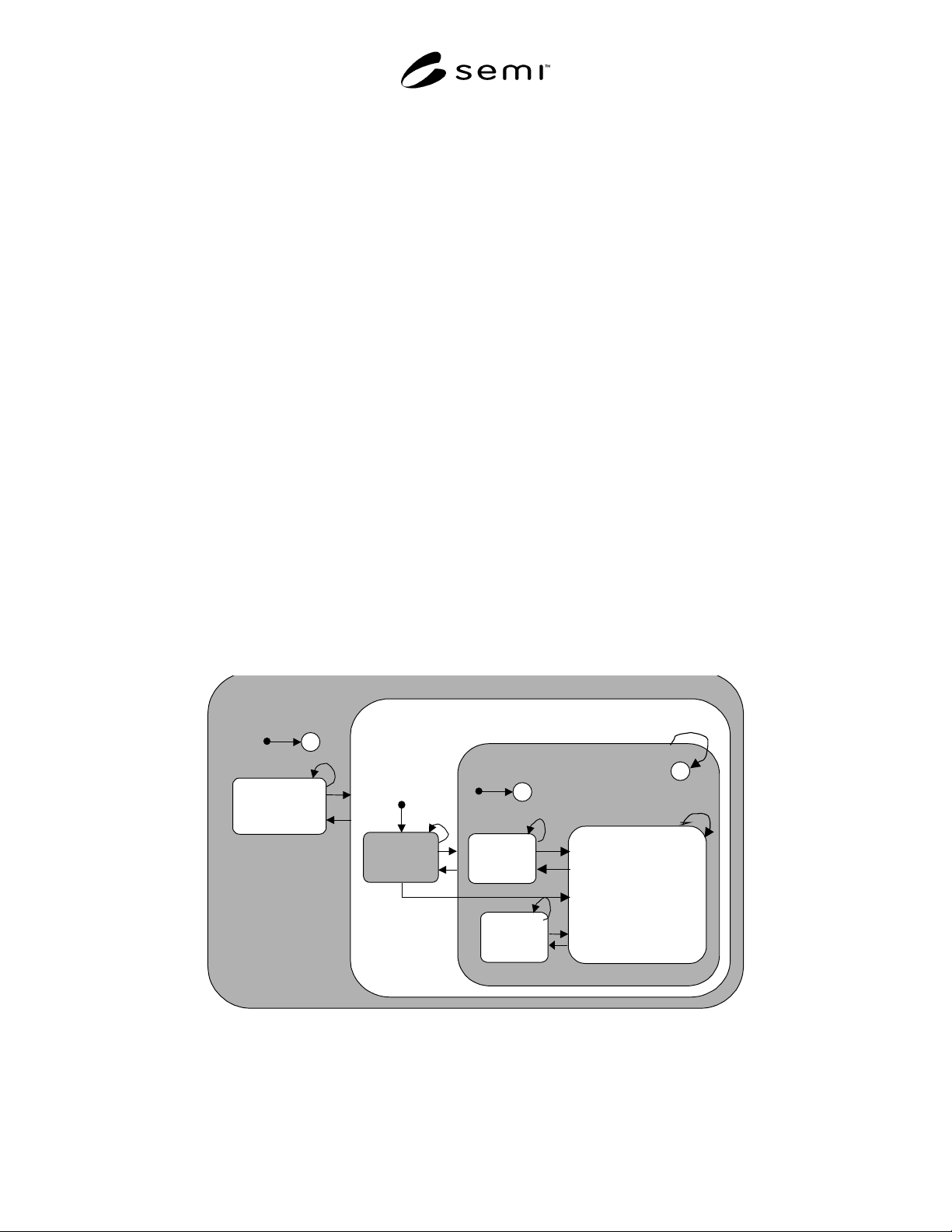
8.5.3.1 Sensor-BI-EP OPERATING Application
Process — When in the ENDPOINT ON / ENDPOINT
IN PROCESS state, the ‘Value’ attribute is set to
FALSE and the ‘Reading Value’ attribute is set to
VALID. A reading, or readings, may be retrieved from
the device physical signal processing electronics. This
reading may be filtered, analyzed, and corrected with a
manufacturer-specified algorithm. This corrected
reading becomes the input to the endpoint formula to
generate the ‘Value’ attribute as referenced in SEMI
E54.1. This process is called “endpoint detection” and
is executed only when the Sensor-BI-TH-EP object is in
the OPERATING state as defined in SEMI E54.1.
When an Endpoint event is detected, the ‘Value’
attribute is set to TRUE and the ‘Reading Valid’
attribute is VALID. When not in the OPERATING
state, the value of the ‘Reading Valid’ attribute shall be
set to INVALID. When in one of the sub-states of the
OPERATING state, the validity of the ‘Value’ attribute
shall be manufacturer specific. Required sub-states
within the OPERATING state, descriptions of these
sub-states, and a transition matrix associated with these
sub-states are given in Figure 2, Table 16 and Table 17
respectively.
8.5.3.1.1 Whenever a ‘Sensor Not Detected’ alarm,
‘Endpoint Failure’ alarm or ‘Unexpected Conditions
Detected’ alarm is active, the EPD device shall turn off
the endpoint detection event process and hold the
device in the ENDPOINT OFF state until the alarm
clears (see Section 8.2).
8.5.3.1.2 A device can concurrently monitor and
report many endpoint detection events. The number of
endpoint detection events varies by vendor and device
model.
8.5.3.1.3 The ‘Value’ attributes for all S ensor-BI-TH-
EP objects shall be held at ‘FALSE’ until a valid
endpoint detection event is determined. An endpoint
detection event is initiated when the endpoint service
request ‘Endpoint Start’ or Endpoint On (if the state
ENDPOINT ON / ENDPOINT IDLE is not supported)
is received and the endpoint object can successfully
transition to the ENDPOINT ON / ENDPOINT IN
PROCESS state.
8.5.3.1.4 When attempting to set the “M inimum
Time”, “Maximum Time”, and “Target Time” attribute
to a value above the capability of the endpoint detection
event an error response shall be generated indicating an
invalid operation has been attempted.
8.5.3.1.5 When attempting to set the “Recipe
Identifier” or “Step Identifier” attribute to an identifier
outside the range of the endpoint detection event an
error response shall be generated indicating an invalid
operation has been attempted.
ENDPOINT
FAILURE
ENDPOINTING
OPERATING
ENDPOINT
OFF
ENDPOINT ON
ENDPOINT IN PROCESS
ENDPOINT
SUSPENDED
C
C
1
20
4
2
3
7,8,9,22
5
6
10
21
19
12
18
ENDPOINT
IDLE
15,16
14
13, 17
11
H
Figure 2
Sensor-BI-TH-EP Object Behavior Within the Operating State