semi合集-English.pdf - 第3360页
SEMI E132-0305 © SEMI 2004, 2005 13 12.3 Security Administration Interface 12.3.1 Figure 8 summ arizes the standard services availabl e through the security admi n interface to any client authenticated as the security ad…
SEMI E132-0305 © SEMI 2004, 2005 12
unique across all privileges defined on the equipment. Permission and privilege is used interchangeably in this
specification.
11.2.10.2 This specification defines a reserved Privilege id that represents all Privileges that are supported by the
equipment. The value of the id for this reserved Privilege is “urn:semi-org:auth:allPrivileges”. All implementations
shall support this reserved Privilege. If an equipment user’s security policy permits the approach, an ACL entry can
be created for any Principal or Role that assigns this reserved Privilege to that Principal or Role. Principals or Roles
that are assigned this privilege are granted all privileges supported by the equipment. A PrivilegeAssignment ACL
entry containing this privilege cannot include any other privileges supported by the equipment in the entry.
Table 11 Privilege Attribute Definitions
Attribute Name Definition Form
privilegeId Identifies a specific privilege. Text, must be equal to either the reserved value “urn:semi-
org:auth:allPrivileges”, or to the ‘id’ attribute of one of the
DefinedPrivileges supported by the equipment (see Section Table 21).
11.2.10.3 This specification also defines a reserved Privilege id that represents the Privileges of the SecurityAdmin
as described in 12.2. The value of the id for this reserved Privilege is “urn:semi-org.auth:securityAdminPrivileges”.
All implementations shall support this reserved Privilege. One and only one Principal can be assigned this privilege,
either through a RoleAssignment or PrivilegeAssignment ACLentry. Once assigned, that Principal is permitted
access to all operations defined for the SecurityAdmin interface. Requests to create more than one ACLEntry
assigning this privilege to a Principal shall be rejected (see Section 12.3.2.3).
12 Administration
12.1 Administration Overview
12.1.1 As the number of clients and resources to manage across a factory scales up, support for a centralized security
administration model becomes a critical capability. This specification will not describe how a factory can
implement such a model for their network, but will specify standard mechanisms to enable this capability. This
specification describes a security administration interface to allow remote management of client credentials and
authorizations, such as from a central location. Only concepts and behavior are described, it is expected that a
separate technology adjunct standard will be created describing the specific message structure, protocols and
algorithms that will used.
12.2 Security Admin
12.2.1 The equipment must support one security administration account. This admin agent will have privileges to
utilize the SecurityAdmin interface defined in this specification. The initial security admin credentials must be
established at the time of equipment install via some out of band means, this can be a local operator interface or
provided by equipment vendor as a factory preset. If the admin credentials are factory preset, then there must be
some means for end-user to re-establish its credentials. This specification requires that only the security admin can
utilize the services defined in the security administration interface. Security admin privileges are granted to one and
only one Principal via a reserved privilege id. The equipment shall only support 1 active security admin session at a
time.
SEMI E132-0305 © SEMI 2004, 2005 13
12.3 Security Administration Interface
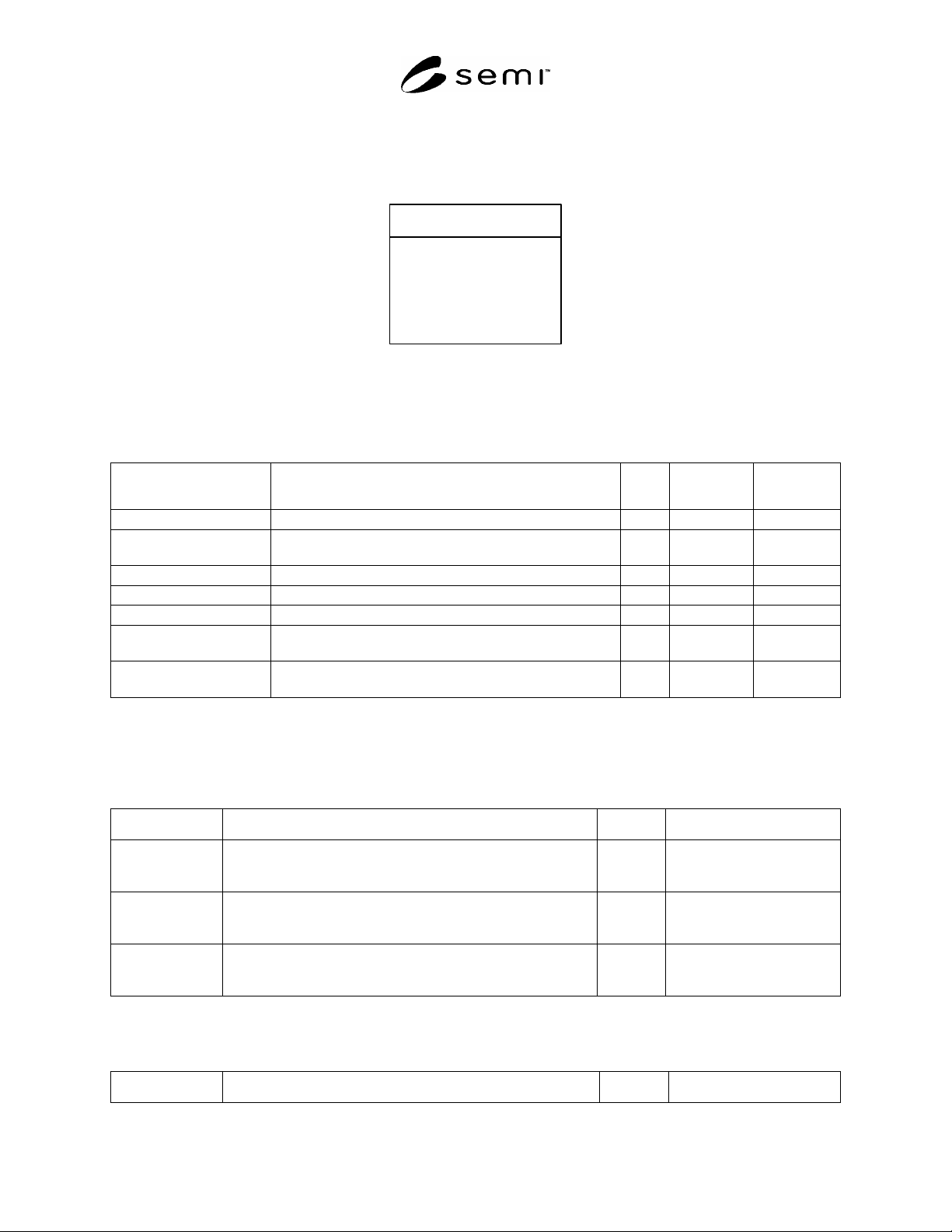
12.3.1 Figure 8 summarizes the standard services available through the security admin interface to any client
authenticated as the security admin. Equipment manufacturers are free to define additional operations if needed.
GetDefinedPrivileges()
GetACL()
AddACLEntry()
DeleteACLEntry()
GetActiveSessions()
SetMaxSessions()
GetMaxSessions()
«interface»
SecurityAdmin
Figure 8
Security Administration Interface
12.3.2 Security Administration Operations
Table 12 Security Administration Operations
Operation Description Type Requestor/
Sender
Responder/
Receiver
GetDefinedPrivileges Requests for the list of all privileges defined on equipment. RR Admin Equipment
GetACL Requests for the collection of ACL entries defined on the
equipment.
RR Admin Equipment
AddACLEntry Adds an ACL entry on the equipment. RR Admin Equipment
DeleteACLEntry Deletes an ACL entry on the equipment. RR Admin Equipment
GetActiveSessions Requests for information on all active sessions. RR Admin Equipment
SetMaxSessions Sets maximum limit on number of non-admin sessions
allowed.
RR Admin Equipment
GetMaxSessions Requests for the maximum limit of non-admin sessions
currently set on equipment.
RR Admin Equipment
12.3.2.1 GetDefinedPrivileges — This operation retrieves the set of privileges supported by the equipment
manufacturer. The list shall include the reserved “allPrivileges” Privilege defined in this specification (see Section
11.2.10).
Table 13 GetDefinedPrivileges Parameter Definitions
Parameter Description Kind Form
privileges Contains description and identifier of all defined privileges. OUT Unordered list of type
DefinedPrivilege, Section
12.3.3.3.
error Operation not authorized. error Structured data, of type
UnauthorizedOperationError,
Section 12.3.3.1.
error Unrecognized session. error Text, equal to unrecognized
session error, including the
bad session id.
12.3.2.2 GetACL — This operation requests for the entire ACL currently defined on the equipment.
Table 14 GetACL Parameter Definitions
Parameter Description Kind Form
SEMI E132-0305 © SEMI 2004, 2005 14
Parameter Description Kind Form
ACL Returned ACL of equipment. Null list is returned if no ACL
entries are defined.
OUT Unordered list of types
derived from ACLEntry,
Section 11.2.4.
error Unrecognized session. error Text, equal to unrecognized
session error, including the
bad session id.
error Operation not authorized. error Structured data, of type
UnauthorizedOperationError,
Section 12.3.3.1.
12.3.2.3 AddACLEntry — This operation adds a new ACL entry to the equipment’s ACL. If the ACLEntry is a
PrivilegeAssignment or a RoleAssignment for a Principal or Role that already has a PrivilegeAssignment or
RoleAssignment ACLEntry, the equipment shall return an error. If the ACLEntry is a PrivilegeAssignment and
refers to privilege id’s that are not supported by the equipment, the equipment shall return an error. If the ACLEntry
is a RoleAssignment and refers to a Role that does not have a PrivilegeAssignment ACLEntry defined, the
equipment shall return an error. If the ACLEntry is a RoleAssignment or PrivilegeAssignment that would result in
more than one Principal having the SecurityAdmin privilege (see Section 11.2.10.3), the equipment shall return an
error. Otherwise, the equipment shall store the newly-added ACLEntry together with the rest of the ACL in non-
volatile memory.
Table 15 AddACLEntry Parameter Definitions
Parameter Description Kind Form
aclEntry New ACL entry to be added. IN Structured data of type
ACLEntry, Section 11.2.4.
error Duplicate entry found. error Text equal to duplicate
principal/role name error.
error Unrecognized role. error Text equal to unrecognized
role error.
error Unrecognized privilege. error Structured data, of type
UnrecognizedPrivilegeError,
Section 12.3.3.3.
error Unrecognized session. error Text, equal to unrecognized
session error, including the
bad session id.
error Operation not authorized. error Structured data, of type
UnauthorizedOperationError,
Section 12.3.3.1.
12.3.2.4 DeleteACLEntry — This service removes an ACL entry from equipment’s ACL. The deletion of an
ACLEntry that has been applied to one or more active sessions does not affect the privileges granted to that session,
nor does it terminate any such session. Attempts to establish new sessions by a Principal whose
PrivilegeAssignment or RoleAssignment ACLEntry has been deleted shall be rejected by the equipment until a new
ACL entry is created for that Principal, or unless there is an ACLEntry for the reserved “anyPrincipal” (see Section
11.2.8). It is an error to delete a PrivilegeAssignment ACLEntry for a Role when there are still Principals assigned
to that Role through a RoleAssignment ACLEntry.
Table 16 DeleteACLEntry Parameter Definitions
Parameter Description Kind Form
subjectId Identifies the ACL entry to be deleted by the id of subject. IN Text
error Entry not found. error Text, equal to ACL entry not
found error.
error Unrecognized session. error Text, equal to unrecognized
session error, including the