semi合集-English.pdf - 第6943页
SEMI S8-0705 © SEMI 1995, 2005 40 R6-2.4 Areas coded by lum inance only sh ould diff er in displa y luminance wi th respect to eac h other by ratio of at least 1.5:1. R6-2.5 Where blink coding is used solely to attract a…

SEMI S8-0705 © SEMI 1995, 2005 39
R6-1.5.4 In cases where the dialogue system is able to correct errors automatically, it should advise the user of the
execution of the corrections and provide the opportunity to override the corrections.
R6-1.5.5 User needs and characteristics may require that error situations are deferred, leaving the decision to the
user when to handle them.
R6-1.5.6 Additional explanations should be provided during error correction on request.
R6-1.5.7 Validation/verification of data should take place before attempting to process the input.
R6-1.5.8 Additional controls should be provided for commands with serious consequences.
R6-1.5.9 Error correction should be possible without switching dialogue system states, where the task permits.
R6-1.6 The dialogue should be capable of individualization.
NOTE R6-7: A dialogue is capable of individualization when the interface software can be modified to suit the task needs,
individual preferences, and skills of the user.
NOTE R6-8: Although, in many cases, providing users with customization capabilities is very desirable, it is not an acceptable
substitute for ergonomically designed dialogues. In addition, customization capabilities should be provided only within certain
limits such that modifications cannot cause users any potential discomfort (e.g., unacceptable noise levels with user configured
auditory feedback).
R6-1.6.1 Mechanisms should be provided to allow the dialogue system to be adapted to the user's language and
culture, individual knowledge and experience of task domain, perceptual, sensory-motor, and cognitive abilities.
R6-1.6.2 The amount of explanation (e.g., details in error messages, help information) should be modifiable
according to the level of knowledge of the user.
R6-1.6.3 The user should be allowed to incorporate their own vocabulary to establish individual naming for objects
and actions if it suits the contexts and tasks. It should also be possible for the user to add individualized commands.
R6-1.6.4 The user should be able to set up operational time parameters to match their individual needs.
R6-1.6.5 Users should be able to choose between different dialogue techniques for different tasks.
R6-1.6.6 Log in should be a separate procedure that is completed before a user may select an operational step.
Passwords should be used to protect (limit access to) parts of the operating system which may be beyond the user’s
skill level to control safely.
R6-1.7 The dialogue should be suitable for learning.
NOTE R6-9: A dialogue is suitable for learning when it supports and guides the user in learning to use the system.
R6-1.7.1 Rules and underlying concepts which are useful should be made available to the users, thus allowing the
users to build up their own grouping strategies and rules for memorizing activities.
R6-1.7.2 Relevant learning strategies, (e.g., comprehension oriented, learning by doing, learning by example)
should be provided.
R6-1.7.3 Relearning facilities should be supported.
R6-1.7.4 A number of different means to help the user to become familiar with the dialogue elements should be
provided.
R6-2 Video Display Terminals
NOTE R6-10: Refer to ISO 9241 and EN 894-2 for detailed guidelines.
R6-2.1 Display characteristics should be selected to suit the specific conditions of use. For example, the expected
viewing distance, ambient levels of illumination, and lighting color (e.g., yellow illumination) in the work area
should be considered.
R6-2.2 Displays should be perpendicular to the user’s normal line of sight. The angle of the screen should be
adjustable or positioned to minimize glare.
R6-2.3 Surfaces immediately adjacent to the display should have a matte finish to control glare.

SEMI S8-0705 © SEMI 1995, 2005 40
R6-2.4 Areas coded by luminance only should differ in display luminance with respect to each other by ratio of at
least 1.5:1.
R6-2.5 Where blink coding is used solely to attract attention, a single blink frequency of 1Hz to 5Hz with a duty
cycle of 50% is recommended. Where readability is required during blinking, a single blink rate of 1/3Hz to 1Hz
with a duty cycle of 70% is recommended. It should be possible to switch off the blinking of the cursor.
R6-2.6 The number of colors simultaneously presented on a display should be based on the performance
requirements of the task. In general, the number of colors simultaneously presented should be minimized. For
accurate identification, the default color set(s) should consist of no more than eleven colors in each set.
R6-3 Input Devices
NOTE R6-11: Refer to ISO 9241 and EN 894-3 for detailed guidelines.
R6-3.1 Input characteristics should be selected to suit the specific conditions of use. For example, the performed
task, workstation arrangement, ambient levels of illumination in the work area, and related tasks should be
considered.
R6-3.2 Keyboards should permit easy repositioning on the work surface. Other than for special applications with
clearly defined tasks, the keyboard should be detachable. The keyboard should be stable during use (i.e., it should
not slip or rock).
R6-3.3 Keyboard support surfaces should be adjustable to accommodate standing or seated operation where
suitable.
SEMI S8-0705 © SEMI 1995, 2005 41
RELATED INFORMATION 7
SEMI S8 SUPPLIER ERGONOMIC SUCCESS CRITERIA (SESC)
CHECKLIST APPLICATIONS GUIDE
NOTICE: This related information is not an official part of SEMI S8 and was derived by the EHS Ergonomics
Task Force. This related information was approved for publication by full letter ballot on September 3, 2003.
R7-1 Purpose
R7-1.1 This section is provided as a companion to the SEMI S8 Supplier Ergonomic Success Criteria (SESC)
checklist as an aid to help equipment designers and evaluators understand how to apply the checklist when designing
equipment or assessing machine designs or prototypes.
R7-1.2 This applications guide follows the numbering scheme of the SESC checklist. When appropriate, notes,
illustrations and diagrams have been added to clarify each item.
NOTE R7-1: For the purpose of this document, “weight” is defined as the force of gravity and units are specified in Newtons (N),
and pound-force (lbf.). One lbf. is the force of gravity on a one-pound mass (lb.) and 9.81 N is the force of gravity on a one-
kilogram mass (kg.).
Table R7-1 Supplier Ergonomic Success Criteria Checklist Applications Guide
Section 1: Manual Material Handling
Section Indicator
1.1 Potentially hazardous manual material handling tasks performed as part of operations, maintenance, or service are
analyzed utilizing appropriate procedures.
NOTE: Two hand lifting or lowering tasks should be analyzed:
if the object being handled weighs more than 44.5 N (10 lbf);
OR, if the object weighs more than 22.2 N (5 lbf) and the anticipated frequency is greater than 1 lift every 5 minutes.
See Appendix 2 for further information.
Acceptance criterion: Analysis and results documentation. Table A2-2, Appendix 2, or the equivalent, should be used
to document 2-hand lift/lower analysis.
Section 2: Product Loading in a Standing Posture
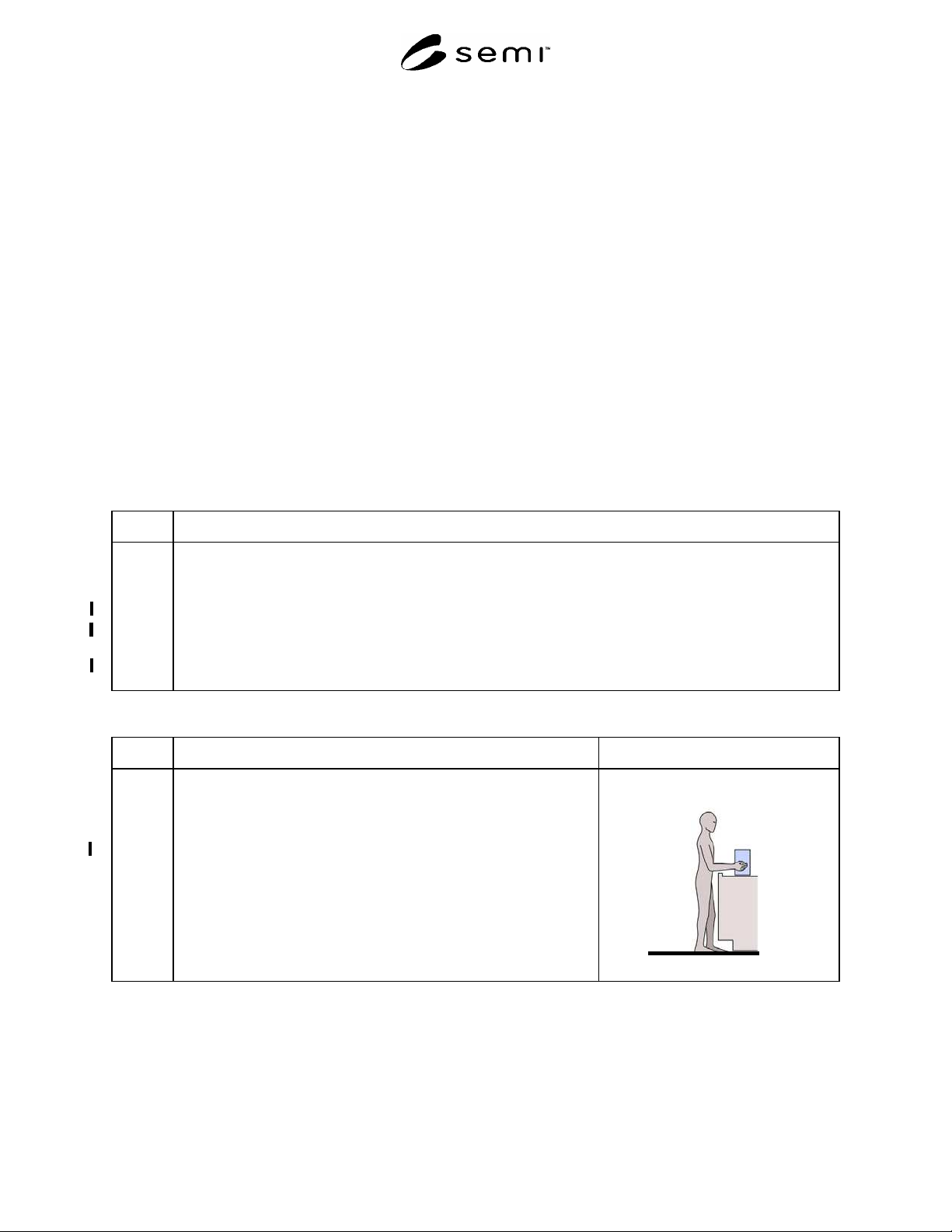
Section Indicator Figure
2.0 Product Loading in a Standing Posture (Applicable to all media other
than wafer cassettes including JEDEC trays, magazines and reticle
cassettes.
NOTE A: The criteria of this section should be applied only to production
operations where media will be loaded and unloaded by people.
NOTE B: This guideline may also be applied to manually loaded FOUPs.
NOTE C: A load port is the surface upon which the machine operator
places the media or the base of the media when it is placed on a machine
arm or in a receptacle.
NOTE D: Coupling point is the center of a handle or the center of the
large middle knuckle of the hand when it grasps an object.